AI has been used in creative work for a long time. Initially, people used to utilize it mostly for writing or making pictures. It is now also being widely used in music. Artificial intelligence is found to be effective in making beats, mixing songs, fixing voices, and even creating new tunes. One fun use is AI lyric swap, which enables users to change or rewrite song words while keeping the same style. In this article, we will explore the top 3 AI lyric swap tools that can help you create songs in a new way.
- On This Page
-
Get a Comprehensive View of AI Lyric Swap
-
Start Your Music Production with 3 Top AI Lyric Swap Tools
AI Music Service – Change Song Lyrics with AI
Covers.ai – Change the Lyrics, Keep the Vocal Timbre
Suno AI – Innovative "Replace Section" for Lyrics Changing
-
How to Transform a Song with AI Lyric Swap
-
Bonus: Make Excellent Tracks for Music Creation with Vidnoz AI
How to Use Vidnoz AI Music Generator
-
Limitations and Optimization Tips for AI Lyric Swap
Get a Comprehensive View of AI Lyric Swap
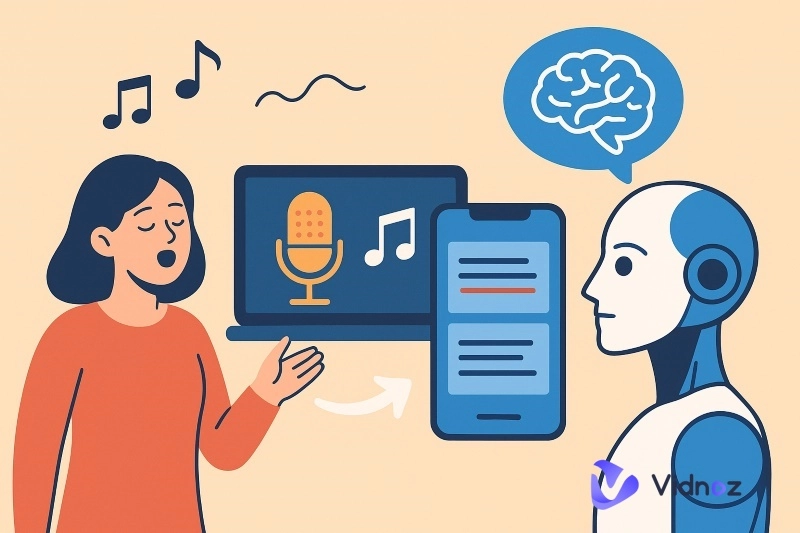
AI lyric swap makes it easy to play with song words in a fun way. Simply upload the original song and input your own prepared lyrics, and this kind of tool will handle the replacement for you.
Some new tools can even automatically suggest new lines, smoother rhymes, or fresher wording based on your prompts. It also lets you change the mood of your song, whether you want it upbeat, emotional, all while keeping the flow close to the music. Since the rhythm stays balanced, the new lyrics don’t feel out of place.
People use it to fix hard lines, get new ideas, or make quick changes to a song. It feels like a helper who works fast and makes things easy.
Start Your Music Production with 3 Top AI Lyric Swap Tools
Every requirement is different. Some want quick lyrics, some want new ideas, and some just need help fixing lines. A good AI lyric swap tool can make it faster and more fun. Let’s now find the best tools that actually help users.
AI Music Service – Change Song Lyrics with AI

AI Music Service is an easy AI lyric swap tool that lets you change or replace song words without breaking the flow of the music. It can create lyrics in multiple languages, which is great if you want greater exposure. The tool uses rhythm-matching so the new words fit well with the beat. It's this precision—combining AI's speed with a human touch—that makes it unique. It’s powerful AI copies the singer’s voice style using a celebrity voice AI Algorithm and swaps it with excellent efficiency.
Key Feature
- Generate lyrics in multiple languages
- Accurately match the lyrics with music rhythm
- Precisely duplicate the tone of the real singers with AI
- Operate in the online AI lyric swap free workspace
Covers.ai – Change the Lyrics, Keep the Vocal Timbre

Covers.ai is yet another powerful AI lyric swap free tool that lets you change song lyrics while keeping the same voice style. Even after the lyrics are swapped, the singer’s tone stays the same, so it still sounds natural. You can use the real-time preview to hear changes right away, which makes testing easy.
The tool also has three blending levels so you can choose how much the new lyrics mix with the old voice style. With Covers.ai, you get smooth, clear results that sound close to the original singer, making it useful as an AI rapper voice generator too.
Key Feature
- Keeps the singer’s original tone
- Real-time lyric swap preview
- Three blending levels for control
Suno AI – Innovative "Replace Section" for Lyrics Changing

Suno AI is a popular AI music platform that now has a new “Replace Section” feature. With this tool, you can change lyrics of song AI without redoing the whole track. You pick the section, change the lyrics, and Suno gives you new options right away.
It can also make full songs from short prompts and supports many music styles. This makes editing and creating songs easy and fast. Suno AI contains v4.5 which also lets you create an AI music mashup by mixing different styles in one song or mixing different songs in one track while still keeping the track smooth and balanced.
Key Feature
- Change only one part of the song
- Make full songs with simple prompts
- Create music in many styles
How to Transform a Song with AI Lyric Swap
Now that you know the best AI lyric swap tools, let’s see how you can actually do it. However, do make sure that you have a high quality original song prepared before applying the tool.
Here, we will show you the process of using AI Music Service to swap lyrics. You don’t need to be an expert, just follow these simple steps:
Steps to Follow
Step 1: Open the AI Music Service official website and click on "Change Song Lyrics Now".

Step 2: Choose a song from the tool library using “Quick Search” feature. You can also manually insert a song of your choice.

Step 3: Now, the tool will allow you to rewrite the lyrics yourself as per your requirement. Do it right and move forward.

Step 4: Now, add pronunciation or accents for the swapped song lyric and hit “Change Song to My Lyrics”.
Just wait a moment, and the song after changing the lyrics will be generated.

Bonus: Make Excellent Tracks for Music Creation with Vidnoz AI
When it comes to lyric swapping, the results get even better if you pair them with premium music creation tools. This is where Vidnoz AI Music Generator truly stands out. It offers another way to explore your creativity by allowing you to try out different AI music creation modes. With the innovative feature, you can not only replace lyrics but also produce full tracks in unique styles.
Vidnoz Free AI Music Generator
Free to generate & download for commercial use!
- 100+ combinations of musical styles, moods and themes
- Turn your texts into songs and music videos
- AI to create an original song with your lyrics
Create Music with AI
Vidnoz AI Music Generator is currently available for free use, offering music creators a convenient path to creation. It supports two modes: Instrumental and Song with Lyrics. Whether you want to create a complete pop song or a relaxing piece of pure music, it can be easily achieved. In terms of Genre and Instrument, Vidnoz AI provides an exceptionally rich selection, helping creators precisely shape unique musical atmospheres and effortlessly experiment with blending and innovating different musical styles.

Some Notable features of Vidnoz AI
- Freely Combine Genres & Instruments: With Vidnoz, you can mix different genres and instruments in endless ways. For example, you could blend pop vocals with jazz piano or hip-hop beats with classical strings.
- Text-Driven Creation: Simply type in your ideas, moods, or themes, and Vidnoz AI turns your text to song. This makes it easy for anyone, even beginners, to create tracks from scratch.
- Crystal-Clear Music Output: The platform delivers high-quality, clear sound in every track it generates. This ensures your music feels polished and professional, not artificial or distorted.
- Royalty-Free for Commercial Use: All music created with Vidnoz AI is royalty-free, meaning you can use it in videos, ads, or commercial projects without worrying about copyright issues or extra fees.
- Create AI MV for Your Songs: Vidnoz does not restrict itself to producing music only. This platform contains a large number of features, you can easily create an stunning music video with its free AI video generator.
How to Use Vidnoz AI Music Generator
Step 1: Open the official website and navigate to “Free AI Tools” and then select “AI Music Generator” in the header.

Step 2: Now, make sure you have selected ‘Song with Lyrics’ mode. Insert your song title and the lyrics you created for the song. Also, you can personalize the mood, style, genre and instrument for your song.

Step 3: Then, select the vocal gender and hit “Generate Song (2 Songs/Session)”, and your song with the swapped lyric will be ready.

Limitations and Optimization Tips for AI Lyric Swap
AI lyric swap tools are fun to use, but they still have some limits. Knowing these problems helps you get better results when making songs.
- Poor quality of AI-generated lyrics: AI lacks the emotional depth of human creators, resulting in lyrics that often fail to meet song quality standards due to issues like illogical coherence and rigid rhymes.
- Inability to replicate the original singer's voice: Most AI tools offer basic mixing and sound processing features. After replacing lyrics, the vocals may become distorted, failing to authentically reproduce the singer's tone.
- Ineffective integration of new lyrics: During the integration, new lyrics may not fully align with the original beat, particularly in high-pitched sections, significantly impacting the listening experience.
To address these issues, you can try implementing certain measures to resolve them to some extent and achieve better song quality:
- Prepare your own lyrics in advance based on the accompaniment.
- Use an AI voice changer to duplicate the vocals, ensuring the final song accurately reproduces the singer's tone.
- After processing with the AI lyric swap tool, preview the results. If you are not satisfied, you can use third-party tools to perform secondary mixing yourself.
Conclusion
AI lyric swap tools give you a new and easy way to create songs. They help you change lyrics, fix hard lines, and make fresh music while keeping the rhythm smooth. If you want to learn how to make AI music and take your creativity with the swapped lyrics even further, try Vidnoz AI Music Generator. Sign up today and start making your own unique songs with AI in just a few simple steps.
Vidnoz Free AI Music Generator
Free to generate & download for commercial use!
- 100+ combinations of musical styles, moods and themes
- Turn your texts into songs and music videos
- AI to create an original song with your lyrics
Create Music with AI