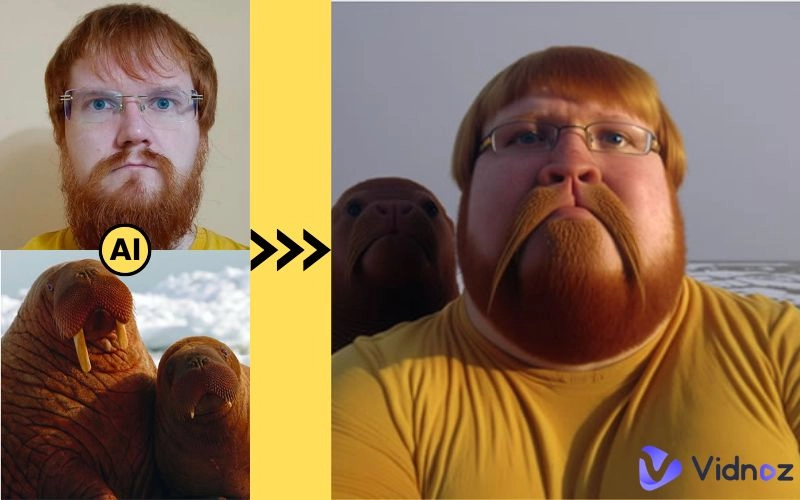
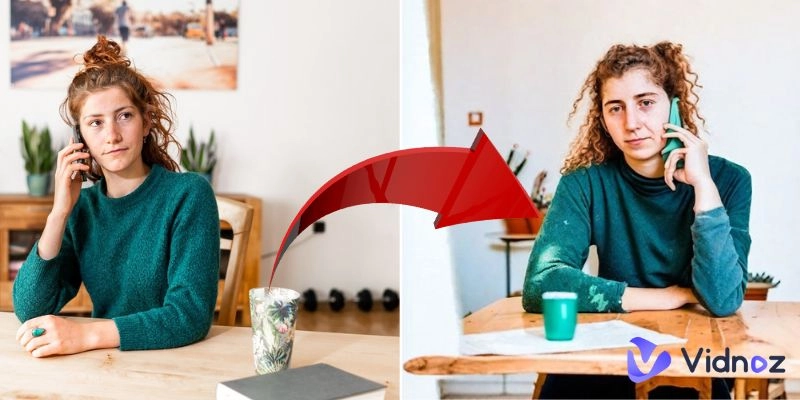
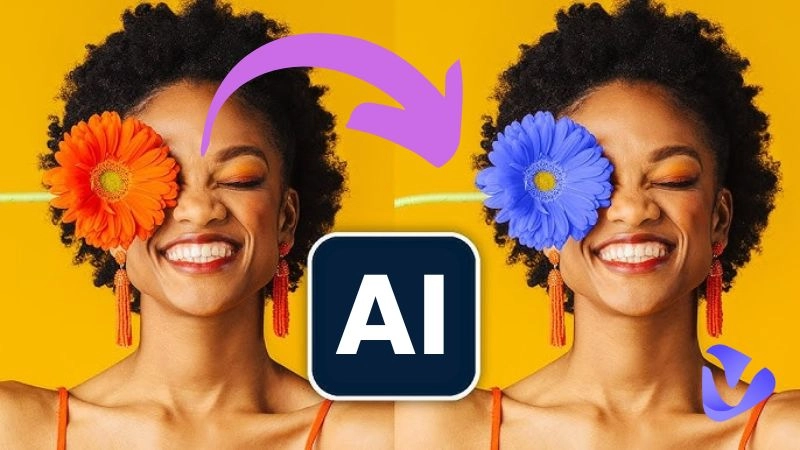
Are you frustrated with manually editing your creative content or personal images? Just quickly remove that photo intruder from your couple selfie or restore an old picture full of sweet memories? Then, AI image inpainting is the latest and most effective technique for you. Forget doing multiple rounds of manual editing and challenging tool usage. Work with the best AI image inpainting tools that change your whole content orientation with only a click. You can choose from numerous tool options, including Vidnoz AI, OpenArt AI, and others. Let’s explore this topic and tools further.
- On This Page
-
What is AI Image Inpainting?
-
What You Can Do with AI Image Inpainting Tools
-
OpenArt Free AI Inpainting Best for Photo Elements Changing
-
Vidnoz Free AI Image Inpainting Online: Best for Object Removal & Image Expanding
#Vidnoz AI Image Extender
-
Getimg.ai Online Image Inpainter: Best for Fast Image Editing
What is AI Image Inpainting?
Image inpainting is the task of restoring missing or damaged regions of an image using information from the surrounding pixels. Traditionally, this process relied on manual editing or basic algorithms that copied surrounding pixels, often resulting in unrealistic or patchy results. The arrival of AI-powered technology has drastically changed the manual inpainting process. Now, AI image inpainting is trending, with Artificial Intelligence drastically improving the whole process.
Instead of simply guessing based on nearby pixels, AI analyzes the entire image context, including structure, texture, and objects, to generate highly realistic results. Deep learning is used by these AI software to determine which image portion needs restoration or filling in. Multiple free and premium AI image inpainter tools are available nowadays, each with unique features as well as pros and cons.
What You Can Do with AI Image Inpainting Tools
AI image inpainting tools have transformed the way we edit and restore images. Now, you don’t need to be a professional editor to alter an image. These tools analyze the uploaded image to produce realistic replacements. You can easily create highly demanded content for social media and other sectors.
Some common use cases of these tool include:
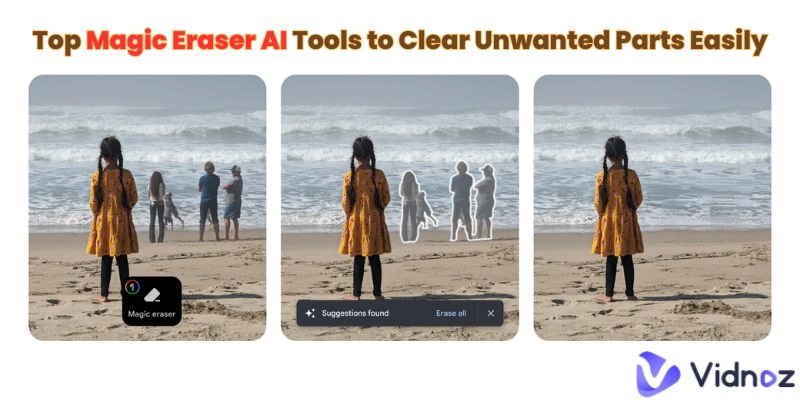
- Remove unwanted objects from the image: people, logos, or wires removal while keeping the background intact.
- Restore old photos: fix scratches and fading in old photos.
- Image recreation: change or add elements of the image you provide
- Expand images: expanding small-sized images without losing photo quality and zero blurriness.
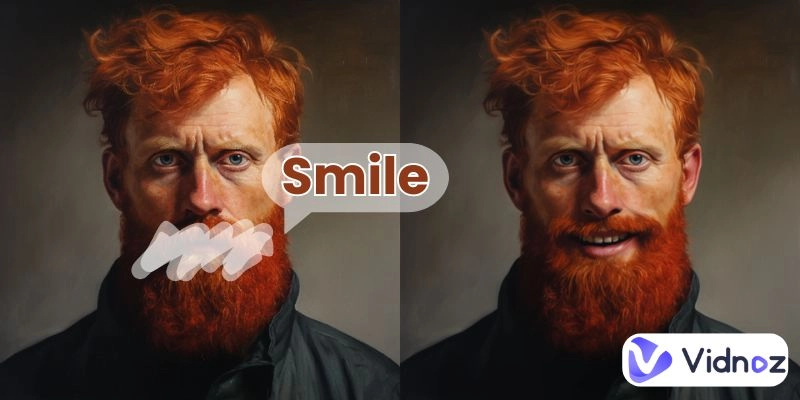
- Face or Object Replacement: modify facial expressions or swap objects while maintaining realism.
OpenArt Free AI Inpainting Best for Photo Elements Changing
Open Art Free AI Inpainting is an excellent tool that provides users with free AI image inpainting that helps enhance photos with cutting-edge technology. You can use it best for seamless edits and creative transformations, including restoring old pictures and adding missing details. Some main features of this powerful tool include removing/changing elements from an image with features like Click Area, Manual Brush, and Inverse.

Users can use the inpaint feature up to a certain limit of 40 credits only in the Free version. You need the Essential pricing package or higher to get ample use of AI inpainting. Essential starts at $7/seat/mo nowadays.
You can use this tool with the following method, which, although it seems simple, is practically tough to apply:
Step 1 # First, sign in to upload an image into the area labeled “Drop Files Here.” You will get redirected to a new page where you can start editing.
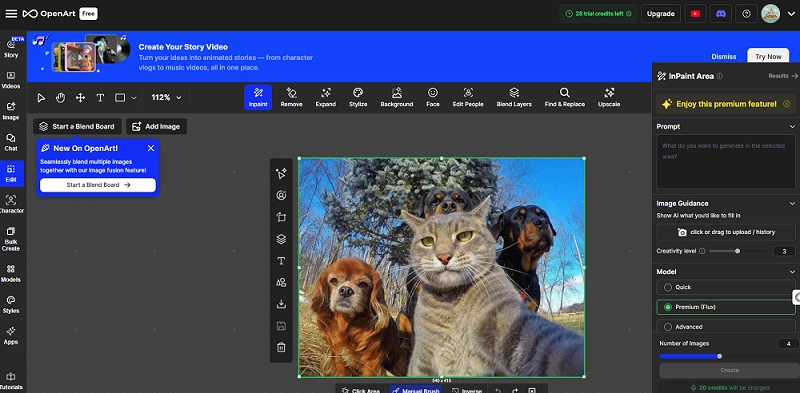
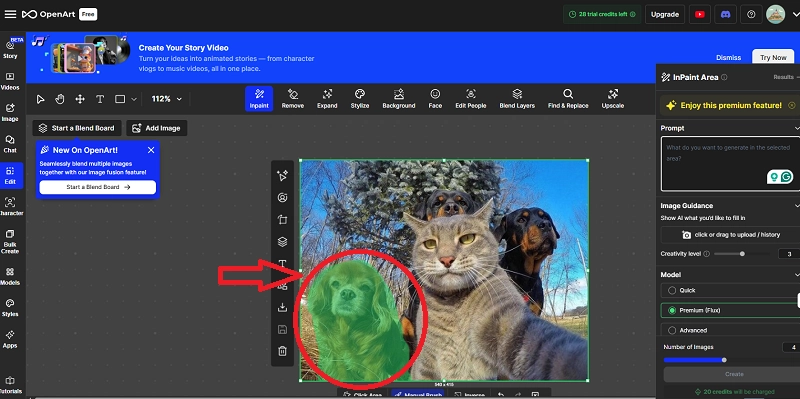
Step 2 # Use the Smart Select tool or Manual Brush to highlight the specific area of the photo you wish to modify. Carefully outline the section to ensure accurate edits.
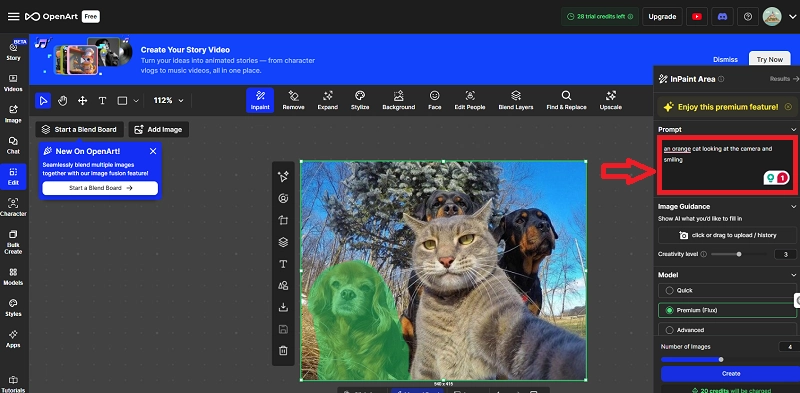
Step 3 # Enter the prompt and select the AI model you prefer and specify the number of generations for the inpainting process. This will determine the quality and style of the final image.
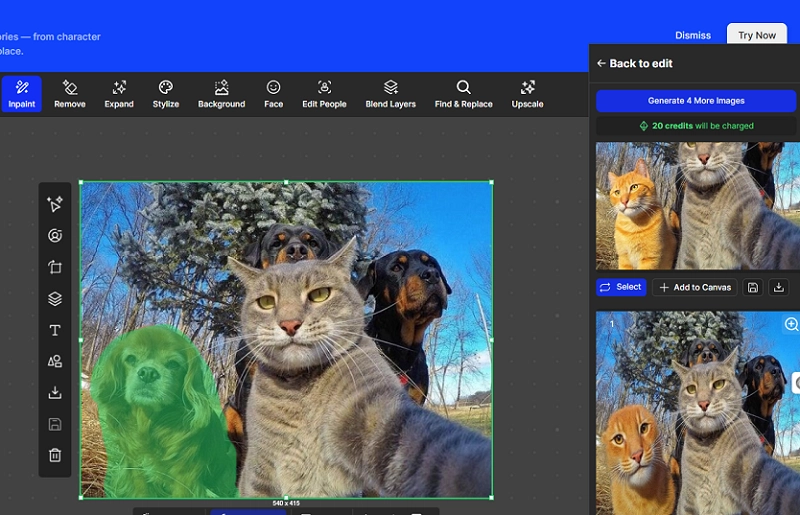
Step 4 # Click on "Create" and let the AI image inpainter process your image. Review the edited image and make any necessary adjustments. You will get an altered image of your desire.
Vidnoz Free AI Image Inpainting Online: Best for Object Removal & Image Expanding
Vidnoz AI is a comprehensive platform, offering a variety of free AI tools. It elevates AI image inpainting online with two unique tools for users: one for object removal and the other for image expanding. The best thing about these image inpainters is that you don’t need to sign up or sign in to use these tools. Just visit the link page to start your AI image inpainting free.
#Vidnoz AI Image Remover
Vidnoz free AI Image Remover helps you to remove unwanted objects, text, or watermarks from your image. You get an AI image inpainting free of cost here in just one click. It also offers magic AI Eraser and AI Pencil to remove semi-transparent and overlapped icons or texts without leaving a trace. You can also remove people from group photos or those who intrude on your scenic images.
Key Features
- Highly user-friendly
- Supports multiple formats of images (JPG, PNG, WEBP) up to 20 MB
- No image quality loss
- Seamless AI background rendering
Steps to use this amazing AI image inpainter are as follows:
Step 1 # Upload an image and select the options of ‘Draw To Select’ and ‘Erase Selection.’
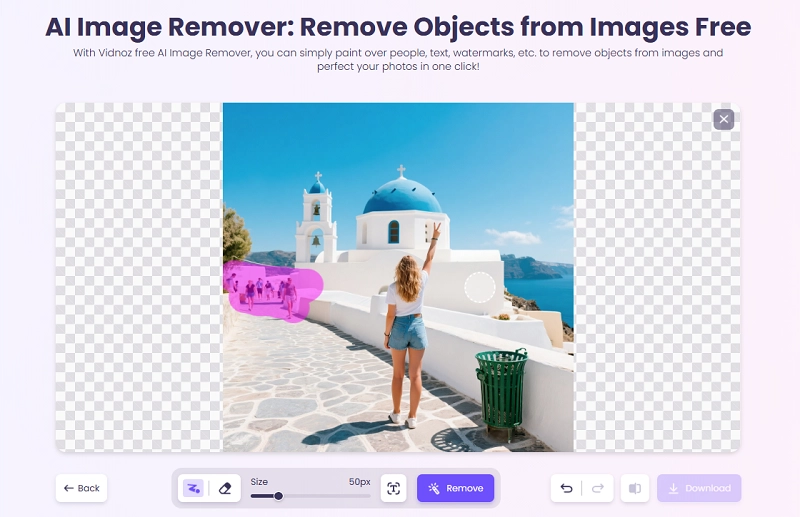
Step 2 # Click on ‘Remove’ to erase unwanted text.
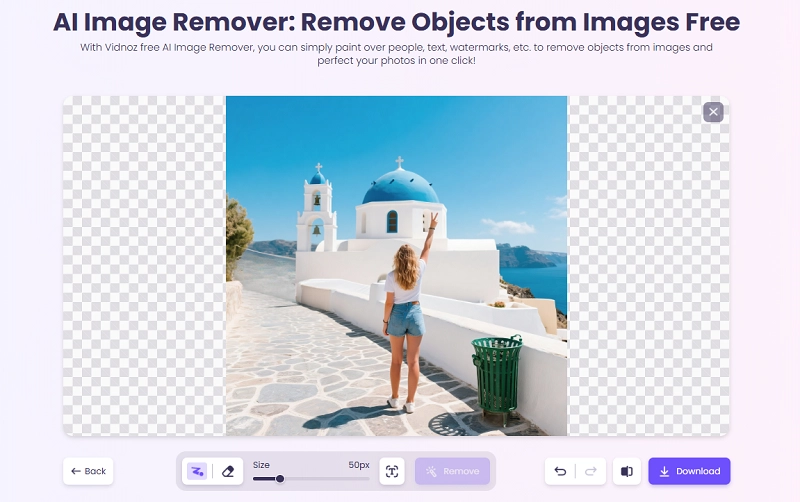
Step 3 # You may also adjust the ‘Size.’ Click on the ‘Download’ button to obtain the altered image.
#Vidnoz AI Image Extender
Forget blurry extended photos with a fantastic AI image inpainting tool, the Vidnoz AI Image Extender! Now, you can use an image for multiple social media platforms by changing its aspect ratio without losing the image quality. This tool offers photo expansion 10 times faster than general edits. Fill the missing space or uncrop images with one click!
Key Features
- High-quality aesthetic visuals creation as output
- Seamless image orientation change
- Allows custom aspect ratio change
- Fast and free AI image inpainting online
Basic steps to use this tool are as follows:
Step 1 # Upload an image or drag and drop an image.
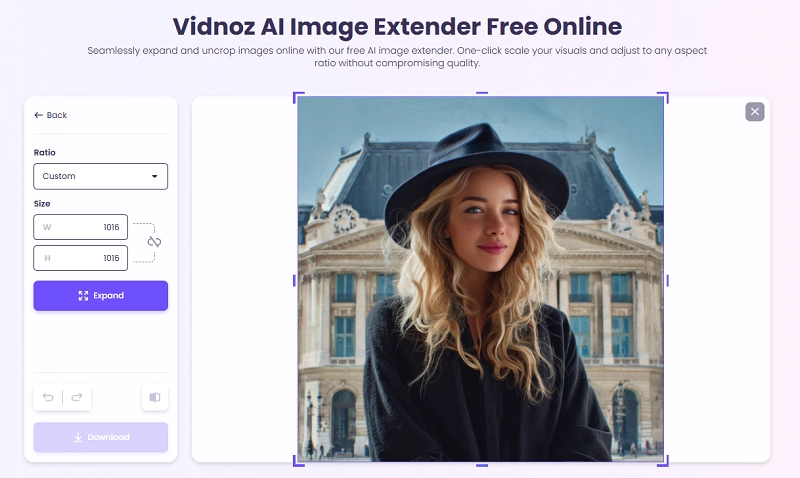
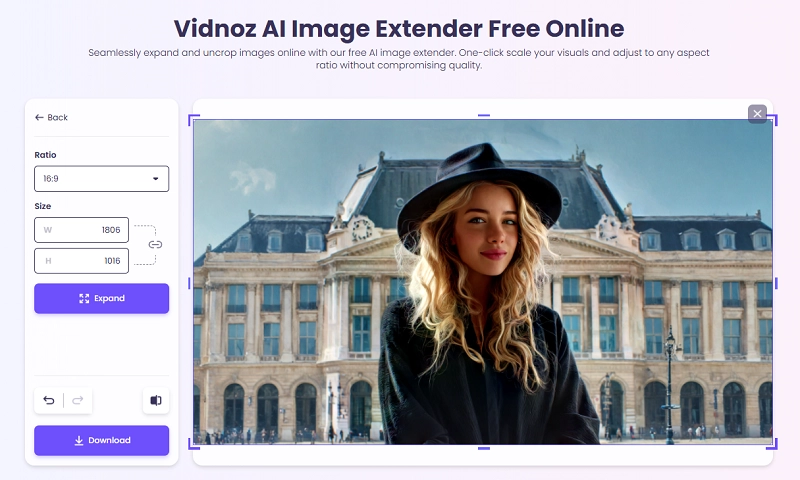
Step 2 # Select the ‘Ratio’ and ‘Size’ options of your desire. Lock the Size choices. Click on the Expand button to expand the image with AI.
Step 3 # You get an instant, flawless, expanded image. Now download and share it.
Getimg.ai Online Image Inpainter: Best for Fast Image Editing
Getimg.ai is another AI image inpainting tool that claims to eliminate Photoshop hassles with its amazing edit, swap, or remove features. However, users need to Log In to access this inpainting function. Just Mask, Describe, and Click. No need to use complex tools or steps. The offered different mask tools include Mask Region, Mask with Lasso, pen, brush, etc. The pricing is affordable, with options for every type of user, ranging from Free to the top Ultra package of $150/month for 100k credits.
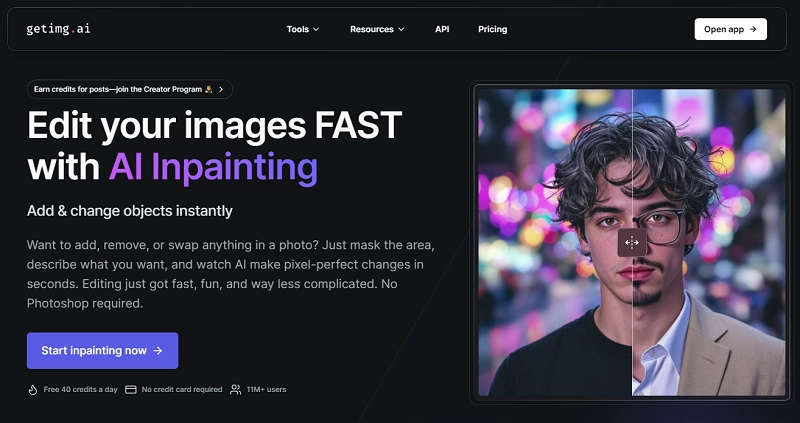
Getimg.ai modifies existing parts of your photos or fills in missing elements in seconds to achieve completely new looks. However, output generation indicates that this tool is not good at AI object removal, but changes elements only. Furthermore, the tool may misunderstand your prompts. So, users have to make the prompt clear and detailed, otherwise they won’t get the right, changed content.
Conclusion
Thus, AI image inpainting is your answer to professional editing at your fingertips. Inpaint image online using the latest free software tools, which have mostly easy-to-use interfaces. OpenArt, Getimg.ai, and Vidnoz AI are among the top AI image inpainter names. Vidnoz free AI video generator stands out prominently with its two highly useful online, free applications: Vidnoz AI Image Remover and Vidnoz AI Image Extender. Even if you are not an expert, you can easily use this tool to generate high-quality results.