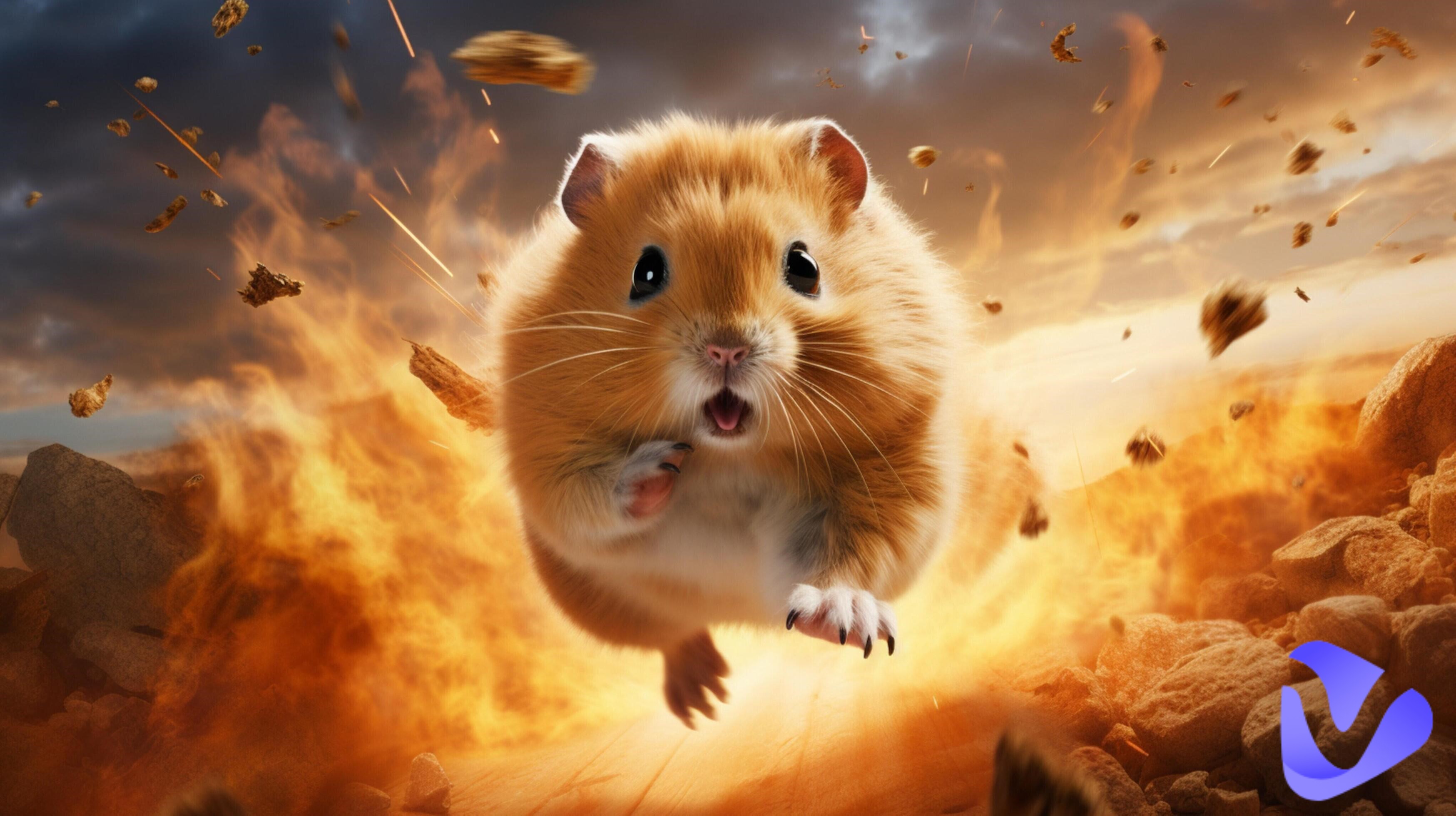
AI hamster memes and videos have high engagement on TikTok, Instagram, YouTube Shorts, and other communication platforms. Looking for helpful tools to create cute AI hamster memes and videos to get more likes, shares, and followers? With intelligent AI image and video generators, you can generate adorable hamster images and videos without any photo and animation editing skills. In this guide, learn how to use AI to turn your simple ideas into attractive hamster visuals in seconds. AI hamster generators are your shortcut to going viral.
- On This Page
-
What Is AI Hamster?
-
How to Create AI Hamster Photos & Memes Online for Free
How to Generate AI Hamster Photos with Vidnoz AI Image Generator
-
How to Generate AI Hamster Videos Online for Free
How to Generate AI Hamster Videos with Vidnoz AI Image to Video Generator
-
Best AI Hamster Ideas to Go Viral
3. AI Hamster Influencers
4. Before & After Transformations
What Is AI Hamster?
AI hamster refers to those AI-generated hamster images and videos. Normally, it is generated by smart text-to-image, image-to-image, and image-to-video AI tools. With a simple text prompt, you can effortlessly create cute AI hamster content instantly. Popular AI hamster contents are cute hamster portraits, meme-style hamster edits, and storytelling-style talking hamster videos. AI hamster image and video generators are accessible to anyone to create funny hamster materials without any skills.
After getting a basic understanding of the AI hamster tech, it is time to learn how to easily generate AI hamster images and videos with the best AI hamster generators. Check the following useful AI hamster tools and create your unique, cute hamsters immediately!
How to Create AI Hamster Photos & Memes Online for Free
Vidnoz AI Image Generator is one of the best options to create AI pet memes and photo designs. Embraced with popular AI models, including Nano Banana Pro, Kling AI, Qwen, Google Imagen4, etc., it can intelligently generate highly-matched AI images according to your text description and reference images. In addition, there are versatile photo styles to select, so that you can create realistic, cartoon, artistic, or other AI hamster style images.
Detailed Features of Vidnoz AI Image Generator
- Free online AI hamster image generator: Vidnoz AI Image Generator lets you create high-quality AI hamster images directly in your browser, without downloading or installing any software. It also provides a daily free trial for you to generate free AI hamster photos without a subscription.
- DIY your hamster meme with pro AI models: With advanced AI models, you can easily design unique and funny hamster memes by simply entering creative prompts or ideas.
- Multiple AI hamster photo styles available: The tool offers a wide range of styles, including realistic, cartoon, anime, and 3D, so you can customize your AI hamster to match any theme or aesthetic.
- One-click AI hamster generation: You can generate a fully rendered AI hamster image instantly with just one click, making content creation fast and effortless.
How to Generate AI Hamster Photos with Vidnoz AI Image Generator
Follow these easy steps to create AI hamster memes and images online for free:
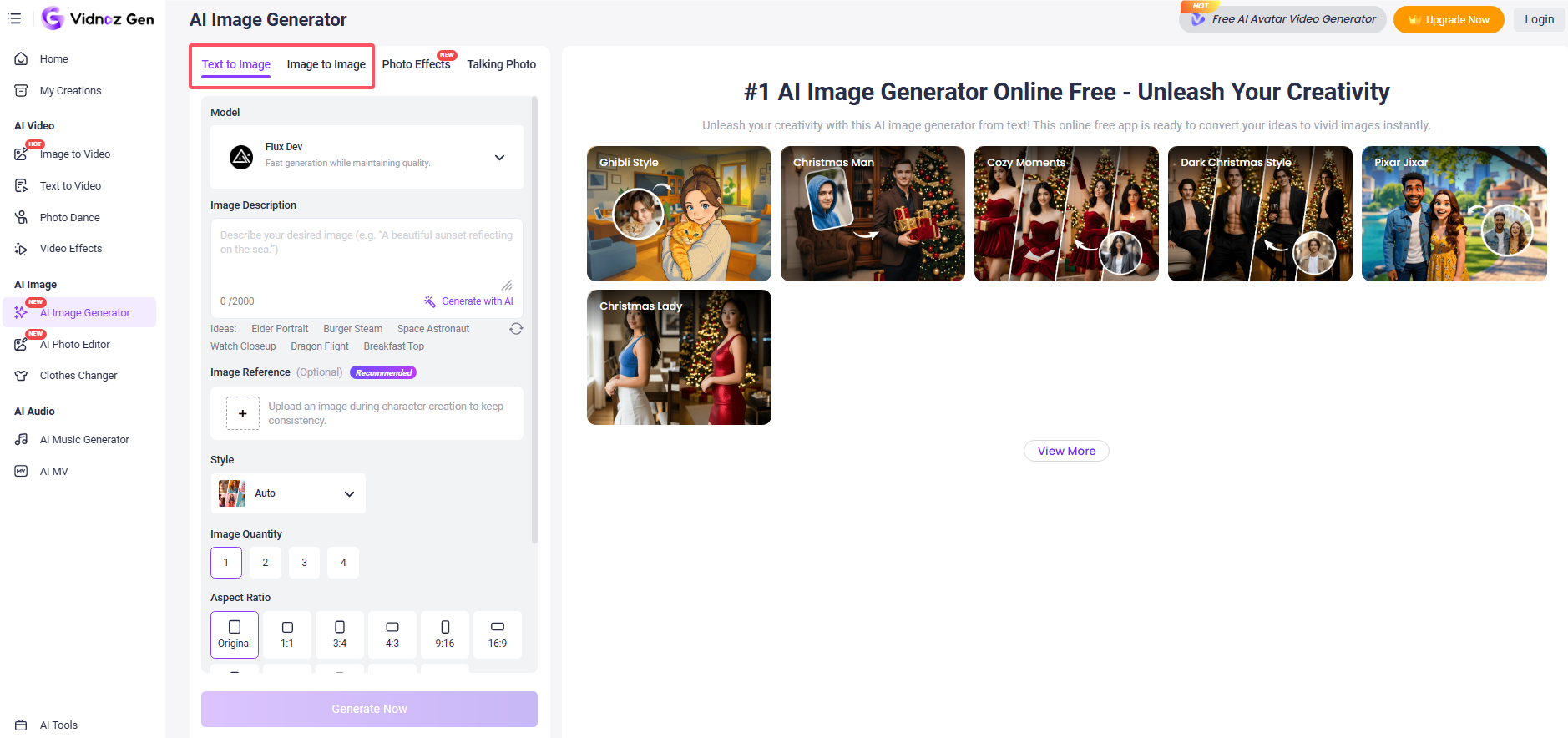
Step 1. Open the online Vidnoz AI Image Generator. Select Text to Image or Image to Image (if you have a reference photo).
Step 2. Type your text prompt to describe what a hamster photo you want. Select an AI model, photo style, quantity, ratio, and resolution of the image. Then press Generate.
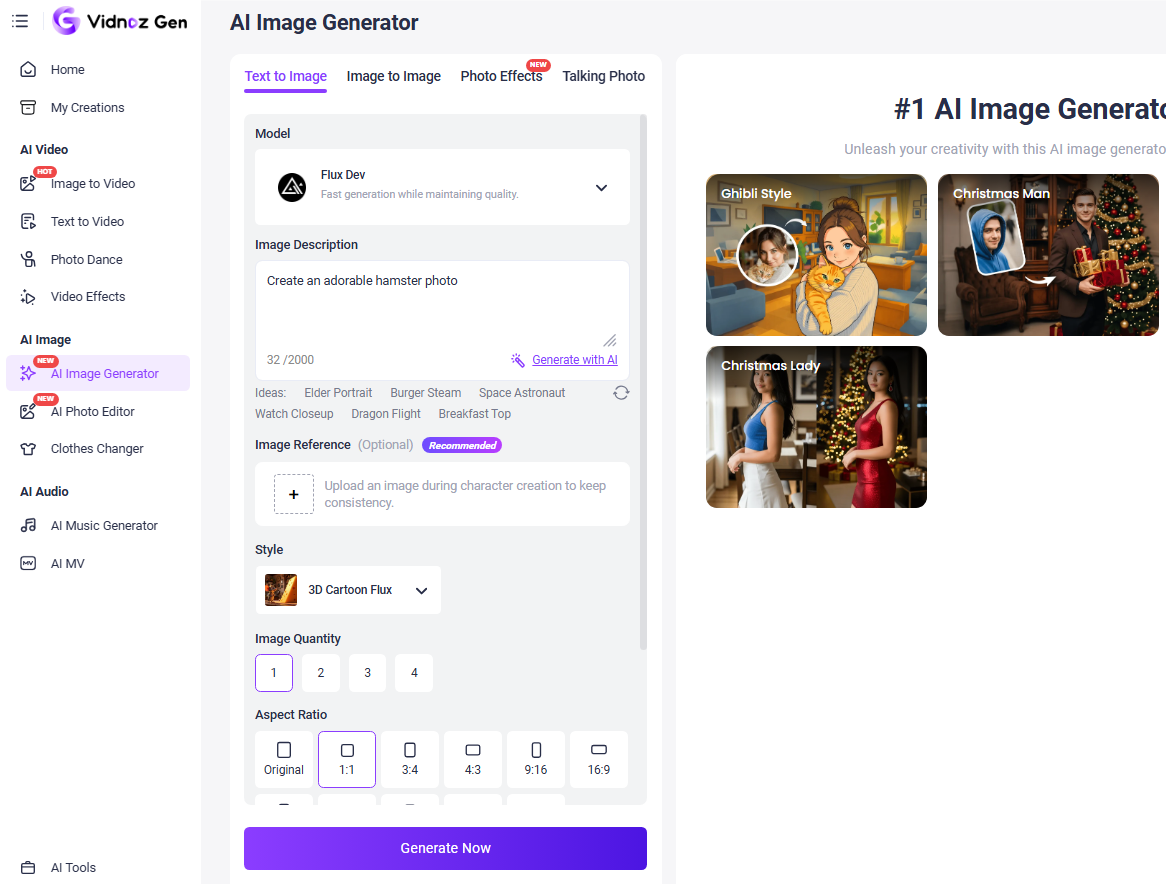
Step 3. Check the result and download the generated image or re-generate until you are satisfied with the AI hamster photo.
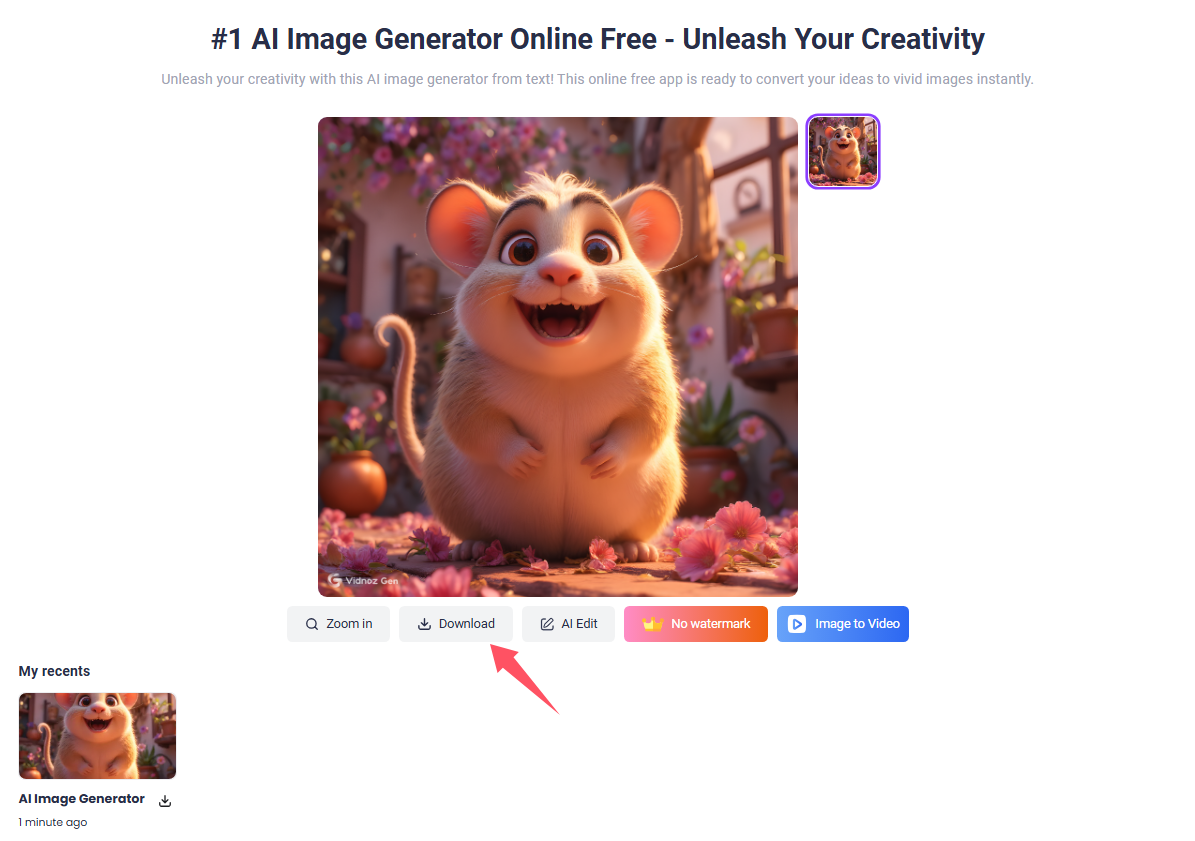

Make your description detailed. You’d better describe the image background, emotions, and actions of the hamster.
You may be reluctant to be limited to static hamster photos. A vivid, dynamic AI hamster video may obtain more likes on short video social media platforms, like TikTok, Instagram, YouTube, etc. In the following, learn how to use AI hamster video generators to create cute, viral hamster videos.
How to Generate AI Hamster Videos Online for Free
In addition to AI image generation tools, Vidnoz also explores a powerful AI image to video generator, allowing you to transform hamster static photos to animated videos with motion and storytelling elements. Vidnoz AI Image to Video Generator uses advanced AI models, like Seedance, Sora, Google Veo, etc., which is able to automatically add smooth motions, effects, and realism to your hamster images. Just add your reference photo and input your prompt, and it will create eye-catching AI hamster videos in seconds. You can also switch to the text to video tab to create an original AI hamster video without a photo.
Convert Image to Video AI Online - Free
- Create a video from an image quickly for free.
- Use various AI models to turn photos into videos.
- Download and share the AI-generated video at no cost.
Convert Image to Video
Detailed Features of Vidnoz AI Image to Video Generator
- Free AI hamster video generator online: It is a free AI video generator that allows you to create engaging AI hamster videos online. You can easily create AI hamster GIFs or videos without expensive software or subscriptions.
- Seamless hamster video motions: The tool uses advanced AI to animate your picture with smooth and natural motion effects, turning static hamster images into lifelike and visually appealing animations.
- Versatile AI hamster video styles: It offers a variety of creative styles, from cute and cartoonish to realistic and cinematic. You can tailor your hamster videos to different themes and audiences, like a talking photo of a hamster.
- Super-easy for beginners to create storytelling hamster videos: With its intuitive interface and simple workflow, even beginners can quickly create fun and engaging hamster story videos without any prior editing experience.
How to Generate AI Hamster Videos with Vidnoz AI Image to Video Generator
Step 1. Open the online Vidnoz AI Image to Video Generator. Upload your hamster photo (you can use the one generated by Vidnoz AI Image Generator).
Convert Image to Video AI Online - Free
- Create a video from an image quickly for free.
- Use various AI models to turn photos into videos.
- Download and share the AI-generated video at no cost.
Convert Image to Video
Step 2. Input your text prompt, like dancing hamster, talking hamster, walking, or other storytelling scenes.
Step 3. Pick the AI model, video duration, and resolution. Then press Generate.
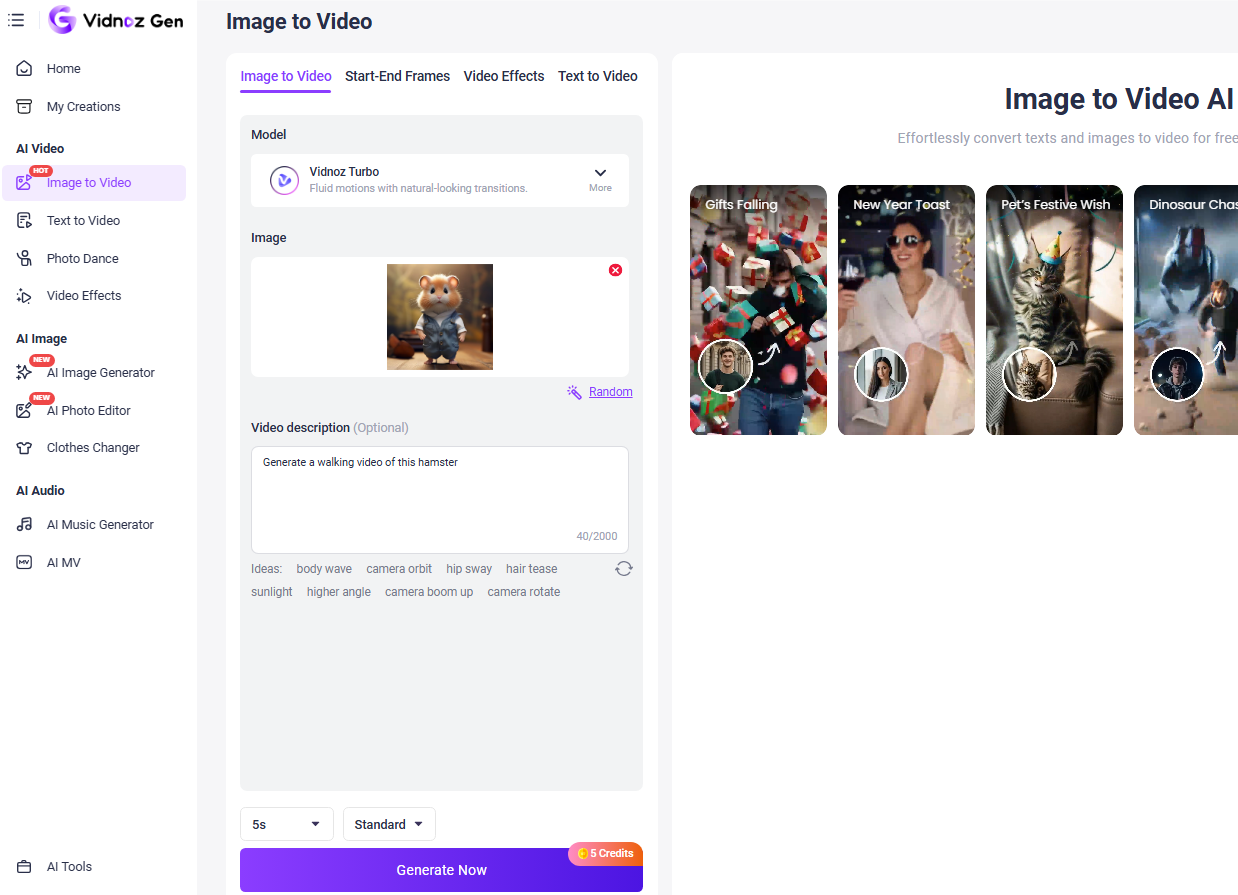
Step 4. Check the generated video and download it to your device.
Best AI Hamster Ideas to Go Viral
Now we have access to those powerful, helpful AI hamster image and video generators. But they are not enough. Your stunning ideas for AI hamster content are also critical. Here are several tips for you to create viral AI hamster photos and videos.
1. Mini Hamster Stories
Creating short, storytelling AI hamster videos, like “ a day in the life of a hamster,” can hook viewers and keep them engaged. Put your hamster in fun or dramatic scenarios, such as going to work, cooking meals, surviving in the wild, etc.
2. Funny Meme Hamsters
Hamster reaction memes are highly shareable on social media and messaging platforms. Combine your AI hamster with trending jokes and other popular meme formats.
3. AI Hamster Influencers
Give a unique digital personality to your AI hamster, including a name, AI voice, and consistent style. Over time, you can build a specific hamster character for storytelling, games, anime, etc.
4. Before & After Transformations
Transformation content is visually satisfying and highly engaging. For example, make a comparison video of a simple hamster evolving into a fantasy character, superhero, etc.
Conclusion
AI hamster photos and videos are not only a new trend but also an innovative way to create viral, engaging content. AI tools like Vidnoz make it incredibly easy to bring your ideas into realistic photos and videos. Embrace these AI assistants to streamline your workflow and capture more attention.

Vidnoz AI - Create Free Engaging AI Video with Talking Avatar
- Easily create professional AI videos with realistic avatars.
- Text-to-speech lip sync voices of different languages.
- 2800+ video templates for multiple scenarios.