Imagine that when you're enjoying perfect park moments under the sunshine, a monkey suddenly appears and rips off your wig. From TikTok to YouTube Shorts, many ridiculous and funny video scenes like this are widely shared. People submit their photos to a dedicated AI photo animator, and let AI decide what happens next in the photo.
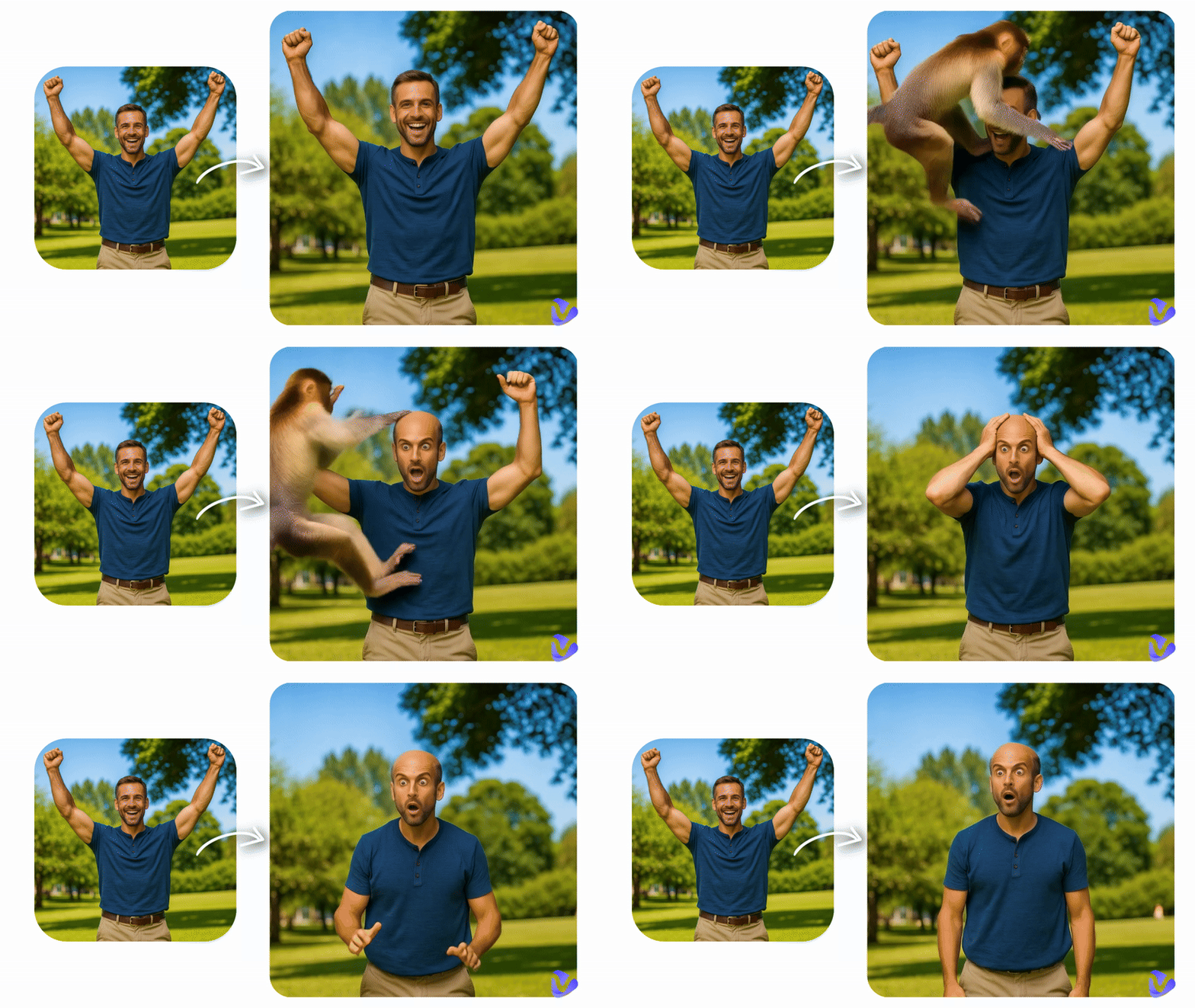
What is What Happens Next AI? How can you join in the trend and create something impressive and funny? This article aims to show complete answers.
- On This Page
-
What is the “What Happens Next” AI Trend?
-
AI What Happens Next Generator: Vidnoz AI Image to Video
-
How to Let AI Guess What Happens Next from a Photo
-
Explore Trending What Happens Next Templates on Vidnoz
-
FAQs on the What Happens Next AI Generator
1. How does the tool work to decide what happens next in my photo?
2. Is a text description required for the tool to create an AI video?
3. Can I set a specific scenario with the What Happens Next AI filter?
What is the “What Happens Next” AI Trend?
It always refers to still photo to animated video transformation. But instead of user-personalized animation, AI decides what happens next, namely how the story will unfold in the photo.
The fun of this trend lies in the fact that you never know what the AI will do to your picture—it's like opening a mystery box. You can see the person in a photo is turned into a superhero or a mermaid in the blink of an eye; a sudden AI explosion happens in the background; A random dog, cat, or even an alien appears in the scene.
Can’t wait to make AI guess what happens next? Vidnoz AI Image to Video is ready for boundless creativity.
AI What Happens Next Generator: Vidnoz AI Image to Video
You need an excellent AI generator that supports image-to-video conversion and can achieve natural motion effects at the same time. Vidnoz AI Image to Video comes as one of the leading choices in the array.
Convert Image to Video AI Online - Free
- Create a video from an image quickly for free.
- Use various AI models to turn photos into videos.
- Download and share the AI-generated video at no cost.
Convert Image to Video
It is a what happens next filter that perfectly meets all user demands. Here, you can upload an image and let it generate a video with a complete storyline with/without text prompts. It also includes trendy preset effects such as squeezing, strongman, kissing, hugging, battling, explosions, and more. Everything is this simple: upload, generate, and export.
Take a closer look at the core features of this what happens next AI tool:
- Animate any photo in a flash: Give your picture to Vidnoz, and it instantly brings the static scene to life as a vivid short video. Realistic, anime, hand-drawn—whichever style you prefer, Vidnoz can do it.
- Advanced AI models: The latest versions of Google Veo, Kling AI, Hailuo AI, PixVerse AI, and other cutting-edge models are all available on this platform. Stiff transitions or low-quality artifacts? Vidnoz says, Not here. Once you hit the generate button, you'll see an animation that looks like real footage, with fine textures and clear audio support.
- Text-based content adjustment: Besides leaving the decision to Vidnoz, you can also stay in control of your content with detailed text-prompt inputs. Vidnoz ensures that you have creative freedom and enjoy effortless processes.
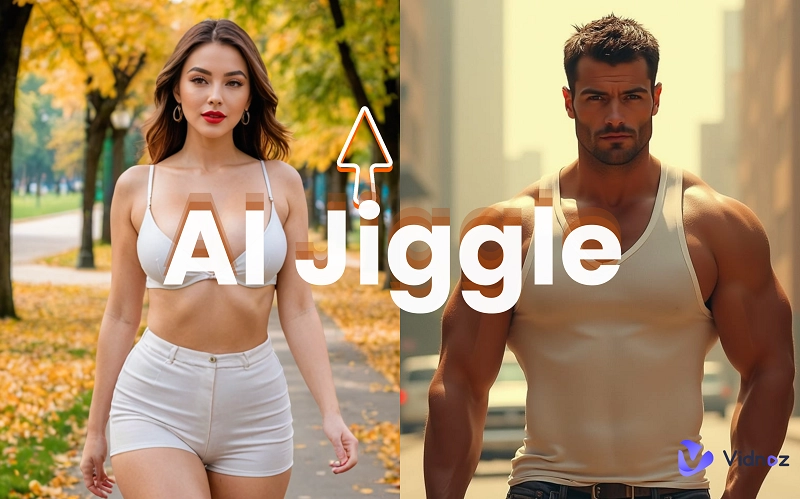
- Preset video templates: Can't think of a motion? Check out Vidnoz's video effect library! Apply one-click presets like squeezing, strongman, body-showing, backflip, hugging Jesus, and more to characters in your image.
- Multiple aspect ratio options: Vidnoz supports adjustments to video format, including length, quality, and aspect ratio, ensuring your content fits the platform you prefer. Original, 16:9, 1:1, 9:16, 3:4, and 4:3 video aspect ratio options are available.
How to Let AI Guess What Happens Next from a Photo
Are you ready to be surprised by the Vidnoz What Happens Next filter? Follow these steps:
Step 1. Access Vidnoz AI Image to Video. Select an AI model.
Step 2. Click Upload an image to add the picture you've prepared. Then, tell Vidnoz the specific animation you want, or ignore this text description option and roll the dice.
Step 3. Choose the video length and resolution.
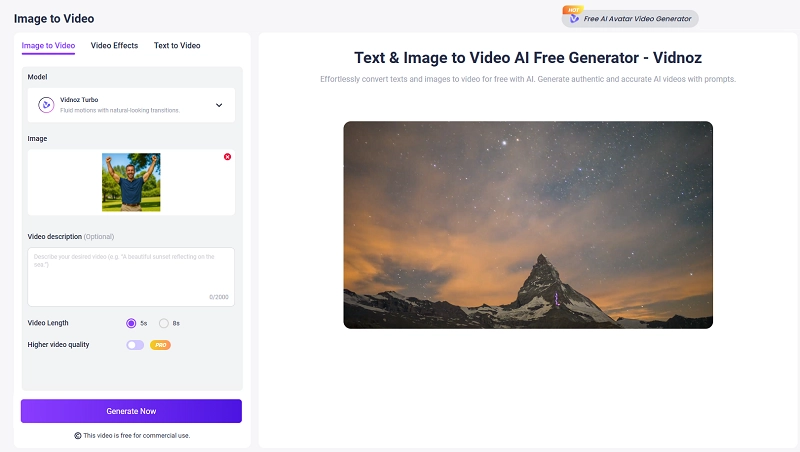
Step 4. Finally, click Generate Now.
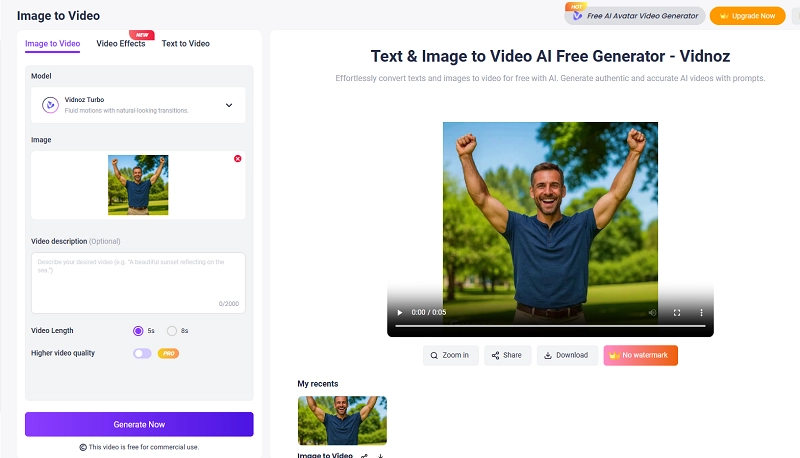
And in this way, the AI decides what happens next photo to video process is complete. In the end, simply click Download to get your video.
Explore Trending What Happens Next Templates on Vidnoz
Vidnoz has also designed popular AI video effect templates for certain types of video creations. Every template in this library is finely tuned, delivering equally natural and impressive results. Let's take a look at several standout examples:
AI Fight Generator
This effect is perfect for photos of two people. After applying it, the two characters in the picture will start fighting, with most of the motion centered on the upper body. Its most impressive side is the smooth transition during the turning motion and the moment they begin throwing punches.
Disney Princess
This effect allows the character in the photo to complete a smooth, glamorous outfit transformation. No matter what style of clothing the person originally wears, they will end up dressed in a classic Disney-style princess gown surrounded by magical visual effects.
Gunshot Effect
This effect works best for single-person photos. After applying it, the character will transition seamlessly from any static pose to raising a gun and firing multiple shots forward, with realistic muzzle flash and explosion effects.
Red Carpet Effect
Want the person in the photo to appear like a celebrity walking the red carpet? That's exactly what the Red Carpet Effect does. The character will even change into elegant attire and jewelry suitable for a red-carpet appearance.
AI Jesus Hug
The real Jesus enters your world and gives you a warm embrace—that's the delightful surprise brought by AI Jesus Hug. Jesus appears in his classic look: an orange robe with a glowing halo above his head symbolizing holiness.
FAQs on the What Happens Next AI Generator
If you still have questions about creating Vidnoz AI what happens next content, here is a summary. Hopefully these answers will help you.
1. How does the tool work to decide what happens next in my photo?
This AI decides what happens next tool generates results based on the background and subject of the image you upload, and alternatively, the text prompt you provide along with the selected video effect.
You can describe the actions or effects you want to see through text, and the Vidnoz what happens next AI will decide how to create the transitions and specific animations.
2. Is a text description required for the tool to create an AI video?
There are two situations:
If you upload a photo and want to express a specific storyline or actions through text, then yes, a text prompt is necessary.
If you choose to directly apply one of Vidnoz's preset effects or random animations, then you only need to select it—no additional text prompt is required.
3. Can I set a specific scenario with the What Happens Next AI filter?
Of course. You can first check whether the video effects section offers a scenario you like—for example, Disney Princess, Red Carpet, Show Muscles, Wedding, and so on.
If you prefer to specify something yourself, you can enter a text prompt describing the exact scenario you want to see.
The Bottom Line
The AI guess what happens next trend has become popular very quickly, and for good reason: creators don't need to film, produce videos, or even think of a script. Just upload your material, and the AI will generate unexpected comedic scenarios that feel irresistibly silly and hilarious.
Creating a what happens next video is not difficult—as long as you have a reliable partner like Vidnoz AI Image to Video. Whether you customize effects through text prompts or apply the platform's preset motion effects, there will always be an option that suits you. Now, start creating right away!
Convert Image to Video AI Online - Free
- Create a video from an image quickly for free.
- Use various AI models to turn photos into videos.
- Download and share the AI-generated video at no cost.
Convert Image to Video