Ensuring the visual appeal of photos and videos is important in today's digital world, and text styling plays a key role in it. Whether it's for advertisements, logos, or social media posts, the way text is presented can significantly impact audience engagement. Among various text styles, curved text has gained popularity for its dynamic and eye-catching appearance.
Thanks to advancements in technology, creating curved text is no longer a task reserved for seasoned designers. With the emergence of AI curve text tools, both novices and professionals can effortlessly craft stunning curved text designs. You can have a look at six free curved text generator tools that can revolutionize your design process.
- On This Page
-
Curve Text Designs & Why They Are Preferred
Why You Should Apply Curved Text in Design:
-
Manual vs. AI Curved Text Design
-
Top 6 Free AI Curved Text Generators Online for Vibrant Text Designs
2. MockoFun Curved Text Generator
-
Bonus! Generate AI Video with Favorite Fonts, for Any Use
Curve Text Designs & Why They Are Preferred
Curved text comes in various styles, each offering unique aesthetic appeal:
- Upward Curves: Ideal for creating a sense of elevation or positivity.
- Downward Curves: Often used to convey a grounding or settling effect.
- Spirals: Add a whimsical or dynamic touch to designs.
- Elliptical and Circular: Perfect for logos, badges, and seals.
- 3D Effects: Provide depth and a modern look to text.

Why You Should Apply Curved Text in Design:
- Enhanced Attention: Curved text naturally draws the eye, making it more noticeable than straight text.
- Adaptability to Curved Layouts: Many logos and badges incorporate curved text to fit circular designs seamlessly.
- Space Efficiency: Curved text can fit into tight or uniquely shaped spaces where straight text might not.
- Visual Harmony: Curved designs often feel more balanced and can be universally appealing without directional bias.
Manual vs. AI Curved Text Design
Creating curved text can be approached in two primary ways: traditional manual methods using professional software or utilizing AI-powered tools.
|
Feature
|
Manual Design (e.g., Adobe Illustrator)
|
AI Curve Text Generator
|
|
Ease of Use
|
Requires expertise
|
Beginner-friendly
|
|
Customization
|
Highly flexible
|
Limited to presets
|
|
Speed
|
Time-consuming
|
Instant results
|
|
Platform Compatibility
|
Desktop-only
|
Cross-platform, including web
|
|
Integration
|
Manual sharing
|
One-click sharing to social media
|
Top 6 Free AI Curved Text Generators Online for Vibrant Text Designs
1. insMind Photo Editor
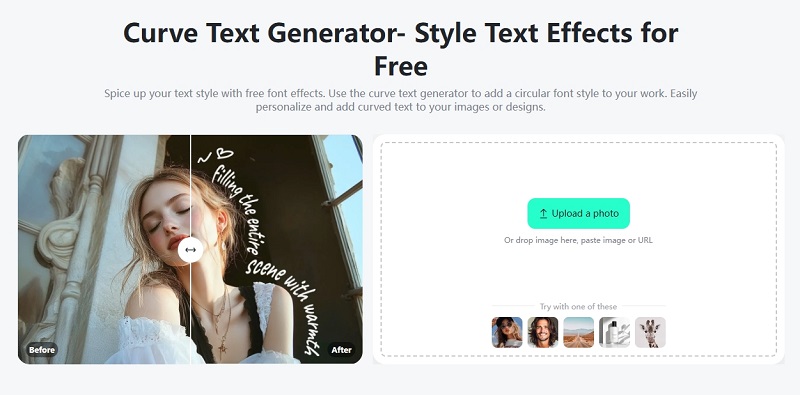
insMind Photo Editor offers a powerful and free curved text generator that helps you design eye-catching text styles in seconds. You can easily add curved or circular text to any image with just one click. The tool supports many styles like spiral, arc, wave, and full circle. It also lets you add cool 3D AI text effects to make your text stand out. This 3D curved text generator is great for making social media posts, product photos, and more. Customize direction, size, and style to match your design perfectly.
Pros
- Diverse text templates suitable for headlines, emojis, and promotional materials.
- Over 30 curved options available in the Warp text feature.
- Supports 3D text effects for added depth.
- It has versatile use and is Ideal for logos, posts, products, and more.
Cons
- High-quality image downloads are restricted to pro users.
- May not offer full control for complex text designs.
2. MockoFun Curved Text Generator
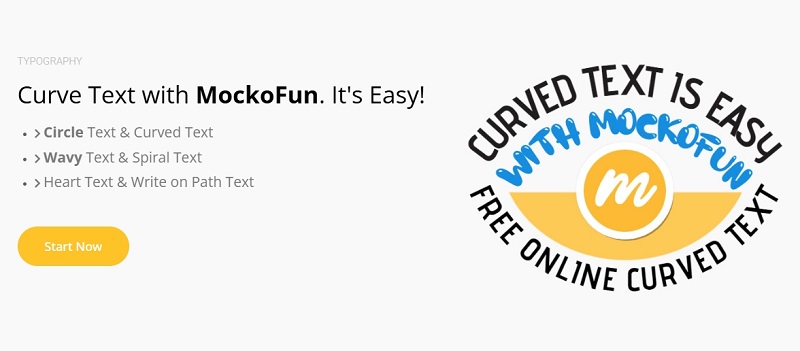
MockoFun’s Curved Text Generator stands out for its rich variety of creative path styles and advanced customization options. Found under the "Text" section, it allows users to easily create text that curves along circles, waves, spirals, hearts, or custom paths. What makes MockoFun unique is its editable path feature—users can adjust anchor points to shape the text’s flow exactly how they want. It also supports layering multiple text effects, mixing curve types, and using over 800 fonts. Ideal for making logos, labels, and artistic typography, MockoFun delivers precision and design freedom.
Pros
- Supports over 800 fonts and multiple text effects for creative freedom.
- Easy-to-use interface suitable for beginners.
- Allows easy curve adjustment by dragging anchor points for custom shapes.
Cons
- Occasional website accessibility issues.
3. CurvedText.IO
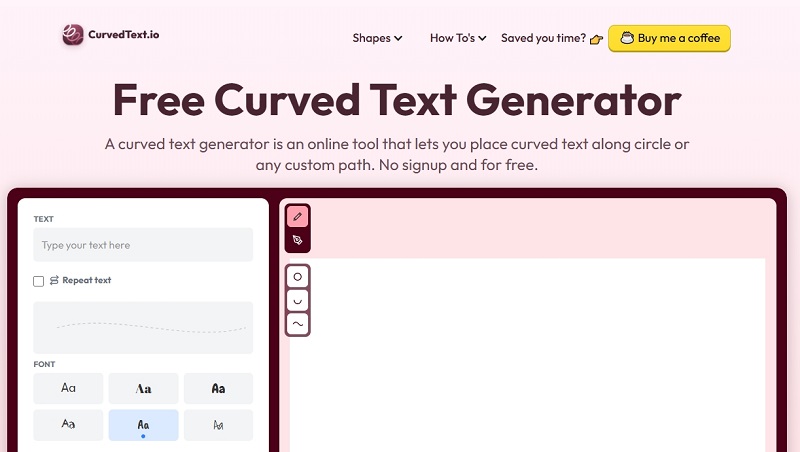
CurvedText.IO is a powerful curved text generator free online that allows users to sketch a path, and the text will bend along it. You can draw your own path, and the text follows it perfectly. It's perfect for creating eye-catching Pinterest photos, Instagram reels, stories and posts, and TikToks that stand out. You can upload images, add multiple text lines, and download with a transparent background. Businesses use it to make fun presentations, unique gift cards, and stylish marketing graphics without needing design skills.
Pros
- Free to use with no sign-up required.
- Define the curve at any angle for personalized designs.
- Downloads with transparent backgrounds for easy use in videos and designs.
- Supports multiple text lines and many font choices.
Cons
- Limited advanced editing features compared to professional software.
4. AILogoMaker
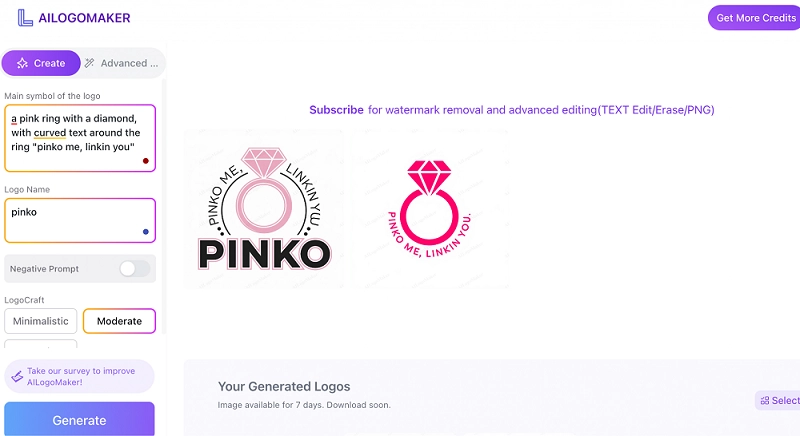
AILogoMaker is a curved text generator free online dedicated to logo design, even 3D logo design. You simply enter your logo name or keywords and choose a main symbol like an apple or a panda. The tool also lets you select your industry and the logo style, from minimalistic to complex. With just one click, this tool generates logo images with curved texts that you can download and use. It’s perfect for businesses or individuals who want fast, custom logo designs without needing advanced design skills.
Pros
- Easy to use with just text input
- Generates high-quality logos with curved text using AI.
- Multiple resolution options for logo downloads.
Cons
- Requires account login to access features.
- Downloaded logos come with watermarks.
5. Pixlr AI Photo Editor
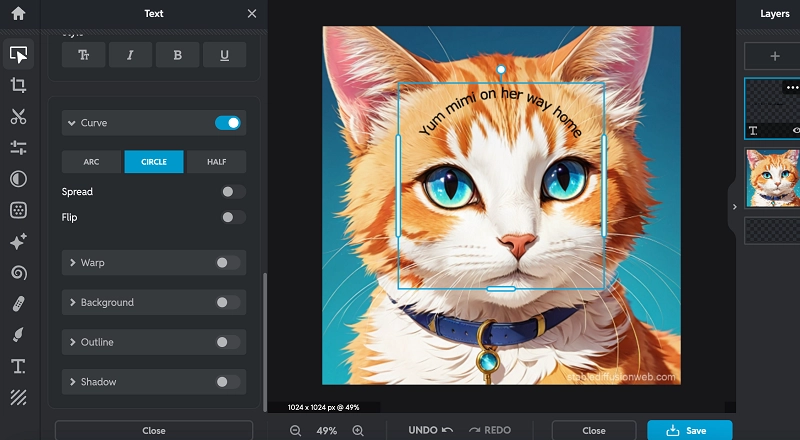
Pixlr AI Photo Editor is a powerful and user-friendly online tool that lets you edit photos with ease. It supports adding curved text to images, giving you creative control over font, color, size, outline, shadow, and background effects. Its intuitive interface works on browsers, mobile, and desktop, making it perfect for quick edits and professional designs—all for free or with premium options.
Pros
- Flexible curved text settings.
- The free version does not add watermarks to images.
- Various image output formats and quality levels are available.
Cons
- Free users are limited to three output images.
6. Curved Text
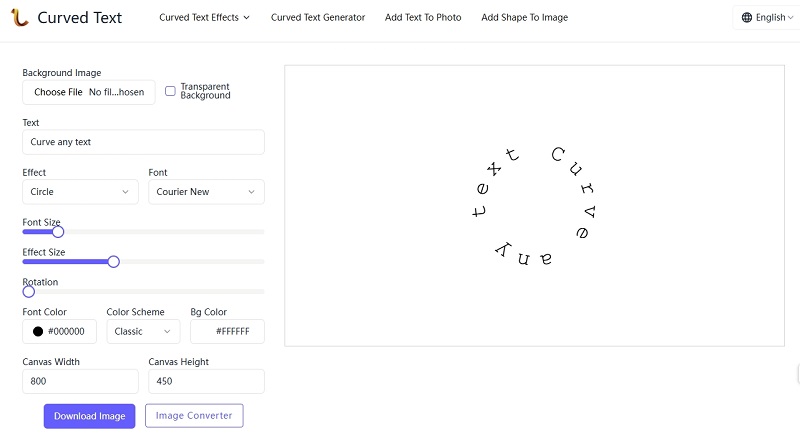
CurvedText.IO is a free, easy-to-use curved text generator that helps you create stunning curved designs in seconds. Customize your text’s font, size, color, and effects like shadows or outlines, then curve it into shapes like circles, waves, or arches. It works perfectly fine for all purposes. No design skills needed for this curve text generator online free, and there are no hidden fees—just fast, beautiful curved text for all your creative projects.
Pros
- Create curved text materials in any size.
- Transparent background supported
- Offers a variety of curved and other text effects.
Cons
- Only supports PNG output format.
Bonus! Generate AI Video with Favorite Fonts, for Any Use
If you want to take your curved text designs to the next level, Vidnoz is a fantastic free AI video generator to try. It allows you to easily transform text or images into engaging and professional-looking videos, including your curved text creations.
With over 2,800 pro templates, Vidnoz suits both personal and business video projects. It allows you to customize text, images, voiceovers, avatars, and more, however you like it. Thanks to its advanced AI technology, you can create high-quality videos quickly and effortlessly.

Vidnoz AI - Create Free Engaging AI Video with Talking Avatar
- Easily create professional AI videos with realistic avatars.
- Text-to-speech lip sync voices of different languages.
- 2800+ video templates for multiple scenarios.
Here’s how to create a video using your curved text image:
Step 1: Choose a template
Choose a video template from the vast library. If you don’t find the one you want, just click “Create a video” and select the mode that fits your project.
Step 2: Upload your image or video with curved text
Input your text or upload your curved text image.
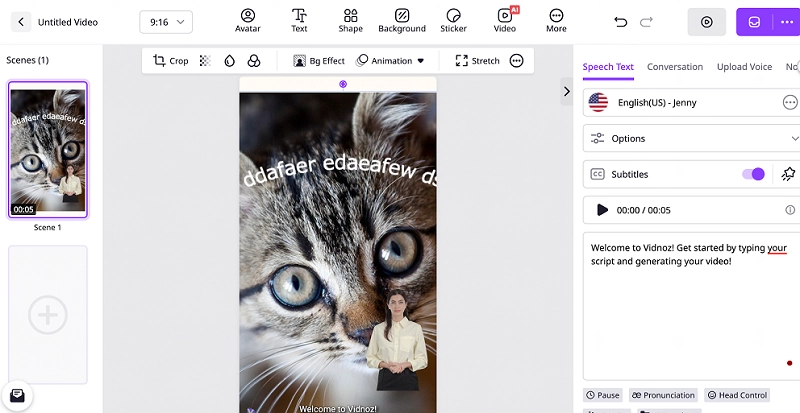
Step 3. Add Avatar and AI Voice to Your Video
Choose the right AI talking avatar for your video and input text and let the AI generate free voiceovers for you.
Step 4: Download Your Video
Generate and download your finished video, perfect for social media, presentations, or marketing.
Conclusion
AI curve text tools have transformed the way anyone can make beautiful curved text designs in no time and with ease. Whether you are a beginner or a designer, these six free curved text generator tools offer flexible, easy-to-use options for creating attention-grabbing logos, social media posts, invitations, and many more. Their ease of use, along with adjustable curves and real-time previews, puts curved text design within everyone's reach.
In addition, tools like Vidnoz enable you to bring your curved text masterpieces to life in compelling videos. Adopt AI curve text technology and take your visual content to the next level, and make your designs stand out.