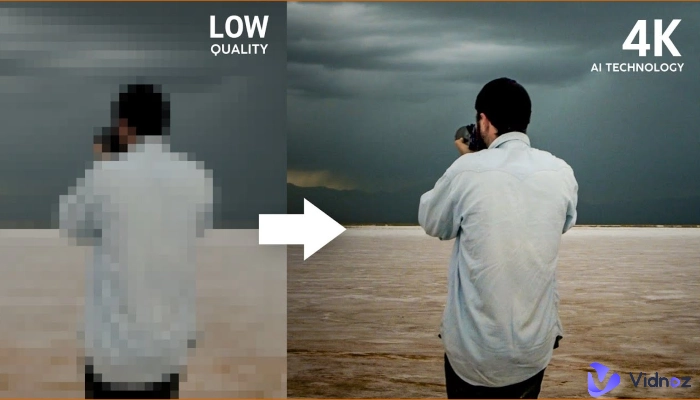
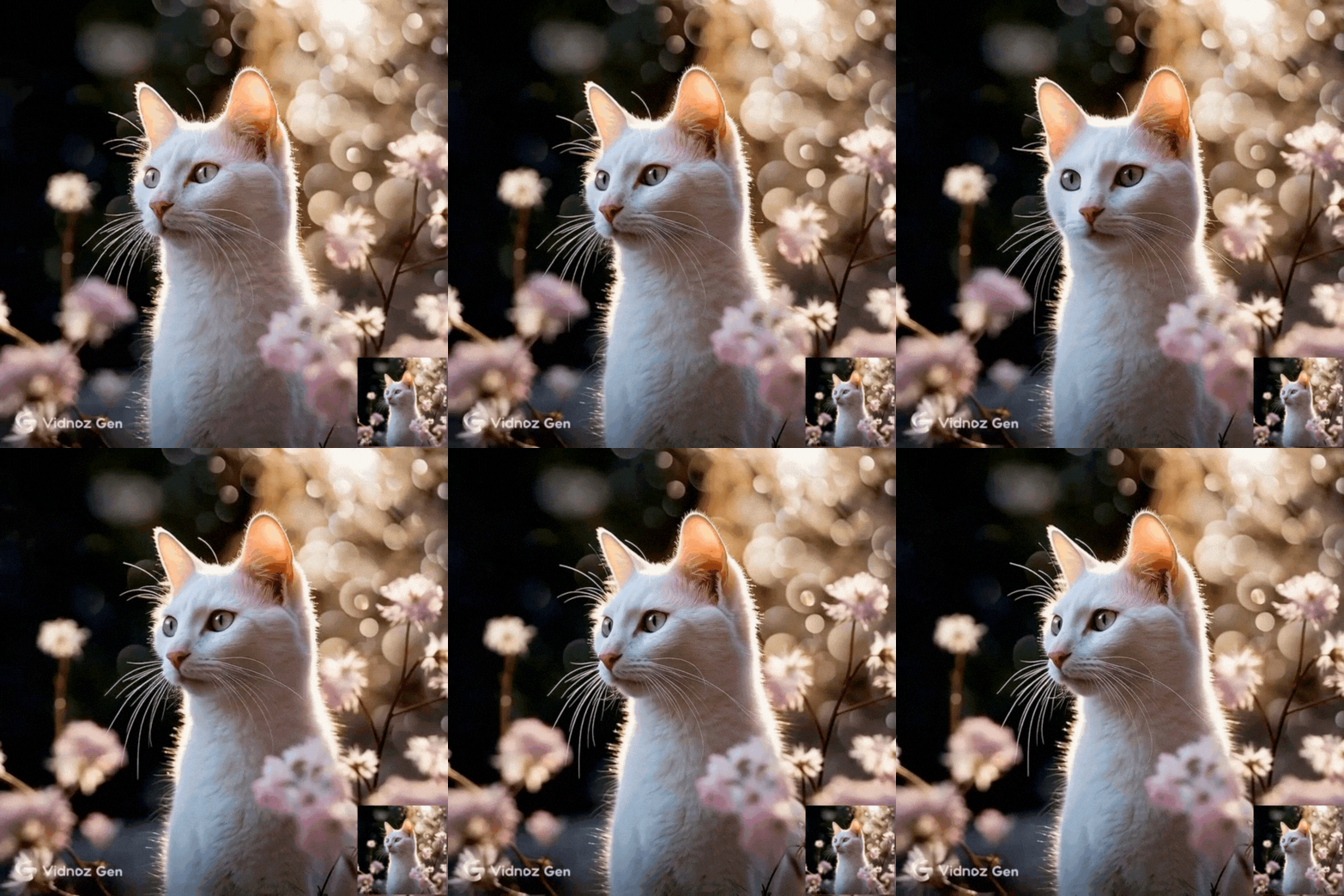
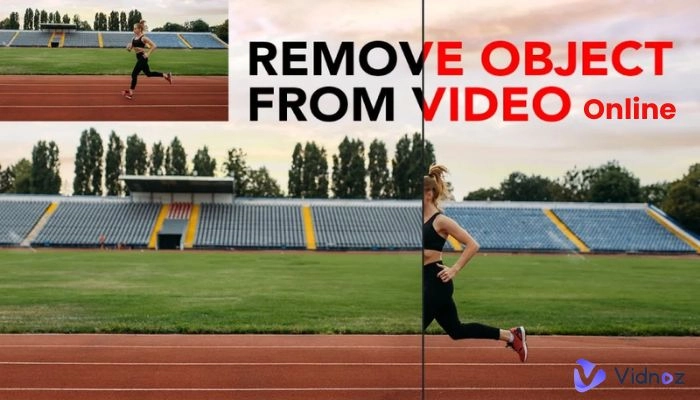
Video creators have been constantly striving to improve the quality of their videos, especially in terms of visual texture. From rough, monotonous images to high-definition, vibrant colors and now cinematic visual effects, AI cinematic video generator has revolutionized video production, enabling every creator to easily craft cinematic narrative experiences.
Today, platforms like YouTube, TikTok, and Instagram rely on impactful and visually compelling videos. Powered text to video cinematic AI generator or image to cinematic video AI tools help creators, brands, and marketers quickly and efficiently produce engaging visual storytelling, attracting viewers and boosting conversion rates.
- On This Page
-
What Is an AI Cinematic Video Generator?
-
How Cinematic AI Video Generator Works
-
5 Best Free AI Cinematic Video Generator Tools
1. Hailuo AI – Turn Text and Images into Cinematic Art Instantly
2. Vidnoz Gen – The Next-Generation Text-to-Video AI Creator
3. Vidnoz AI – All-in-One Cinematic AI Video Maker
4. OpenArt – Artistic Cinematic Video Creation with AI
5. VEED – Simplify Cinematic Storytelling for Everyone
-
How to Choose the Right AI Cinematic Video Generator for Your Needs
What Is an AI Cinematic Video Generator?
An AI cinematic video generator is a kind of tool that uses artificial intelligence to automatically create videos with cinematic aesthetics: realistic lighting, camera angles, and emotional tone. Unlike standard video editors, it focuses on achieving film-like quality with minimal manual work and uses AI instead.

Such AI-generated cinematic videos can be widely used in advertising, brand promotion, education, storytelling, social media marketing, and more. By combining creativity and AI automation, it allows anyone to produce professional-looking videos effortlessly.
How Cinematic AI Video Generator Works
A cinematic AI video generator works through advanced technologies like deep learning, diffusion models, and light-rendering algorithms. These systems analyze visual data, imitate cinematic patterns, and generate consistent motion across frames. The process typically supports multiple inputs and transforms - text, images, pre-recorded video, audio and so on.
Modern AI cinematic video makers can understand emotional tone, adjust lighting to match a narrative, and synchronize sound effects automatically. This versatility makes tools like text to cinematic video AI and image to cinematic video AI extremely valuable for creators looking for efficiency without sacrificing quality.
5 Best Free AI Cinematic Video Generator Tools
Different platforms excel in different areas; some focus on realism and lighting precision, others specialize in artistic motion or ease of use. Below break of five of the most reliable and accessible tools to help you produce film-like visuals with minimal effort.
1. Hailuo AI – Turn Text and Images into Cinematic Art Instantly
Hailuo AI is one of the most promising entrants in the world of AI cinematic video generator tools. It specializes in producing film-quality visuals from simple text or image prompts. With realistic color grading, dynamic camera movements, and advanced lighting simulation, Hailuo AI allows creators to achieve a movie-like effect without technical knowledge.
Its intuitive interface makes it ideal for marketers, storytellers, and independent filmmakers. The platform supports image to cinematic video AI generation, meaning even a single still photo can be turned into a moving cinematic shot. Users can choose from various styles - Horror, BabyForm, ASMR, or LoveFrame, etc. — and generate stunning visuals free of charge.
How to use Hailuo AI:
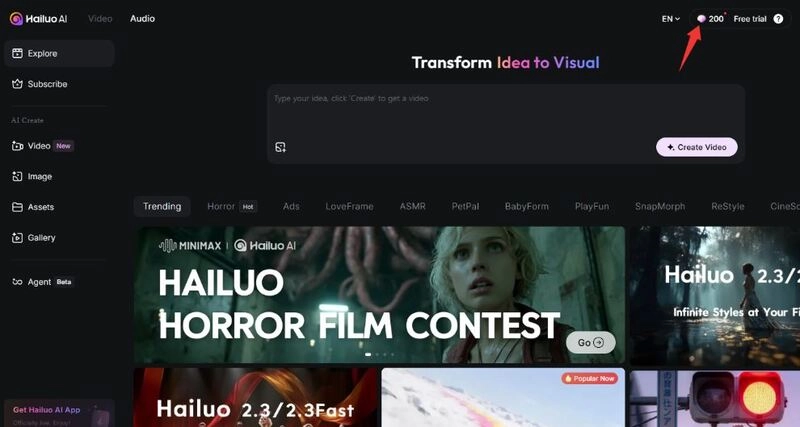
1. Log in to Hailuo AI with your Google account; you'll receive 200 credits for free.
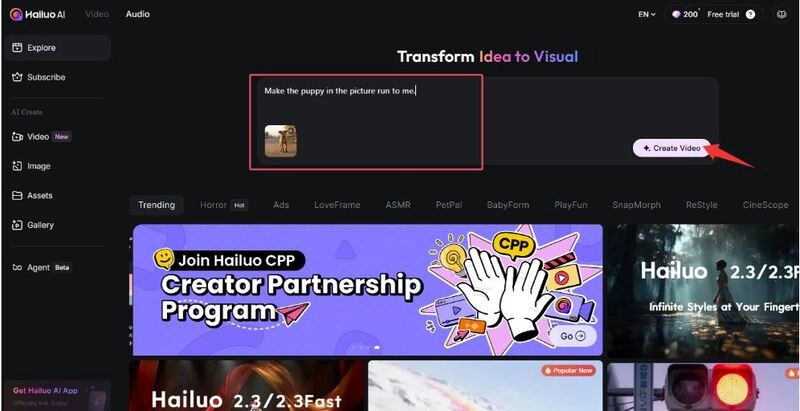
2. Upload the image you want to use to create the video, and describe your video requirements, such as: "Make the puppy in the picture run to me." Then click the "Create" button.
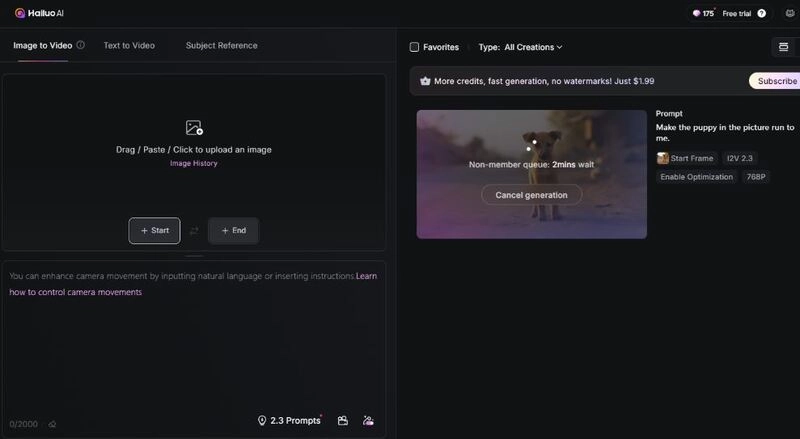
3. AI will begin generating your video; please wait patiently for a few minutes.
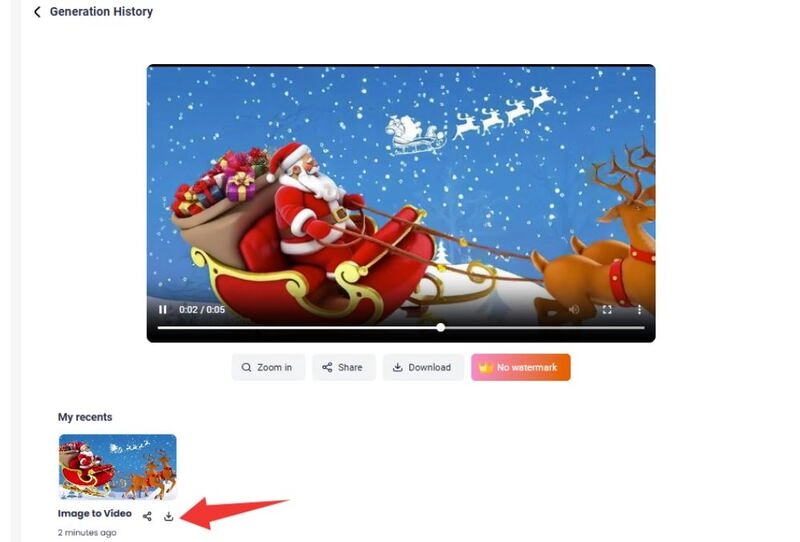
4. Finally, you'll get your cinematic video. You can download, share, or use it for other purposes.
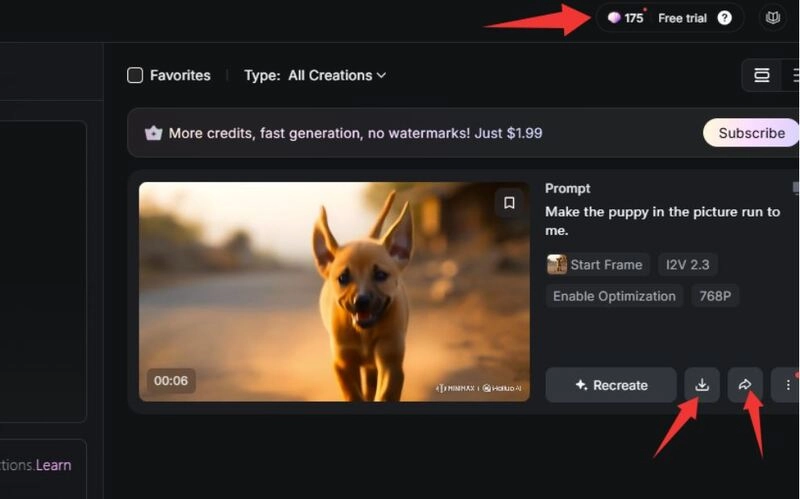
Each video generation will cost you 25 credits. This step demonstrates the image-to-video generation process. You can try more generation methods and explore more creative ideas.
2. Vidnoz Gen – The Next-Generation Text-to-Video AI Creator
Vidnoz Gen represents a leap forward in cinematic AI technology. As a free AI cinematic video generator, it can create lifelike videos from text, images, or even sound. The tool merges generative AI and storytelling logic to craft short videos that resemble movie trailers or social media campaigns.
Unlike traditional editors, Vidnoz Gen emphasizes automation and creativity. You can input a script, upload an image, and let the AI handle scene composition, motion effects, and transitions. Its adaptive rendering engine adjusts lighting and camera depth to achieve professional cinematic output.
How to use Vidnoz Gen:
1. Go to Vidnoz Gen. Log in or create a free account.
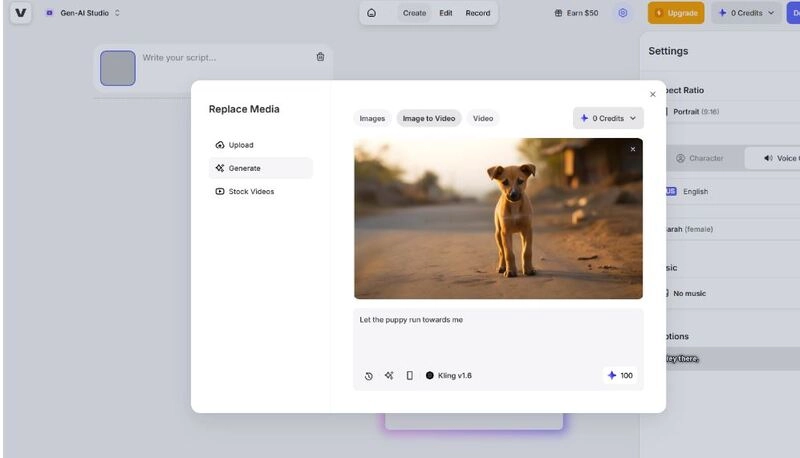
2. Upload an image or enter a text prompt. Or, you can select a hot sample video and click Remix.
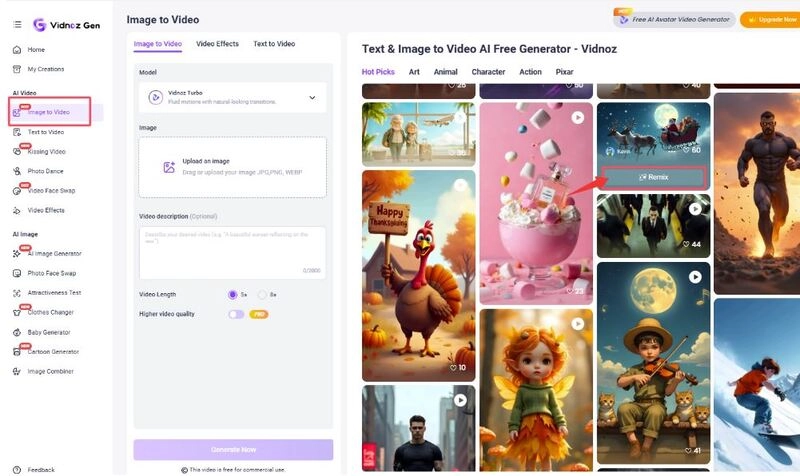
3. Replace the template image with your desired image, then select a model.
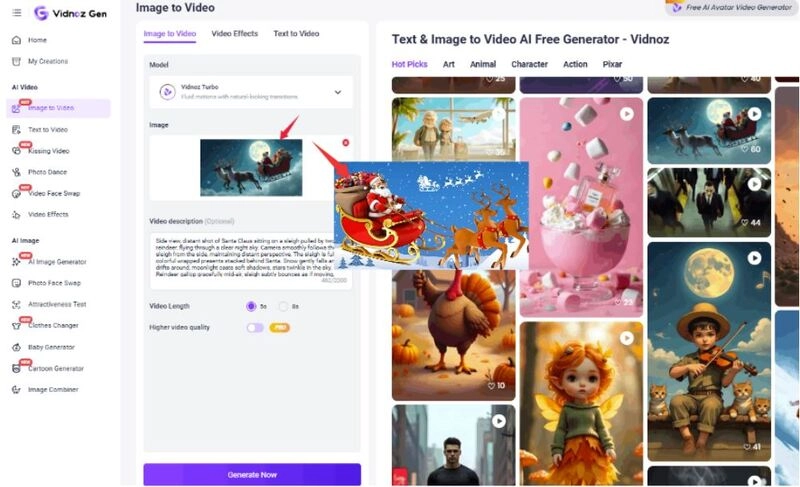
4. Adjust the sample's video description as well. Then, click “Generate Now”.
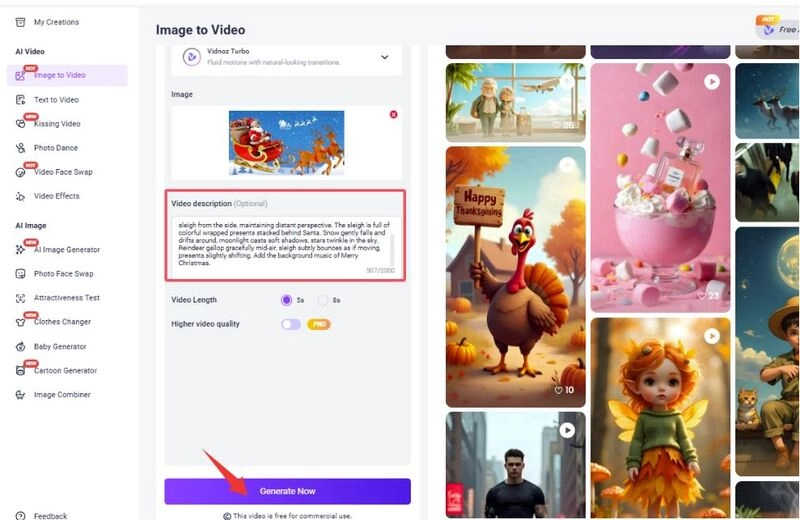
5. Preview your result before exporting. You can download it or further use Vidnoz AI to add background music for free.
3. Vidnoz AI – All-in-One Cinematic AI Video Maker
Vidnoz AI is another easy-to-use AI cinematic video generator from the Vidnoz platform, which is great for content creators who want both automation and customization. It supports text, images, and video uploads, allowing users to create cinematic content complete with or without avatars, subtitles, and voiceovers.

Vidnoz AI - Create Free Engaging AI Video with Talking Avatar
- Easily create professional AI videos with realistic avatars.
- Text-to-speech lip sync voices of different languages.
- 2800+ video templates for multiple scenarios.
Vidnoz's AI system includes advanced tools like talking avatar integration and AI lip sync, voice clone, making it perfect for storytelling, explainer videos, marketing reels, online courses, and more.
Besides, this free AI video generator provides a full library of pre-made scenes, 2000+ AI voice templates, and editing features to refine your content. Whether you’re making a product promo, a short film, or a personalized greeting video, it ensures cinematic quality through realistic motion and seamless transitions. It also connects with other creative features, such as AI animal dance generators and talking Santa, expanding your creative potential beyond typical video editing.
How to use Vidnoz AI:
1. Sign in to Vidnoz AI.
2. Choose a cinematic video template and use it.
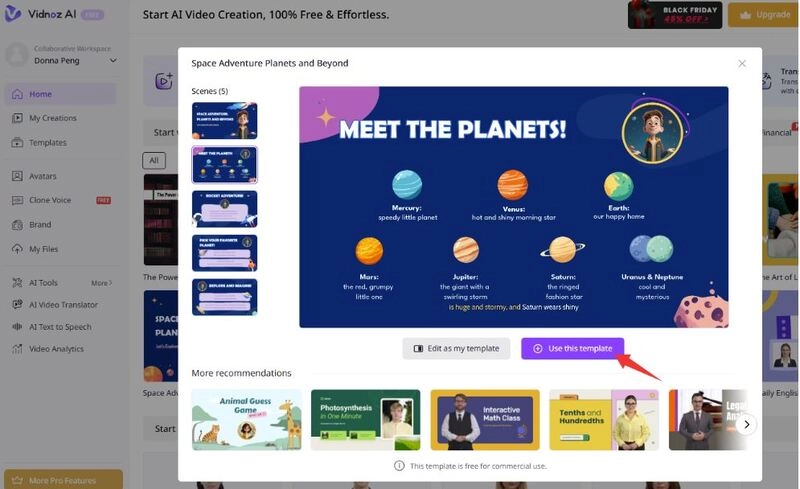
3. Upload your materials, text, image, video, and more. Customize with avatars, audio, subtitles, and even languages.
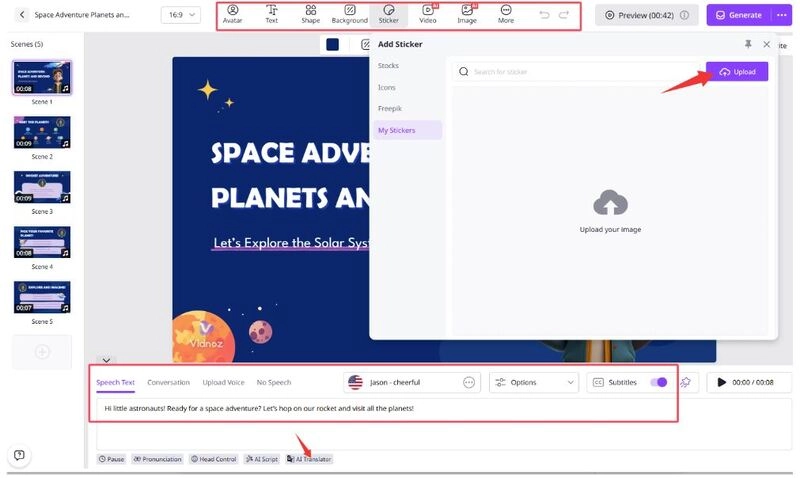
4. Click Generate and wait AI to automatically generate the video for you.
5. Preview and export your cinematic AI video generator result.
4. OpenArt – Artistic Cinematic Video Creation with AI
OpenArt stands out for its aesthetic excellence. It focuses on transforming static visuals into artistic, cinematic-style videos. Ideal for artists and designers, OpenArt combines image to cinematic video AI techniques with stylized rendering, resulting in unique short clips that resemble animated paintings.
How to use OpenArt:
1. Open it and log in. You will get 40 credits for the first sign-up and login.
2. Upload an image or enter a prompt to describe what actions you need.
3. Select a duration and quality mode, and then click Create.
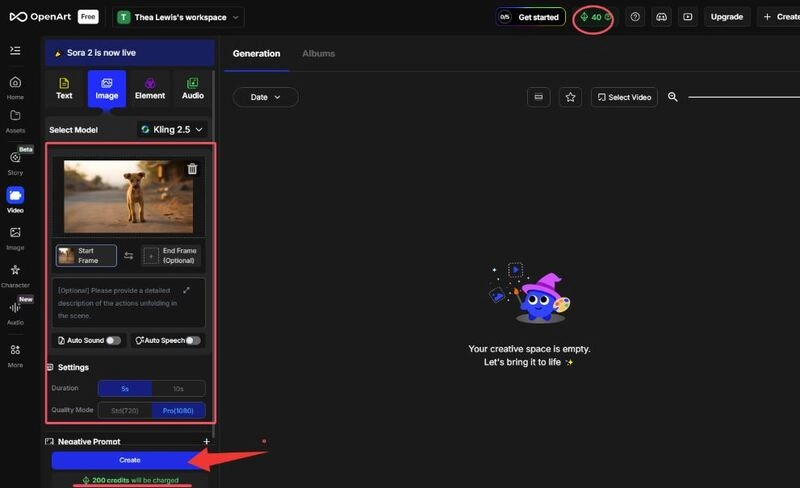
Please note that it will cost you 200 credits to generate a video, while you will only have 40 free credits initially. You can choose to purchase or complete tasks on the platform to get more credits.
5. VEED – Simplify Cinematic Storytelling for Everyone
VEED is an all-in-one cinematic AI video generator and editor designed for both beginners and professionals. Like Vidnoz AI, it offers ready-to-use templates, avatars, subtitles, and transitions. Its drag-and-drop interface allows users to edit and enhance videos directly in the browser.
How to use VEED:
1. Open the VEED website.
2. Upload your footage and input your video script.
3. You need to upgrade to have enough credits to generate your video. When generated, export and publish your movie-style video.
How to Choose the Right AI Cinematic Video Generator for Your Needs
When choosing the ideal AI cinematic video generator, consider your creative goals, budget, and desired quality.
Key factors suggested to consider:
- Input Type: Do you want a text to video cinematic AI generator or image to cinematic video AI tool?
- Creative Control: Look for tools that allow scene customization, transitions, and sound design.
- Ease of Use: A clean interface helps beginners get started quickly.
- Pricing: Some tools, like Hailuo AI or Vidnoz Gen, are free, while others offer paid plans for HD exports.
- Integration: Choose platforms that work with add-ons like Freepick or AI video translation tools for more global results.
The Bottom Line
Whether your goal is to turn a script into a dramatic trailer using a text to video cinematic AI generator, animate still photos with an image to cinematic video AI, or simply experiment with a free AI cinematic video generator, the above 5 powerful options are for every type of creator. These AI cinematic video generator tools make professional-quality video production accessible to everyone. With AI, your creative ideas can become visually stunning stories - without the need for expensive cameras or editing skills. Just try now.