Changing your voice has never been easier or more fun. Whether you want to edit a voiceover, stream with a twist, make prank calls, or use a robotic tone, a voice changer with effects can do wonders. In this article, you’ll find 5 tried and tested tools to transform your voice. Some allow you to edit MP3 files, while others help you sound completely different during live calls using real-time AI effects. Let’s dive in to find the best voice changer with effect AI for PC, mobile, online, and during live calls.
- On This Page
-
Voice Changer with Effects AI – LaLaL.ai
How to Use LaLaL.ai Voice Changer
-
Voice Changer with Effects Online – Vidnoz
How to Use Vidnoz, a Voice Changer with Effects Online Tool
-
Voice Changer with Effects in Real Time – Voice.ai Software
How to Use Voice.ai on PC
-
Voice Changer with Effects During Calls – Voice Changer Live
How to Use Voice Changer Live on iOS
-
Voice Changer with Effects Mod APK
How to Use Baviux Voice Changer Mod APK on Android
Voice Changer with Effects AI – LaLaL.ai
LALAL AI is a highly popular and advanced music editor, renowned for its powerful stem splitting and voice transformation capabilities. The tool is the best voice changer for singing that lets you sing like Drake, Taylor Swift, SZA, and other artists effortlessly. You can use premium voice packs in all song languages using minute credits. This tool uses artificial intelligence algorithms to modify the pitch, tone, timbre, and other aspects to mimic the voices of other singers.
LaLaL AI is a great pick if you're working with pre-recorded files and want to add unique voice effects. You can change your voice into something robotic, alien, monster, cartoonish, famous celebrity voice, AI animal voice, and more using this voice changer with effects AI. Whether you're mucis lover, or making a podcast, YouTube video, or just experimenting with sound, this music editor makes it quick and simple.
How to Use LaLaL.ai Voice Changer
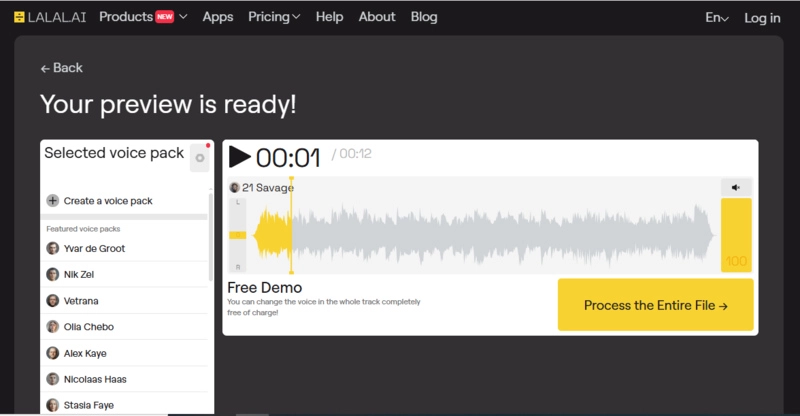
Step 1: Go to LALAL AI and click the ‘Choose Audio or Video’ button to upload your MP3 or audio file.
Step 2: Select a voice pack to apply to your recordings. You can change the voice effect free of cost.
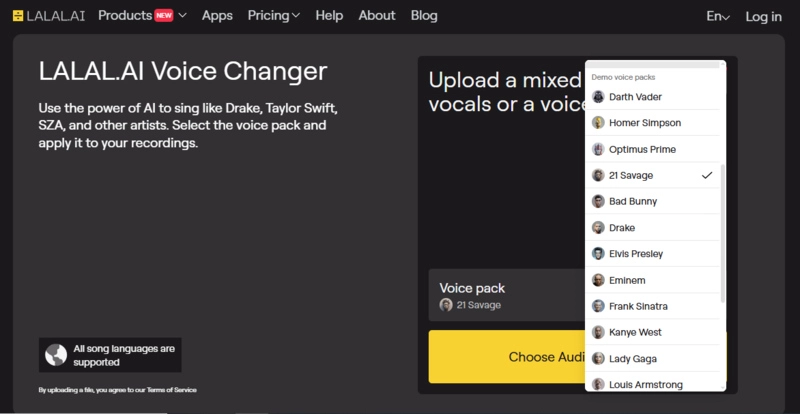
Step 3. Once your audio is processed, preview it and download the processed audio file.
Voice Changer with Effects Online – Vidnoz
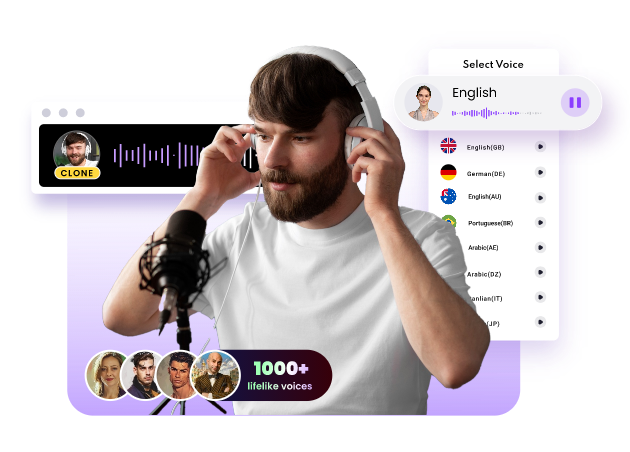
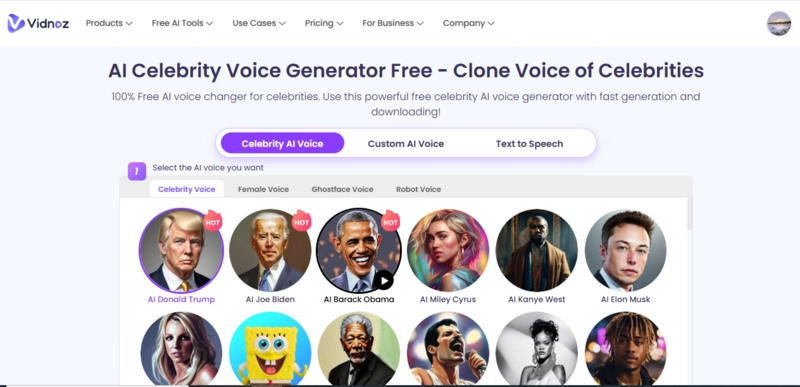
Vidnoz is a highly versatile voice changer with effects online that lets you change your voice in an immersive way. The variety of voices available—from anime legends like Goku and Naruto to celebrity voice AI options such as Morgan Freeman and Elon Musk makes this online voice changer stand out. This tool leverages cutting-edge technology to automatically change any other celebrity's voice with various voice customization options.
Not only does Vidnoz make it easy to use, but the quality of its AI-powered voice cloning is top-notch. The emotions, tone, pitch, and speed of AI voices can be adjusted in this online voice changer tool. With this tool, you can apply different voices to your recordings online for free in seconds. Some includes;
●Celebrity voice
●Robot voice
●Alien voice
●Ghostface voice
●Female voice
●Anime voice, and much more
This best free AI voice generator is an excellent choice for entertainment, content creation, and even professional voiceovers.
How to Use Vidnoz, a Voice Changer with Effects Online Tool
Step 1: Go to Vidnoz Voice Changer and select the desired celebrity voice from over 70+ voices.
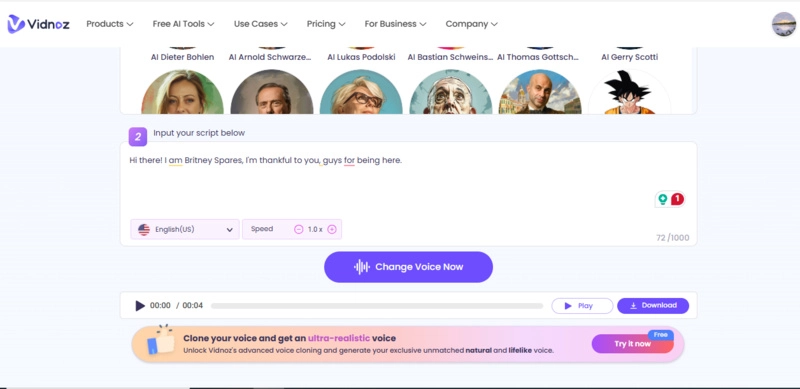
Step 2: Input the text, select the language, and adjust the speed.
Step 3: Click the ‘Change Voice Now’ button and download the final result once your AI voice is processed.
Also, try Vidnoz to test how deep your voice is with the How Deep Is My Voice Test Online >>
Voice Changer with Effects in Real Time – Voice.ai Software
Voice AI is a must-try for PC users looking for a voice changer with effects. This software is a powerful PC-based real-time AI voice changer that allows you to transform your voice during remote meetings, online video calls, online gaming, live streaming, etc. Voice transformation is super easy and fast with this AI-powered software. You can easily switch genders, speed, styles, or tones in seconds. You can also use the tool to give voice to your written content in various languages and make your projects more engaging.
The real time AI voice changer is loaded with preset effects for more dynamic results and is constantly being updated. One of the great features of this tool is that it saves your time and cost with AI agents, and this is very helpful for customer support, sales, or bookings. You can use this voice changer with effects PC software with platforms like Zoom, Discord, Google Meet, and Skype.
How to Use Voice.ai on PC
Step 1: Download, install, and launch the software from Voice AI’s official website.
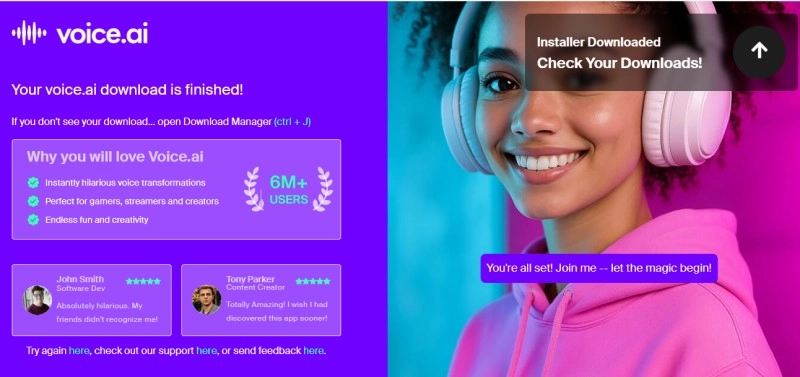
Step 2: Select your microphone and start recording or upload the audio for voice transformation.
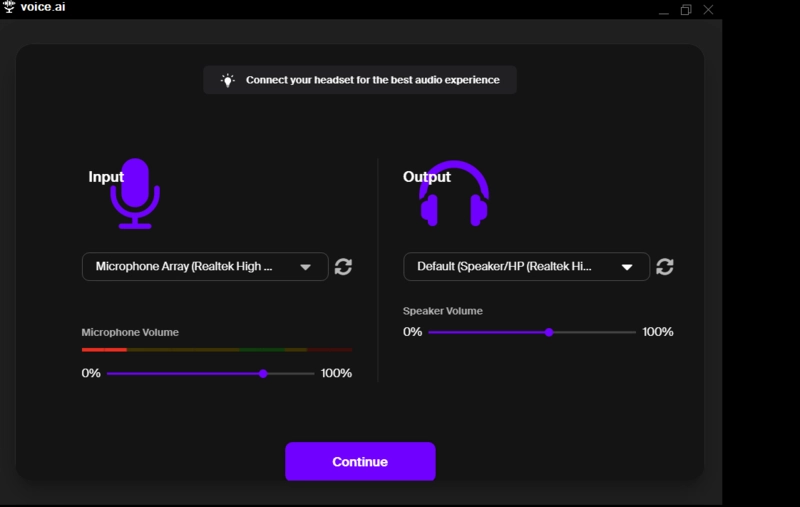
Step 3: Select your preferred voice filter and click the ‘Convert Audio’ button to change your voice.
Voice Changer with Effects During Calls – Voice Changer Live
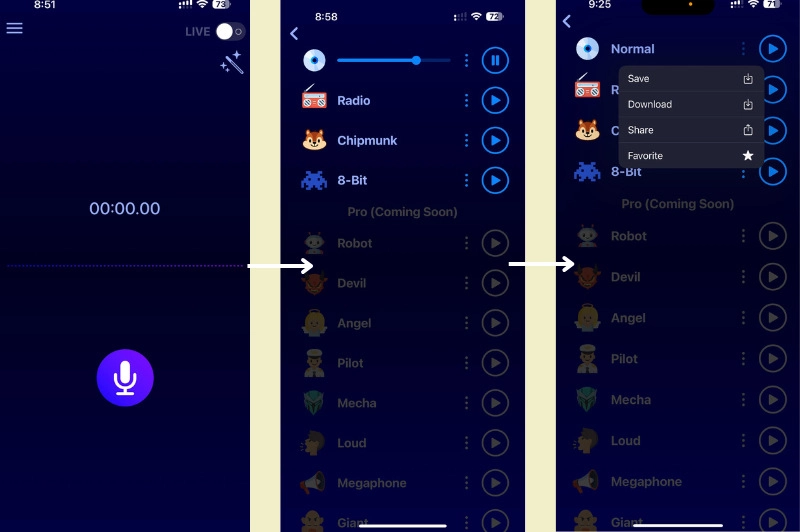
If you are looking for a voice changer with effects during call? Then this iOS app allows you to change your voice during calls. Voice Changer Live is a popular app for prank calls or just having fun with friends. The app works smoothly with iOS and offers dozens of voice filters such as Normal, Chipmunk, 8-bit, and Radio. You can try these voice effects for free to transform your voice live.
This app is perfect for casual entertainment, pure fun, no ads, no wait. You use this app as a WhatsApp voice-over generator to record audio or a WhatsApp call and change your voice while speaking. This voice changer software is free to use, while its advanced voice effects are app-in purchase, including Robot, Angel, Mecha, Devil, Giant, Evil Spirit, etc. You can save your recording directly on the app or download it to your device effortlessly.
How to Use Voice Changer Live on iOS
Step 1: Install the app from the App Store and open the app
Step 2: Allow the Voice Changer to access your microphone and tick the live option from the top menu.
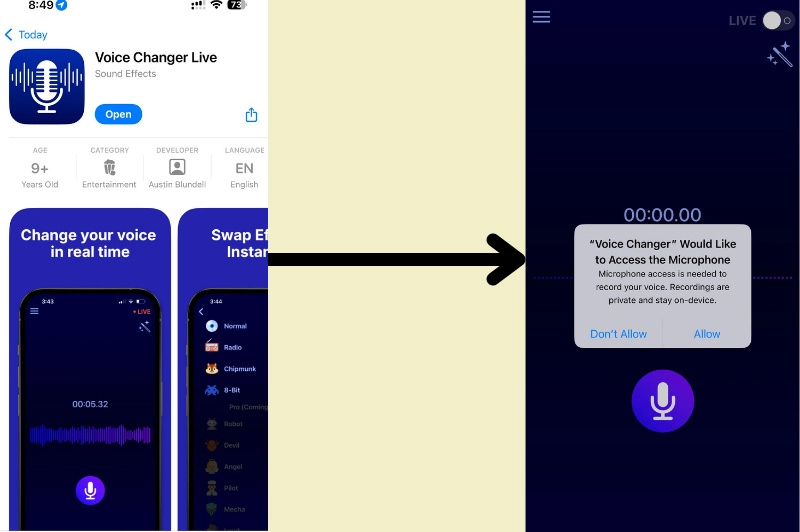
Step 3: Tap to start recording and choose a voice effect to apply to the recorded voice. You can switch to any voice in real time with one click.
Voice Changer with Effects Mod APK
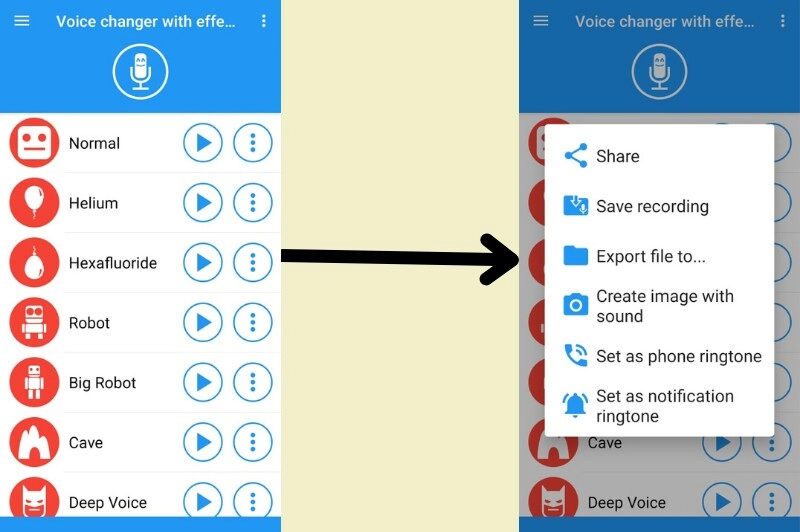
Android users can explore third-party mobile apps like a voice changer with effects mod apk. Baviux Voice Changer with Effects AI is one of the most popular voice-changing apps available on Android. The app lets you prank, record, or customize voices freely. Baviux Voice Changer supports 50+ effects, from zombie, robot, and Helium to squirrel, alien, drunk, and many more.
Everything is super easy to navigate, and even first-time users can record their voice and apply any voice effects with one click. This funny voice generator makes it easy to have fun listening to your modified voice. You can choose some effects for free, but there are in-app purchases for some premium options that can be unlocked without any cost by watching ads.
How to Use Baviux Voice Changer Mod APK on Android
Step 1: Download Baviux Voice Changer from the Google Play Store or a safe source and install the app.
Step 2: Allow permissions and tap to record your voice.
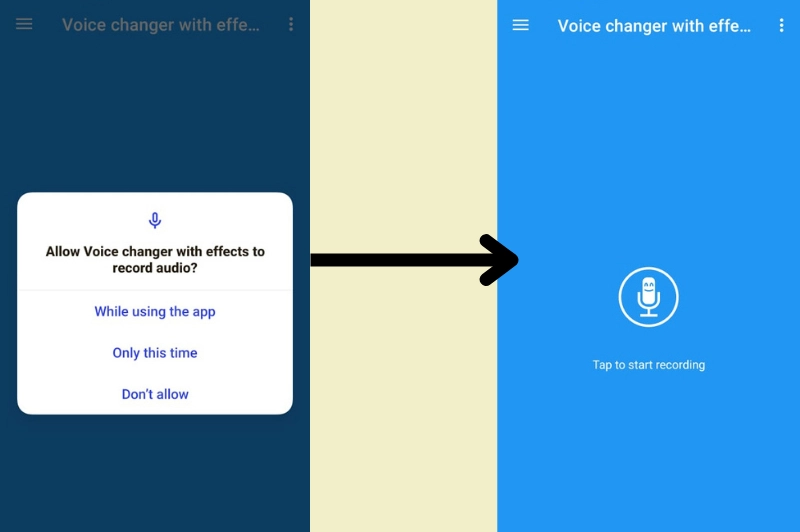
Step 3: Choose from voices like baby, zombie, robot, alien, drunk, and save or share your modified voice once processed.
Conclusion
To wrap it up, from online tools to mobile apps and PC software, each voice changer with effects listed above offers something unique. These Voice changers with effects AI make it easy for us to sound like anyone by making voice conversion smooth and realistic.
For the best all-around experience, give Vidnoz a try. With its advanced AI voice models and wide selection, this software is perfect for everything from entertainment to voiceovers.
Clone Anyone’s Voice with AI - Free
Make realistic voices of famous people and characters.
Clone anyone's voice to create personalized voiceovers.
Support 2000+ languages and accents.
Change Voice Now