Have you ever missed a great overseas video because of a language barrier? Or, as a content creator, do you want your videos to be understood by a global audience? Don't worry, video translator apps are your savior!
Using AI technology, these tools can automatically translate the voice or subtitles in the video, and even generate realistic dubbing with lip sync, allowing your content to transcend language barriers and reach a wider audience. Check out this tested guide to intuitively choose the video translation app that suits your needs.
- On This Page
-
What Can Video Translator Apps Do?
-
What Makes a Good AI Video Translator App?
-
Best Video Translator Apps for Voice Cloning & Subtitle Translation
Vidnoz AI Voice Translator – General AI Video Translator App Online Free
VEED.IO – Instant Video Translator App with High Accuracy
Rask AI – Video Translation AI with Localization & Lip Sync
-
How to Translate a Video Instantly Online Free with AI
-
More Than Video Translation: Create AI Videos with 1800+ Voices
What Can Video Translator Apps Do?
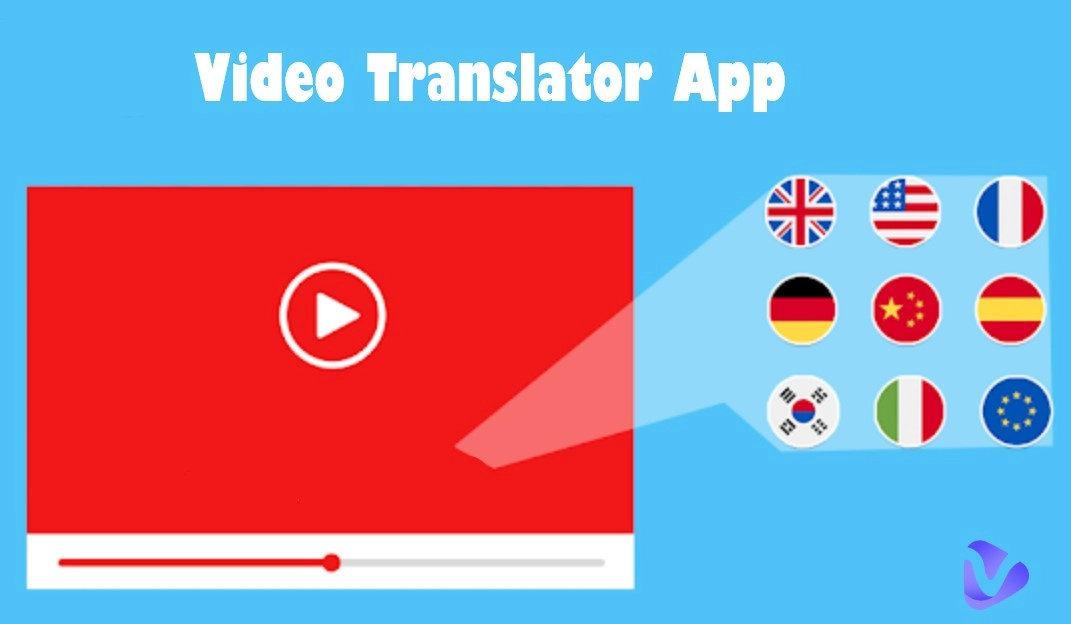
Ever watch a video in a foreign language and wish it could magically speak your native tongue? That’s the magic free video translator apps bring to the table. With the rise of AI, these tools do far more than just slap on subtitles — they can translate speech, generate natural voiceovers, and even match lip movements to the new audio, making it look like the person actually spoke that language.
These video translator apps work across YouTube video translate, TikTok, webinars, and business content, making global communication easier than ever. Whether you’re a content creator targeting international audiences or just someone trying to learn from foreign-language tutorials, these tools eliminate language barriers with just a few clicks.
What Makes a Good AI Video Translator App?
Not all video translator apps are created equal. When choosing one, it’s important to look beyond flashy marketing and focus on what really matters:
User Experience – Is it free, intuitive, fast, and cloud-based?
Translation Accuracy – You don’t want your message to be lost in AI mistranslations.
Voice Cloning Realism – Can it recreate the original speaker’s tone and personality?
Subtitle Timing – Subtitles should be clear, on cue, and well-formatted.
Lip-Sync Quality – The best tools adjust mouth movements to match the dubbed language.
Language Coverage – Look for broad international support, especially if you’re scaling globally.
Best Video Translator Apps for Voice Cloning & Subtitle Translation
Suppose you're looking to translate video content without sacrificing quality or personality. In that case, below, we break down 3 of the AI video translator apps, highlighting what makes each one unique, so you can make the right choice for your workflow.
Vidnoz AI Voice Translator – General AI Video Translator App Online Free
Want a general, free, beginner-friendly, and best free video translator app? Then you can't miss Vidnoz AI video translator. This free online video translation app can translate your YouTube videos into English or any other language in just a few minutes. If you don't pursue other advanced features, this tool is enough for you.

Pros
- The best video translator app is free to use online.
- Supports 140+ languages worldwide and 1800+ rich AI voice libraries.
- Multiple formats such as M4V, MP4, MOV, WEBM, and URL are supported.
- Provides highly accurate subtitle translation.
- AI lip sync to restore the most realistic speaker tone.
Cons
- The translation time will depend on the network connectivity.
VEED.IO – Instant Video Translator App with High Accuracy
If you’re looking for fast translations and high accuracy, try VEED. It automatically translates your videos and generates subtitles in 125+ different languages, making your content globally accessible. You can also convert audio to text and translate transcripts.

Pros
- You can upload local files, YouTube (just enter the link), Dropbox, etc.
- Fast translation with up to 98.5% accuracy.
- Supports converting voice translation into text and archiving records.
- Provides video editor to quickly edit subtitles or other.
Cons
- Advanced options or editing features require the premium version.
Rask AI – Video Translation AI with Localization & Lip Sync
Rask AI can translate movies and dub videos into over 130 languages while keeping the original message clear and natural. It helps you translate videos, add subtitles, and even convert text to speech, as well as transcribe audio to text. It’s a great choice for anyone who wants to share content with people around the world.

Pros
- It can imitate voices and sync dubbed audio with videos, keeping the original feel and fluency.
- Provide diversity of translation options, translate videos, add subtitles, convert text to speech, and transcribe audio to text.
- It can identify and manage different speakers in a video and translate each speaker separately.
Cons
- A bit confusing to use at first, and some of the best features are quite expensive.
- Fewer AI voice cloning options.
How to Translate a Video Instantly Online Free with AI
How to translate a video instantly with the best free video translator app? Start using Vidnoz AI Voice Translator now. Translate any video into your target language in just minutes. Imitate the tone of the original video and provide natural, smooth AI dubbing and subtitles. Follow the tutorials below to quickly translate your video.
Step 1. Navigate to the Vidnoz AI Voice Translator tool.
Step 2. You can upload the video or through URL as you like.

Step 3. Select the original language and output language you wish Vidnoz to translate for you. You can also enable the subtitles and lip sync function according to your needs. When everything is done, click Translate Now and let AI do the rest for you.

More Than Video Translation: Create AI Videos with 1800+ Voices
Video translation is evolving fast — and tools like Vidnoz are pushing the boundaries by doing more than just translating. Vidnoz free AI video generator is a browser-based platform that lets you create high-quality AI videos in 140+ languages and with access to 1800+ realistic AI voices — all without spending a dime.

Vidnoz AI - Create Free Engaging AI Video with Talking Avatar
- Easily create professional AI videos with realistic avatars.
- Text-to-speech lip sync voices of different languages.
- 2800+ video templates for multiple scenarios.
How to create AI video with a template:
Step 1. Go to the Vidnoz AI Video Generator website. Choose a template or start from scratch.

Step 2. You can choose an avatar to speak on your behalf. Paste your script and select a language and voice.

Step 3. Click Generate and let the AI do its magic — your video will be ready in minutes.
Whether you're an online educator, a business scaling into global markets, or a creator reaching new fans, Vidnoz makes it easy to speak the world’s languages — and sound amazing doing it.
Conclusion
AI video translator apps are revolutionizing how we communicate across borders. Whether you want your content to be accessible to more people around the world, or want to learn video language materials, etc., there is always one of the best AI video translation apps listed in this article that can meet your needs. In addition, try Vidnoz free AI video generator to easily create videos in 140+ languages and with templates to make your content stand out without effort!





![How to Translate TikTok Videos Seamlessly [100% Free]](https://www.vidnoz.com/bimg/how-to-translate-tiktok-video.webp)
![6 Best Sign Language Video Translators to Bridge the Gap [2026 Guide]](https://www.vidnoz.com/bimg/best-sign-language-video-translator.webp)
