In the era of AI, text-to-speech technology has seamlessly integrated into people's daily lives, subtly transforming the way content is created. It breaks down the barriers between text and sound, bringing numerous conveniences to work, life, and learning. If you've been keeping up with this technology, it won't feel unfamiliar. However, when you come across "text to speech Daniel", you might still have some questions: What exactly is Daniel?
Whether you have no idea about text to speech Daniel UK or have already heard this steady and authoritative AI voice and want to learn more, this will be a highly practical guide. Next, let's explore the Daniel AI voice model together and help you use it to further enhance your content.
- On This Page
-
What Is Text to Speech Daniel?
-
3 Powerful Tools to Experience Text to Speech Daniel – Get the Steady AI Voice for Free
-
How to Use Text to Speech Daniel Tools
-
Experience the Fusion of AI Text to Speech Daniel & Video Creation
What Is Text to Speech Daniel?
Text to Speech Daniel typically refers to a voice model within AI voice generation tools, which often operate on a TTS (text-to-speech) framework. Daniel is the name of a specific model—an AI voice with a British accent, designed to sound like a mature male aged 40–50. The text to speech Daniel UK voice is highly distinctive, with its core appeal lying in its clear, natural pronunciation and neutral tone. These vocal qualities lend it an innate sense of steadiness and authority, making it ideal for accurately conveying key information in various scenarios. Whether for business content or educational narration, Text to Speech Daniel can give your voiceovers a reliable and composed tone.
3 Powerful Tools to Experience Text to Speech Daniel – Get the Steady AI Voice for Free
1. Narakeet
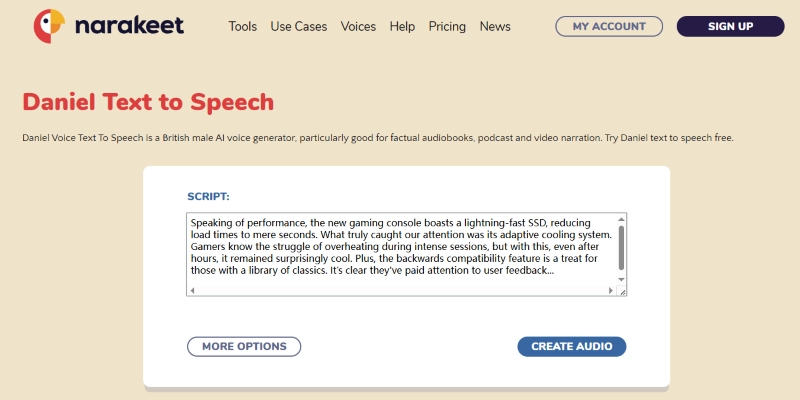
Narakeet is one of the ideal platforms for using Text to Speech Daniel. In the field of online text-to-speech tools, it is dedicated to providing AI voice models in various languages and accents, supporting more than 100 languages as well as more than 800 voices, making it easy for users to send their content across the globe.
Users can easily find text to speech daniel uk on Narakeet and directly convert text—or even Word and PDF files—into audio. Free accounts provide 20 conversions, and with Narakeet's intuitive interface, users can quickly turn their ideas into reality with the text to speech daniel uk voice.
2. TopMediai
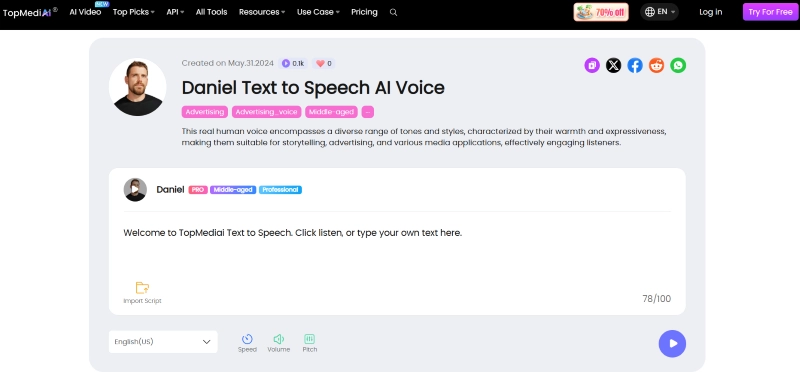
TopMediai is an all-in-one online tool for video editing and audio processing, offering rich possibilities for Text to Speech Daniel applications. It provides an instant web page for users to quickly experience AI daniel speech voice, where you can make simple adjustments to speed, pitch and other parameters. Users can also access TopMediai's full online app to unlock advanced features, such as modifying mood, tone, pause, and pronunciation.
Its integrated online video editor is equally practical, enabling users to create vivid and engaging digital stories with Daniel's voice as narration, making video content more dynamic.
3. Wavel AI
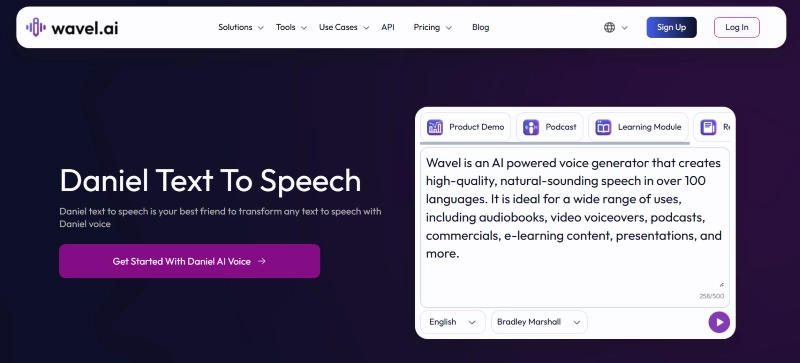
Wavel AI is yet another global content dubbing tool that is unbeatable for users who want to dig deeper into the potential of Text to Speech Daniel. Wavel, on the other hand, stands out with its support for over 70 languages and a vast library of hundreds of lifelike AI voices — among them the clear, natural timbre of Daniel — and in video dubbing scenarios, it streamlines localization efforts through features like automatic subtitling and AI lip-sync capabilities.
With its highly expressive audio output and instant voice cloning capabilities, Wavel AI excels whether you want to showcase unique personality or maintain professional content standards.
How to Use Text to Speech Daniel Tools
While different platforms have their own nuances, the general steps for using text to speech daniel are similar. The optimized AI tools mentioned above have a very smooth learning curve, making it easy for users to quickly put this tool to work, and to enhance their personal audio and video content. Below is a step-by-step guide using TopMediai as an example:
Step 1: Open your browser and navigate to TopMediai's Daniel Text to Speech AI Voice page. This online tool is free to users and does not require a registration to experience.
Step 2: In the text box, enter the text you want to convert. Then, select your preferred language and adjust parameters like speed, volume, and pitch. Once ready, click the play button in the bottom-right corner to start processing.
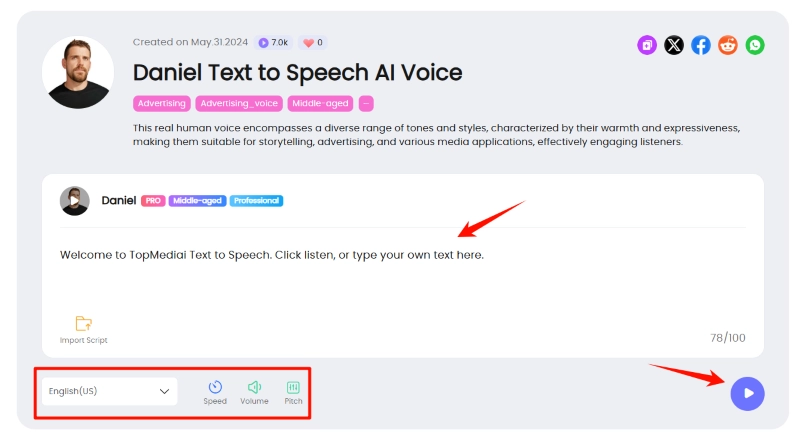
Step 3: Wait a few seconds—the AI will complete the conversion and automatically play the audio for preview.
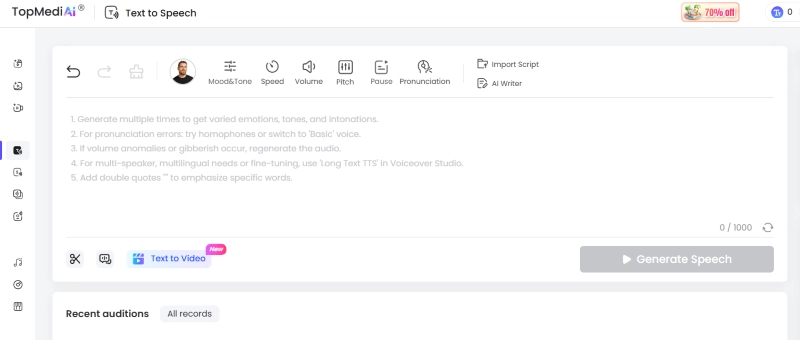
Of course, this web tool is a simplified version. For full functionality, users can access TopMediai's app. In the complete Text to Speech tool, TopMediai offers additional features, such as adjusting mood & tone, pause, and pronunciation for specific words, as well as importing files as scripts. There are also more AI editing tools available.
Experience the Fusion of AI Text to Speech Daniel & Video Creation
If a British text to speech Daniel model is what you need, the three platforms above can provide an excellent experience. But if you're looking to explore more steady, reliable, and composed AI voice models, Vidnoz AI is your best bet.
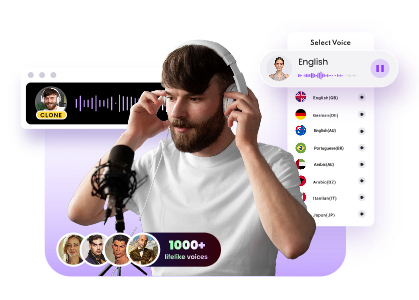
Vidnoz offers extensive capabilities in AI voice generation. Users can explore a wide variety of voices and accents from different countries and regions in its Text to Speech tool. Whether you prefer a mature, authoritative tone or a vibrant, youthful voice, you'll find it among the 1,200+ voice models available.
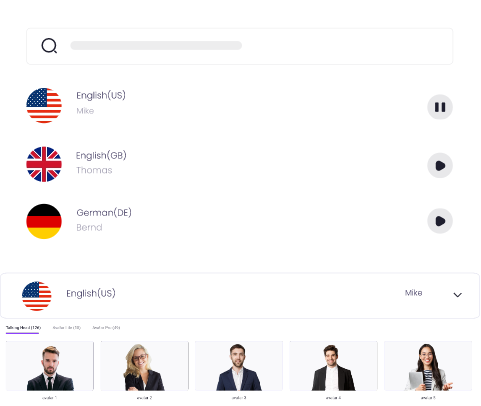
Create Text-to-Speech AI Voices - FREE
Make natural voice text to speech in various languages, accents, and ethnicities. Try it free now!
In Vidnoz's AI voice hub, there's the even more fun AI Voice Changer, and the AI Voice Clone tool with its infinite possibilities. You can clone your own voice to reduce the strain of constant speaking or use the voice changer to add more flair to video narrations. No matter what kind of content you're creating, Vidnoz's voice suite gives you strong support.
Clone Anyone’s Voice with AI - Free
Make realistic voices of famous people and characters.
Clone anyone's voice to create personalized voiceovers.
Support 2000+ languages and accents.
Change Voice Now
Moreover, the power of Vidnoz is not only limited to AI voice generation, but it also skillfully integrates the generated AI voice closely with video creation. Users are able to easily add these audio files to videos to quickly create more creative and engaging videos while maintaining professionalism.
Key Feature
- Multilingual Voice Models: Vidnoz supports AI text to speech models in multiple languages, ensuring Daniel's voice accurately conveys information whether you're producing English content for international markets or localized materials in niche languages.
- Smart Audio-Visual Fusion: Users can combine generated audio with video using the AI video generator. Vidnoz allows users to upload Daniel's voice as a narrator and add graphic elements, transitions, etc. that fit the emotion and rhythm of the voice, making it easier to generate compelling videos.
- Multi-Voice Comparison: While using Daniel's voice, users can compare it with other AI voices in Vidnoz to optimize content expressiveness and find the best delivery style.
- Cross-Platform Export: Vidnoz supports one-click exports of audio or video projects (featuring Daniel's voice) to major social media platforms, adapting to each platform's specifications for rapid and widespread distribution.
Conclusion
Text to Speech Daniel's uniquely mature male timbre and ability to convey information with precision have made it a major player in the AI voice arena. From newscasts to online tutorials, Daniel AI voice can fulfill your every creative need. Today, Vidnoz expands the boundaries of Daniel's applications with its innovative free AI video generator. Join Vidnoz now and integrate AI voices into your video creations in a smarter, more efficient way!

Vidnoz AI - Create Free Engaging AI Video with Talking Avatar
- Easily create professional AI videos with realistic avatars.
- Text-to-speech lip sync voices of different languages.
- 2800+ video templates for multiple scenarios.