Sukuna, the brilliant villain in Jujutsu Kaisen, has a deep, dangerous but charismatic voice matching with his immense power as "King of Curses". The iconic tone is not only perfect for narrating a dark or horrible story, but creating fan-recreation for social media.
Fortunately, tons of online platforms let creators quickly generate Sukuna AI voice free. If you want to make a voice over that sounds like Sukuna for you content, the following 5 best Sukuna AI voice generators online free can lead you out.

- On This Page
-
Vidnoz AI Voice Cloning - Generate Realistic Sukuna AI Voice by Cloning
-
Fineshare - Create Stunning AI Sukuna Voice Over and Song Cover
-
TopMediai - Craft Ryomen Sukuna AI Voice for Text to Speech
-
VoiceDub - Make Covers With AI Sukuna Voice for Your Favorite Songs
-
Jammable - Turn Text/Audio into Sukuna AI Cover
-
How to Create a Video with Sukuna AI Voice
Vidnoz AI Voice Cloning - Generate Realistic Sukuna AI Voice by Cloning
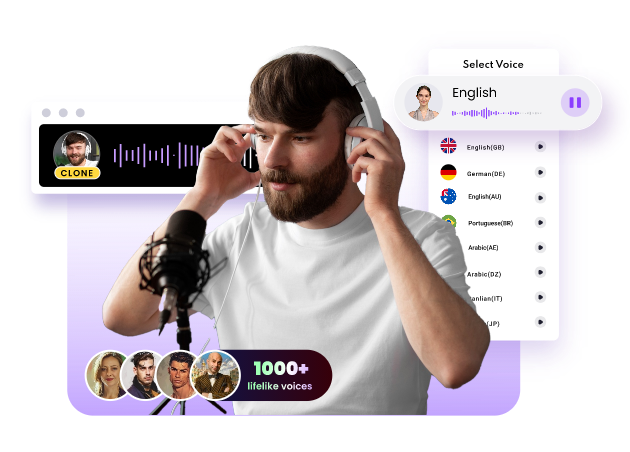
Vidnoz AI Voice Cloning offers a flexible yet simple way to clone anyone's voice for any content. It uses the most advanced AI algorithms to accurately mimic the voice in the source audio track, keeping all characteristics and details, from speech patterns to emotional tones. The text to speech engine helps turn the text script into a spoken speech featuring the cloned voice. Simply upload a Sukuna voice sample, input the script and then let the tool to make Sukuna AI voice for the speech in multiple languages for global reach.
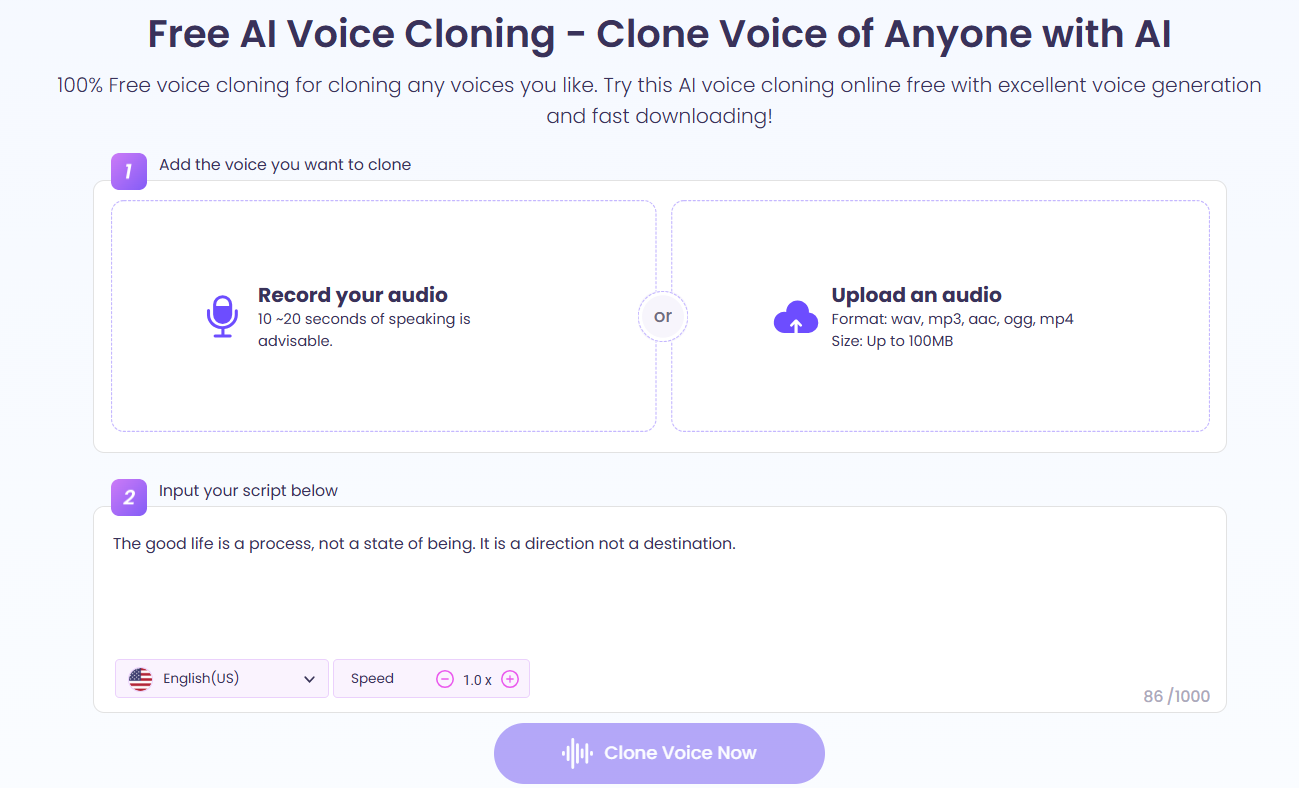
Vidnoz also develops an AI voice changer which has several sets of AI voice presets, including celebrity voices, girl voices, ghostface voices and robot voices. Explore a desired voice for storytelling, presentation or more as you like. And, the voice library is continuously update.
Both AI voice cloner and voice changer in Vidnoz are free to use. You can easily create AI Sukuna voice and any character's voice at no cost.
Clone Anyone’s Voice with AI - Free
Make realistic voices of famous people and characters.
Clone anyone's voice to create personalized voiceovers.
Support 2000+ languages and accents.
Change Voice Now
Fineshare - Create Stunning AI Sukuna Voice Over and Song Cover
Fineshare is a full-featured Sukuna AI voice generator free. It provides a realistic Sukuna AI voice model to deliver streamlined content creation process. Expand your creativity and produce compelling voice overs and hit song covers to boast engagement on various platforms. It also integrate a Sukuna voice changer to make your voice sound like Sukuna.
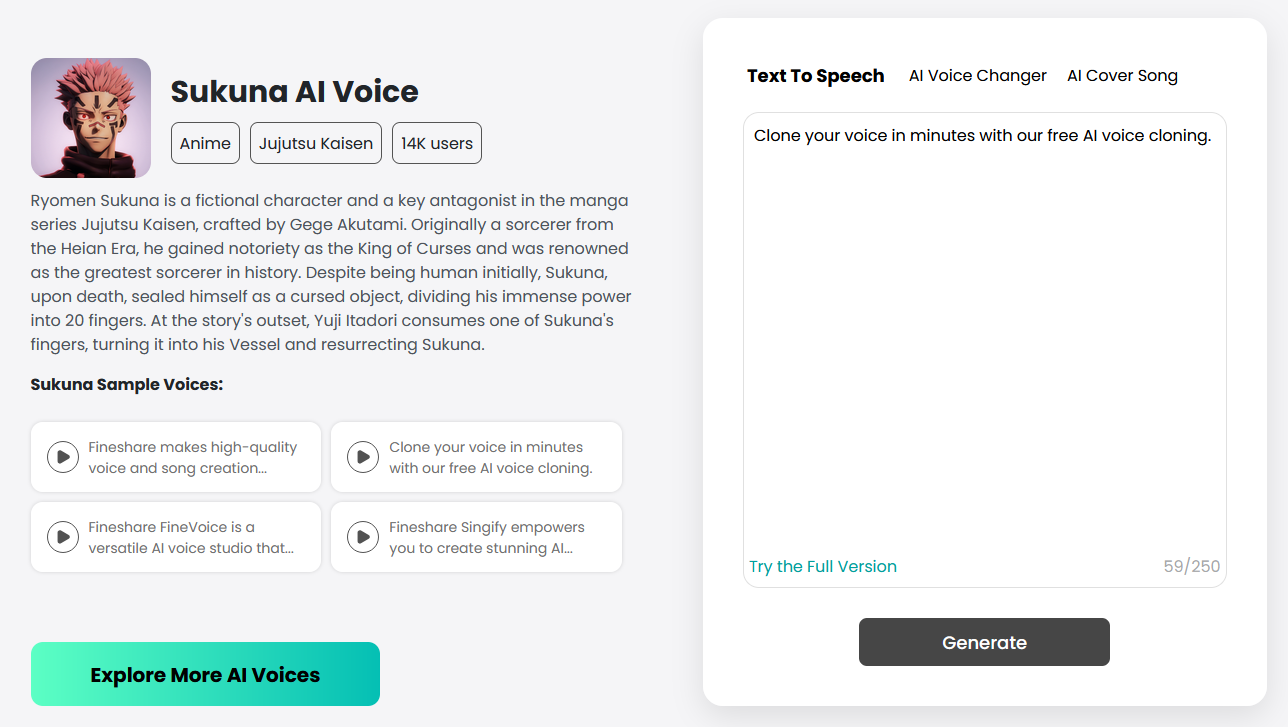
Fineshare specializes in creating high-quality and natural-sounding AI voice with clear pronunciation and comfortable pitch. No skills needed, you can instantly create Sukuna talking and singing voices. It also supports different languages and accents for localizing your content with auto-translation.
Besides Sukuna AI voice, it collects 100+ anime character voices, like Naruto, Goku, Shrek and more. Pick out your favorite characters and generate AI voices and song covers as you want.
TopMediai - Craft Ryomen Sukuna AI Voice for Text to Speech
TopMediai, a versatile online AI toolkit, shows a series of AI voice and music tools empowering users to design unique audio content. It has a big library that offers a lot of voice models, including Sukuna AI voice. The combination of voice model and text to speech engine drives you to compile your own story narrated by Sukuna voice. You can use the customizable tools to set up special emotion, tone and pitch making the voice meet the context of your speech better.
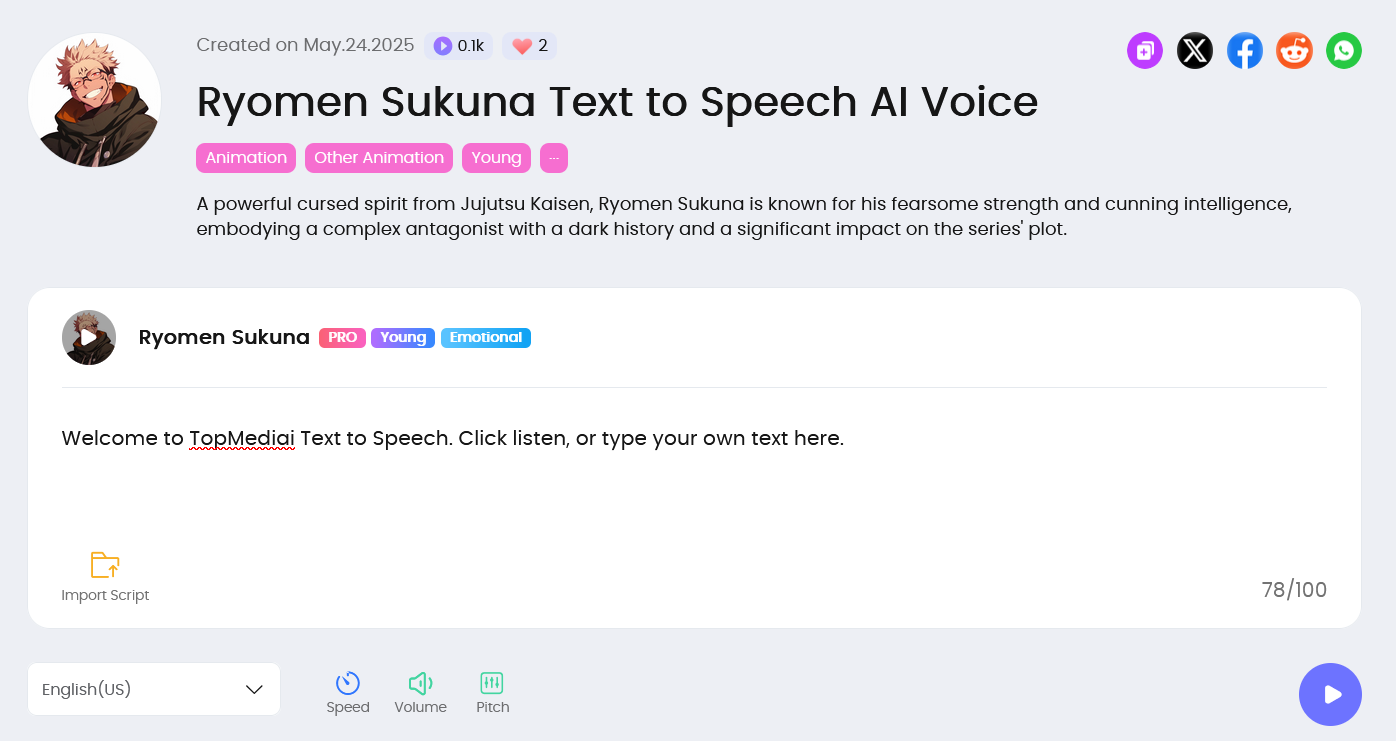
TopMediai enables you to preview the audio sample before using the voice model and provides an AI voice cloning tool for you to clone and personalize Sukuna voice with no effort. Certainly, you can explore more AI voice models from TopMediai's library.
VoiceDub - Make Covers With AI Sukuna Voice for Your Favorite Songs
VoiceDub gives its focuses on replacing anyone's vocal with that of another one. It has a monthly updated database that collects a plethora of well-trained AI voice models and daily updated models in community. You can explore Sukuna AI voice in the database and use the voice model to create a dub instantly.
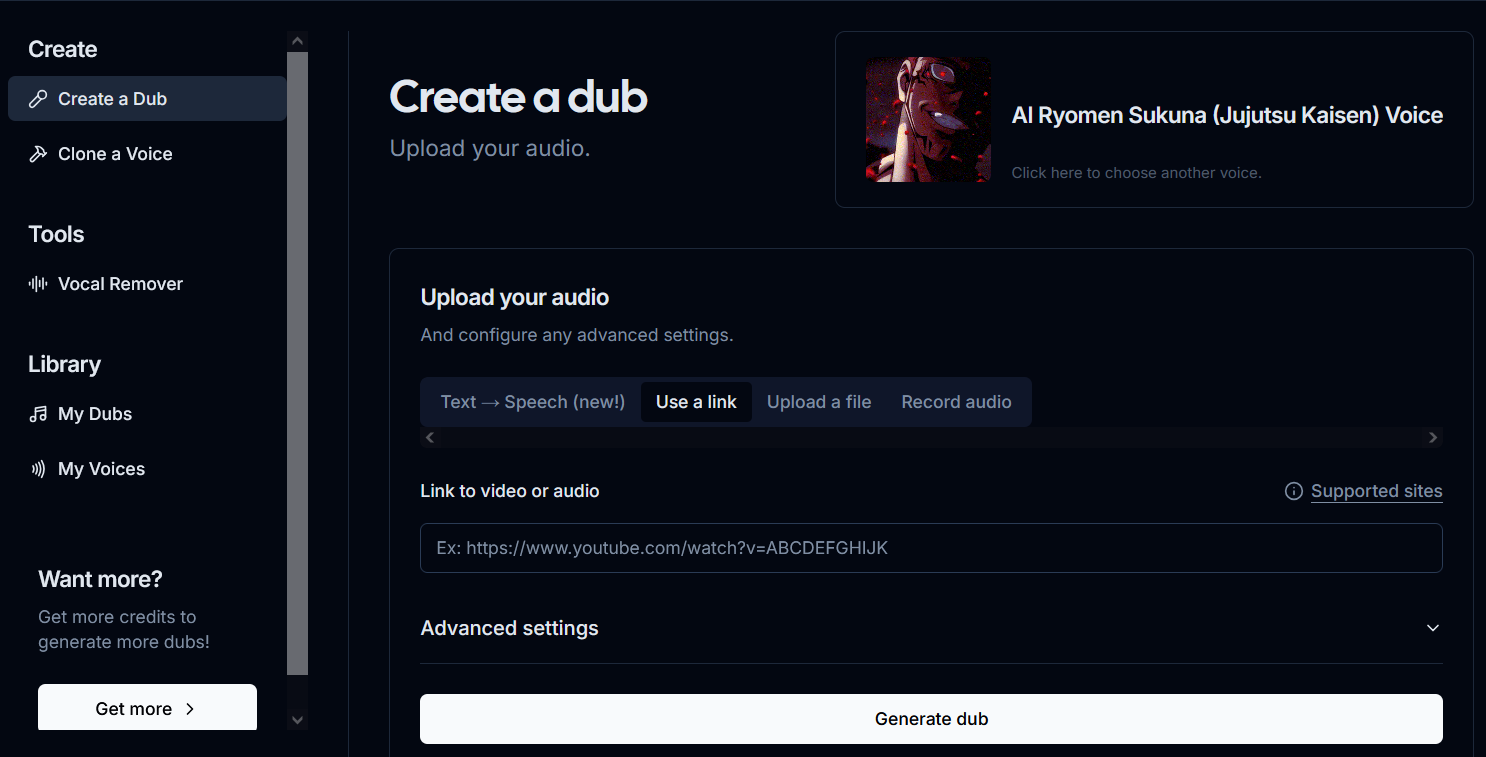
VoiceDub helps turn any online and offline music into a song cover with AI Sukuna voice. Whether you insert a YouTube/TikTok link, upload an audio file or record live vocals, it can switch the original voice to that of Sukuna while keeping high quality. Plus, the Sukuna voice changer adds an AI text to speech tool to generate AI Sukuna voice over with high efficiency.
Jammable - Turn Text/Audio into Sukuna AI Cover
Jammable is another highly recommended Sukuna AI cover generator. More than an online AI platform idea for AI song cover creation, it is an AI voice search engine that allows you to dig out your favorite voices, for example Taylor Swift, Selena Gomez, SpongeBob, etc. Input Sukuna into the the search box and the tool will list a series of Sukuna AI voice versions. Preview and pick your favorite one and make an AI song cover in seconds.
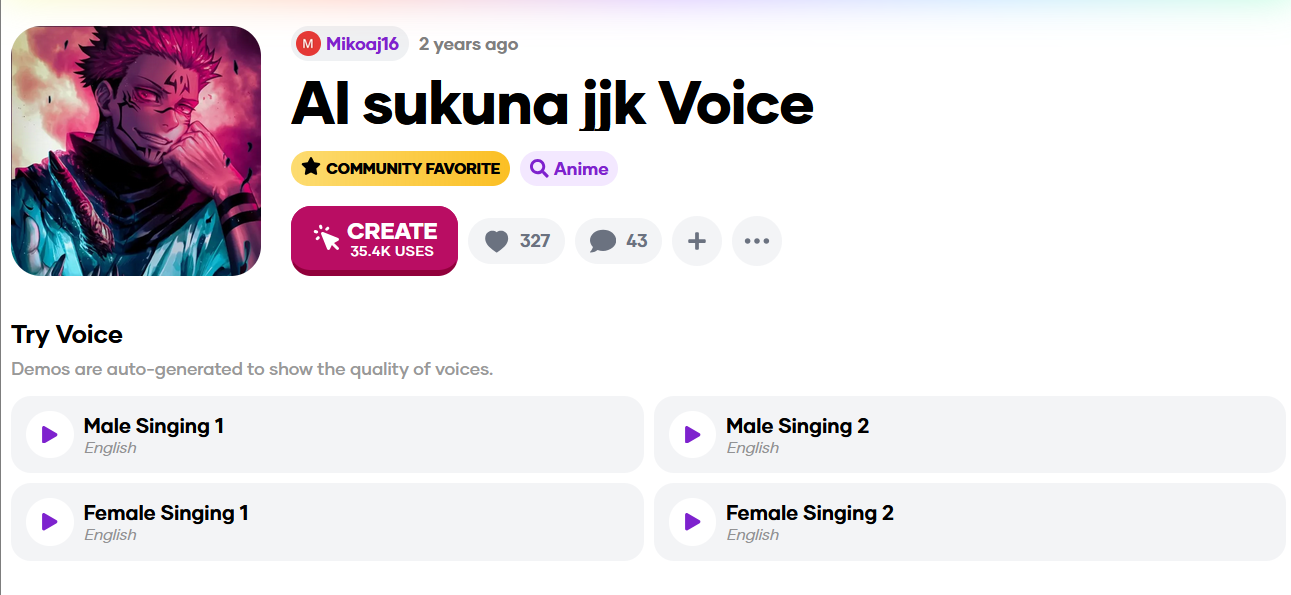
How to get the song source for cover creation? You can select from Jammable's music library, or upload/record a song. What’s more, use the text to speech tool turn your lyrics into a song sung by Sukuna. The preset song and vocal effects let you customize the song cover in different styles, like hip hop, nightcore, radio vocal and more.
How to Create a Video with Sukuna AI Voice
AI video generator offers an one-stop way to create content narrated by Sukuna AI voice. Vidnoz AI is such as a powerful tool available to quickly make various videos with realistic AI voices.

Vidnoz AI - Create Free Engaging AI Video with Talking Avatar
- Easily create professional AI videos with realistic avatars.
- Text-to-speech lip sync voices of different languages.
- 2800+ video templates for multiple scenarios.
Vidnoz AI crafts tons of templates across a wide range of cases to streamline the video production. Based on the templates, you can personalize your video with editing tools. Besides thousands of preset AI avatars, upload an avatar to make your favorite character speak with perfect lip-syncing. Integration with an AI voice cloning tool, Vidnoz AI can easily clone Sukuna voice as the voice over. Moreover, you can adjust text, insert images/icons and add background music at will.
Vidnoz AI has an easy-to-navigate interface that helps anyone make stunning and engaging videos with no skills needed. In the following, let's learn how to create a video with Sukuna AI voice over.
Step 1. Head to Vidnoz and sign in your account.
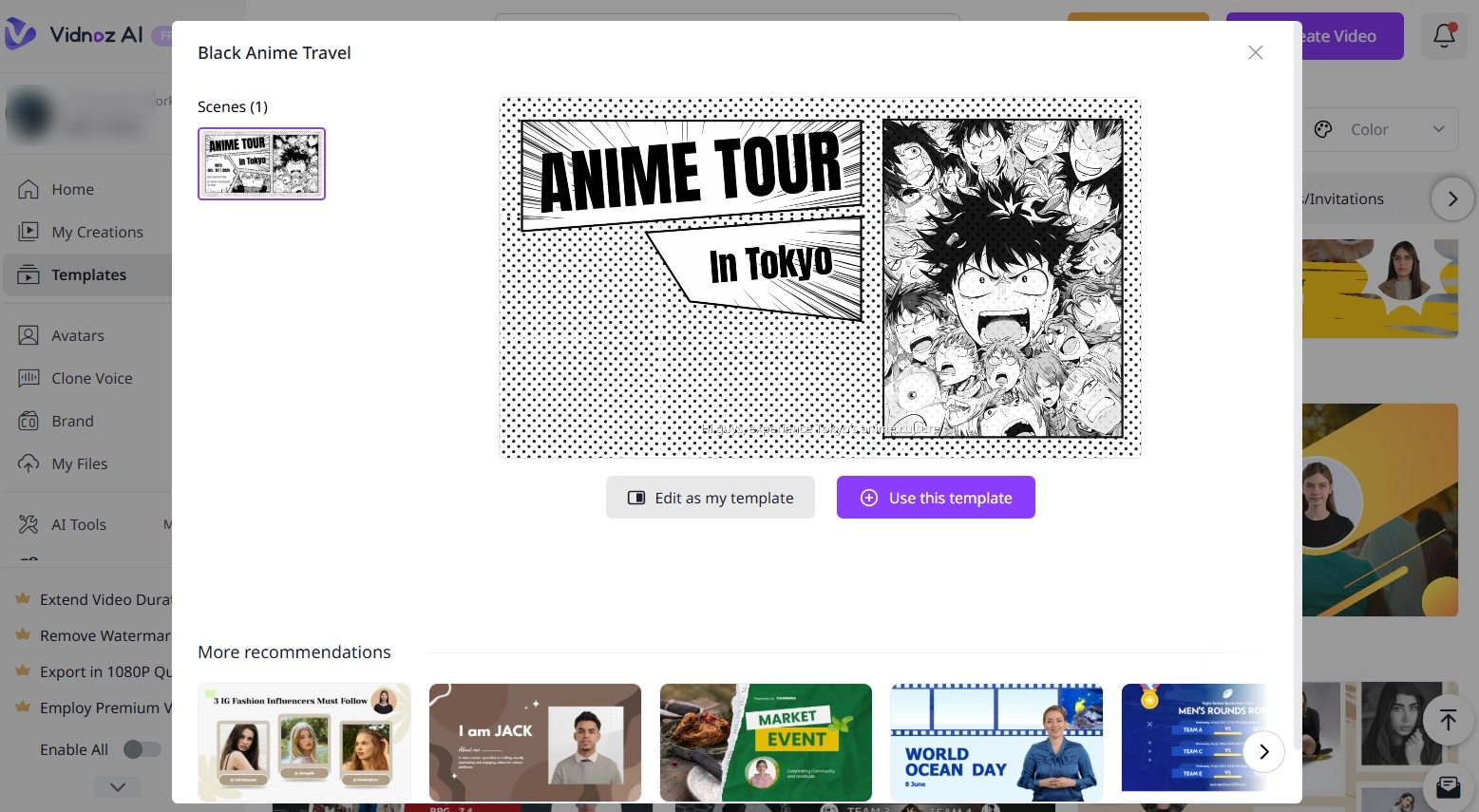
Step 2. Determine the topic of your content and pick out a fitting template. Click Use this template to access the editor page.
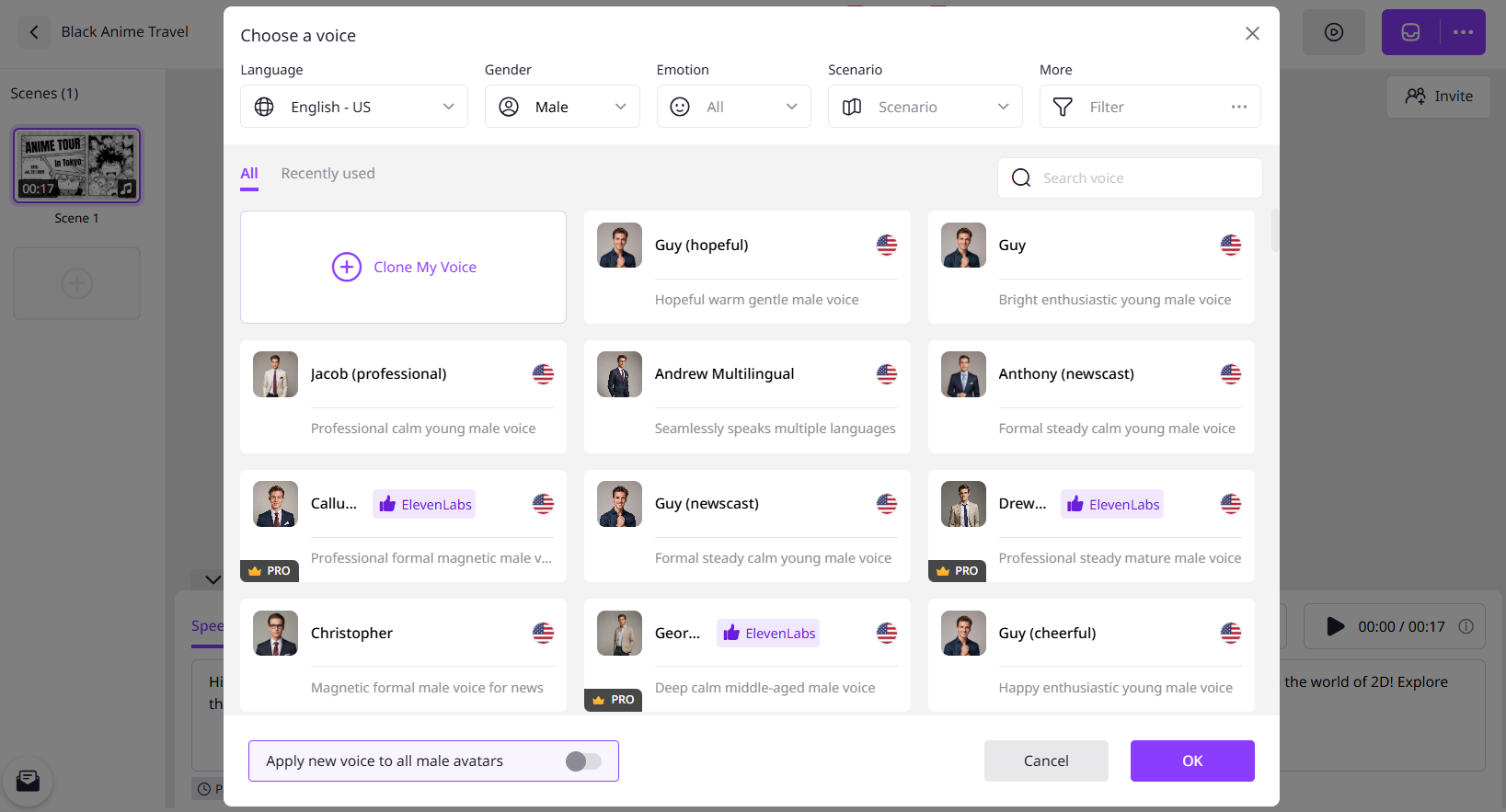
Step 3. Write your speech into the text box. Click the language icon to select the language and voice. To make Sukuna AI voice over, click Clone My Voice and clone Sukuna voice for your video. You can also adjust voice emotion, pitch, volume and speed.
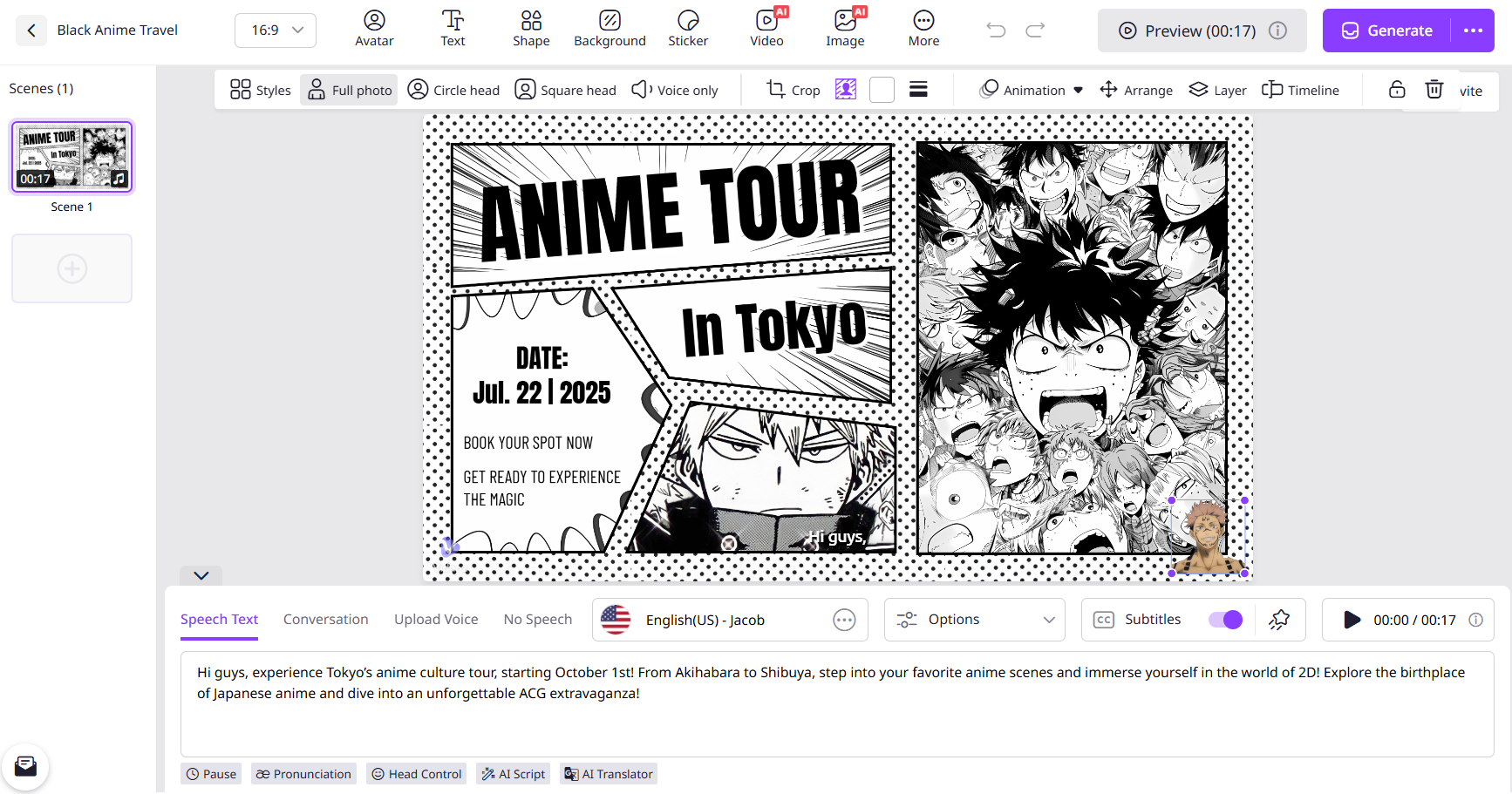
Step 4. Click Avatar and upload Sukuna photo as a talking avatar. Add other elements, like text, image, video, music, etc., to elevate your video if needed.
Step 5. Click Generate. Minutes later, you can get a video featuring Sukuna AI voice.
The Bottom Line
Sukuna AI voice generator gives everyone a chance to create voice overs or song covers with Sukuna’s distinctive vocal with ease. Some tools takes advantage of voice cloning technology to perfectly maintain characteristics of Sukuna voice for speeches or videos while some tools provide special AI Sukuna voice model to create podcasts, covers and other content more conveniently. What’s more, if you want to make a video with Sukuna AI voice at one stop, Vidnoz AI, the industry-leading AI video generator will never disappoint you.
Vidnoz AI - Create Free Engaging AI Video with Talking Avatar
- Easily create professional AI videos with realistic avatars.
- Text-to-speech lip sync voices of different languages.
- 2800+ video templates for multiple scenarios.