Sephiroth, the villain in Final Fantasy, is considered one of the most frightening characters. The reasons? His chilling and commanding voice may impact most. The deep, cold tone sends shivers down your spine with just a few words. So can you get the voice to surprise others?
Sure, you can now bring the legendary antagonist to life with AI—anytime, anywhere. Imagine using the same intimidating Sephiroth AI voice in your videos, streams, or other content!
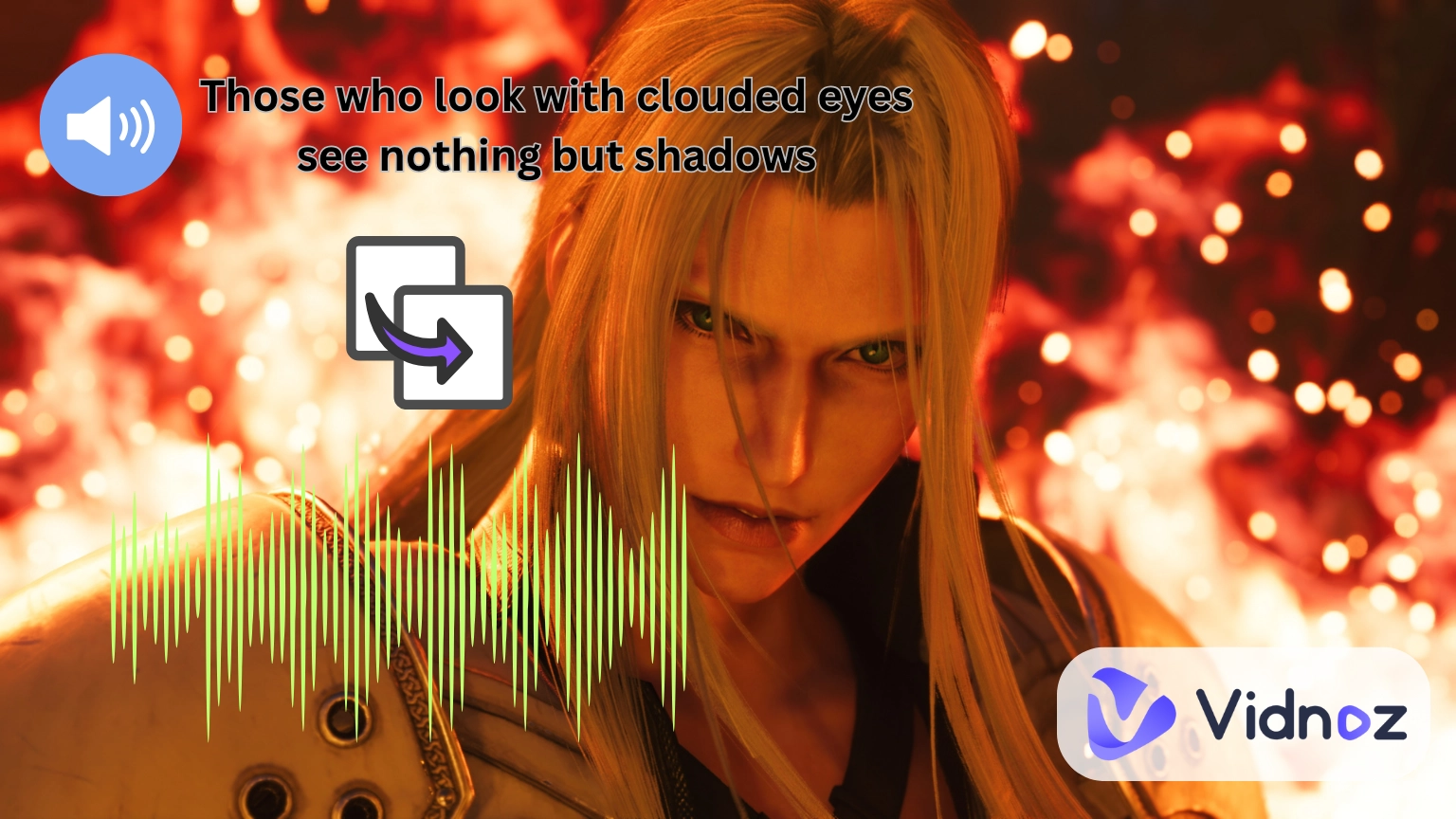
This guide will introduce detailed steps on making and applying Sephiroth voice quickly and easily. Let’s go for details!
- On This Page
-
Solution 1. Clone Sephiroth AI Voice Accurately [English & Japanese]
How to Clone & Build Sephiroth AI Voice?
-
Solution 2. Apply Sephiroth AI Voice Models Directly
How to Get Sephiroth AI Voice?
-
Solution 3. Get Sephiroth AI Voice for Singing
How to Get Sephiroth AI Voice?
-
What Can Sephiroth AI Voice be Used for?
-
Go Pro: Using Sephiroth AI Voice to Dub Videos with AI
Solution 1. Clone Sephiroth AI Voice Accurately [English & Japanese]
If you’re a fan of Final Fantasy, you must know that Sephiroth has been voiced by different actors across various series and languages. However, most fans consider Morikawa Toshiyuki’s voice, a threatening Japanese performance, the most memorable. So if that’s the voice type you want, your best option to get it is to clone and build an AI Sephiroth voice model by yourself.
One of the best tools for this purpose is the Vidnoz AI voice cloner. It allows you to upload any Sephiroth audio files (or record directly) and then builds a highly accurate Sephiroth AI voice.
Clone Anyone’s Voice with AI - Free
Make realistic voices of famous people and characters.
Clone anyone's voice to create personalized voiceovers.
Support 2000+ languages and accents.
Change Voice Now
AI voice cloning uses real voice samples to create a realistic digital duplicate of any voice. It catches voice characters, sound height, and talking styles with amazing correctness. Besides, since the tool is adapted with multi-language support, you can then use a Morikawa AI voice to generate spoken lines in English, Japanese, or any language you prefer.
How to Clone & Build Sephiroth AI Voice?
Step 1.Go to Vidnoz AI Voice Cloning
This online AI voice generator is totally free and easy to use.
Step 2.Input Audios of Sephiroth
You can create new recordings or import existing audio files straightaway:
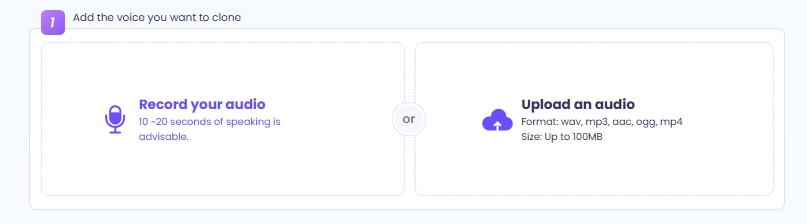
Then this AI tool will process your inputs and generate an AI Sephiroth voice.
Step 3.Turn Text into Speech with Sephiroth Voice
After that, you can type your text and convert it into a Sephroth voiced speech. This Sephiroth AI voice generator allows you to switch English into Japanese and other languages for free(or vice versa), and you can adjust its speed and pitch:
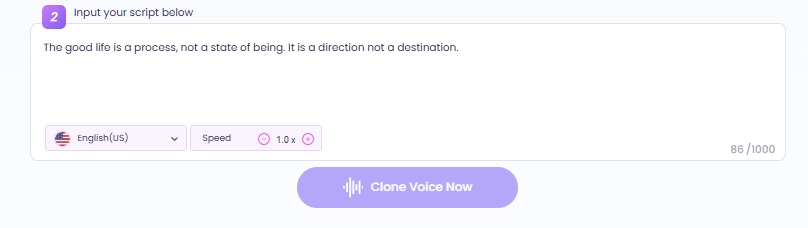
Step 4.Finish Sephiroth Voice Cloning
After processing in about one minute, the tool will present you the final output. You can seamlessly and freely download the Sephiroth AI voice clip and use it for your entertainment.
Solution 2. Apply Sephiroth AI Voice Models Directly
If you are in a hurry to get Sephiroth’s voice quickly, you can try to find a ready-to-use Sephiroth AI voice model. One good option is the FakeYou AI voice generator, which lets you apply Sephiroth’s tone in seconds.
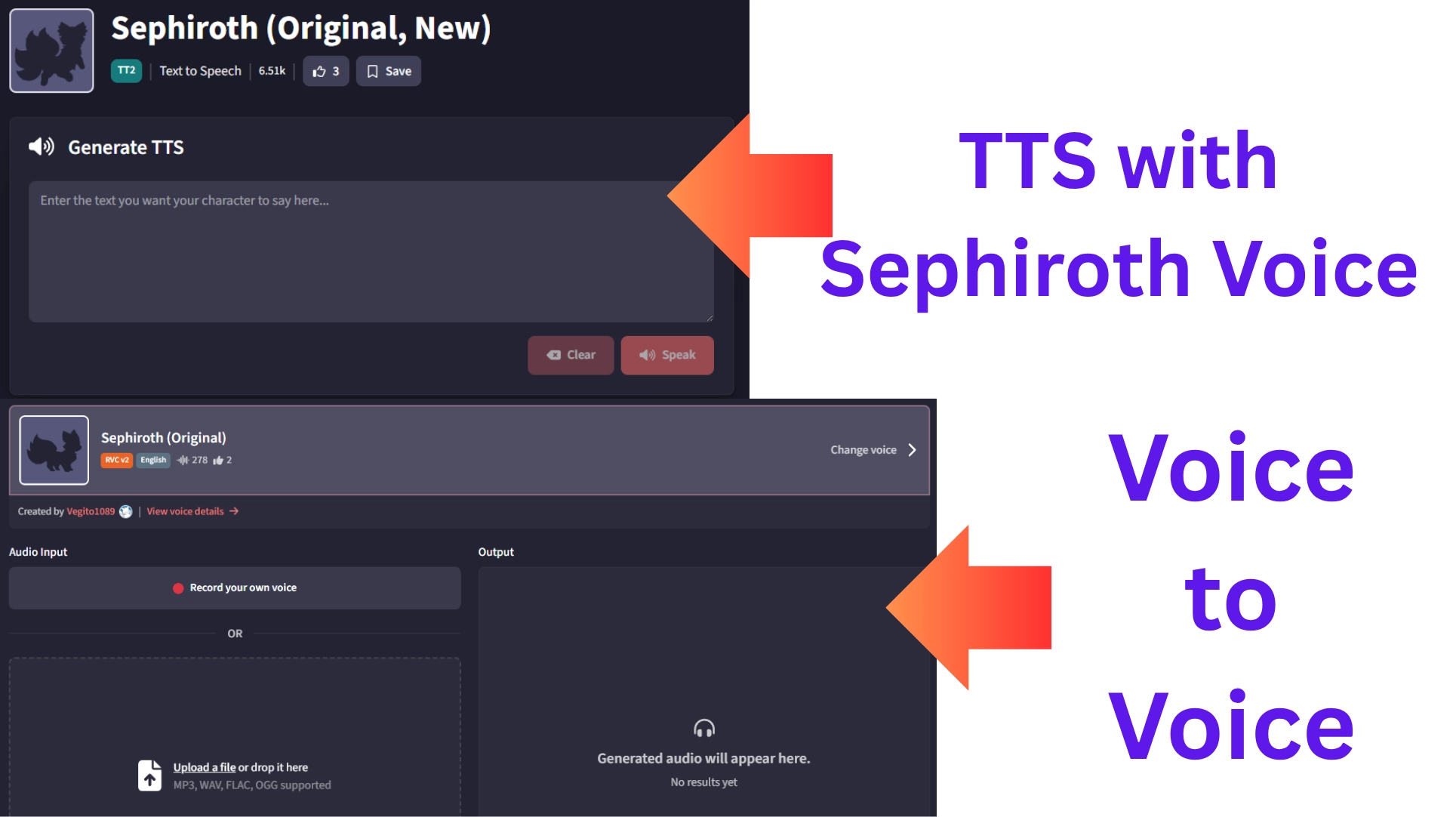
With this tool, you can use both TTS to type any script and get the iconic Sephiroth voice, and voice-to-voice AI feature to transform your own sounds into Sephiroth’s chilling voice.
How to Get Sephiroth AI Voice?
>>TTS Method
Step 1.Choose the well-trained Sephiroth AI voice model;
Step 2.Type in your texts;
Step 3.Click ‘Speak’ and you’ll hear the speech in Sephiroth’s voice.
>>Voice-to-Voice
Step 1.Select the same Sephiroth AI voice model;
Step 2.Upload or record your audio files;
Step 3.Let it transform sounds to Sephiroth-like audios (even close to Morikawa AI voice in Japanese tone).
Solution 3. Get Sephiroth AI Voice for Singing
Imagine Sephiroth singing a trendy track or belting out rock ballads—that’s now possible with an AI song cover generator - Jammable.
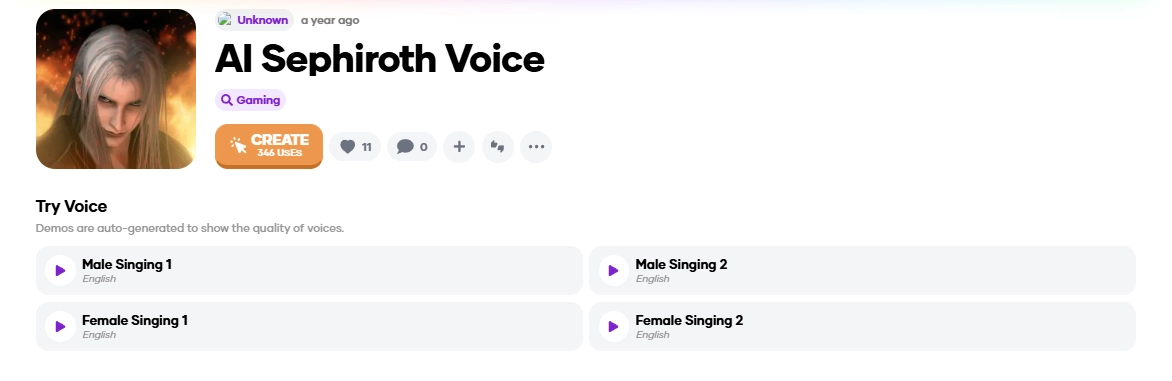
Jammable supports both male and female versions of the Sephiroth voice, giving a lot of room for unique parody and remix creations. Generally, it fits media makers, superfans, and gaming enthusiasts looking to have fun with sound as a hobby.
How to Get Sephiroth AI Voice?
Step 1.Select the Sephiroth AI Voice Model
Go to the Jammable and pick the Sephiroth AI voice model.
Step 2.Upload Audio to be Sung
You can upload or select songs you want Sephiroth to sing:
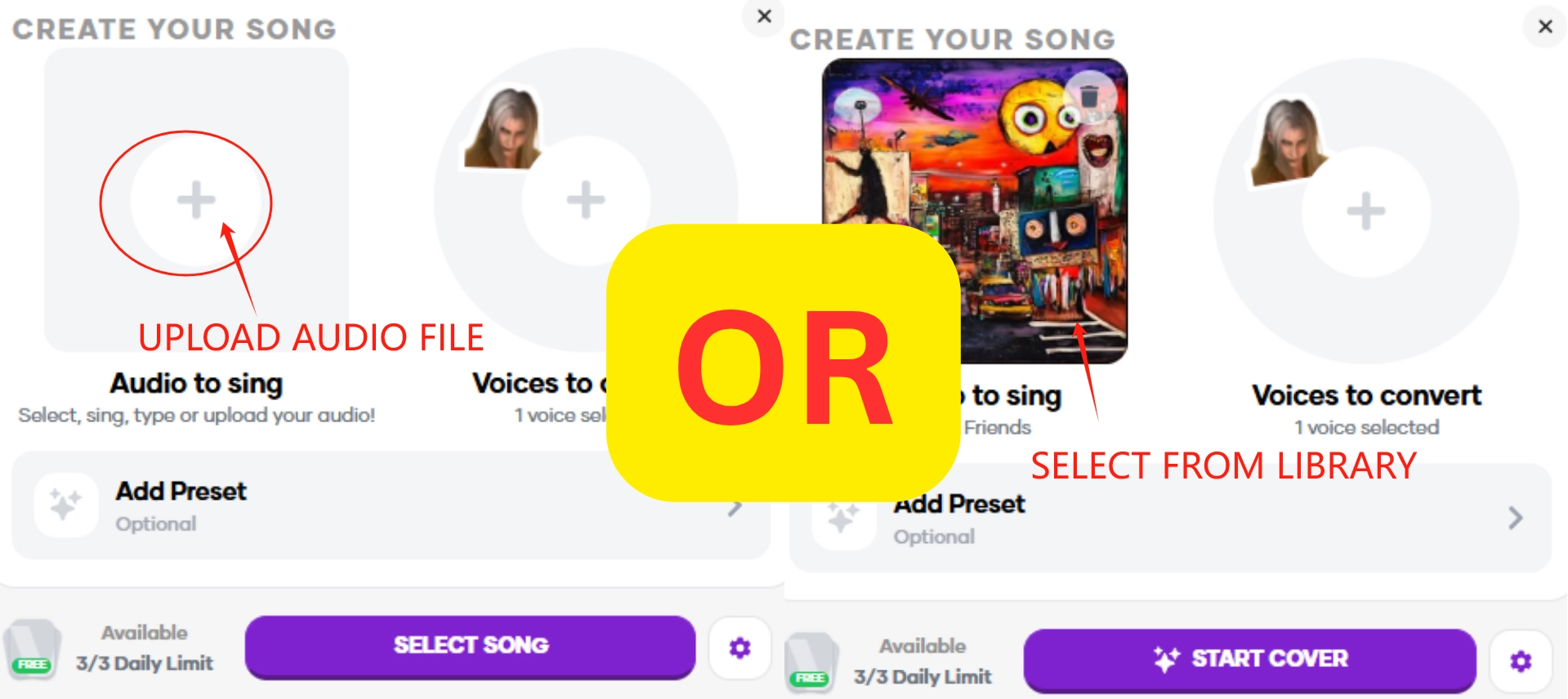

You can even adjust Sephiroth AI voice’s pitch, add funny sound effects or turn-on auto-tone to match Sephiroth voice with the song’s beats.
Step 3.Start to Cover a Song Using Sephiroth AI Voice
You can preview the result online for free within 60 seconds. However, if you want to download the Sephiroth AI voice song, a payment is required.
>> Create a music video for the song covered by dope Sephiroth's voice!
What Can Sephiroth AI Voice be Used for?
Now that you get some cold, deep, and dramatic Sephiroth AI voices, you can fully make use of it. Here are some ideas:
Create fan-driven stories and add dramatic voiceovers with the villainous Sephiroth voice.
- Make Personalized Messages
Record Sephiroth-style greetings for friends. Whether it’s the original English or a Japanese-styled Morikawa Toshiyuki voice, it’s a unique surprise. Furthermore, you can send an impressive greeting video with an AI talking Sephiroth.
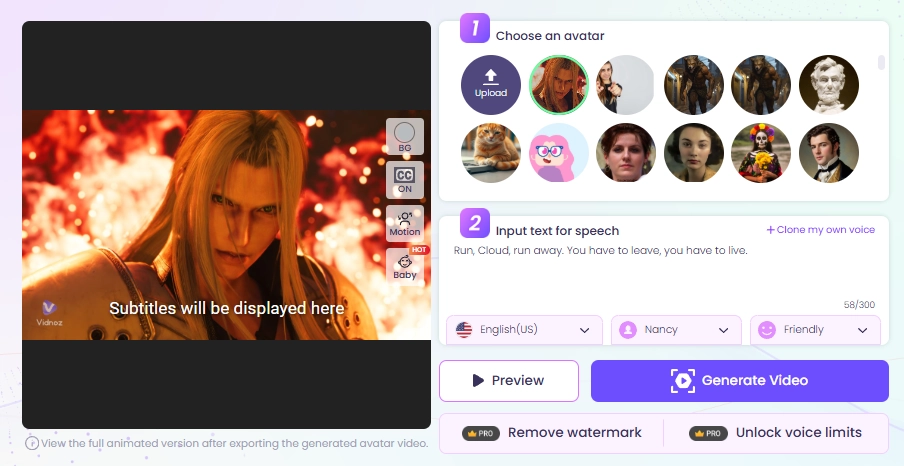
- Streaming with Sephiroth Voice
Use AI voice changers to speak like Sephiroth during streams— this is ideal for roleplaying or trolling your viewers.
- Let Sephiroth Sing Trendy Songs
Make AI covers where Sephiroth sings recent chart-toppers. His deep, scary voice will make an amusing contradiction. Or, you can create parodies with the Morikawa AI voice effect to give viral songs a dark, unexpected twist.
Go Pro: Using Sephiroth AI Voice to Dub Videos with AI
Once you’ve crafted your ideal Sephiroth AI voice—you don’t have to stop at audio clips. Why not bring the character to life visually by dubbing your own videos? This marks the spot where Vidnoz, a free AI video generator, truly stands out.

Vidnoz AI - Create Free Engaging AI Video with Talking Avatar
- Easily create professional AI videos with realistic avatars.
- Text-to-speech lip sync voices of different languages.
- 2800+ video templates for multiple scenarios.
It is a browser-based video dubbing platform, so you can pair your Sephiroth voice files with real footage easily. With pre-generated Sephiroth AI voice dropped, then the AI will automatically sync audio tracks with your videos.
And for a perfect watching experience, the AI makes natural lip movements, adds lifelike pitch and even gives emotions. Need localization? Sure, the tool supports dubbing in 140+ languages.
Conclusion
Whether you’re cloning the original Japanese version for entertainment or remixing Sephiroth into a singing track, AI tools give you full chances to make attractive Sephiroth AI voices.
Exceed simple audios, you can fully use the Sephiroth AI voice model to dub or even edit videos easily on Vidnoz, you don’t need to be an expert or rent a studio to create something cinematic. So just pick an AI tool, experiment with it, and let your ideas speak with the legendary Sephiroth!
Clone Anyone’s Voice with AI - Free
Make realistic voices of famous people and characters.
Clone anyone's voice to create personalized voiceovers.
Support 2000+ languages and accents.
Change Voice Now








![Top 5 Real Time AI Voice Changers Review [2026 Update]](https://www.vidnoz.com/bimg/vd---real-time-ai-voice-changer.webp)
