If you've ever taken an online course, chances are you've encountered one classic format—the PPT. However, over time, static slides and outdated animations have started to lose their charm, making learners less engaged. As the digital era evolves, more and more people are turning to online learning platforms like Coursera, Udemy, and Skillshare to improve their skills and knowledge.
Among these platforms, a more advanced and interactive format has emerged—the SCORM file. It's widely used because it can record learners' progress, assessment results, and engagement data.
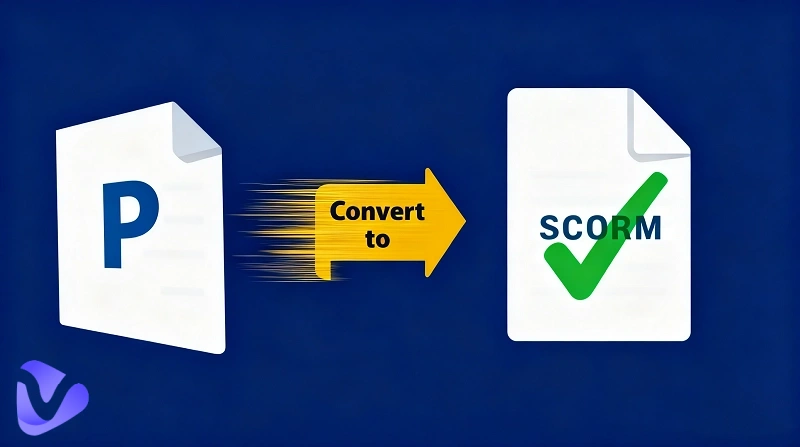
If you're wondering how to modernize your traditional slides, this guide is here to help. Below, you'll discover the fastest way to convert PPT to SCORM, along with the best PPT to SCORM converter tutorial to get you started right away.
- On This Page
Why Turn PPT to SCORM?
You may have seen this type of e-learning content before but never known its name SCORM.
So, let's first understand what SCORM is, and why converting PowerPoint to SCORM has become so important.
SCORM, short for Shareable Content Object Reference Model, is a file format designed for online learning. Its main advantage is that it allows instructors to package their teaching materials into modular courses that can be recognized, tracked, and evaluated by LMS (Learning Management Systems).
While a traditional PowerPoint can only display information visually, a SCORM file goes much further. It enables real-time interaction, records learning data, and automatically generates learning reports.
Here's a table showing the key differences between the two:
|
Feature
|
PPT
|
SCORM
|
|
Main Purpose
|
Presentation and visual display
|
Interactive online learning module
|
|
Interactivity
|
Limited: animations & hyperlinks
|
High: quizzes, tasks, & feedback
|
|
Tracking & Analytics
|
Not supported
|
Tracks progress, scores, completion rates
|
|
Integration
|
Manual sharing or local playback
|
Seamless LMS integration
|
|
Data Reporting
|
None
|
Automatic learning data reports
|
Based on this comparison, it's easy to see why users want to turn PPT to SCORM:
Comprehensive tracking: A SCORM file uploaded to an LMS platform can automatically track learner data such as login time, progress, completion rate, and quiz performance. Instructors no longer need to calculate results manually.
Enhanced interactivity: Converting PPT to SCORM allows teachers and learners to engage in richer interactions, including quizzes, clickable elements, branching paths, or gamified activities.
LMS integration (Learning Management System): SCORM files can be directly uploaded to popular LMS platforms such as Coursera, Moodle, and TalentLMS. Learners can study anytime, while instructors can monitor performance in real time.
How to Turn PPT to SCORM with Vidnoz AI?
Now you know it's definitely time to convert your PPT to SCORM—but where should you start?
Don't worry. This guide has already prepared the perfect assistant for you to convert PPT to SCORM online free: Vidnoz AI.
Vidnoz AI is an intelligent video generator that can turn PPT, PDF, and even MP4 files into SCORM format. Beyond conversion, it also allows users to export videos in multiple formats, making it suitable for teaching, marketing, or presentation purposes.

Vidnoz AI - Create Free Engaging AI Video with Talking Avatar
- Easily create professional AI videos with realistic avatars.
- Text-to-speech lip sync voices of different languages.
- 2800+ video templates for multiple scenarios.
So, let's dive right in and see how to use Vidnoz AI to convert PPT to SCORM free in just a few simple steps.
Step 1. Log into your account and then enter the AI video generator workspace.
Step 2. On the right-hand side, you'll find an option labeled “Create a vide” that allows you to import PPT. Then upload your PowerPoint in ppt. or pptx. that is less than 100MB.
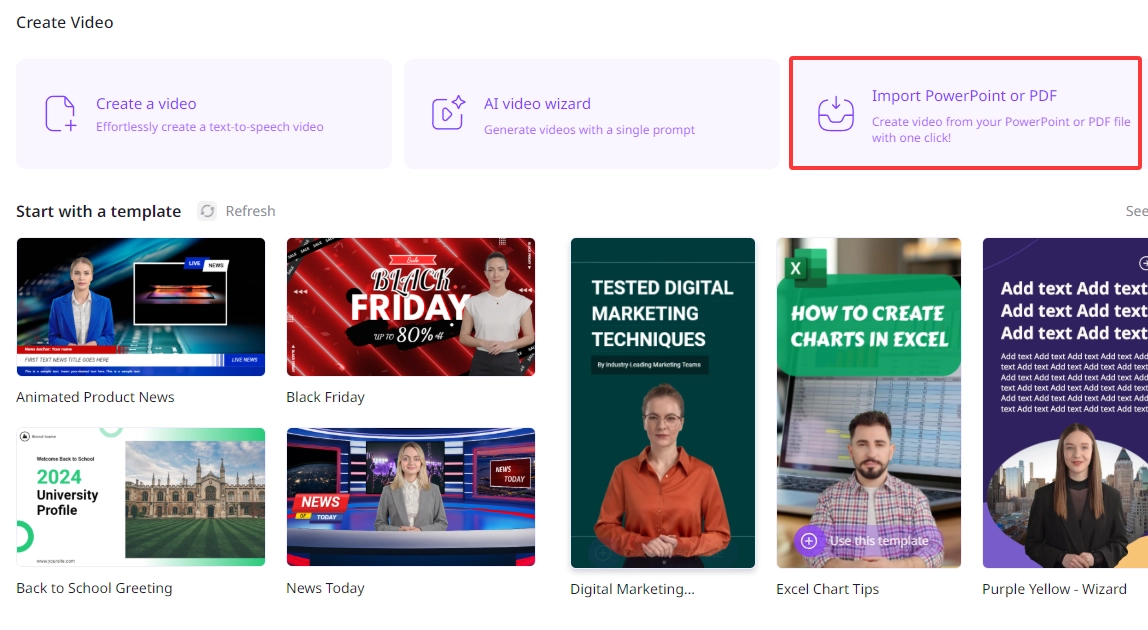
Step 3. Click the “Generate Video” button and your PPT is imported soon. Then you can edit your PPT freely.
Step 4. After editing, click the “Generate” button on the top menu and export your video instantly.
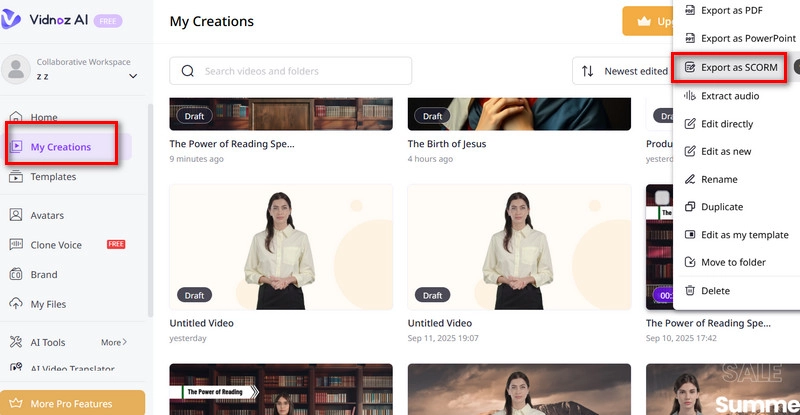
Step 5. Find your generated video under "My Creations". Hover your mouse over it, click the three-dot icon in the upper right corner, and select “Export as SCORM” from the menu.
Vidnoz AI's Advantages for PPT to SCORM:
Generate course outline and scripts in seconds with AI: Vidnoz AI free video generator comes with a powerful AI script engine. Simply upload your PPT images and text materials—it will automatically extract key points, summarize them, and generate professional course scripts within seconds.
Video translator for global accessibility: Want your course to reach global learners? Vidnoz AI Video Translator supports multi-language translation and dubbing in over 140 languages, including English, Spanish, Chinese, and French.
Even better—the avatar performs realistic lip-syncing, ensuring natural and lifelike delivery.
Turn PPT, PDF and MP4 to SCORM: Vidnoz AI supports conversion of PPT, PDF, and MP4 files into interactive SCORM packages. Whether your content is slides, recorded lectures, or teaching videos, Vidnoz turns them into engaging and trackable e-learning modules.
AI Authoring Tools with LMS Integration for PPT to SCORM
By now, you already know how to create a SCORM file from PowerPoint.
However, if you're looking for a solution that allows you to export PPT to SCORM with one click, eliminating the need for manual conversion or file output—and even upload it directly to an LMS—then AI Authoring Tools are the more powerful choice. This section introduces three professional tools worth trying.

Unlike Vidnoz AI, these authoring tools are generally designed for institutions, schools, or corporate users. Therefore, registration may require additional details such as company name or organizational email.
iSpring Solutions
Have you ever wondered if there's a tool that can convert PowerPoint slides directly into online courses that track learners' progress in an LMS—without any intermediary steps?
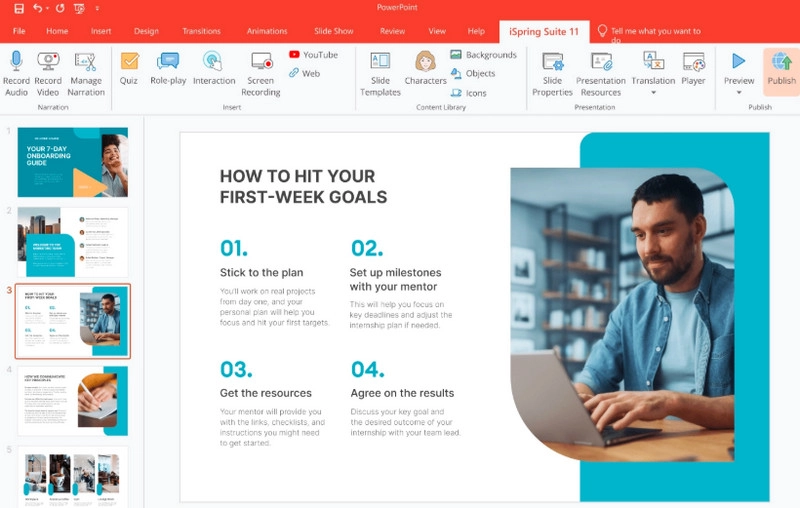
If so, iSpring Solutions, a well-established course authoring and SCORM conversion software, is exactly what you need. It preserves your original PowerPoint design while enhancing it with quizzes, role-play interactions, and engaging animations.
In addition, it allows you to export your course as SCORM packages, AICC, or xAPI formats, and upload it directly to any LMS.
Highlights:
·Works as a native PowerPoint add-in—simple and intuitive for beginners.
·Supports SCORM, xAPI, and AICC output formats.
·One-click upload to leading LMS platforms like Moodle, Blackboard, and TalentLMS.
Also Read: Image to Video AI Free Online >>
Cognispark AI
If you want your final online course to display flawlessly across all screen sizes—whether on PC, Mac, tablets, or smartphones—Cognispark AI is the tool to try.
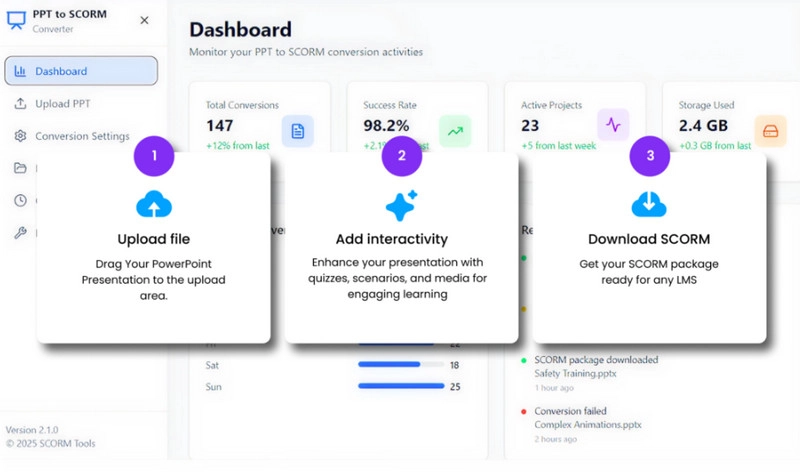
Cognispark AI allows users to upload PPT, PDF, text files, or videos as materials. The system automatically detects the course structure, generates lessons, and adds voice narration. Its output is fully responsive, automatically adapting to different screen sizes and orientations for a seamless learning experience on any device. AI assists you in building content, structuring the course, and generating visuals, while the built-in PPT to SCORM converter provides hundreds of predesigned course templates to choose from.
Highlights:
·Supports PPT/PDF/Text/Video for automatic interactive course generation.
·Fully responsive design that adapts to PC, Mac, tablets, and smartphones.
Articulate Storyline
For teams that need to collaborate on course creation, Articulate Storyline is the most reliable assistant.
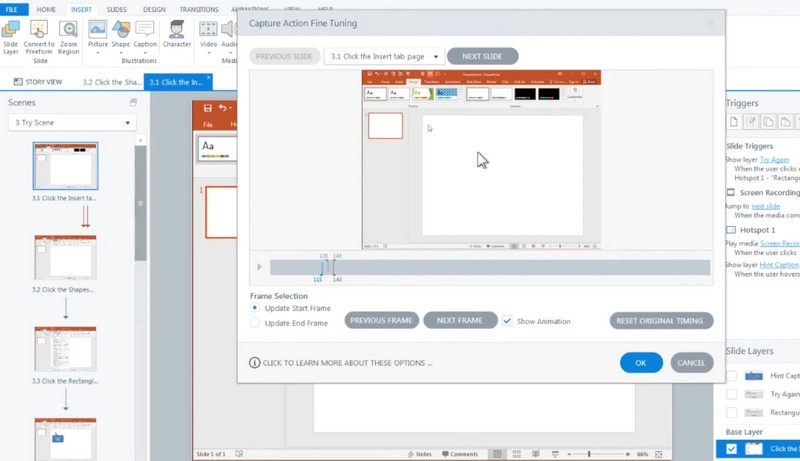
First, it enables you to import PowerPoint files as the course foundation, then enhance them with interactive buttons, branching scenarios, quizzes, and animated effects before exporting them as SCORM packages.
Moreover, its integration with the Articulate 360 platform ensures seamless LMS compatibility, enabling comprehensive learner tracking and performance analytics.
In addition, users can create shared online courses and upload them to the cloud, allowing team members to access, review, and update course versions anytime, anywhere.
Highlights:
·AI assistant helps refine writing style, check grammar, and polish course content.
·Built-in library of over 13 million assets, plus AI-generated unique images.
·Supports real-time team collaboration for joint course development.
Conclusion
Compared with traditional PPT, SCORM is clearly the better choice for modern online courses. It presents content in a more dynamic, interactive way that keeps learners engaged and boosts learning efficiency.
This guide has introduced four tools to help you convert PPT to SCORM, but if you want the fastest start and greatest flexibility, Vidnoz AI is the best option. It lets you turn each slide into lively visuals with diverse characters, backgrounds, and voice styles.