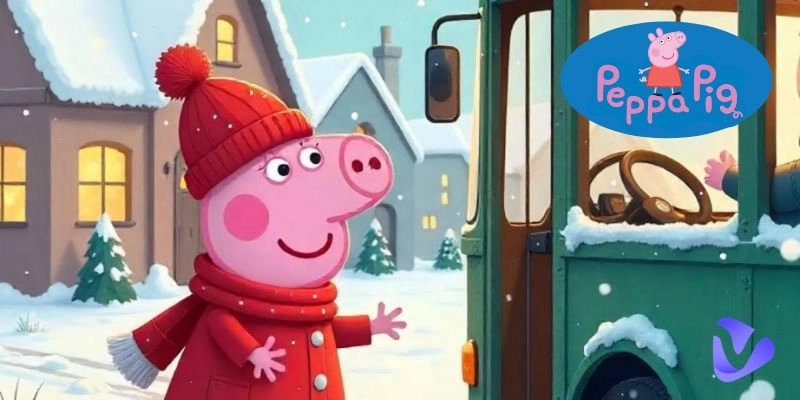
Who doesn’t know the adorable cartoon character of Peppa in her customary red dress? It has become one of the most beloved children’s series worldwide, due to its playful characters and simple yet charming stories. You can add a touch of your own magic to this character by using the latest AI tools, which allow you to create custom images, fun videos, or even unique voiceovers. It is up to you whether you are generating this content for entertainment purposes or to promote your social media account. Here, free online generators like Vidnoz AI allow you to freely experiment and create amazing Peppa-inspired content.
Let’s explore the endless possibilities in storytelling or fan art by generating Peppa Pig AI content with free AI tools.
- On This Page
-
AI Peppa Pig Content Types
-
AI Peppa Pig Voice for New Conversation or Song Cover
#Vidnoz AI Voice Changer for Peppa Pig TTS
#Covers AI: Create AI Song Covers with Peppa Pig AI Voice
-
Free AI Image Generator for Imaginary Peppa Pig AI Art Creation
-
Create Eye-Catching AI Peppa Pig Videos for Social Media
#Create AI Peppa Pig Talking Videos
#Create Peppa Pig AI Videos by Bringing Images to Life
AI Peppa Pig Content Types
You can readily integrate AI with Peppa to create fun and interesting content for personal or commercial use. Take an idea from the examples below:
- Peppa Pig AI voice: AI can generate voices of characters from the Peppa cartoons to create new conversations, such as educational content or AI song covers.
- Peppa Pig AI image: Recreate cute Peppa’s images, whether character portraits or specific scenarios, in a different style. For example, you can transform them into realistic human forms or even generate a creative scene that does not really exist.
- Peppa Pig AI video: Use AI tools to create an AI video to alter the existing episodes of Peppa’s cartoons or create completely new pilots of your desire.
AI Peppa Pig Voice for New Conversation or Song Cover
You can create a fantastic Peppa Pig AI voice using the latest AI voice generators. Such a generation can be a simple text-to-speech or an AI song cover.
#Vidnoz AI Voice Changer for Peppa Pig TTS
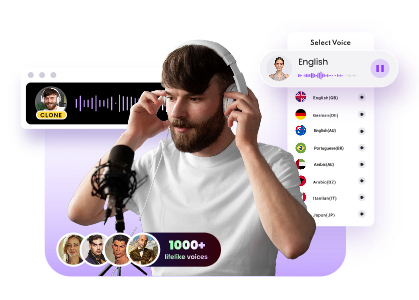
The Vidnoz AI Voice Changer is a free online tool that promises lifelike and instant AI voice creation of popular celebrities and anime characters. It offers this through many pre-made celebrity voice models, including Peppa. Although the audio example is in Spanish, you can write the text input in English and still get an audio of Peppa in your desired UK or US accent by selecting the right Language option. Thus, this tool supports multiple languages. The best part is that it’s also free to use, with no sign-up required. So, get a Peppa Pig narrator AI voice within seconds of exceptional quality.
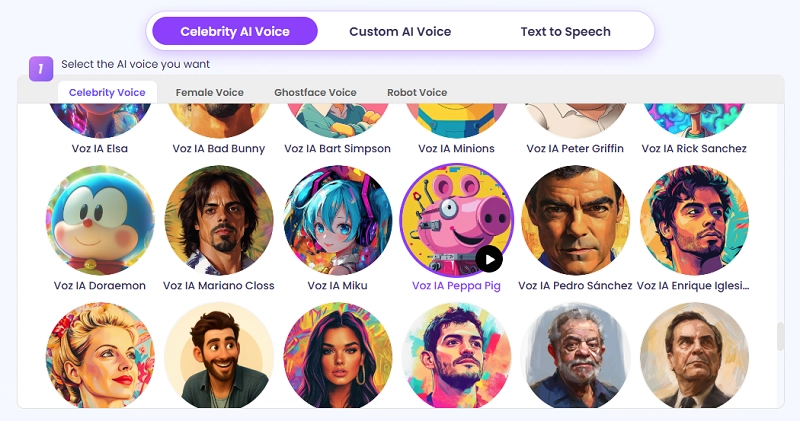
The downside of this online tool is that it provides only Peppa’s voice generation feature and doesn’t offer Daddy Pig's or Mummy Pig’s voice. You can use the tool Vidnoz AI voice cloner if you wish to create more AI voices of characters from the Peppa cartoons.
Clone Anyone’s Voice with AI - Free
Make realistic voices of famous people and characters.
Clone anyone's voice to create personalized voiceovers.
Support 2000+ languages and accents.
Change Voice Now
#Covers AI: Create AI Song Covers with Peppa Pig AI Voice
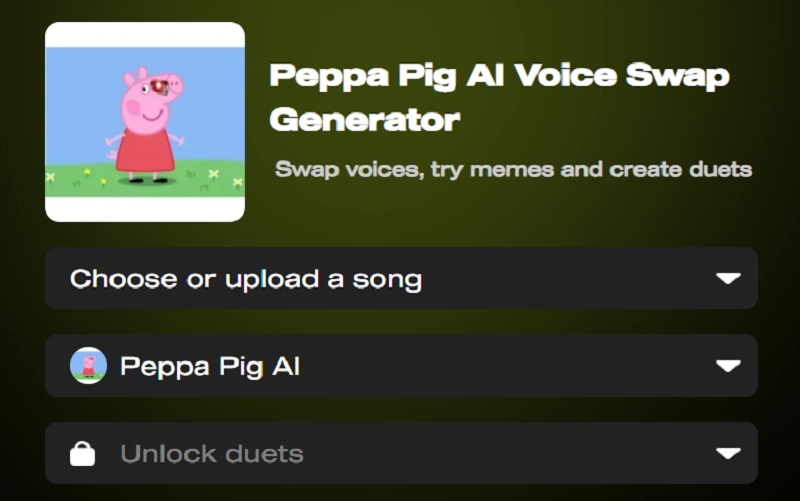
The Cover AI Voice Swap Generator is a tool that allows users to create AI-generated song covers, featuring AI voice models of various celebrities and characters, including Peppa. It provides memes and duet creations through voice swapping of your desire. Although it looks promising, you can’t be sure about the output quality of this tool as it offers no free trial. It is a downside to this online platform. So, you don’t get a sample to listen to to test its efficiency as an AI Song Cover generator.
Free AI Image Generator for Imaginary Peppa Pig AI Art Creation
The Vidnoz AI image generator offers fabulous AI Peppa Pig images to users with only an input text prompt. Among its key features are free-of-cost usage, high-quality outputs, and support for multiple image styles. There is no need to sign up to use this amazing online tool. Its user-friendly interface makes it ideal for beginners.
You can use the Vidnoz AI Image Generator by following these simple steps:
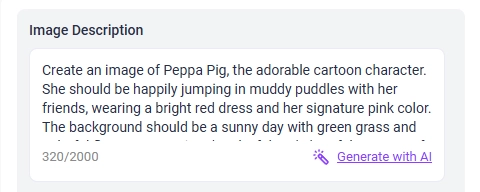
Step 1 Enter a clear text prompt up to 2000 characters to create a realistic and adorable Peppa cartoon image.
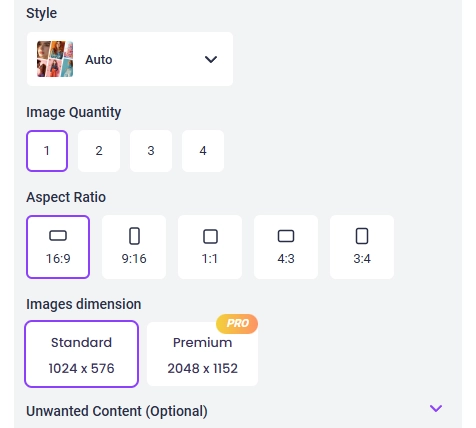
Step 2 Select the options of Style, Image Quantity, Aspect Ratio, and Image Dimension according to your preferences. You may also fill the text box, titled ‘Unwanted Content,’ as an optional feature.
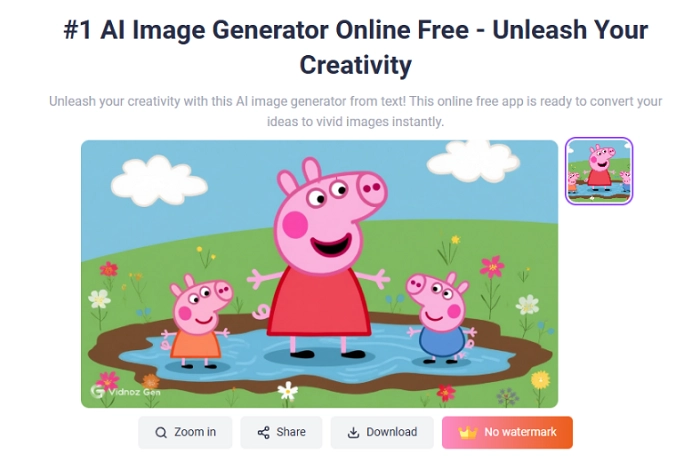
Step 3 Click ‘Generate Now’ to download and share the fun image of your favorite cartoon character.
Create Eye-Catching AI Peppa Pig Videos for Social Media
If you are wondering about how to make Peppa Pig AI videos, then this section is for you. Now you can easily generate creative videos of the lovely Peppa by working with modern AI tools. Let’s explore two easy ways for this purpose below:
#Create AI Peppa Pig Talking Videos
Make any photo talk with Vidnoz AI talking photo. This powerful, free online tool enables the creation of studio-quality videos through text input and image upload in over 100 languages. With 1500+ AI avatars, 2800+ video templates, and 1830+ AI voices in different accents, you get a vast library of choices to create an amazing AI video! Perfect lip-syncing and natural facial expressions are the distinct traits of Vidnoz AI talking photo.
Create Your AI Talking Avatar - FREE
- 1900+ realistic AI avatars of different races
- Vivid lip-syncing AI voices & gestures
- Support 140+ languages with multiple accents
How to make Peppa Pig AI talking videos:
Step 1 Upload A Photo Of Peppa Pig
Upload a Peppa photo downloaded from the Internet or an AI image created using the Vidnoz AI Image Generator mentioned in the above section. Here we use a photo downloaded from the Internet, showing Peppa standing alone.
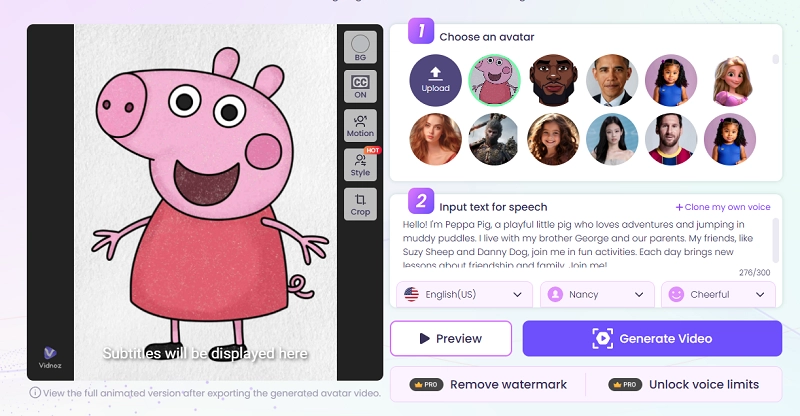
Step 2 Avatar Settings
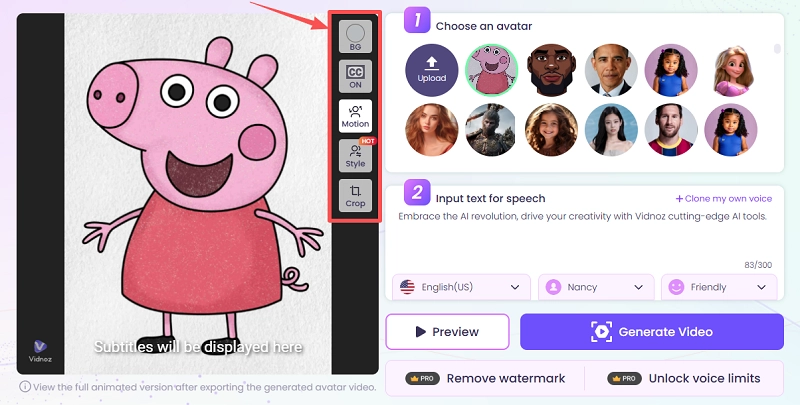
Once uploaded, you have a variety of settings options to fine-tune your talking photo. You get the BG choice (background color), CC (subtitles on/off), avatar motion, and avatar style changing, along with the Crop option. The avatar movements can range from subtle and expressive to full-body, as shown below.
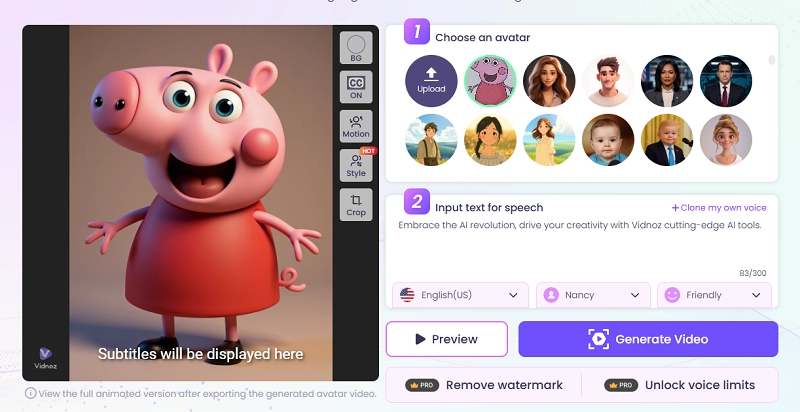
In the ‘Style’ section, you get many creative and fun frameworks to work with, like changing the 2D image to a 3D cartoon style one.
Step 3 Input the Text You Want Peppa To Say
Add your desired text script here.
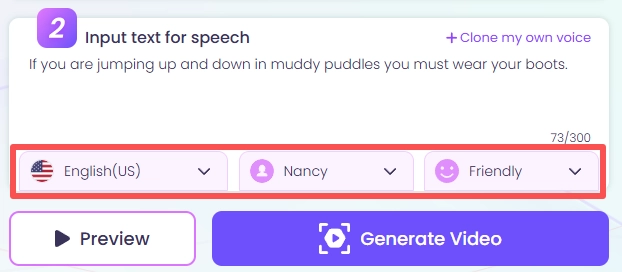
Step 4 Language and Voice settings
Select the language, Avatar voice type and tone from the available choices.
Step 5 Generate Video
Click the ‘Generate Video’ option to create a talking photo, available for free commercial use.
#Create Peppa Pig AI Videos by Bringing Images to Life
You may also use the Vidnoz AI Image to Video online tool to turn the static Peppa image into dynamic videos. It supports the upload of multiple image formats, including JPG, PNG and WEBP. Some key features of this platform include:
- Video length options of 5 and 8 seconds
- Free image to video generation
- High-quality outputs
- Video effects provided by Vidnoz to create specific scenes
Convert Image to Video AI Online - Free
- Create a video from an image quickly for free.
- Use various AI models to turn photos into videos.
- Download and share the AI-generated video at no cost.
Convert Image to Video
How To Make Peppa Pig AI Videos From Image:
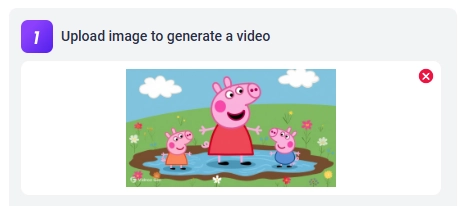
Step 1 Upload An Image of Peppa Pig
Upload one from your library or generate one with Vidnoz AI as mentioned above.
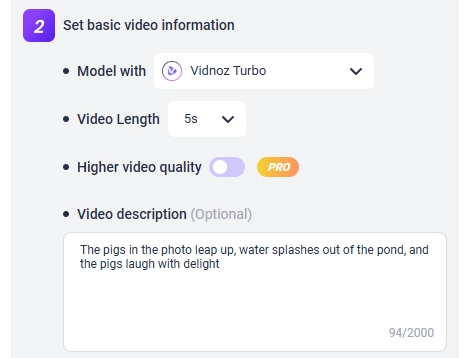
Step 2 Enter the Video Description
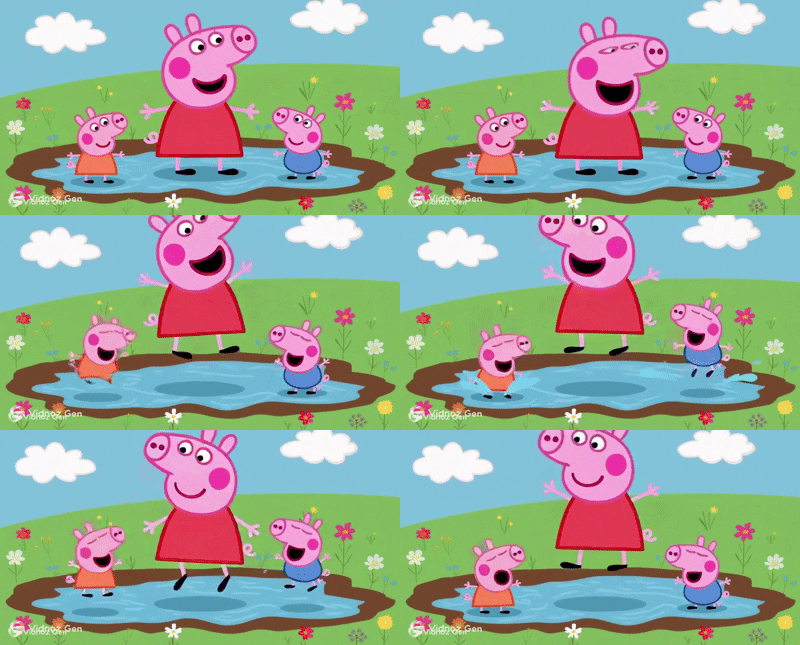
Select the video length option and add a detailed video description of how you want Peppa Pig to move or how the environment should change in your desired content. An example is The pigs in the photo leap up, water splashes out of the pond, and the pigs laugh with delight
Step 3 Let the AI generate the Video
Click on ‘Generate Now’ to create an amazing video of your likeable cartoon character.
Conclusion
Blend creativity with technology by creating engaging Peppa Pig AI content, whether images, videos or voices. Free online AI generators for Peppa have made this endeavor quite easy. Here, Vidnoz offers numerous fantastic tools to work with, ranging from the free AI Image Generator to the Talking Photo and Image to Video generator. You can also generate interesting Peppa voiced conversations of your choice script using Vidnoz’s Voice Generator or Cloner. Follow this comprehensive guide to create, enjoy and share fresh Peppa content using simple AI tools.