Sound familiar? You've got a 10-minute MP4 video that needs to add subtitles, and you're dreading the hours of painstaking work: play, pause, type, rewind, repeat. The good news? This manual grind is a thing of the past. Today, a good MP4 to SRT converter can save you a lot of trouble. In this post, I’ll walk you through the best MP4 to SRT converters and how to extract subtitles from videos instantly with ease. Let’s take a look together.
- On This Page
-
What Does MP4 to SRT Mean?
-
Why Need to Convert MP4 to SRT?
-
Best 3 MP4 to SRT Converters Online Free
#1. Vidnoz AI Video Translator – Convert MP4 to SRT Online Free
#2. Zamzar – Easiest MP4 to SRT Converter
#3. Kapwing – Editable MP4 to SRT Converter
-
How to Convert MP4 to SRT: Step by Step Guide Using Vidnoz
What Does MP4 to SRT Mean?
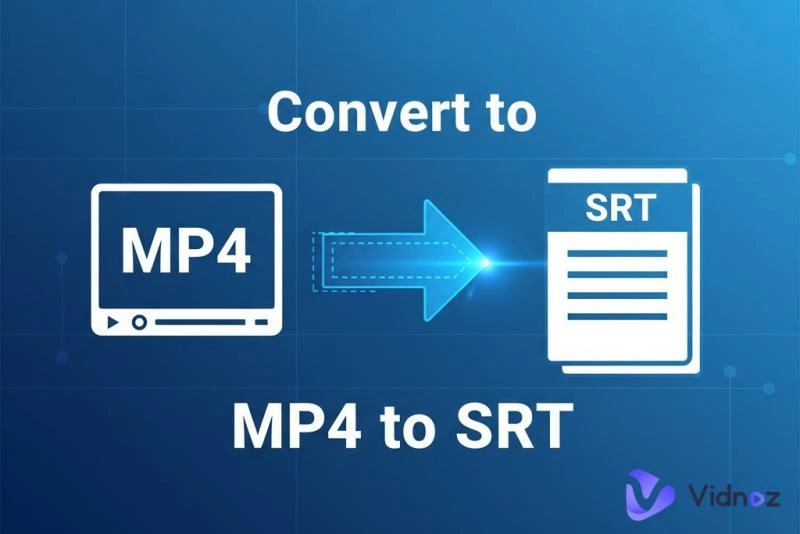
This is an easy-to-understand task. MP4 is a video container format. It holds video, audio, and sometimes embedded subtitles. SRT (SubRip Text) is a plain-text subtitle format: it includes numbered cues, timestamps (start/end), and the subtitle text itself.
When you use an MP4 to SRT converter, you’re telling software: “Listen to the audio track in this MP4, transcribe (or extract) speech, align text with timestamps, and output an .srt file.” Some converters even let you tweak timing, split lines, or translate text before export.
Why Need to Convert MP4 to SRT?
You might think that manually typing subtitles is "fine," but once you see the benefits these automatic MP4 to SRT converters bring, you'll realize how much time you've been wasting.
Accessibility & inclusion: Viewers who are deaf or hard of hearing rely on subtitles.
SEO & discoverability: Search engines can index your speech when it’s converted to text.
Multilingual reach: Once you have an SRT, translating it is easier than redoing everything.
Editing convenience: It’s usually simpler to tweak text and timestamps in an SRT file than re-rendering burned-in captions.
Better viewer experience: People often watch videos muted or in noisy environments — captions help them follow along.
Best 3 MP4 to SRT Converters Online Free
Because the demand for accurate, fast subtitle generation is growing, good MP4 to SRT converters are stacking up. Here are three solid ones that balance ease, accuracy, and flexibility. Each has pros and trade-offs depending on your workflow. You can easily make YouTube video translate.
#1. Vidnoz AI Video Translator – Convert MP4 to SRT Online Free
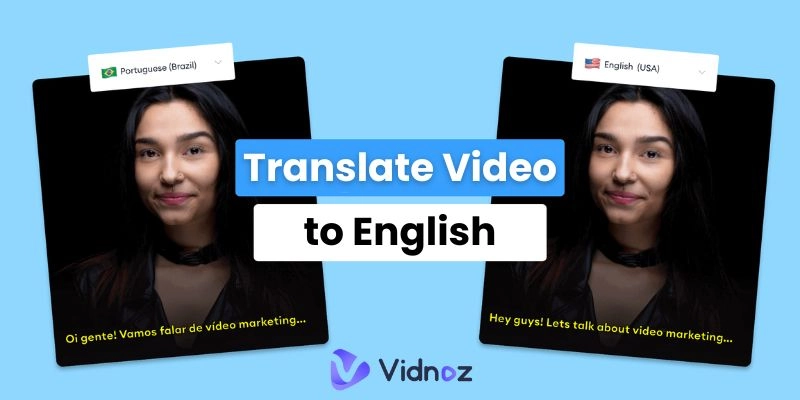
Among the many free online MP4 extract subtitles to SRT tools, we recommend Vidnoz AI Video Translator. You can convert MP4 to SRT files at any time and from any location with this web-based tool. You can also use AI dubbing and natural lip sync to translate videos if you need more help.
Its user-friendly, modern interface and clear logic make it easy for even beginners to use. Vidnoz can convert any video into an SRT file in under one minute, complete with translation and dubbing into your desired language. You can transcribe in the original language or convert to other 140+ global languages. Let your works and content creation a global reach.
Translate Videos in One Click with AI - Free
- Instantly translate local files and video URLs in 1 minute.
- Accurate translation in 140+ languages for global reach.
- Perfect lip sync and speech rate for authentic results.
Translate Video Now
What can Vidnoz AI SRT generator do for you:
- Free Automatic MP4 to SRT Conversion and Translation: Vidnoz automatically extracts SRT files from MP4 for free, saving you time and effort.
- Accurately Convert Video to SRT Subtitles: Advanced AI algorithms accurately extract every word and sentence in subtitle files precisely.
- Natural Lip Sync: Vidnoz AI Translator not only converts and translates SRT files for you, but also re-dubs your videos with perfect AI lip sync.
- Support for Over 140 Global Languages: Re-dub generated SRT subtitles into over 140 languages, allowing your content to be read by a global audience.
- One-Stop AI Solution: In addition to converting MP4 to SRT files, use Vidnoz's image to video AI tool to create beautiful videos from images to impress your social media accounts.
#2. Zamzar – Easiest MP4 to SRT Converter
If you need the simplest and most straightforward tool, Zamzar is a no-brainer. Zamzar is a streamlined online converter that excels in ease of use and speed: just upload your MP4 (or other format), choose SRT as the output format, hit convert and it handles it for you — no complex editor required. With support for hundreds of file formats, Zamzar is quick and minimal-fuss, making it a great choice when you simply need an SRT file fast without heavy editing.
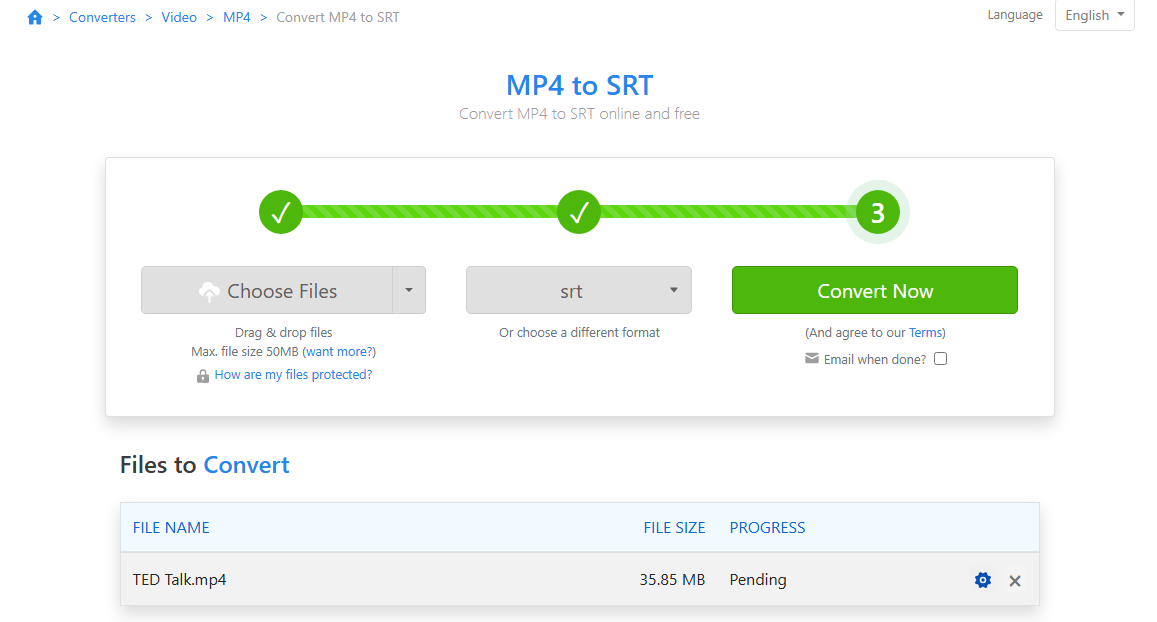
Features of Zamzar:
- The easiest way to convert MP4 to SRT online free.
- Fast subscribe video to SRT file without waiting for long.
- Hundreds of video formats and output file formats supported (Instagram to MP4).
- Generate accurately time-stamped SRT files.
#3. Kapwing – Editable MP4 to SRT Converter
We all know that Kapwing is a full-featured online video editor that includes robust subtitle handling: you can upload an MP4, auto-generate captions, fine-tune timing, edit text, apply branding styles, and then export a .SRT file. It supports multiple languages, allows customization of fonts, colors, and positioning of subtitles, and integrates the SRT workflow directly in the browser — ideal when you want both editing flexibility and subtitle control.

Features of Kapwing:
- Automatically recognize and transcribe accurately.
- Supports multiple popular languages.
- Customize the character count per subtitles.
- Integrated video editing tools.
Also Read: 5 Best MP3 to Text Converters to Auto Transcribe MP3 Files Online & Desktop >>
How to Convert MP4 to SRT: Step by Step Guide Using Vidnoz
Have you decided which MP4 to SRT tool is right for your needs? Regardless of which you choose, they're both excellent in their respective fields. To quickly convert your videos to SRT files with professional-grade results, Vidnoz AI Video Translator is highly recommended. Follow this simple tutorial to learn how to convert MP4 to SRT easily.
Step 1. Go to the Vidnoz AI website, start with your free account. Click Create Video Now to enter the homepage.
Step 2. From the left panel, click AI Tools > then AI Video Translator.
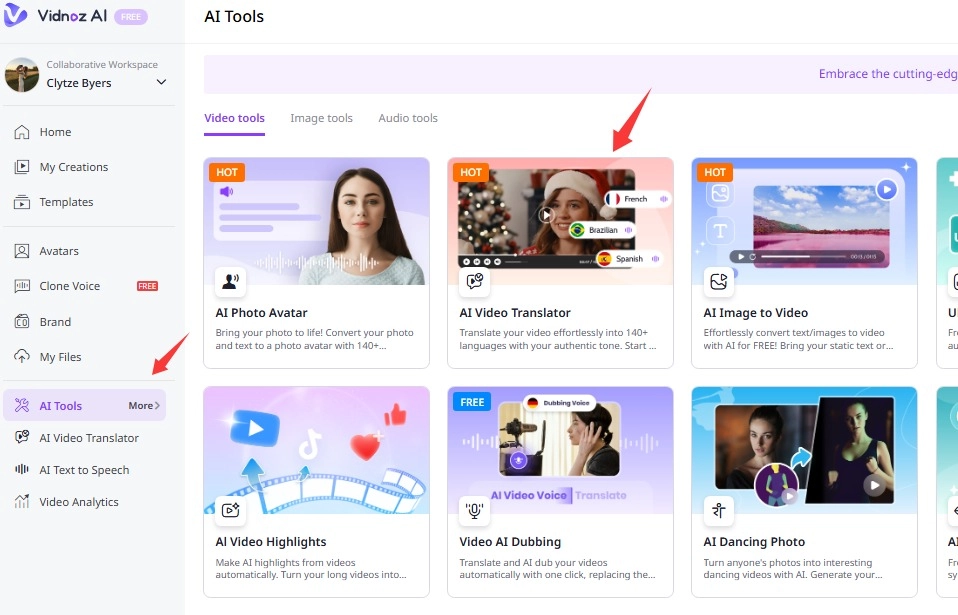
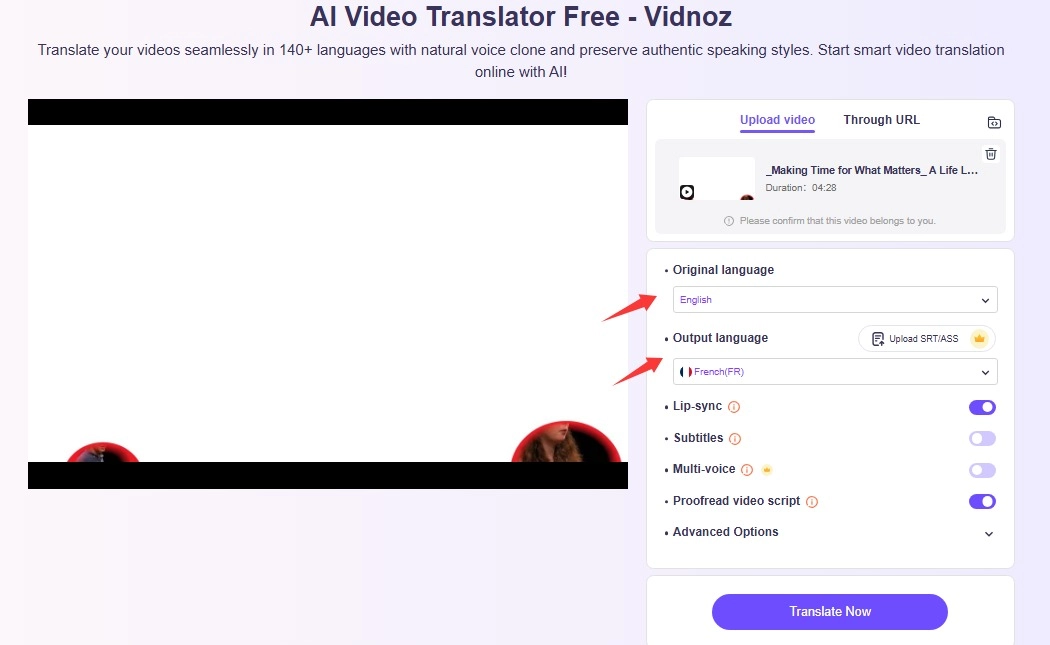
Step 3. Upload the video you want to convert to SRT file. Choose the original language and output language. You can select the language that differs from the original one. Then start translating.
Step 4. Wait a minute, Vidnoz will transcribe the video for you. You can download the SRT file directly, or if you need, continue the video translation and dubbing process with AI.
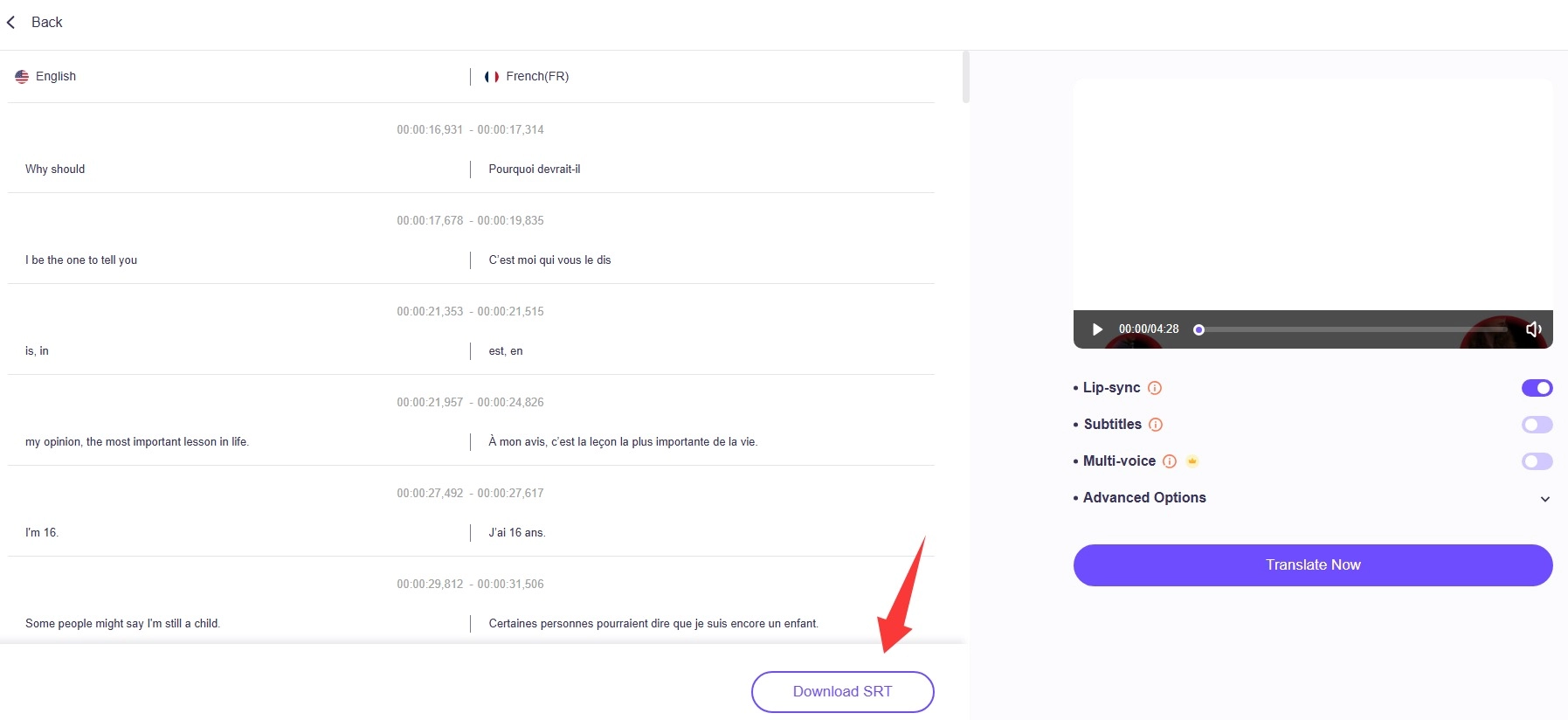
See, to make MP4 extract subtitles to SRT is a straightforward process. The whole process is fast, free, ad-free, and the generated SRT subtitles are highly accurate. If you need subsequent video translation and dubbing, this free AI video generator can meet your needs.
Final Words
Stop letting tedious subtitle work kill your creative momentum and drain your time. A powerful MP4 to SRT converter is one of the most impactful "efficiency hacks" you can adopt. Converting MP4 to SRT doesn’t have to be a painful process of typing line-by-line. With modern AI subtitle tools, you can go from video to subtitle in minutes, then add your edits and polish. Among them, Vidnoz is the perfect winner. Convert any of your MP4 to SRT online for free now, effortlessly!