A movie night invitation is more than just a message; it’s the beginning of a fun, shared experience. Whether you’re hosting a cozy indoor screening or a backyard movie night, the right invitation sets the tone and excitement for your event.
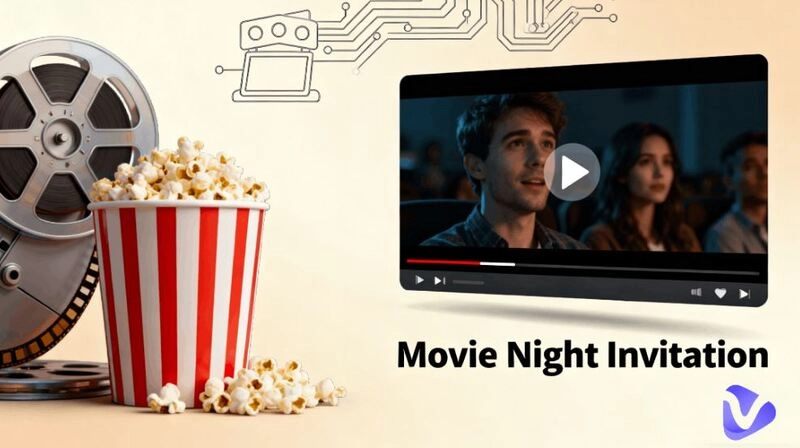
Then, how do you make an invitation movie night? In this guide, you’ll learn everything from movie night invitation ideas to free design platforms, templates, and AI-powered video tools that help you make a movie night invitation video effortlessly. From printable movie night invitation free templates to dynamic video invites, this article walks you through every step.
- On This Page
-
What Is Invitation Movie Night and Creative Ideas
-
Different Types of Movie Night Invitations
-
Where to Find Free Movie Night Invitation Templates
-
3 Platforms Offer Massive Graphic Movie Night Invitation Templates
-
3 Expert AI Tools for Movie Night Invitation Video Creation
1. Vidnoz AI Video Generator
2. Vidnoz AI Image to Video
-
Step-by-Step Guide to Make a Movie Night Invitation Video
What Is Invitation Movie Night and Creative Ideas
A movie night invitation is a personalized invite that lets your friends or guests know about your upcoming film night - whether at home, outdoors, or in a theater setting.
Here are some fun and themed movie night invitation ideas you can try:
- Halloween Movie Night Invitation: Go spooky with horror movie posters, pumpkins, and eerie fonts.
- Birthday Movie Night Invitation: Add balloons, cake icons, and your favorite comedy film.
- Christmas Movie Night Invitation: Feature snowflakes, red-green palettes, and cozy vibes.
- Backyard Movie Night Invitation: Include outdoor elements, fairy lights, and picnic blankets.
- Romantic Movie Night Invitation: Use soft tones, candles, and romantic film imagery.
Creative themes make your invitation movie night design memorable and emotionally engaging for your guests.
Different Types of Movie Night Invitations
Movie Night Invitation usually has many forms and can be designed according to the occasion, audience, and communication method. Generally speaking, it is divided into three categories: text, graphic, and video. Each has unique advantages:
- Text-based invitations: This is the most traditional and simple form, typically sent via text message, email, or social media messaging. Suitable for casual gatherings or groups of acquaintances.
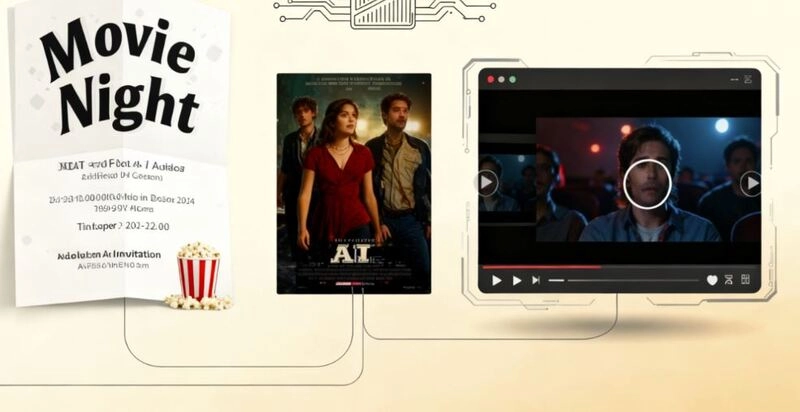
- Graphic invitations: These invitations come in the form of pictures, cards, or posters and are often used for themed gatherings like Halloween, birthdays, or Christmas movie nights. Visually appealing, printable, and easy to personalize. Ideal for themed parties.
- Video Invitations: This has become the most popular and creative format in recent years, particularly well-suited for sharing on social media or in group chats. It is a way of combining music, visuals, dynamic text, and animation. In this case, videos offer a stronger visual impact and the highest appeal. You can easily make a movie night video invitation with AI tools.
Where to Find Free Movie Night Invitation Templates
If you’re looking for ready-made designs to kick-start your movie night invitation, there are plenty of free template resources online that make it easy to start your project. Whether you want a printable card invitation or a digital file for social media sharing, these platforms provide countless movie night invitation free templates with customizable elements.
Popular design platforms such as Canva offer a huge selection of graphic movie night invitation templates for every theme. While other AI video platforms like Vidnoz offer video movie night invitation templates that go beyond static images. Below, let's learn the most popular graphic and video platforms that offer a wide range of movie night invitation template options.
3 Platforms Offer Massive Graphic Movie Night Invitation Templates
1. Canva
Canva is one of the most versatile platforms for designing a graphic movie night invitation. It provides thousands of graphic templates (beautiful, various themes) and lets you customize every detail. You can easily create a birthday movie night invitation or a Christmas movie night invitation in minutes. The drag-and-drop interface is beginner-friendly, and users can easily add texts, shapes, pictures, stickers, mockups, or just drag any image of the movies to make their designs pop.
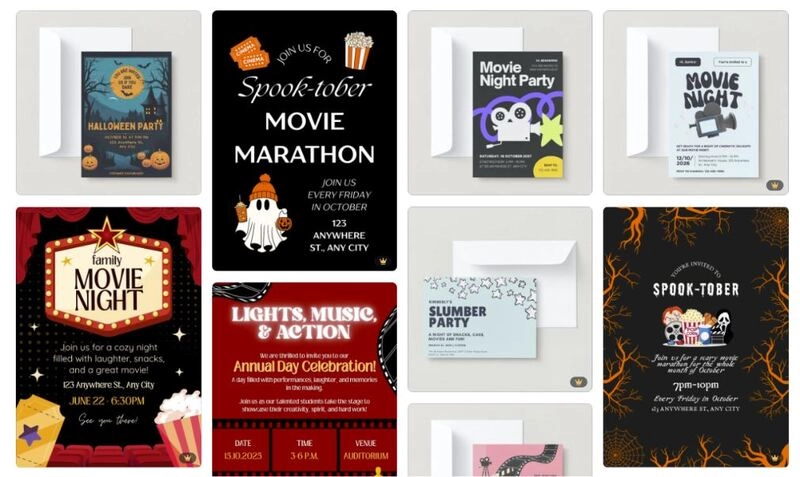
Why it’s great:
- Massive library of free movie night templates
- Easy customization with photos and icons
- Support adding animation for all elements
- Download in multiple formats (PDF, PNG, MP4)
2. Adobe Express
Adobe Express (formerly Adobe Spark) offers elegant, ready-made designs for every occasion, including Halloween movie night invitation styles. Its templates are editable, and you can customize details based on your needs. Modern and perfect for anyone who wants a professional look without design experience. Besides, if you need professionally printed and delivered straight to your door (US and UK Adobe Express desktop users only).
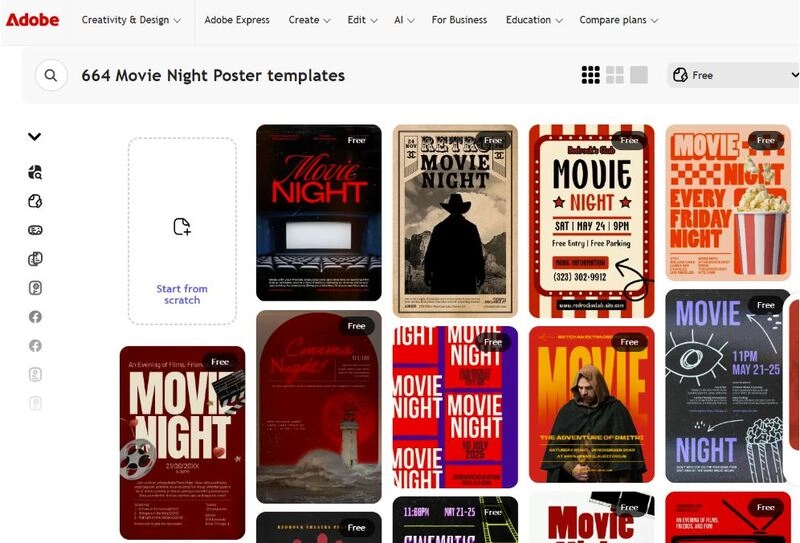
Why it’s great:
- Clean, high-quality templates
- Built-in font and color harmony
- Quick resizing for social media posts
3. Greetings Island
Greetings Island is another online invitation creator offering a wide range of graphic templates for various occasions. Unlike the above two platforms, the movie night invitation templates provided by Greetings Island are not concentrated in one place; you need to search separately in each theme category, such as party movie night, kids birthday movie night, etc.
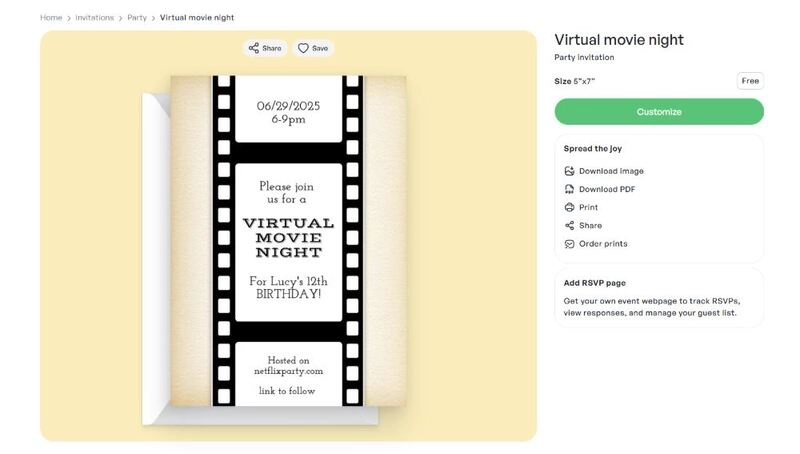
Why it’s great:
- Free printable and online sharing versions
- Personalized text and RSVP sections
- Great for themed events (kids, family, or holiday nights)
3 Expert AI Tools for Movie Night Invitation Video Creation
Video invitations are the next level of invitation. Instead of a static image, you can use AI tools to make a movie night invitation video that blends text, music, and animation for a cinematic feel. Here are three expert tools to bring your invitations to life:
1. Vidnoz AI Video Generator
Vidnoz is a free AI video generator that allows you to transform any idea or text into a lively video invitation. Furthermore, you can insert highlights from your video, add your own image to narrate the video, for example, if you want to add a voiceover to your invitation video: "Join us this Friday for a cozy movie night!" Simply enter text, select the voiceover, and Vidnoz will automatically generate the voiceover and AI lip sync it to the video. It even enables you to clone and add your own voice.

Vidnoz AI - Create Free Engaging AI Video with Talking Avatar
- Easily create professional AI videos with realistic avatars.
- Text-to-speech lip sync voices of different languages.
- 2800+ video templates for multiple scenarios.
This adds a personal touch to your invitation video. Receivers will feel warmer and more relatable, which can motivate them to join your event. More than that, this free video creation platform also offers a lot of features. Just select a theme, customize your content, and the AI will automatically create a beautiful video for you.
Key Feature
- Fully automated free AI video generator
- Custom templates for events like Christmas or birthdays
- AI virtual hosts, talking avatars, and lip syncing
- Supports text to video and image to video
- Offer over 1,830 built-in AI voices and 140+ language options
- Customize your own images as talking avatars
- Clone and apply your own AI voice
2. Vidnoz AI Image to Video
This is an independent video generation tool from the Vidnoz platform, which belongs to the product Vidnoz Gen. If you already have a movie night invitation poster or prefer a graphic invitation template from other platforms, you can use its AI image to video feature to instantly animate it into a short video clip. It is especially useful to repurpose Canva or Adobe Express designs into eye-catching video invitations.
Convert Image to Video AI Online - Free
- Create a video from an image quickly for free.
- Use various AI models to turn photos into videos.
- Download and share the AI-generated video at no cost.
Convert Image to Video
Key Feature
- Turn static invitation images into dynamic clips
- Add transitions, music, and motion automatically
- Great for sharing on Instagram or WhatsApp
- Ideal for making a movie night video invitation project
3. Biteable
Biteable is another user-friendly platform that offers hundreds of video templates for parties, events, and special occasions. You can start from a movie night invitation template and personalize it with text, colors, and logos. Turn ordinary movie night invitations into irresistible video sensations with the Biteable invitation maker.
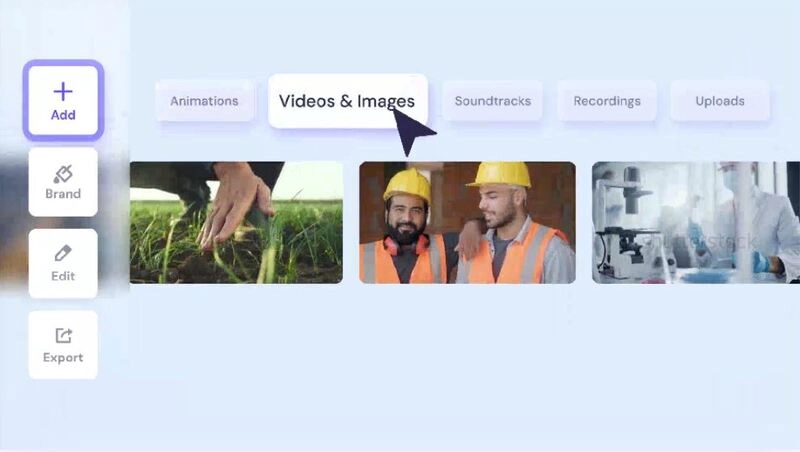
Key Feature
- Best-in-class templates to create a video invitation in less time
- Over 24+ million stock clips, images, animations, and music tracks
- Add on-screen text, animations, and music with a single click
- Export directly to social media or as Man P4
- Collaboration tools for teams or event planners
Step-by-Step Guide to Make a Movie Night Invitation Video
Now that you know the tools, let’s explore how to make a movie night invitation video easily using Vidnoz AI Image to Video as an example.
Step 1. Open Vidnoz AI Image to Video tool and upload your graphic-designed invitation template, templates from Canva or Adobe Express, or any other.
Step 2. Select a model, pick the video length, and video quality.
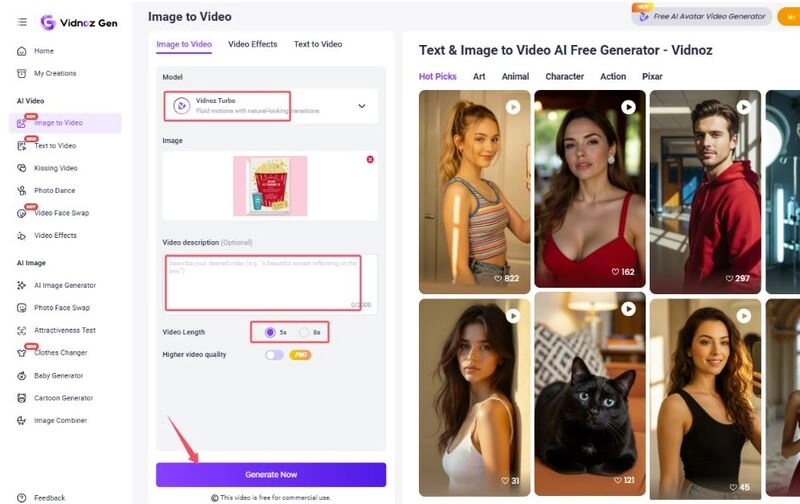
Step 3. Click Generate Now. Then, let AI handle transitions, animations, and background music.
Step 4. Review your video and export it in MP4 format for easy sharing.
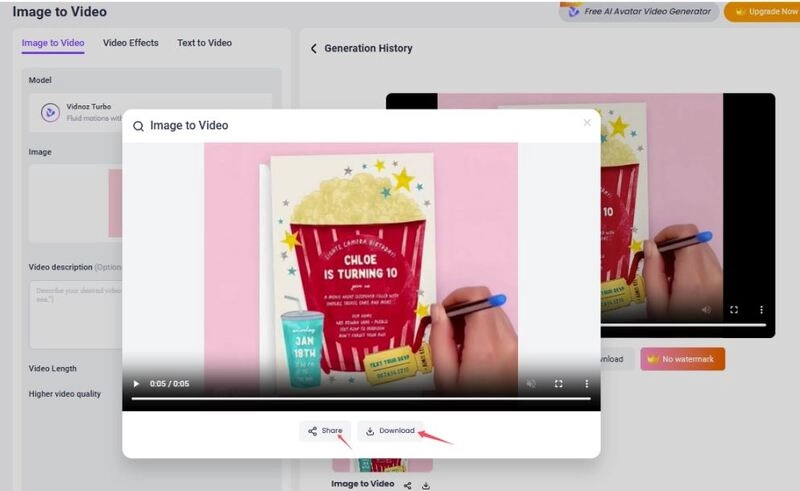
With just a few clicks, your static invite becomes a dynamic, animated message ready to captivate your guests. You can also learn how to make a picture talk to add an even more personalized touch.
The Bottom Line
A movie night invitation is your first step toward creating a memorable evening with friends and family. With today’s technology, creating, customizing, and sending invitations has never been easier. Whether you prefer printed templates or digital videos, you now have everything you need to make your next movie night invitation unforgettable. Try now.
Translate Videos in One Click with AI - Free
- Instantly translate local files and video URLs in 1 minute.
- Accurate translation in 140+ languages for global reach.
- Perfect lip sync and speech rate for authentic results.
Translate Video Now