Gaming is in itself a fun activity, but what if you level up the whole experience with some robotic-like voices? Is it possible to play the games with your friends and colleagues? Yes, it is with the help of the Roblox Voice Changer tool. If you’re in search of the authentic tool that you can use and rely on, here in this blog, we’ve researched and compiled a list of the best 6 free voice changer for Roblox available on Windows/Mac/Mobile and online.
- On This Page
-
Why Should You Use a Roblox Voice Changer?
-
Top 5 Real-Time Roblox Voice Changers You Can’t Miss Out
Voicemod - Powerful Roblox Voice Changer Without Lag
How to Change Voice on Roblox with Voicemod?
Voice.ai - Modify Your Roblox Voice with Rich Voice Effects
How to Change Voice on Roblox with Voice.ai?
EaseUS VoiceWave - Alter Your Voice Identity in Roblox Games
How to Change Your Roblox Voice with EaseUS VoiceWave?
iMyFone MagicMic - Professional Voice Changer for All Platforms
How to Change Voice on Roblox with iMyFone MagicMic?
Dubbing AI - Change Your Voice in Chat on Any Games & Apps
How to Set up Dubbing AI for Roblox Voice Changing?
-
Before You Start: Enable Voice Chat on Roblox for Voice Changing
How to Enable Voice Chat on Roblox?
-
Change Your Voice on Roblox with Online Celebrity Voice Changer
How to Generate an AI Celebrity Voice for Roblox Online?
-
FAQs About Roblox Voice Changer
Q2: Are Voice Changers Legal on Roblox?
Q3: Can You Use Roblox Voice Changer on Mobile?
Why Should You Use a Roblox Voice Changer?
Here are some possible reasons why you need a Roblox voice changer for gaming:
Fun to Use: From start to finish, you can use the voice changer tool as a fun activity that keeps you engaged and helps you stay boredom-free.
Creative Sound Effects: Beyond changing the voices, you can also play the unique sound effects to completely change the scenario and add a layer of exceptional scenes.
Keep Yourself Anonymous: With altered voices, your gameplay will become more fun when you’re MR. Nobody, even your friends, won’t be able to know you.
Hassle-Free: To use the voice changer apps, you don’t have to go through the complex process of connecting any hardware devices; all you need is the application, and that’s it.
Top 5 Real-Time Roblox Voice Changers You Can’t Miss Out
Curious about the 5 best Roblox voice changers. Let’s explore what features they offer and how you can use them in simple steps.
Voicemod - Powerful Roblox Voice Changer Without Lag
First, we have the Voicemod free voice changer for Roblox. With its latest voice modes and unimaginable voice commands, this tool stands out as a top choice for gamers. Whether it’s Brookhaven or Squid Game sounds, you’ve covered with Voicemod built-in tones and voice-changing specs.
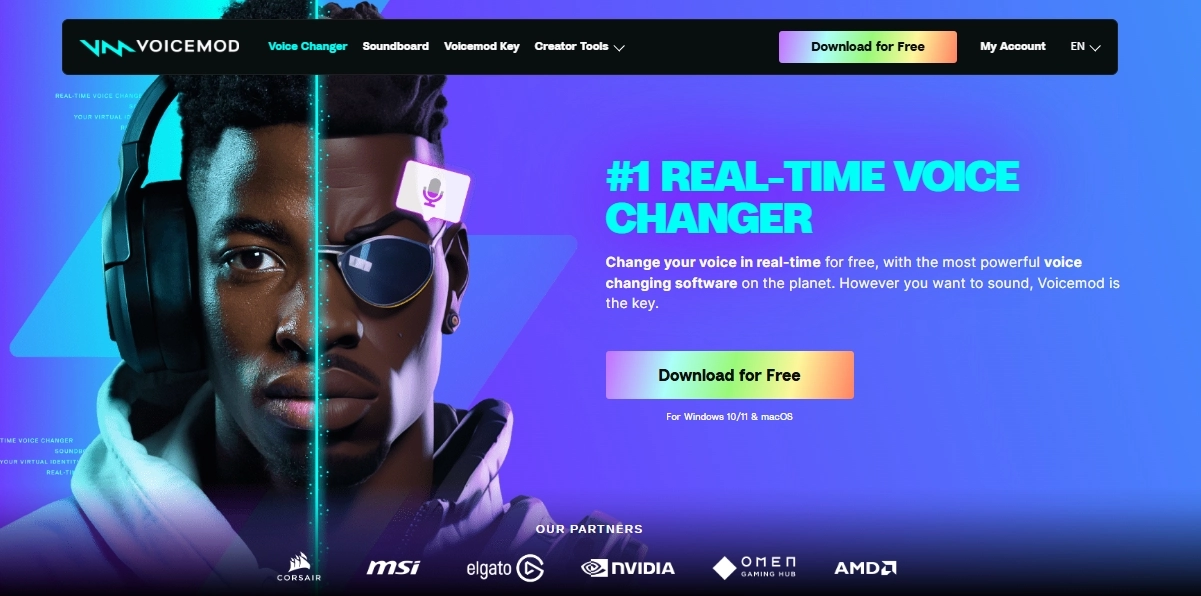
Key Features of Voicemod:
- Compatibility with popular platforms, including Discord, Twitch, and more.
- On-the-spot voice changer, with no processing or delays.
- A range of versatile voices that don't sound fake.
- Voicelab to alter the sounds, reverb them, change the EQ, and do more.
Available on: Windows, macOS, Android, and iOS devices
Popular Voice Models: Robot, Baby, Kid, Zombie, Ogre, T-Pain
How to Change Voice on Roblox with Voicemod?
Step 1: Download Voicemod on the device of your choice and enjoy its features.
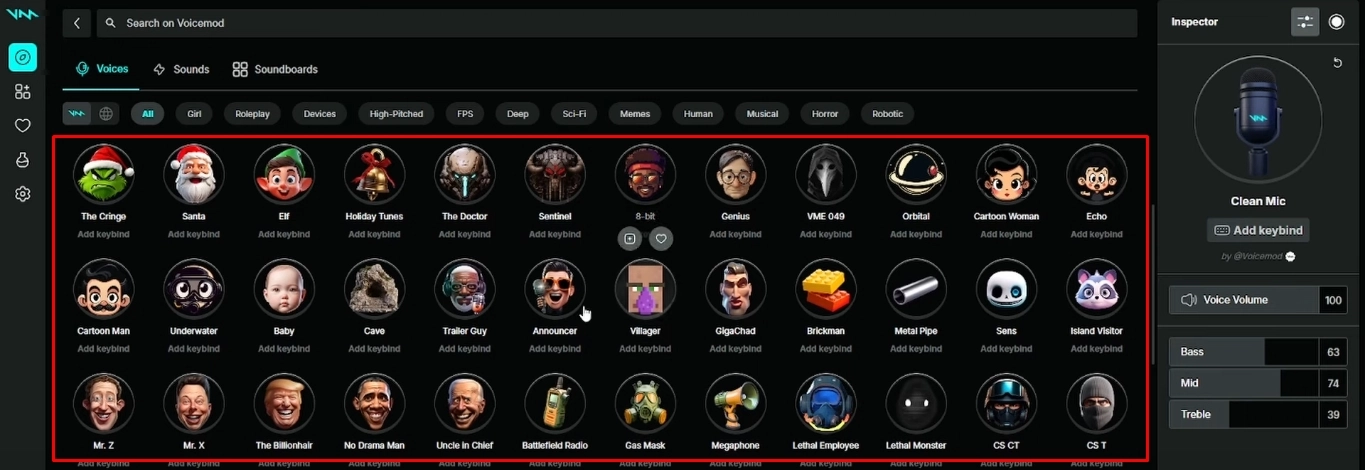
Step 2: From the library, select the sounds you want to play from the search section.
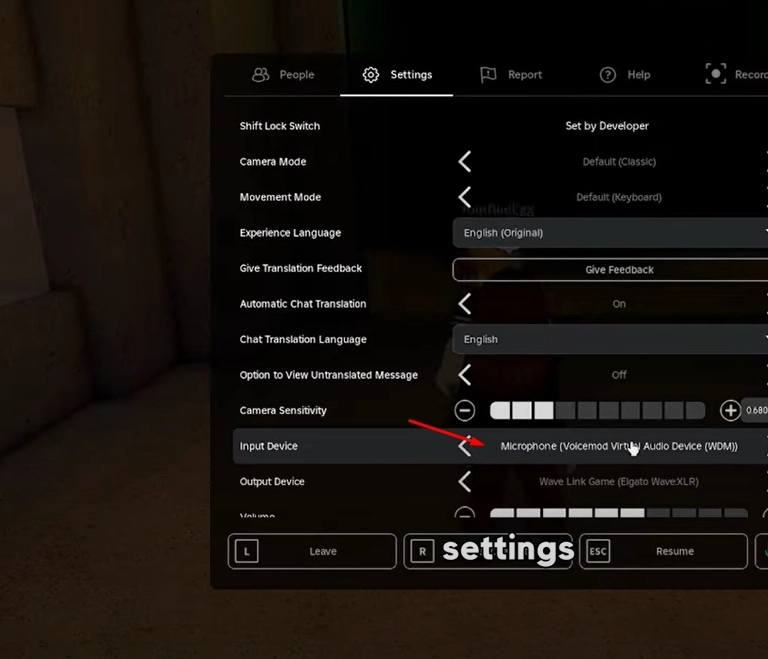
Step 3: Finally, integrate it with Roblox to make it functional and play the voices during your gaming session.
Voice.ai - Modify Your Roblox Voice with Rich Voice Effects
On the second of our list, we have the Voice.ai tool. It’s a fantastic Roblox voice changer free software with its vast variety of pre-loaded voices, along with options to customize them according to the user’s demands. Voice.ai is very popular in influencer circles, and they put it as a first choice when it comes to a reliable voice changer.
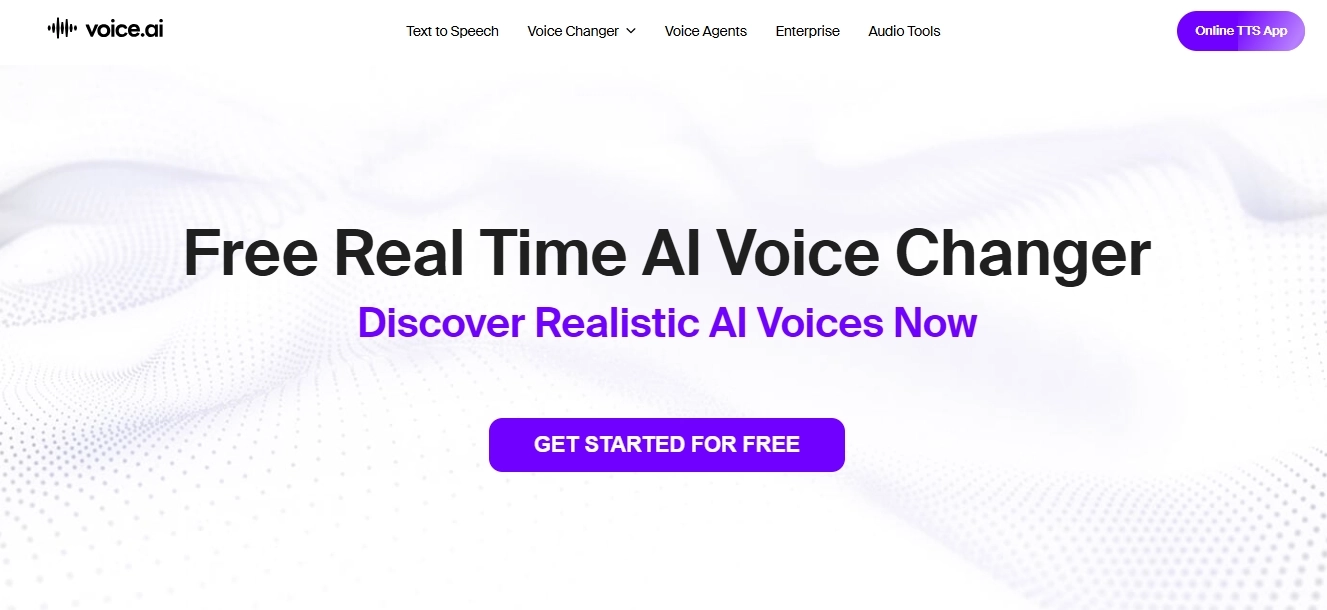
Key Features of Voice.ai:
- Compatible with dozens of platforms, including Zoom, GTA5, Fortnite, Discord, Skype, WhatsApp, and more.
- Generate on-the-go short audio clips for instant sharing with friends!
- House of unlimited AI-generated voice library with hundreds of options for every gameplay.
- Voice adjustment features to clean the audio, set the echo, and alter recordings.
Available on: Windows, macOS, Android, and iOS devices
Popular Voice Models: RVC V2, pre-trained & custom-trained voices
How to Change Voice on Roblox with Voice.ai?
Step 1: Open the browser or app store and download the Voice.ai software from the official source.
Step 2: Run the application and select the voices you want to hear. However, before doing so, train them thoroughly to achieve high-quality results.
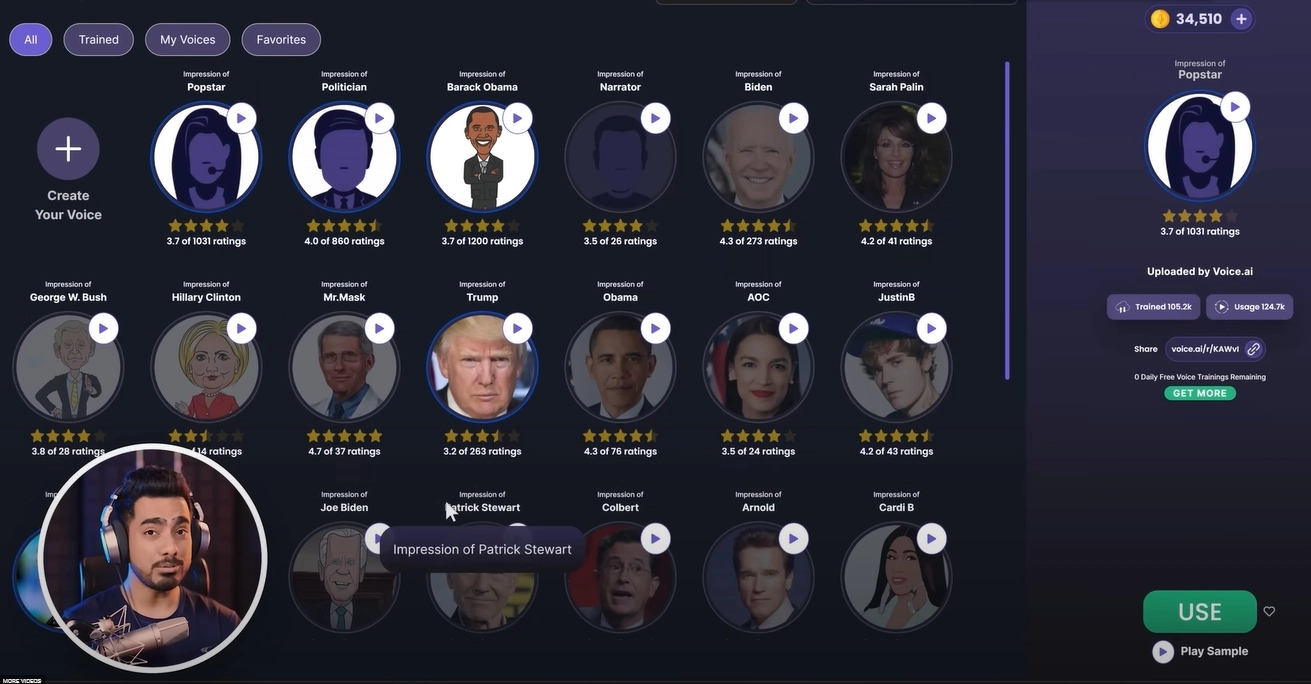
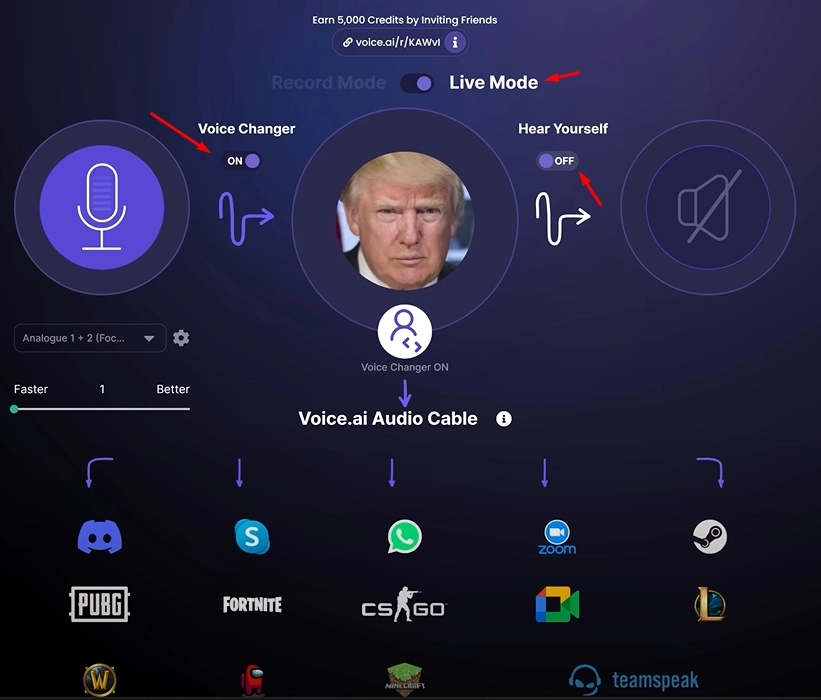
Step 3: Now turn on the ‘’Live’’ mode and keep the hearing feature ‘Off’ to avoid your voice coming to you again and again. Start the streaming with a customized voice and shock your partners.
EaseUS VoiceWave - Alter Your Voice Identity in Roblox Games
For gamers who want to transform their digital identity in Roblox games, VoiceWave is an excellent choice. It’s capable of modifying voices into female versions without a single error. That’s why the VoiceWave rendering engine is coded in a sophisticated manner to produce top-notch sound quality with no delays at all.
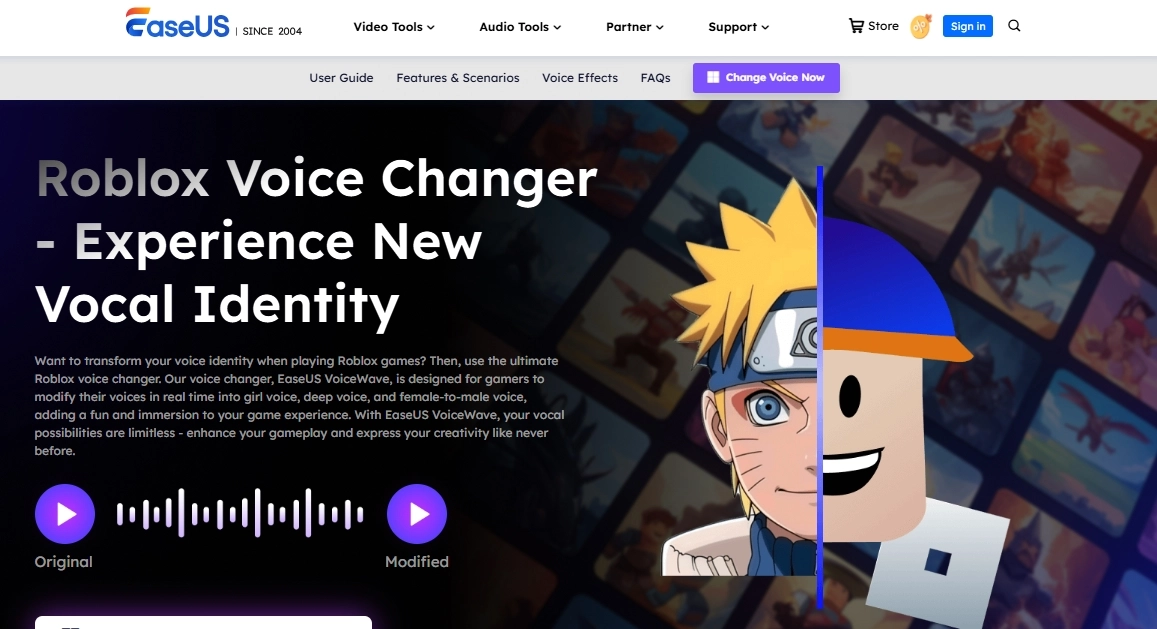
Key Features of EaseUS VoiceWave:
- Free voice changer for roblox for Windows users with custom voice features.
- Contains popular and trending presets of Anime Girl characters, kid voice changer, Ghostfaces, and News broadcaster personalities.
- 300+ professional sound presets to try, catering robotic tones to cinematic FX
- Cut the background noise with just a click and deliver distortion-free sound to other players.
Available on: Windows Laptops/Desktops
Popular Voice Models: Loli, Female Student, Young Lady, Teenager Male
How to Change Your Roblox Voice with EaseUS VoiceWave?
Step 1: Download the VoiceWave and enable the Roblox chat feature from the privacy settings of the camera input option.
Step 2: From the Roblox Settings, select the VoiceWave microphone as the input device to capture audio through this channel.
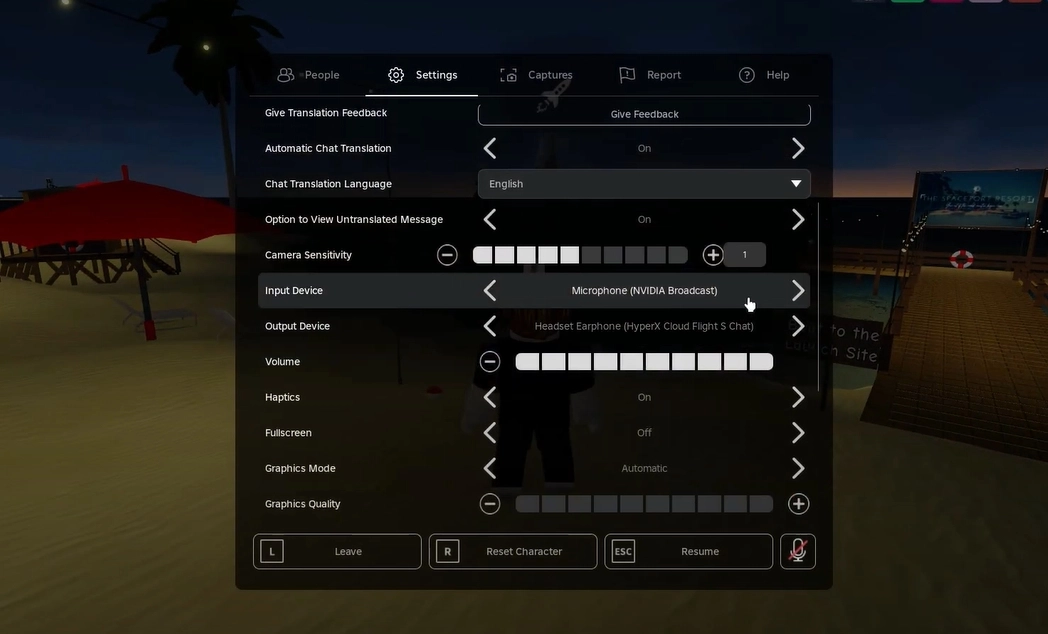
Step 3: Open the EaseUS VoiceWave software whenever you’re playing and select the desired voices you want to use for speaking. That’s it.
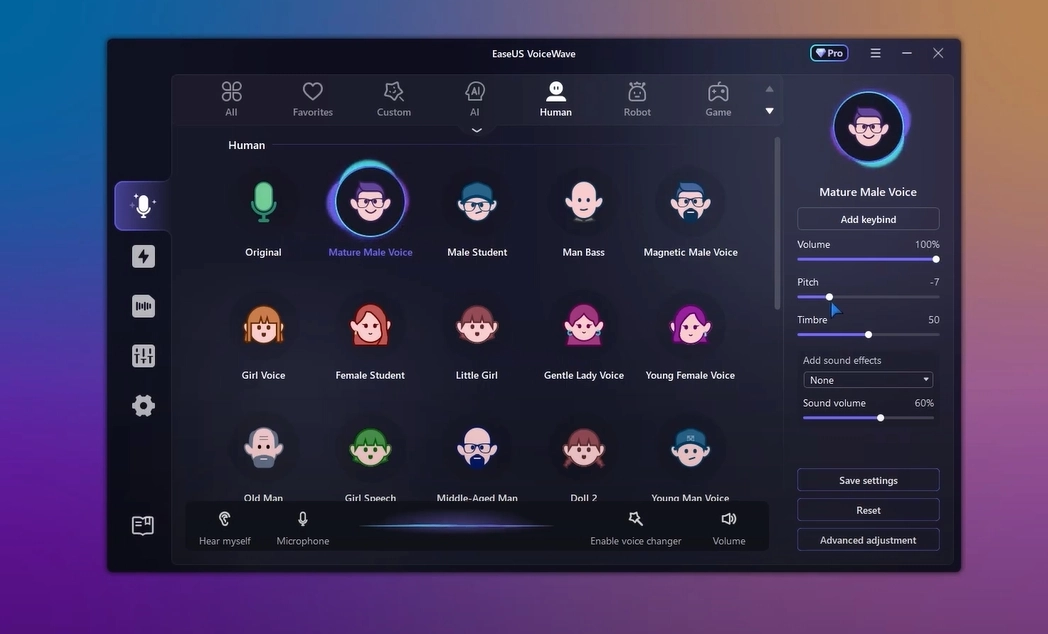
iMyFone MagicMic - Professional Voice Changer for All Platforms
Are you an action game lover of Space Marine and PUBG, or an arcade game lover like Minecraft? Whatever gamer genre you fall into, the iMyFone MagicMic is your reliable voice changer to stand out from other content creators and gamers. It’s a highly versatile voice changer that extends beyond the gaming industry, also catering to communication platforms like Zoom, Skype, and Google Meet.

Key Features of iMyFone MagicMic:
- Gain access to over 225+ AI-based voice personas to generate the real-like sound of your favourite celebrity or athlete.
- Add a touch of humour in serious games with 200+ voice memes that make everyone laugh out loud, even in tight situations.
- Change the voice in real-time or upload the recorded files to apply the altered effect to them.
- Produce sounds with minimal background clutter that are compatible with multiple platforms such as Fortnite, OBS Studio, Discord, and more.
Available on: Win/Mac/iOS/Android
Popular Voice Models: Male to Female, SpongeBob, Hatsune, Joe Biden, Taylor Swift
How to Change Voice on Roblox with iMyFone MagicMic?
Step 1: Install the iMyFone MagicMic tools from the official website and run them on your device where you play the games.
Step 2: Now, configure the voice input device to enable the software to process your audio and generate an altered version of it.
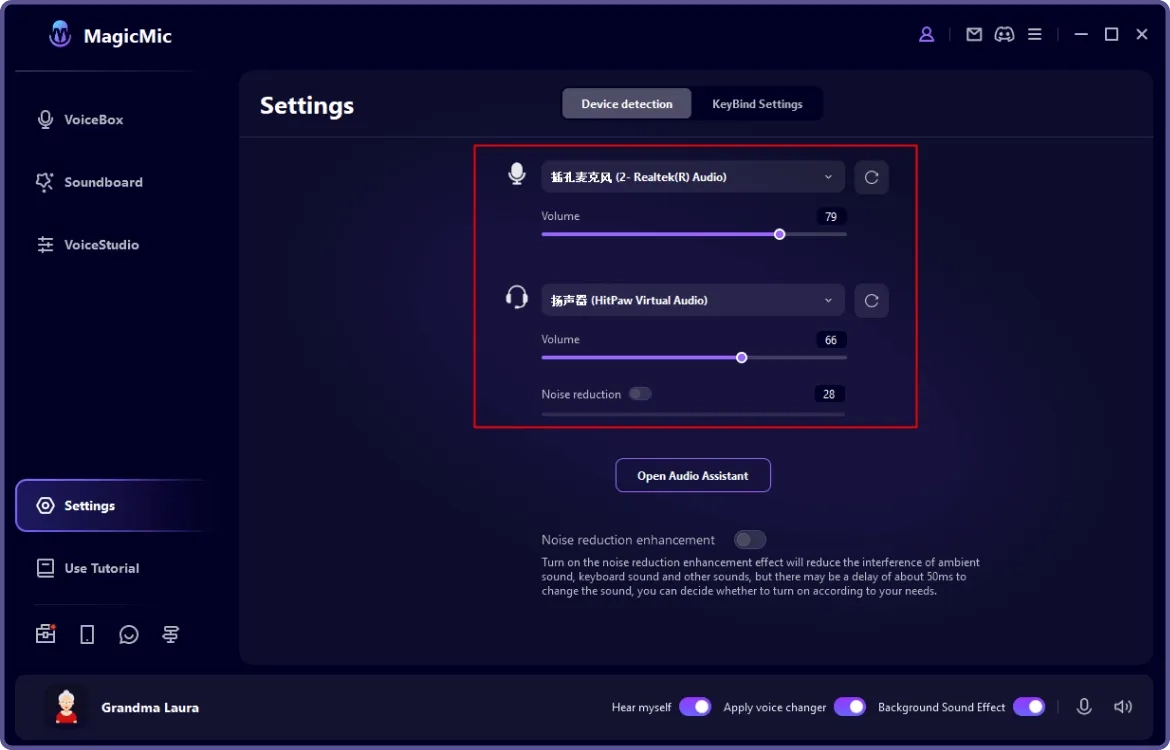
Step 3: Finally, select your favourite filters and speak normally, while your output will be the altered version that the players won’t be able to identify at all.
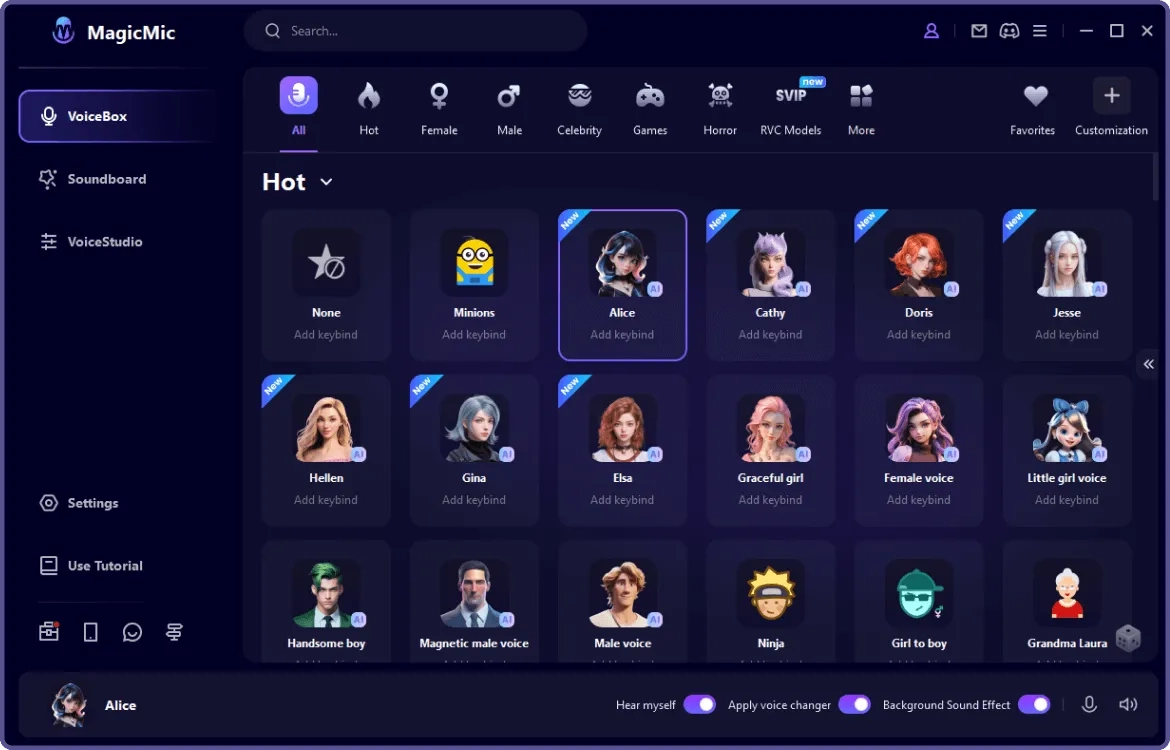
Dubbing AI - Change Your Voice in Chat on Any Games & Apps
Lastly, we have the Dubbing AI, as it sounds. This tool serves as a benchmark for voice cloning software, which allows you to convert your audio and video content into a translated version. At the same time, it features the inch-perfect cloning that replicates the AI lip sync with accuracy. That’s why hundreds of well-known streamers rely on the Dubbing AI tools for gaming.
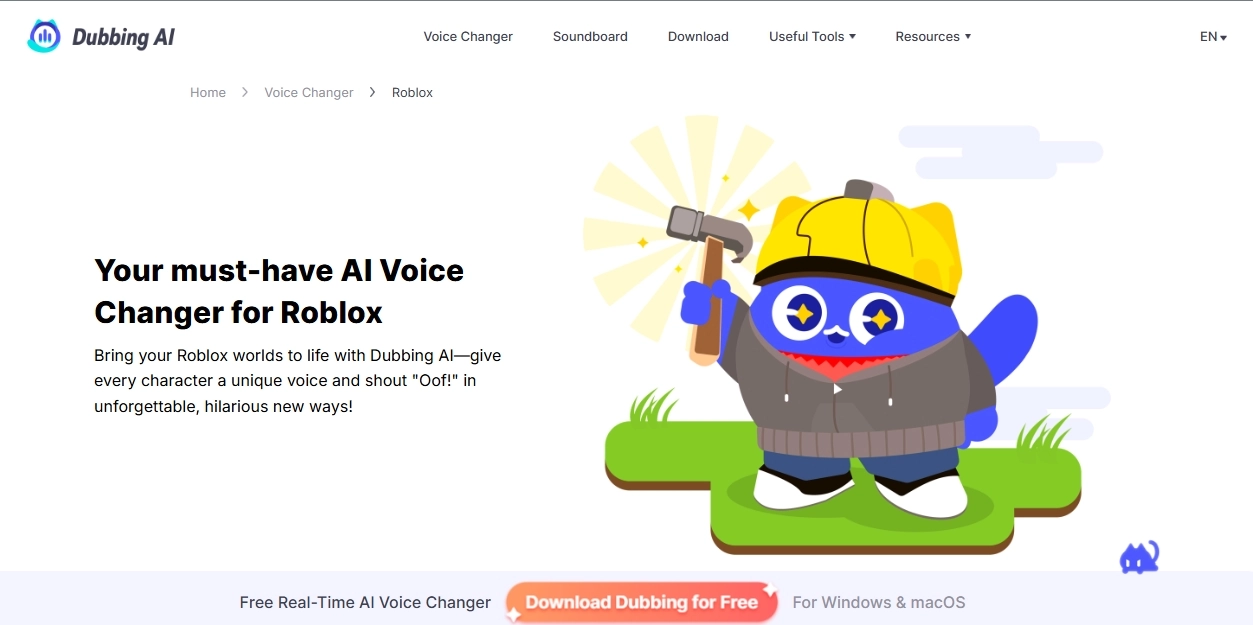
Key Features of Dubbing AI:
- With multi-translation support, make your voice heard in a range of audio formats to achieve global reach beyond local communities.
- Connect the app with any of the streaming platforms in a matter of minutes without relying on technical expertise.
- The output will be produced immediately with zero delays, mimicking the whole personality hidden on the other side of the screen.
- It has the best-in-class algorithm that clones the voice of an actual person talking with every emotion, distinctive pace, and unique tone. Just like the talking photo online free software.
Available on: iOS 15+, Android OS 8.0+, MacOS 10.13+ and Windows 10+
Popular Voice Models: Malfurion, Panam, Kafka, Ari, StanM, Lux, Hermione, and more.
How to Set up Dubbing AI for Roblox Voice Changing?
Step 1: Install the Dubbing AI tools on your compatible device, following the operating system requirements mentioned above.
Step 2: Go to the Roblox Settings >input device > select “Dubbing Virtual Device”, confirm, and save these settings.
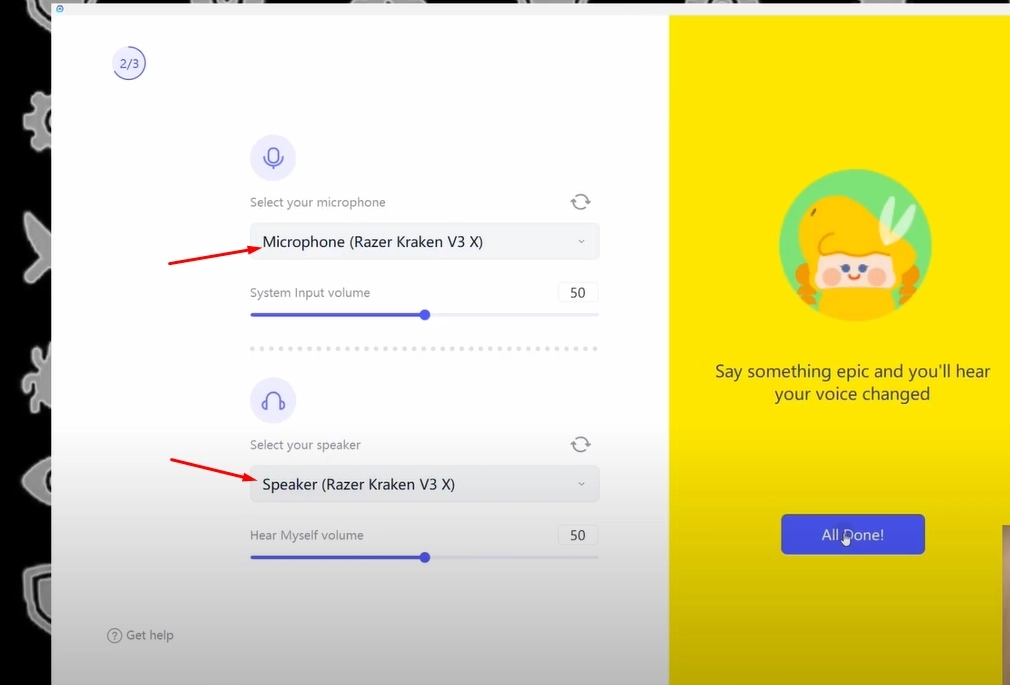
Step 3: Finally, enjoy your gaming session with the dubbed voice from your side and amaze the streamers and players. Hurrah!
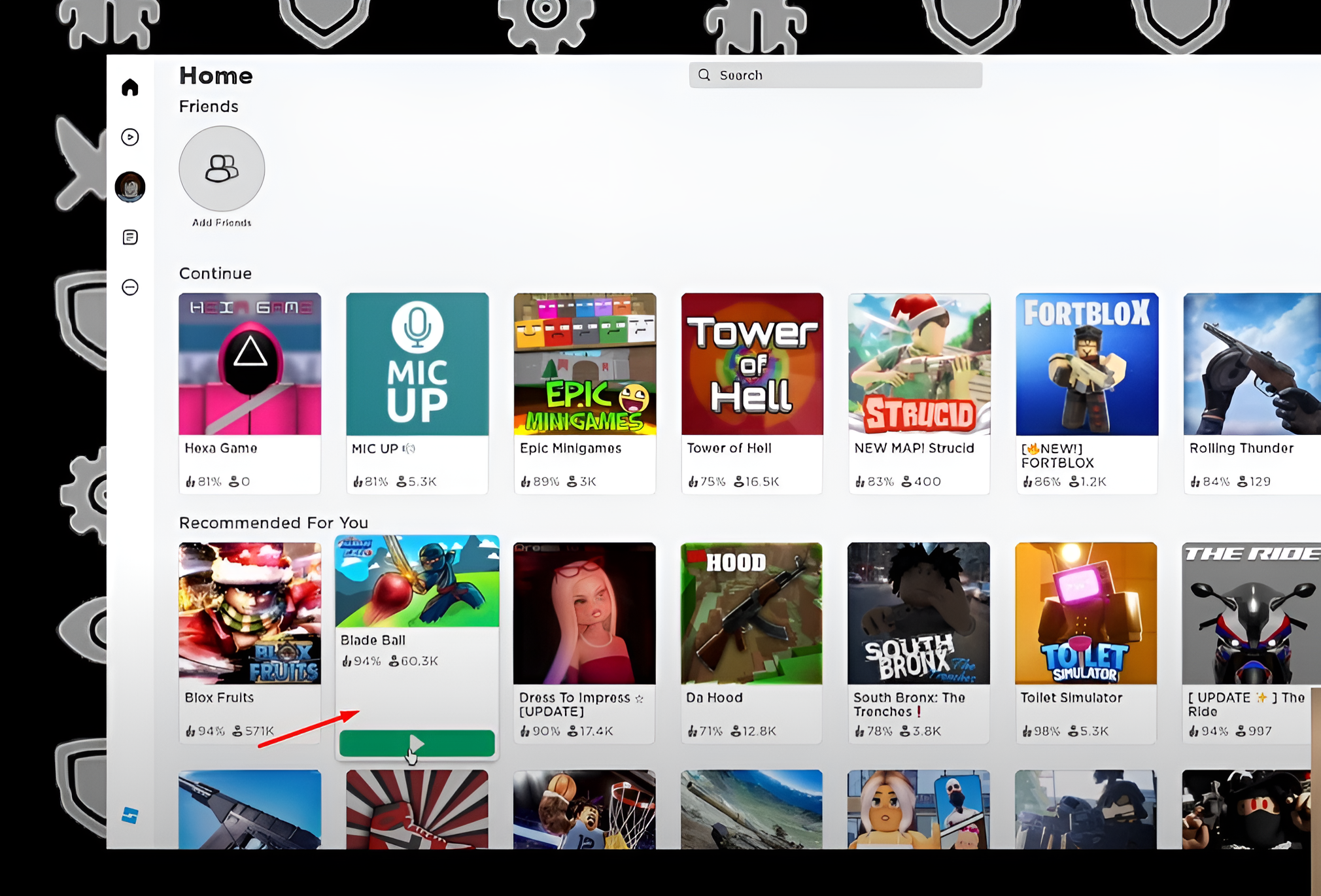
Before You Start: Enable Voice Chat on Roblox for Voice Changing
We hope we’ve deeply explored the steps to utilize each of the voice changers, but all of them are impractical if you don’t enable the voice chat on Roblox. Yes, you must ensure that it is enabled; otherwise, you may end up burning out and finding no solution.
How to Enable Voice Chat on Roblox?
Since it’s available on multiple operating systems, the process can vary slightly for each one.
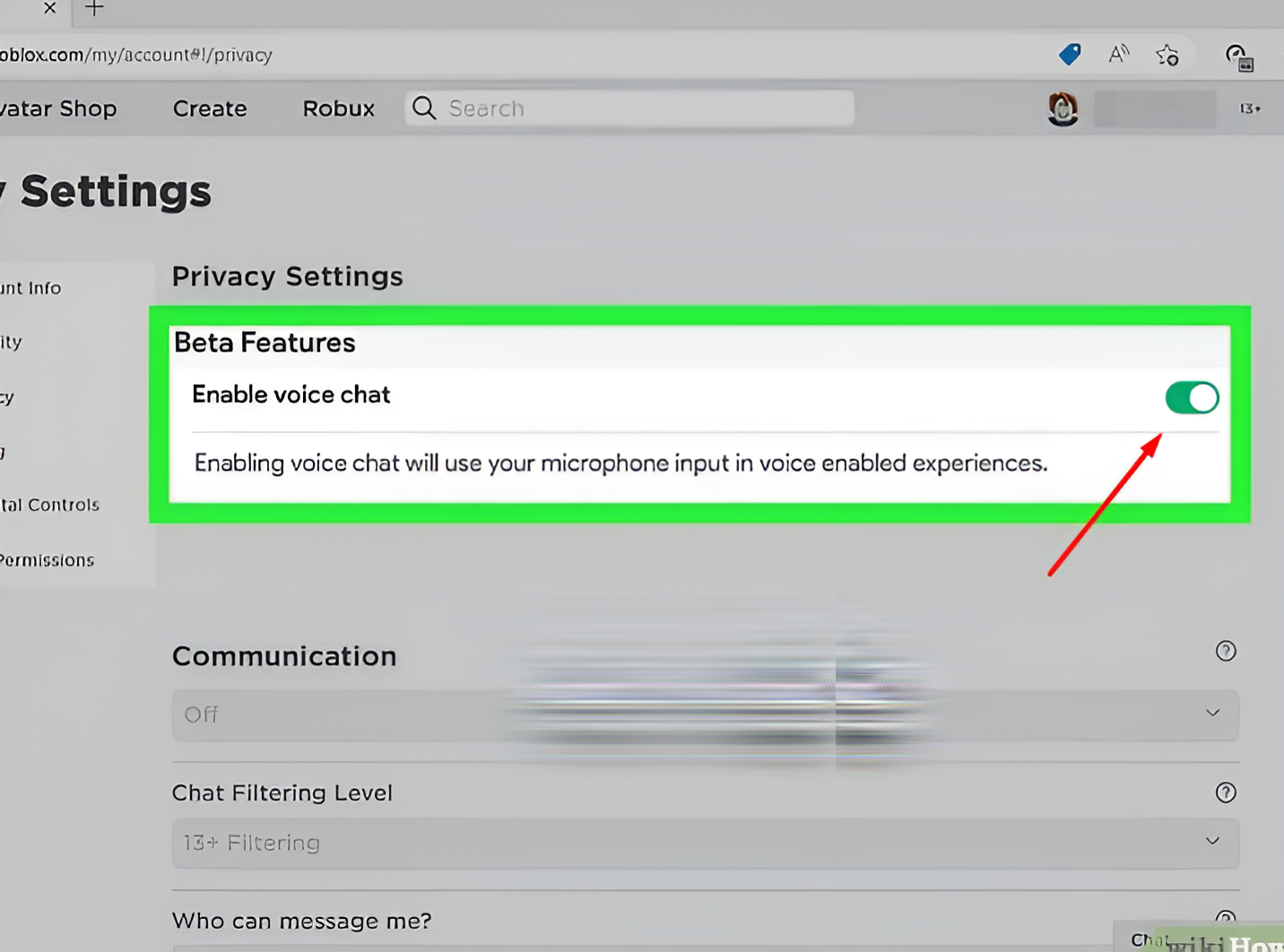
Step 1: Open the Roblox Software on Web, Desktop > ‘Gear Icon’ > Settings > Privacy and Login to continue further and verify your age.
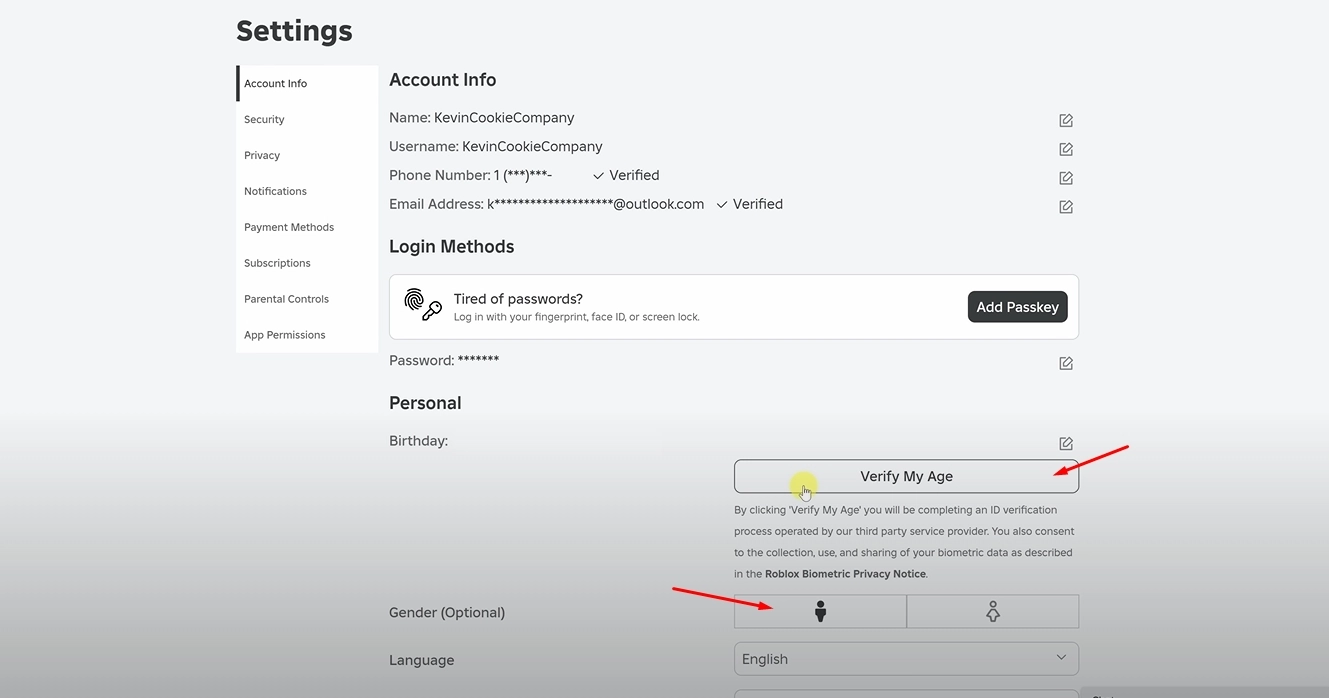
Step 2: Now, in the Content Maturity Tab > Communication > Voice Chat, turn it on.
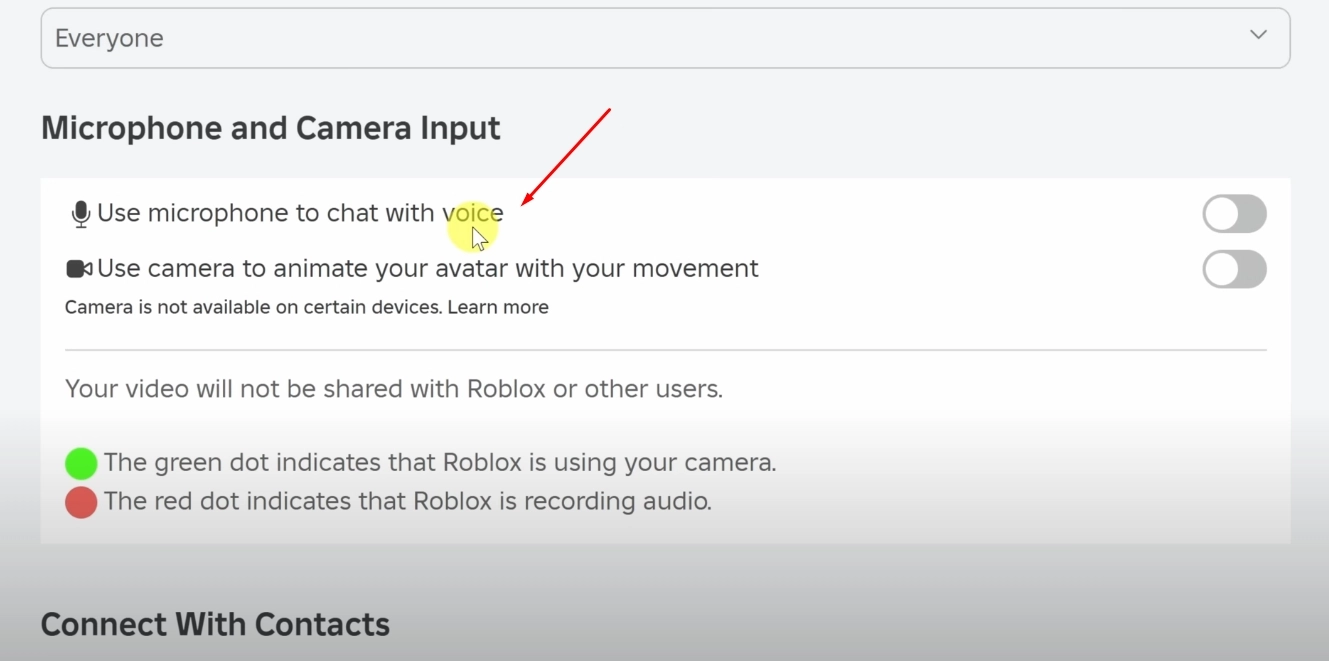
Step 3: To ensure the settings are configured correctly, the button tab will change from grey to green, indicating that you have successfully enabled it.
Change Your Voice on Roblox with Online Celebrity Voice Changer
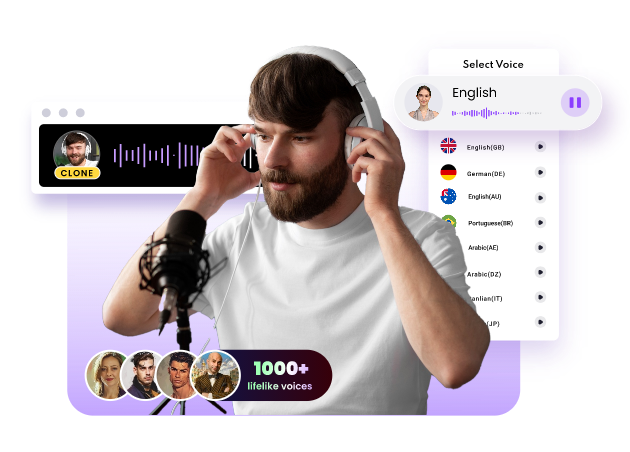
The market is flooded with voice changers, but there’s a chance that you may still not find a tool that has a rebuilt voice of your favourite celebrity or character. If it’s true, don’t worry because we have something amazing for you, and it’s the Vidnoz AI Voice Changer. If you choose it, you don’t need any external third-party software; just use our best free online tool to change the voice of any celebrity or character with AI.
Clone Anyone’s Voice with AI - Free
Make realistic voices of famous people and characters.
Clone anyone's voice to create personalized voiceovers.
Support 2000+ languages and accents.
Change Voice Now
Key Features of Vidnoz AI Voice Changer:
Free Online AI Roblox Voice Changer: You won’t need a heavy-duty gaming setup to run our tool, as it’s all web-based.
Convert Text to Song or Celebrity’s Speech: If it’s your favorite speed or something you want to hear repeatedly, Vidnoz is capable of converting any text into lip-synced audio with perfection.
Diverse AI Voice Effects for Roblox Games: Want a metallic robo voice or something sleek, crispy voice? You can modify the tone along with a range of effects for your streaming.
Global Reach in 140+ Languages: You don’t have to rely on a poor-quality video translator, as our built-in translation feature can convert your voice into dozens of languages.
How to Generate an AI Celebrity Voice for Roblox Online?
Here’s how you can use the tool to mimic the celebrity voices but with your own desired input.
Step 1: Visit the official Vidnoz AI tool page and explore the available options.
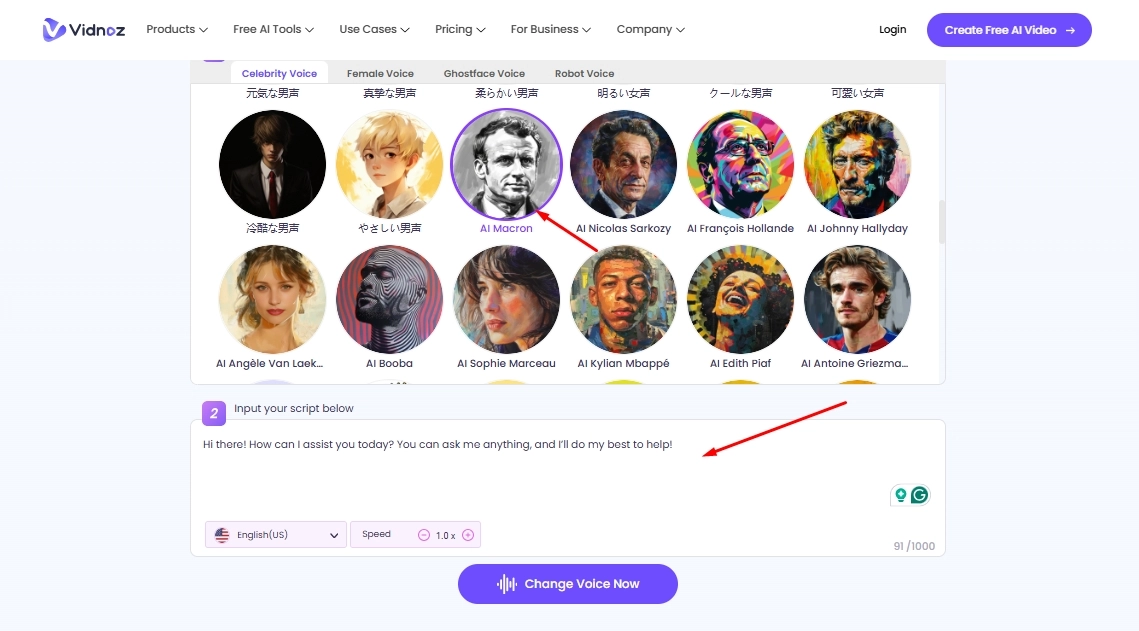
Step 2: Now, select any of the characters you want to replace with a new voice, then input your text in the box below, set the language, and adjust the custom speed.
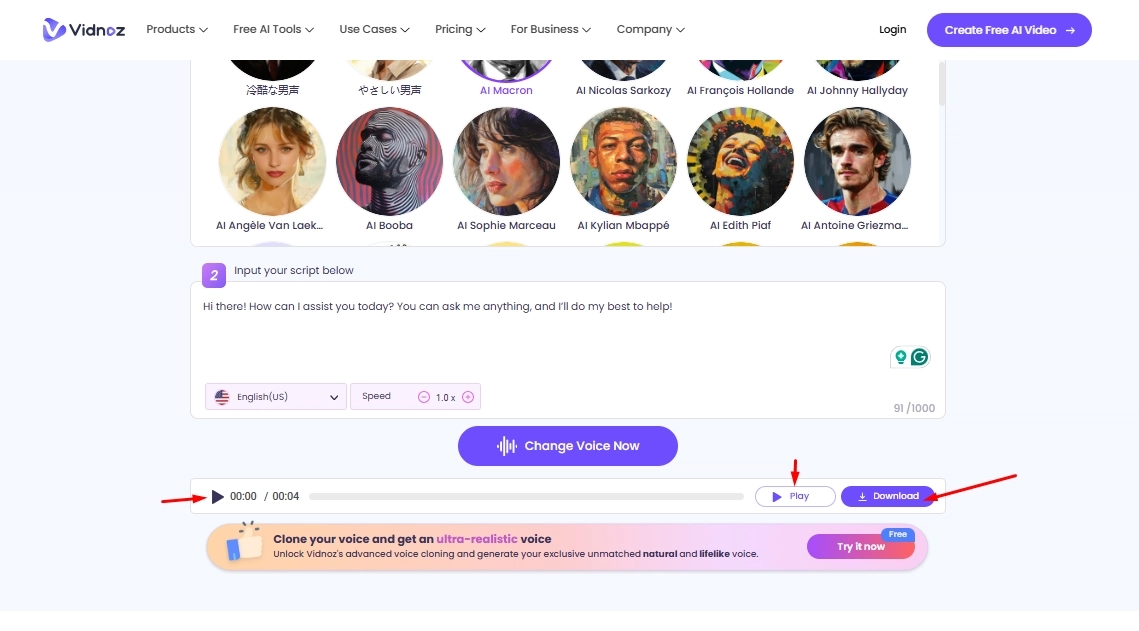
Step 3: Finally, click on the generate button, and your audio will be processed within a matter of moments. Once done, you can save it on your device and share it with anyone you want.
FAQs About Roblox Voice Changer
Q1: What Is Roblox?
It’s a world-famous online platform that allows users to create their versions of games and play those made by other users, similar to their own. This vast ecosystem hosts a large user base, enabling players to connect and enhance their gaming experience.
Q2: Are Voice Changers Legal on Roblox?
There are no legal issues with using Roblox unless someone uses it for misconduct and tries to misrepresent some information. While you can use it with peace of mind if it’s for a fun activity.
Q3: Can You Use Roblox Voice Changer on Mobile?
Yes, you can use the roblox voice changer for mobile to enjoy the filtered voice chat while playing from your device. You have to rely on multiple third-party apps to integrate them and function properly.
The Bottom Line
To sum up, we hope you’ve gained valuable insights about the Roblox Voice Changer and how to change your voice on Roblox in real-time with the best AI voice changers. Vidnoz is not just a free AI video generator, its AI Voice Changer on Roblox also stands out at the top. It’s an online, web-based tool that eliminates the hassle of relying on high-spec laptops to run it smoothly. Go now and sign up for free, and amaze your audience with something they don’t expect from you.

Vidnoz AI - Create Free Engaging AI Video with Talking Avatar
- Easily create professional AI videos with realistic avatars.
- Text-to-speech lip sync voices of different languages.
- 2800+ video templates for multiple scenarios.




![[AI Mashup Maker] Use Mashup AI to Mashup Two Songs in 3 Steps](https://www.vidnoz.com/bimg/ai-mashup-maker.webp)
![Best 3 Voice Raters to Test Your Voice Attractiveness [2026]](https://www.vidnoz.com/bimg/best-3-voice-raters.webp)
![Talk to Celebrities AI Online with Free Chatbots [Voice Imitated]](https://www.vidnoz.com/bimg/talk-to-celebrities-ai.webp)
