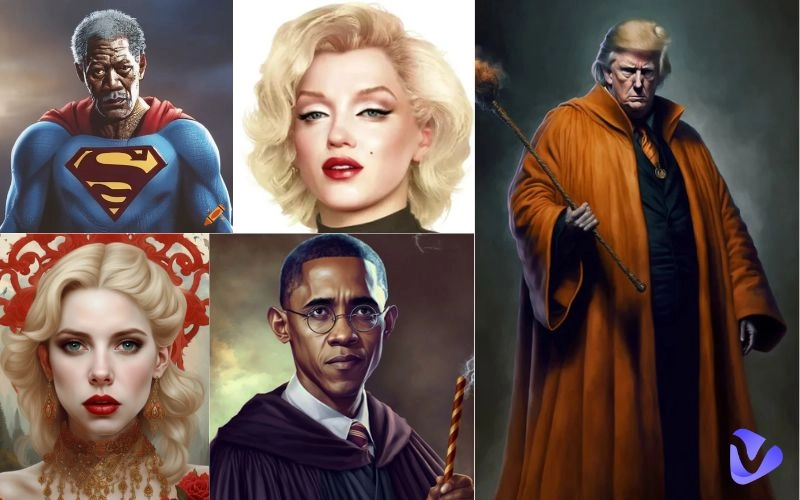
Just imagine the thrill of hearing your favorite celebrity wish you “Happy Birthday”, recite Shakespeare’s most stirring lines, or personally endorse your new brand, all without a single Hollywood meeting. Sounds great, right?
Wondering how to make celebrities talk?
It’s 2026, and AI advancements have made this a reality, with great precision. You can easily get your favorite celebrities to talk about anything you want by turning their static photo into a lifelike talking video. You can even clone their voices in minutes.
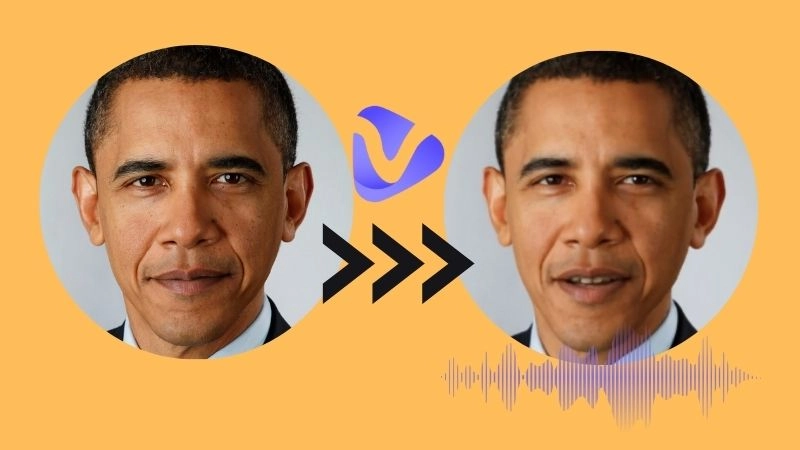
Whether you are a novice hobbyist or simply celebrity-curious, looking for a fun and creative activity, this guide will walk you through 3 simple methods to make celebrities talk using free tools like Vidnoz.
By the end of this guide, you’ll learn how to:
- Make AI Talking Videos: Animate any celebrity photo in minutes.
- Perform Voice Cloning: Replicate iconic voices using AI.
- Produce Full AI Video: Sync cloned voices to talking avatars for Hollywood-quality realism.
Let’s dive in.
- On This Page
-
Can I Make Celebrities Talk with AI?
-
Make Celebrities Talk: AI Celebrity Talking Videos
-
Make Celebrities Talk: AI Celebrity Voice Cloning
-
How to Make an AI Video of a Celebrity Talking? With Voice Also Cloned
Can I Make Celebrities Talk with AI?
Yes, absolutely. You can make celebrities talk using AI, and the results are far more realistic than you might expect. Forget about crude deepfakes or robotic text-to-speech.
A lot of AI tools have reached a point where it is possible to create convincing celebrity videos with nothing more than a photo and some text.
Here’s how these tools work:
Modern “talking head” generators use AI to bring life to still photos, syncing lips and expressions to any script you provide, adding natural head movements and subtle facial animations.
By simply uploading a high-quality photo (front-facing works best), typing what you want them to say, selecting a voice style and emotion, and hitting “Generate,” you instantly create a talking celebrity video
What’s truly remarkable is that the generated video looks surprisingly natural. Now let's talk about voice cloning, which is where things get really interesting.
Voice cloning tools analyze a sample of a celebrity’s speech and replicate their vocal patterns from just a few minutes of sample audio, capture their unique tone, pacing, and even breathing patterns, and generate new speech that sounds completely natural.
All you have to do is select a pre-trained celebrity voice (e.g., Barack Obama or SpongeBob), input your text, and generate an audio clip.
Both methods require no design or recording experience, just clear inputs and a few clicks. Now, let’s explore how AI tools can help you effortlessly make celebrities talk in video form.
Make Celebrities Talk: AI Celebrity Talking Videos
Vidnoz AI Talking Photo helps you animate any celebrity image into a short video. You can change the background color, add subtitles, and pick between two styles: stable with subtle movements and expressive with dynamic gestures.
Key Feature
- Natural text-to-speech with human-like intonation.
- Support for 100+ languages and various accents.
- Multiple emotion presets (e.g., calm, affectionate, and cheerful).
- AI-powered lip synchronization for natural mouth movements.
- Custom subtitles & background colors for branding consistency.
Create Your AI Talking Avatar - FREE
- 1900+ realistic AI avatars of different races
- Vivid lip-syncing AI voices & gestures
- Support 140+ languages with multiple accents
How to use it to make the celebrity talk?
Step 1 Start by uploading your favorite celebrity photo, or yours if you like. You can also choose from a list of ready-made avatars.
- For best results, use a clear, front-facing image with good lighting.
- Choose white, green-screen, or transparent background.
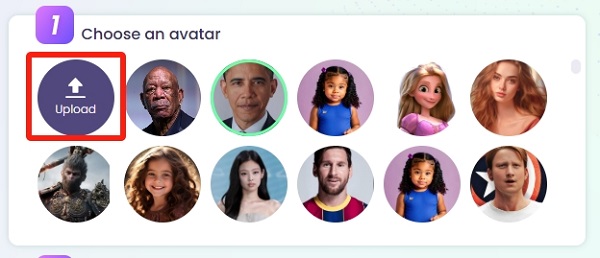
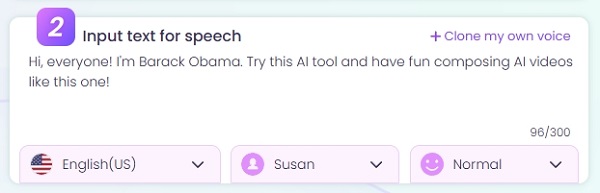
Step 2 Input your script. Simply type what you want your celebrity to say.
- Select language, voice style, and emotion.
- Toggle subtitles on/off and pick your preferred style.
For example, I used:
“Hi, everyone! I'm Barack Obama. Try this AI tool and have fun composing AI videos like this one!”
Step 3 Generate & download.
- Preview the video to see how it looks before finalizing.
- Click “Generate” to create an MP4 you can share anywhere.
- Free users can download the video in 720p, which is perfect for social media, and pro users have the option of downloading it in 1080p.
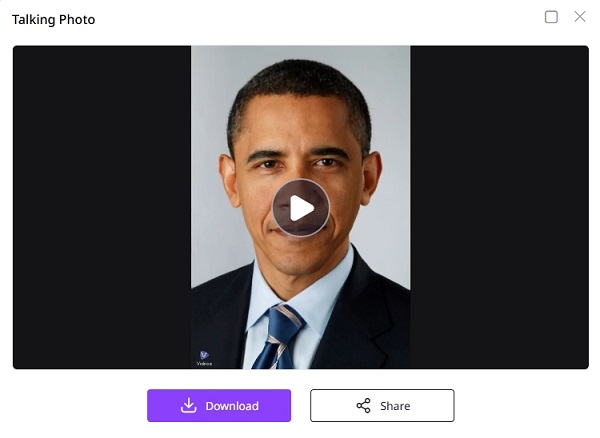
It used to take hours of work, expensive software, and advanced editing skills to produce such videos, but now you just need a photo, a script, and one click.
No technical expertise needed. No complicated software to learn. Just pure, simple creativity at your fingertips.
Make Celebrities Talk: AI Celebrity Voice Cloning
Vidnoz AI Celebrity Voice Changer provides access to 80+ pre-trained celebrity voices, from political figures like Donald Trump and Barack Obama to fictional characters like SpongeBob and Shrek.
Key Feature
- 80+ Celebrity Voice AI Options: pick your favorite from an extensive catalog.
- Support for 140+ languages & accents: Speed and pitch controls.
- 96% higher voice fidelity: For natural and HD audio.
- One-click cloning: Via an intuitive UI.
Clone Anyone’s Voice with AI - Free
Make realistic voices of famous people and characters.
Clone anyone's voice to create personalized voiceovers.
Support 2000+ languages and accents.
Change Voice Now
How to use it to clone celebrities’ voices?
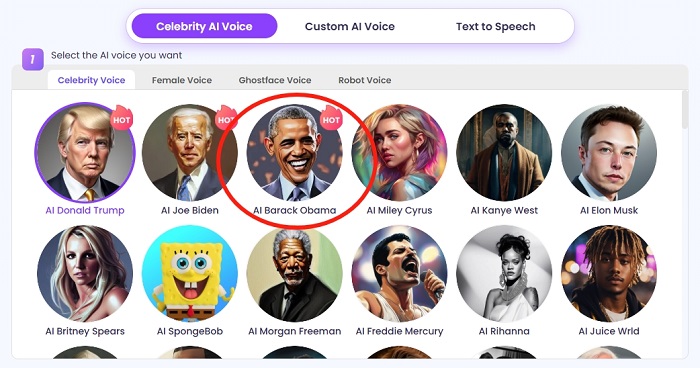
Step 1 Select the celebrity voice from the list.
- Click on the avatar of your chosen star, like I’ve chosen “AI Barack Obama”.
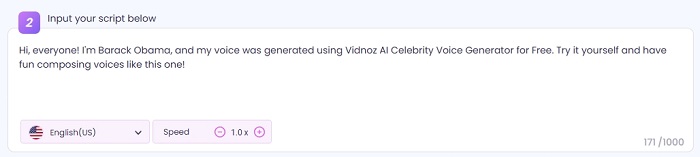
Step 2 Input or record your script.
- Type up to 1,000 characters long script (about 2 minutes of speech).
- Adjust speed, English accent, and other settings for nuance.
For example, I used the following text script:
"Hi, everyone! I'm Barack Obama and my voice was generated using Vidnoz AI Celebrity Voice Generator for Free. Try it yourself and have fun composing voices like this one!"
Step 3 Click on the “change voice now” button, and the tool will generate an AI voice copy.
- Play the AI audio or download an MP3 file ready to use for videos, podcasts, and pranks.
So far, you’ve learned 2 simple methods on how to make a celebrity talk using AI and clone a celebrity voice with AI. Nevertheless, floating heads without signature voices and isolated audio clips without faces lack the instant wow factor that you desired to achieve.
It is, therefore, truly rewarding when you learn to combine both.
With Vidnoz, synchronizing your celebrity avatar's lip movements to their cloned voice takes seconds. Keep reading to learn how to merge both into one polished celebrity cameo.
How to Make an AI Video of a Celebrity Talking? With Voice Also Cloned
Step 1 Create a free Vidnoz account.
Sign up with your email, Google/Microsoft, LinkedIn/Facebook for instant access.
Step 2 Locate your talking photo avatar.
In “Avatars>Photo Avatar”, find the avatar you generated earlier.
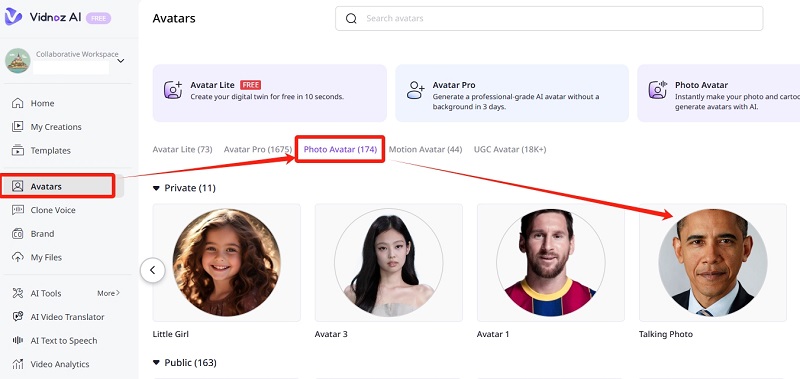
Step 3 Start a new video.
- Click “Create video with this avatar.”
- Choose from various video formats.
- Optionally edit facial pose, background color, and subtitles.
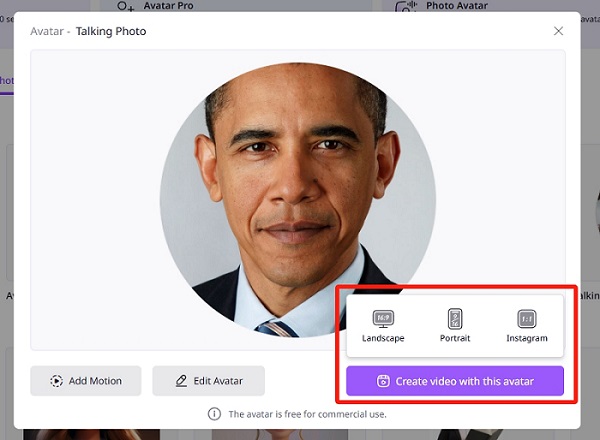
Step 4 Upload your celebrity voice file.
- Use the MP3 from the Voice Changer step.
- Match subtitles to your spoken script.
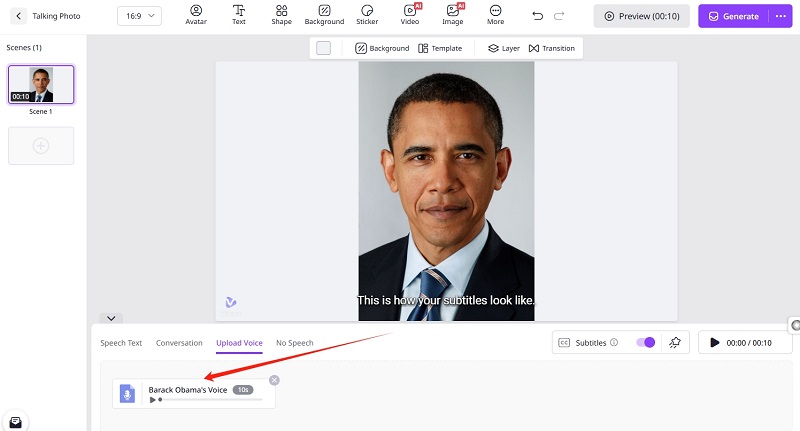
Step 5 Preview & generate.
- Vidnoz automatically lip-syncs the avatar to the voice.
- Download your final AI celebrity video in MP4 format.
In just five steps, you can make celebrities talk with both matching video and audio, producing a cohesive, professional result without any external tools.
Conclusion
From photos to voices, AI has made it effortless to make celebrities talk. There is no need for cameras, headshots, or voice actors at all. By following this guide, you’ve learned how to:
Animate celebrity images with realistic lip sync, clone famous voices in high fidelity, and merge video and audio into a single AI-generated clip. Have fun making celebrity talking videos with your own voices or other celebrities with AI tools provided by Vidnoz free AI video generator.






![How to Make My Photo Talk Free Online [Ultimate Guide]](https://www.vidnoz.com/bimg/make-my-photo-talk-free-online-1.png)