We’ve all played jigsaw and are familiar with it, which is a fun game that we’ve all enjoyed playing. Have you ever imagined creating a puzzle from your own picture with simple clicks? If you have pictures of yourself, your friends and pets, you can turn those pictures into a puzzle with the help of images to puzzle generators. Let’s explore the best online image to puzzle tools that you can use to make your customizable picture puzzles.
- On This Page
-
Why Turn an Image to Puzzle Online?
-
Top 5 Picture Puzzle Makers to Turn Images to Puzzles
1. Picture Puzzle Maker: Turn Pictures to Types of Puzzle with Clicks
2. I’m a Puzzle: Generate and Play with a Puzzle from Your Personal Image
3. Visual Program: Add a Customizable Puzzle Effect to Your Images
4. Canva: Convert Image to Puzzle Style with Pre-Designed Templates
5. Bighugelabs: Generate Jigsaw Puzzle with Photos from Different Platforms
-
2 Image to Puzzle Apps for Funny Picture Puzzles on Mobile Devices
1. Puzzle from Photo: An iOS App to Design Your Own Puzzle Games from Pics
2. PhotoPuzzle: Enjoy a Puzzle Game from Real Life Photos on Android
-
Bonus: Have Fun with More Image Style Conversion Games!
Game 1. Turn Your Images to Cartoon Style
Game 2. Create Ghibli Yourself with a Free Ghibli Filter
Game 3. Make a Talking Avatar with Realistic AI Voices
Why Turn an Image to Puzzle Online?
Turning an image to puzzle online blends creativity with entertainment. A personal photograph becomes an interactive game that can be shared with friends, used for education and saved as a keepsake. Families often choose to convert images to puzzle formats as a unique way of reliving cherished memories. People can also keep making and solving puzzles to exercise their minds regularly.
Online picture puzzle maker platforms let anyone upload a photo and instantly generate a puzzle without technical skills. Whether it is a scenic travel shot, a pet portrait or a corporate logo, turning an image to jigsaw puzzle pieces can be done in minutes. That's why the image to puzzle online makers are popular among people online.
Vidnoz AI - Create Free Engaging AI Video with Talking Avatar
- Easily create professional AI videos with realistic avatars.
- Text-to-speech lip sync voices of different languages.
- 2800+ video templates for multiple scenarios.
Top 5 Picture Puzzle Makers to Turn Images to Puzzles
Now that you know why converting images to puzzles, it’s time to organize all your favorite images and be ready to turn them into puzzles. Here listed 5 picture puzzle makers that you can try to make picture puzzles for yourself.
1. Picture Puzzle Maker: Turn Pictures to Types of Puzzle with Clicks
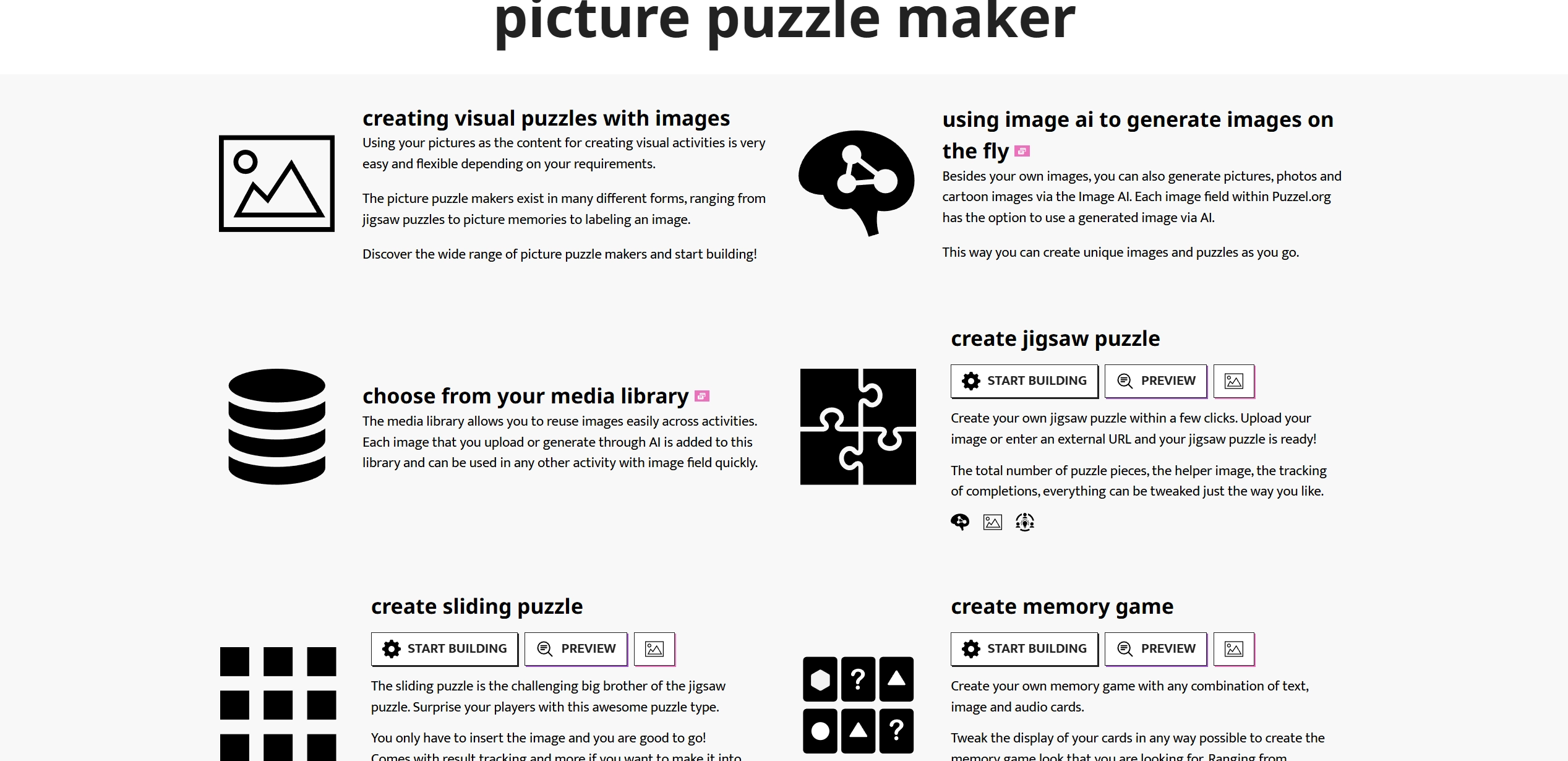
Picture Puzzle Maker is the most versatile online puzzle maker. Instead of limiting you to one format, it has multiple puzzle styles: jigsaw, sliding, reorder and categorize. Teachers, parents and hobbyists love this tool because it can also create learning based games like memory matching and label-this-image. The clean interface means anyone can start with no experience and share the created puzzles with others.
Key Feature
- Multiple puzzle styles, such as jigsaw and sliding.
- It provides educational games like label-this-image activity.
- Easy sharing and embedding for online use.
2. I’m a Puzzle: Generate and Play with a Puzzle from Your Personal Image
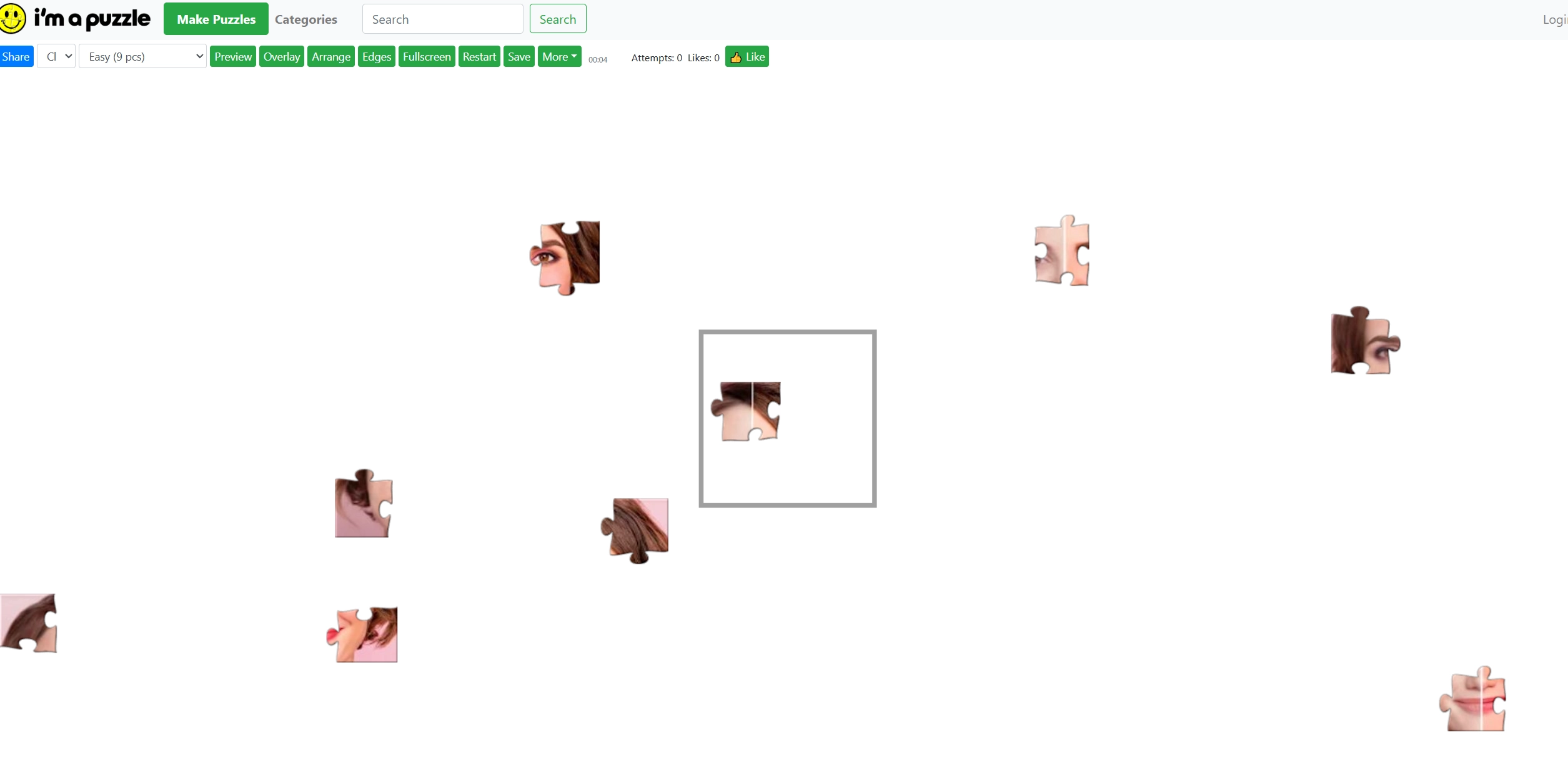
I’m a Puzzle is all about quick and fun image to puzzle creation. Upload a photo and it can instantly turn the picture into a puzzle in your browser. It provides a huge library of puzzles in categories like animals, cars, food and holidays, so the users can easily explore and play the themes puzzles. Families and kids love how easy it is to make puzzles from their own photos. Users can also adjust the difficulty level and puzzle mode to make it more challenging to play.
Key Feature
- Quick image-to-puzzle generation for free.
- Categories for diverse puzzle experiences, such as animals and food.
- Users are allowed to adjust the difficulty of the puzzle.
3. Visual Program: Add a Customizable Puzzle Effect to Your Images
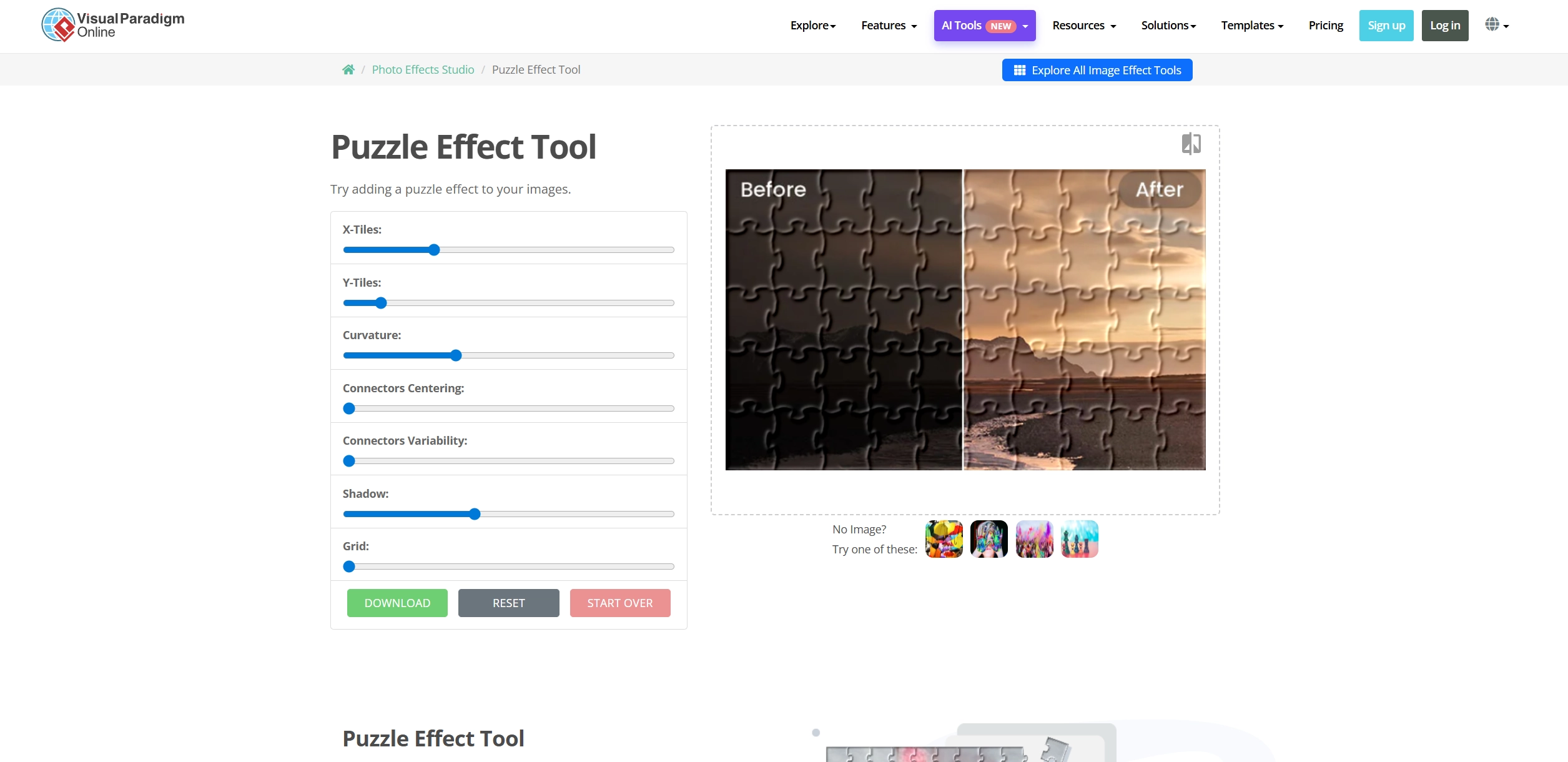
Visual Program is for users who want full control over their picture puzzle creation. Not limited to a simple cut-out, this practical puzzle generator allows users to adjust puzzle details like tile rows and connector shapes. That’s why this picture puzzle maker is useful for people who want to make their puzzles with specific styles. In addition to puzzle effects, it also provides other AI photo editing tools like repairing damaged photos, enhancing low res images and colorizing old photos. So it’s wonderful for fun and professional image editing projects.
Key Feature
- Detailed puzzle editing options for high customization.
- AI-powered photo editing options to make a better picture.
- No need for signing up for picture puzzle generation.
4. Canva: Convert Image to Puzzle Style with Pre-Designed Templates
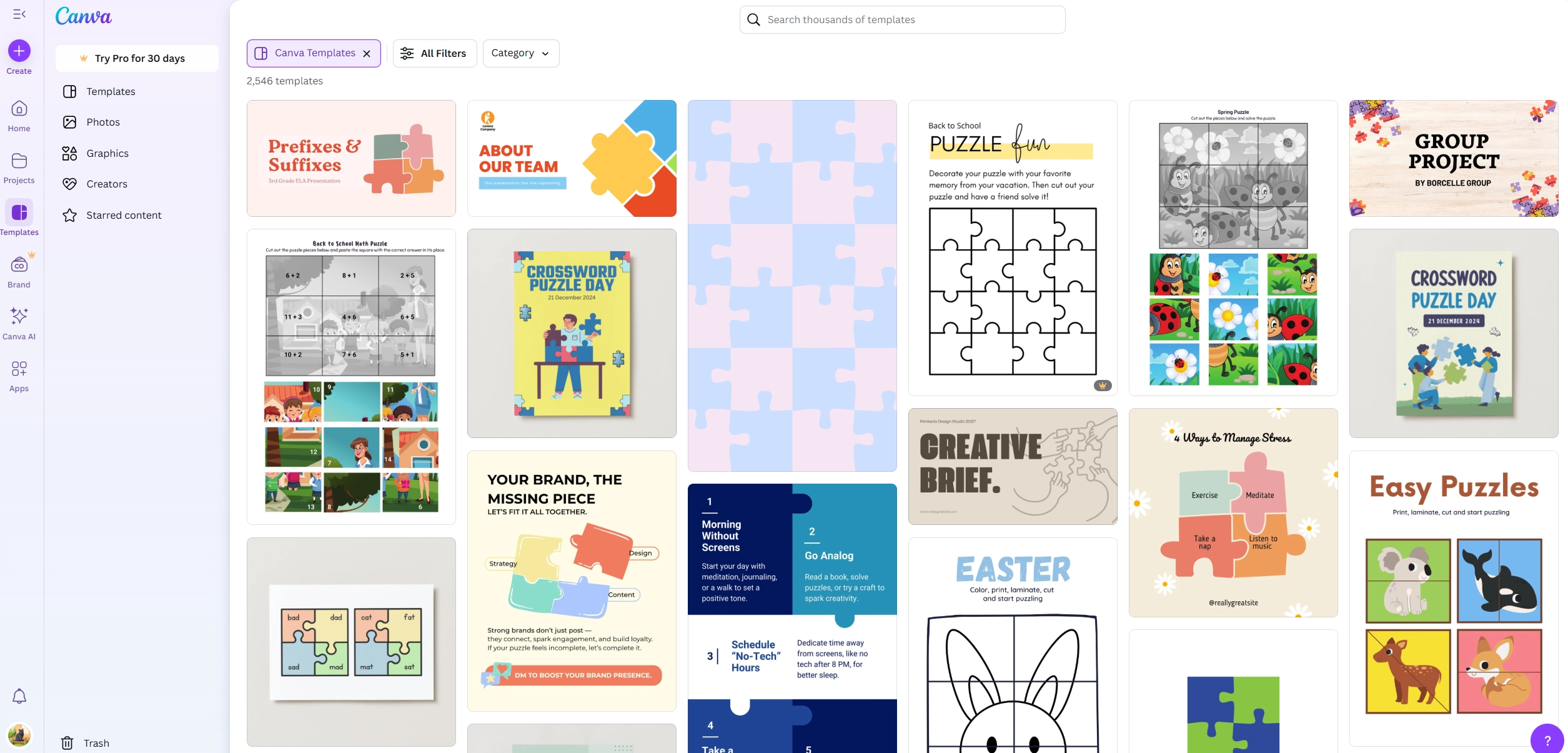
How to make an image into a puzzle? Canva is already a popular image design platform with multiple puzzle templates, allowing you to turn an image into a puzzle visual for social media posts and marketing projects. Unlike traditional puzzle makers that only focus on play, Canva lets you treat puzzles as a design project to add text, graphics and other decorations.
Key Feature
- It provides diverse puzzle-themed templates.
- Intuitive drag-and-drop image designer.
- Multi-purpose design tools for images and graphics.
5. Bighugelabs: Generate Jigsaw Puzzle with Photos from Different Platforms
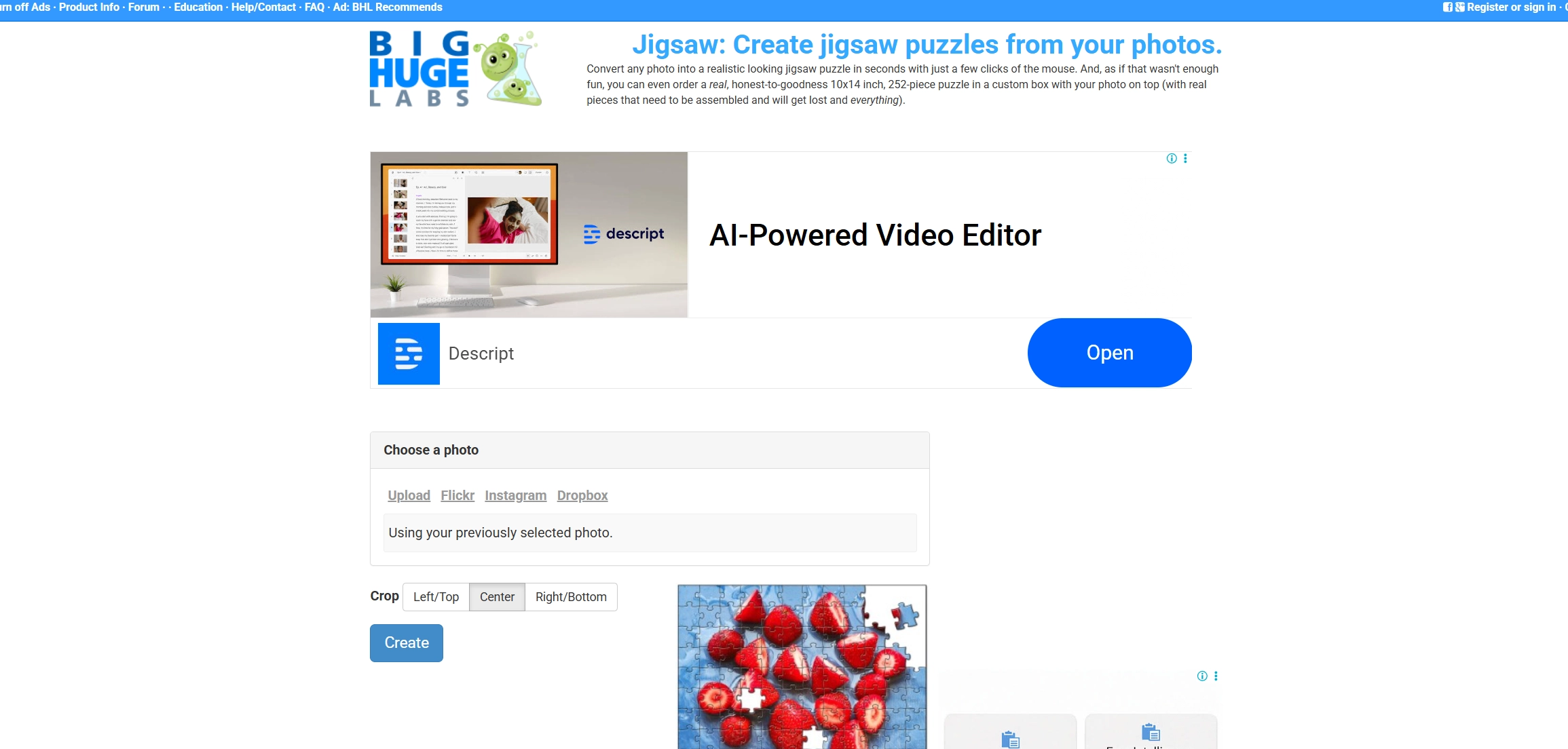
Big Huge Labs has a simple image to puzzle maker that’s different from most of the others. Instead of solving the puzzle online, it will generate a puzzle picture file that you can print and cut out yourself. After printing, you can cut along the lines to create real puzzle pieces. It’s often used by teachers for class projects and parents making quick games for kids. There’s no need to sign up, and the site works quickly without extra steps.
Key Feature
- Easy to turn an image into a puzzle picture.
- No sign-up required for creation.
- Allows users to download jigsaw and print it for solving physically.
2 Image to Puzzle Apps for Funny Picture Puzzles on Mobile Devices
Sometimes you want to play on the go. Mobile apps make it possible to turn any phone image to a puzzle online within seconds.
1. Puzzle from Photo: An iOS App to Design Your Own Puzzle Games from Pics
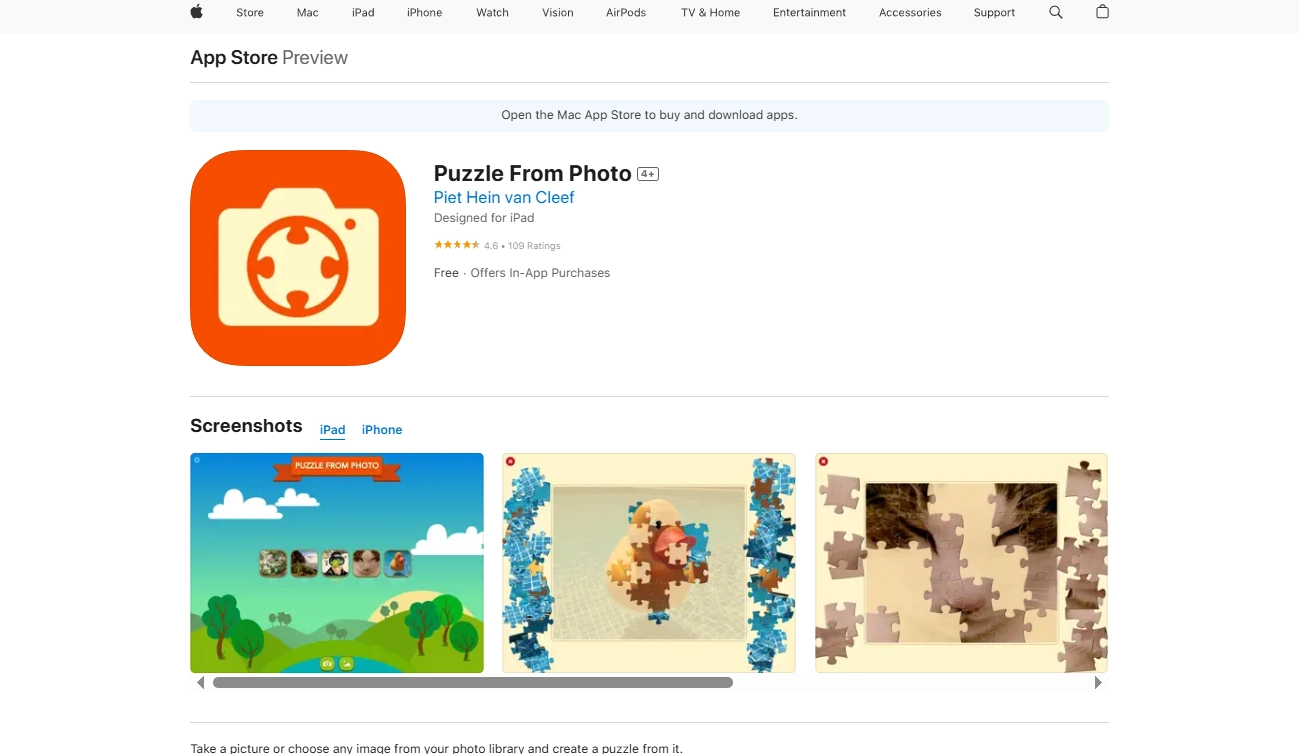
Puzzle from Photo is built for iPhone and iPad users who want to turn their pictures into puzzles right away. Users can snap a photo with the camera or choose one from your gallery, the picture puzzle maker app then cuts it into up to 80 pieces. It also offers a kids mode to lock the puzzle and app settings, so kids don’t accidentally close the app or change the puzzle.
Key Feature
- Create puzzles from camera or gallery photos.
- Choose up to 80 pieces for different difficulty levels.
- Kids Mode for safer pic puzzle generation.
2. PhotoPuzzle: Enjoy a Puzzle Game from Real Life Photos on Android
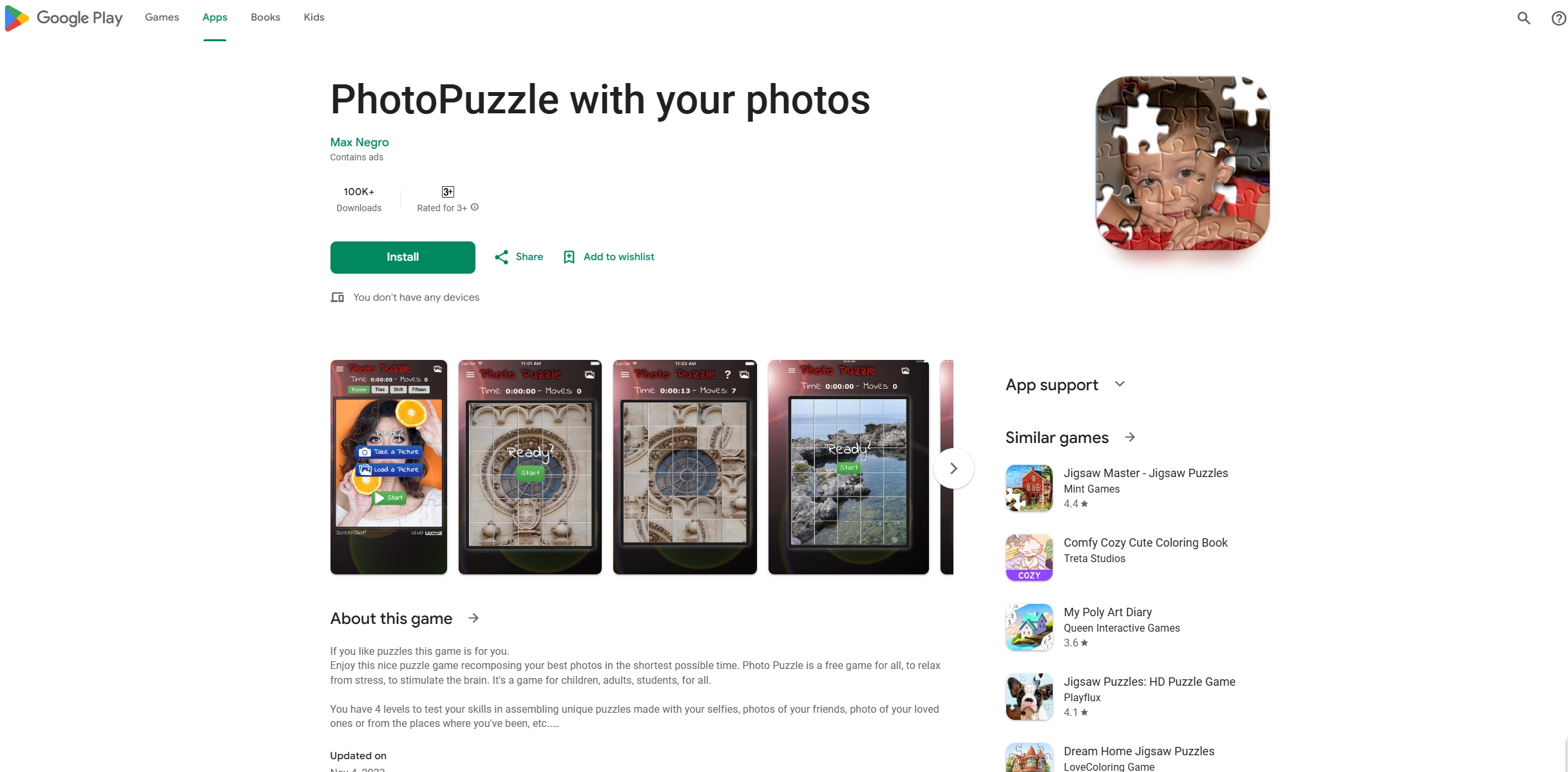
PhotoPuzzle is a straight-to-the-point image to puzzle app for Android. Users can load any photo, maybe a selfie, a family picture or a shot of your favorite place, then the app cuts it into puzzle pieces. There are 4 difficulty levels: easy, medium, normal, and hard. Beginners can start simple, while anyone wanting a tougher challenge can pick more pieces. The layout of the tool is clean without extra clutter, so all your attention can stay on solving the puzzle.
Key Feature
- Turn personal photos into puzzles within seconds.
- Pick from 4 challenge levels.
- Simple app design focused only on the puzzle.
Bonus: Have Fun with More Image Style Conversion Games!
Puzzles aren’t the only way to have fun with your photos. A few other online tools also can let you reshape pictures into new styles just for fun.
Game 1. Turn Your Images to Cartoon Style
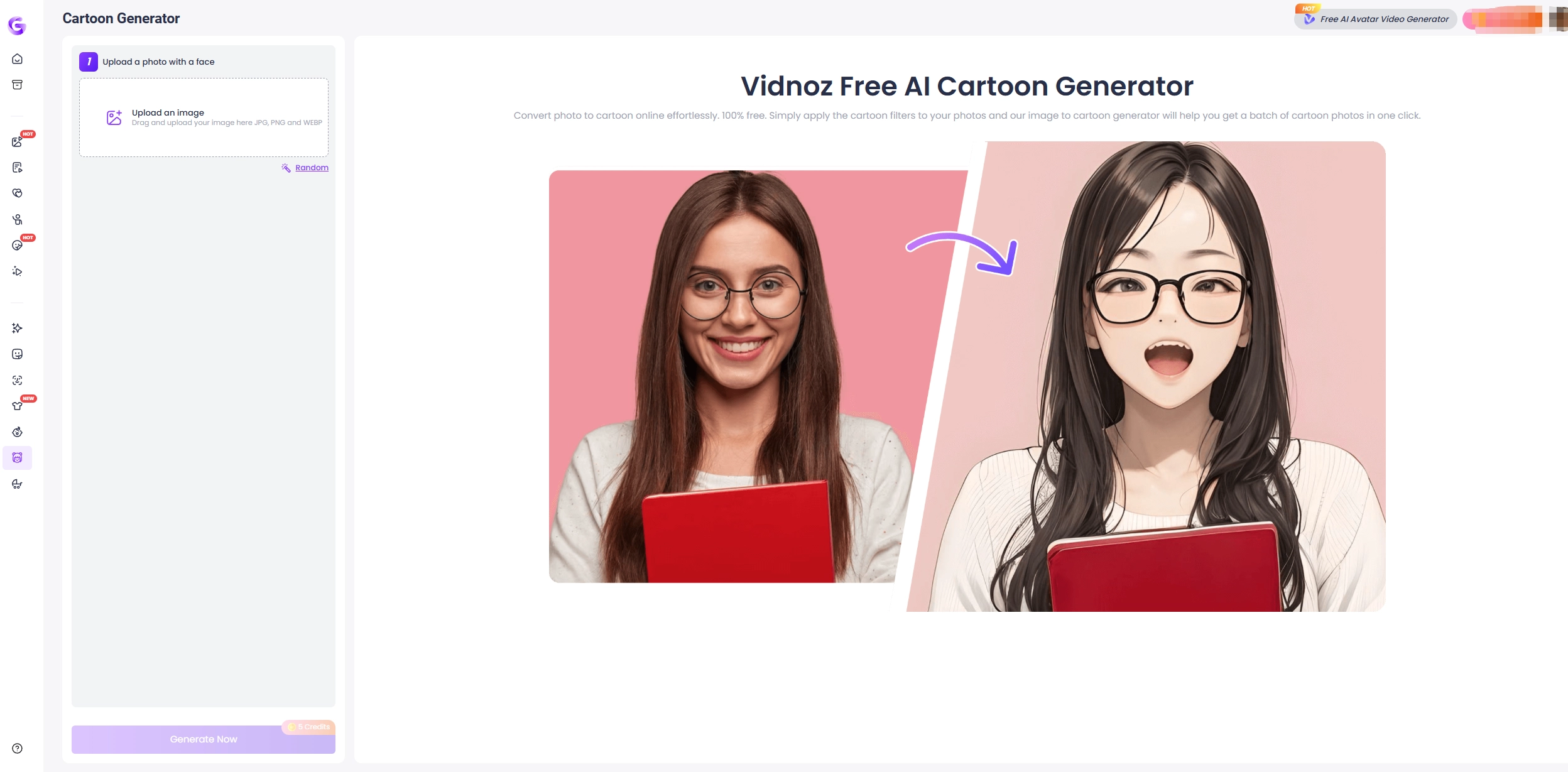
With the Vidnoz AI Cartoon Generator, you can transform your photos into cartoon style in seconds. It works on selfies, pets and even group shots. There’s also a random option that gives you a surprise version every time, which makes it interesting to try again and again.
Game 2. Create Ghibli Yourself with a Free Ghibli Filter
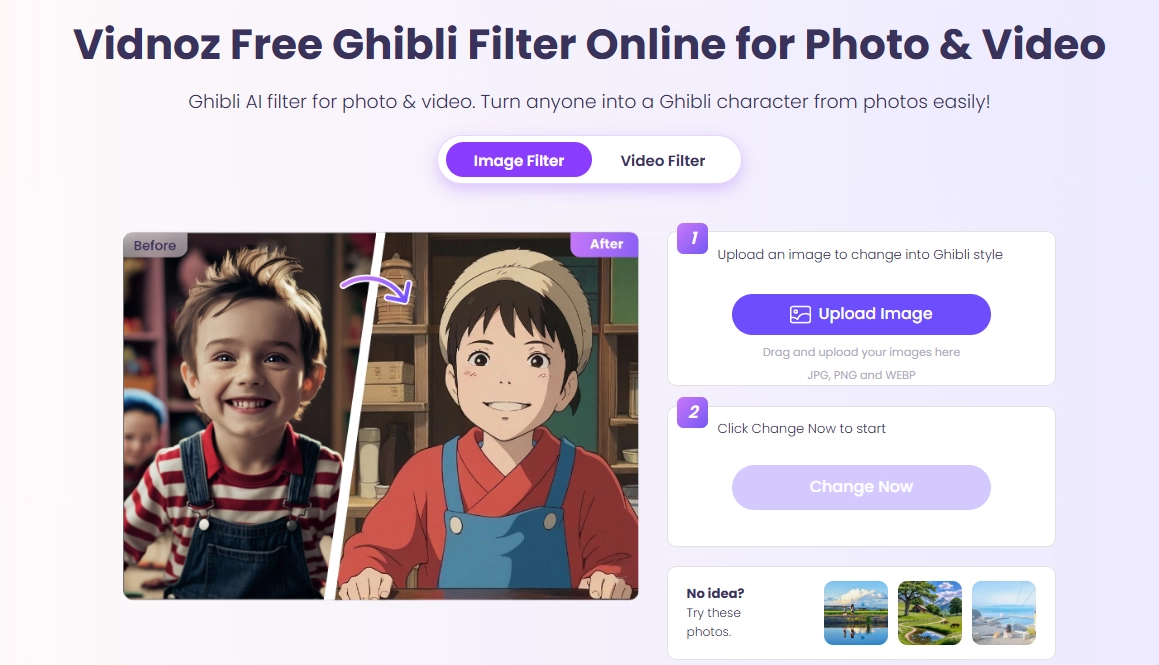
Are you a fan of Ghibli anime and want to be a Ghibli character online? The Vidnoz Ghibli filter is made for fans of the famous animated films to turn themselves to a Ghibli character with simple clicks. People often use it for travel photos or portraits because the result looks magical. It’s not just about fun, some even use it to give their social media posts a unique look.
Game 3. Make a Talking Avatar with Realistic AI Voices
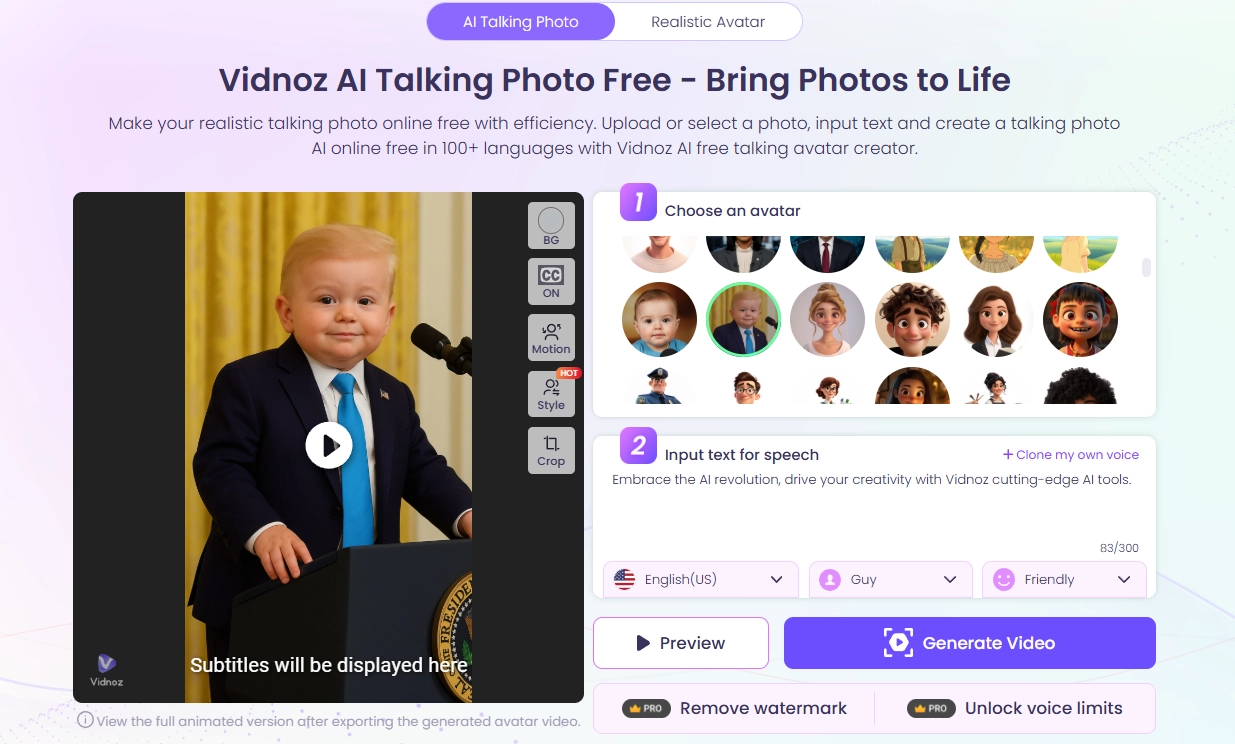
The Vidnoz AI talking photo generator is where things get much more playful, helping users to create an AI talking photo from any uploaded image. Users can type out what they want their picture to say or pick from ready-made options. Since users can change the tone, language and emotion, it’s popular for making funny clips to share on social platforms.
Conclusion
Turning an image to puzzle is a funny way to play with photos online for free. Whether on a website or through a phone app, it only takes a few minutes to make a puzzle with the powerful online picture puzzle makers. And if puzzles aren’t enough, cartoon effects, Ghibli filters and AI talking photos give you even more entertaining and engaging ways to edit your images. So if you’ve got a huge collection of photos, free time and a craving for fun, try one of these tools now and see what you can create!
Vidnoz AI - Create Free Engaging AI Video with Talking Avatar
- Easily create professional AI videos with realistic avatars.
- Text-to-speech lip sync voices of different languages.
- 2800+ video templates for multiple scenarios.



![Top 6 Free AI Anime Filter Makers to Convert Image to Anime [Apps and Online Tools]](https://www.vidnoz.com/bimg/featured-image-for-ai-anime-filter.webp)