A sketch is a looser, rougher, less refined form of drawing. Artists use sketches to quickly note down their preliminary ideas and refine them into more precise and detailed work later. Art has a high threshold for the average person, while the emerging AI photo-to-sketch tools enable everyone to easily draw your portrait sketch free and fast.
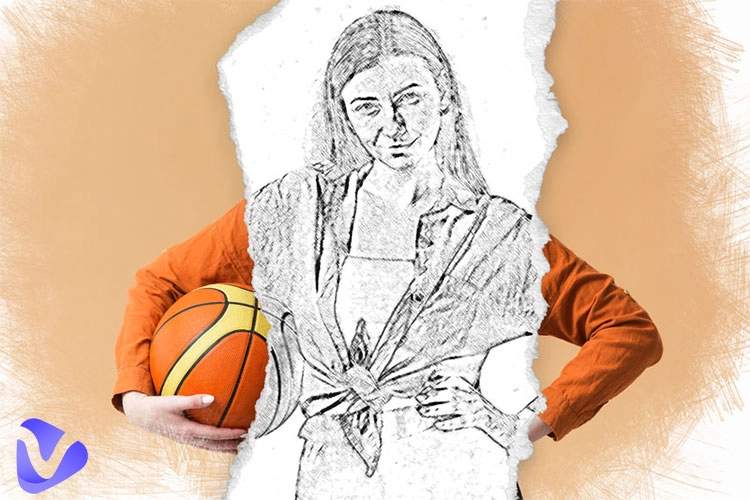
How to sketch a face from a photo? Not an issue anymore. Whether you are a freelancer drawing sketches for tourists, someone who wants to craft a creative family painting as home decor, or brands that need to increase engagement on social platforms, an AI image-to-sketch converter is obviously your first option: streamline the process, save time, and improve efficiency obviously.
- On This Page
-
What Does “AI Photo to Sketch” Mean?
-
How to Sketch a Face from a Photo - 3 Online Tools
BeFunky - Turn Your Photo into Sketch
Colorcinch - Convert a Photo to a Sketch
VanceAI - Transform a Photo into a Sketch Online
-
How to Draw a Face from a Photo - Image to Sketch Apps
Photo to Sketch - Drawing Book
-
Interesting Try: Cartoonize Your Portrait Sketch in 3 Steps
How to Turn Your Portrait Sketch into Ghibli Style?
How to Cartoonize Your Portrait in 4 Retro Styles?
What Does “AI Photo to Sketch” Mean?
How to draw a sketch of a face from a photo with AI? Let’s learn about the method—AI photo to sketch—firstly.
No need to use a ruler to get the points on paper, no physical reference, and no need for painting skills or experience. An AI image photo-to-converter only needs:
- Necessity: a portrait, a mobile phone or a computer. and an internet connection.
- Process: It utilizes the AI algorithms to scan the face in the photo and use the sketch filter or effect to mimic the pencil drawing technique and automatically outline the content at a click.
- Result: In less than 1 minute, you can have a refined black-and-white sketch capturing all the details from the photo.
How to Sketch a Face from a Photo - 3 Online Tools
No matter if you want to paint in ink, pastel, felt pen, or pencil, a sketch is the very first step before you start. This section tests 10 AI photo-to-sketch tools and screens out 3 free online options of them based on the similarity.
BeFunky - Turn Your Photo into Sketch
Site: https://www.befunky.com/features/photo-to-sketch/
BeFunky has an online photo-to-sketch option that uses sketch effects to transform ordinary portraits into unique looks. It offers 8 sketch effects, varying from sketcher, colored pencil, pen art, ink wash, crayon, and more. Thus, you can sketch a face from a photo to design personalized sketch portraits for individuals, families, and pets; turn photos into illustrated graphic novels; blend sketches into designs; and print them into decor artworks.
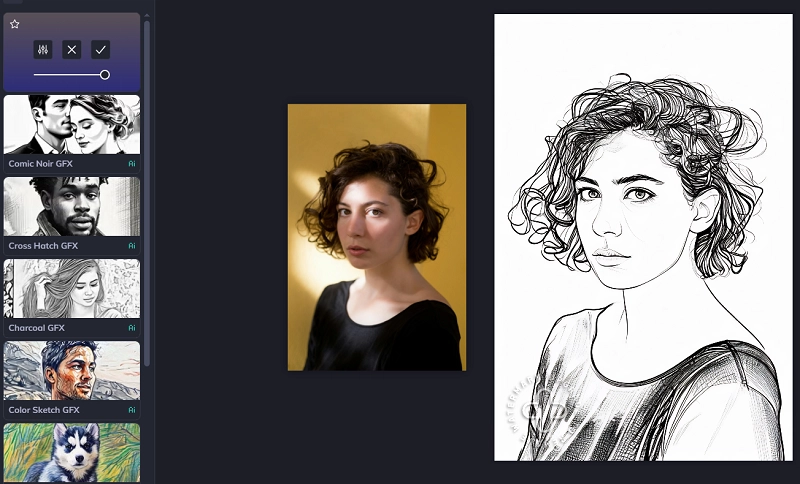
How to Draw a Face from a Photo with BeFunky?
- Go to the BeFuncky website and click Create > Photo Editor > Artsy > Sketcher.
- Pick a portrait (BFD, PNG, JPG) from your device and select a sketch effect.
- Move the slider on the selected sketch effect to adjust the intensity.
- Save it to your device.
You may be interested in: How to Turn Your Photo into Cartoon >>
Colorcinch - Convert a Photo to a Sketch
Site: https://www.cartoonize.net/photo-to-sketch/
Colorcinch is a highly customizable and free online photo-to-sketch converter that is able to sketch a face from a photo in seconds. It contains 4 image effects, including cartoonizer, sketcher, painting, and digital art. And there is a list of 28 styles of photo sketch in the Sketcher category.
Some styles are quite realistic because they can even sketch out the lighting and shadow on the face precisely, keeping every detail retained.
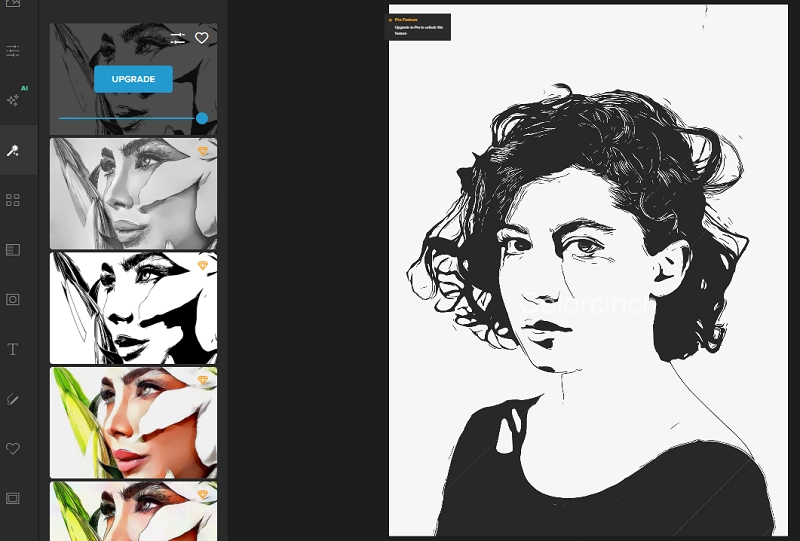
How to Draw a Sketch of a Face with Colorcinch?
- Locate on Colorcinch’s editing panel > find Effects in the left tool list > open the Sketcher category.
- Drag and drop a portrait to the workspace. Browse the designed sketches and click to apply one to your photo.
- Adjust the effect intensity, detail amount, color range, and hue. Also, this AI photo-to-sketch tool allows you to erase the area you want to keep original.
You may be interested in: Top 6 Sketch to Image AI Tools to Transform Sketches Online >>
VanceAI - Transform a Photo into a Sketch Online
Site: https://vanceai.com/posts/how-to-sketch-a-face/
Compared to the above two AI-powered photo-to-sketch tools, Vance AI only has a single style to draw a face to sketch from a photo. However, it is a highly efficient option for people who are seeking a quick edit to batchly process a large set of portraits.
The brushwork of its sketch is relatively simple, depicting only the key features of a face, showing a concise and clean visual.
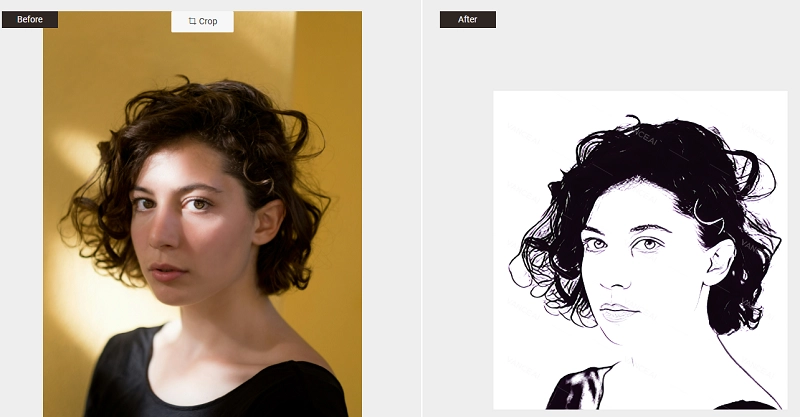
How to Sketch a Face from a Picture with VanceAI?
- Go to the VanceAI site > Image AI > Creative AI Tools > Photo to Sketch > Import a portrait.
- Notice: The uploaded photo has to be JPG, PNG, or JPEG, and it can not exceed 5MB.
- You can rotate, flip, or crop the portrait before turning it into a sketch.
- Select the “Portrait” or “Full Frame” and click on the “Start Process.”
- Get a fast result without a watermark.
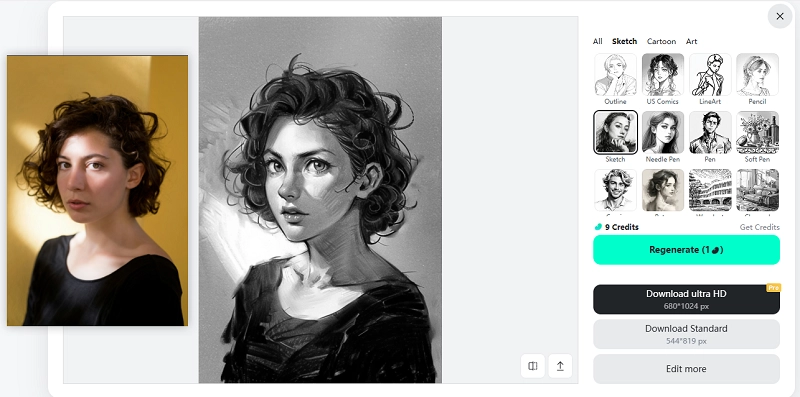
Pro Tip: Among the tested tools, though InsMind is not picked, undeniably, it is a unique one because it sketches a face from your photo into a cartoon-trend style. This type of portrait sketch is ideal for comic creation or creative personal sketch painting.
For example:
You may be interested in: What Cartoon Character Do I Look Like >>
How to Draw a Face from a Photo - Image to Sketch Apps
It may be more convenient to sketch a face from a photo on your mobile phone. Thus, the following part introduces apps to convert a portrait to a sketch on Android and iPhone.
Photo to Sketch - Drawing Book
Photo to Sketch is a digital mobile drawing app. It features converting a photo to a pencil sketch no matter if it's from your album or you take an instant one. Plus, it has a large collection of coloring pages and multiple sketch effects for you to freely switch and apply to your photos right away. With it, you can explore your portraits’ distinctive sketch looks and color them by various schemes.
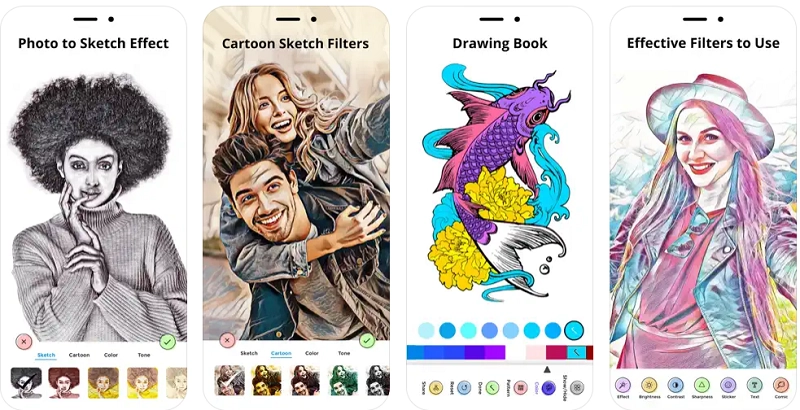
How to Sketch a Face from a Photo on iOS Devices?
- Download this app onto your phone or iPad.
- Launch it. Upload a face photo or take a selfie immediately.
- Activate its photo-to-sketch effects and switch to check which one you like.
- Also, you can try its cartoon sketch filters or color your sketch portrait easily.
- Save the edited photo if it is satisfactory.
Photo Sketch Maker
Same to the Photo-to-Sketch drawing book, Photo Sketch Maker is a free app to turn a portrait into a sketch with multiple pre-made sketch effects. Whether you want to create a photo into a pencil sketch, color pencil sketch, watercolor sketch, or other painting sketch, this tool can achieve it, just like a real artist.
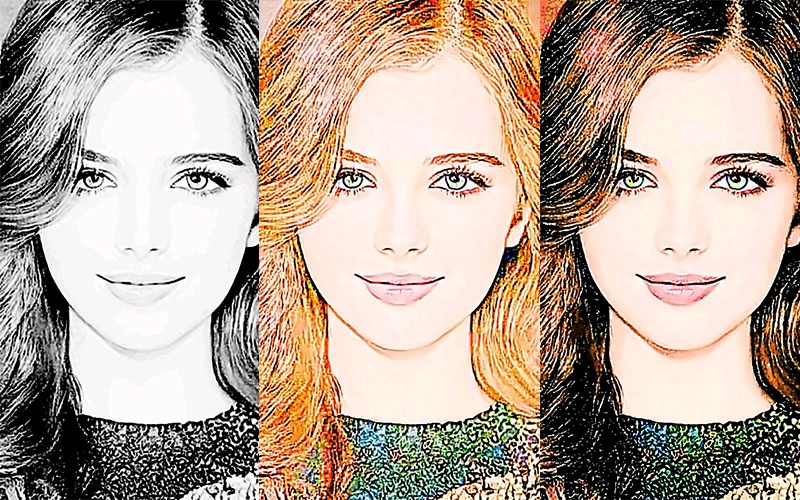
How to Sketch a Face from a Photo on Android Phones?
- Access the Photo Sketch Maker. Import a photo from the gallery or take one via the camera.
- Before sketching the face in the photo, you can edit it by cropping, scaling, or using the fixed aspect ratios.
- After watching an ad, you can find different styles of pencil sketch or color-schemed sketch effects at the bottom of your photo. Click on one of them, and it will automatically work on your portrait.
- Click the download icon to easily save or share it.
Interesting Try: Cartoonize Your Portrait Sketch in 3 Steps
The Ghibli filter is always a trendy selection when considering turning a photo into a cartoon. Vidnoz AI provides a free opportunity to cartoonize your photo or video with an AI Ghibli filter. Besides, it has a distinctive cartoon generator that is able to transform your photo into 4 nostalgia cartoon-styled images.

Vidnoz AI - Create Free Engaging AI Video with Talking Avatar
- Easily create professional AI videos with realistic avatars.
- Text-to-speech lip sync voices of different languages.
- 2800+ video templates for multiple scenarios.
How to Turn Your Portrait Sketch into Ghibli Style?
Step 1. Go to Vidnoz AI’s website. In the header, unfold the AI Free Tools and click on the AI Studio Ghibli Filter. Also, you can click the button below to find the AI Tools > Image Tools > AI Studio Ghibli Filter on the pop out page.
Step 2. Upload your portrait photo and start to change.
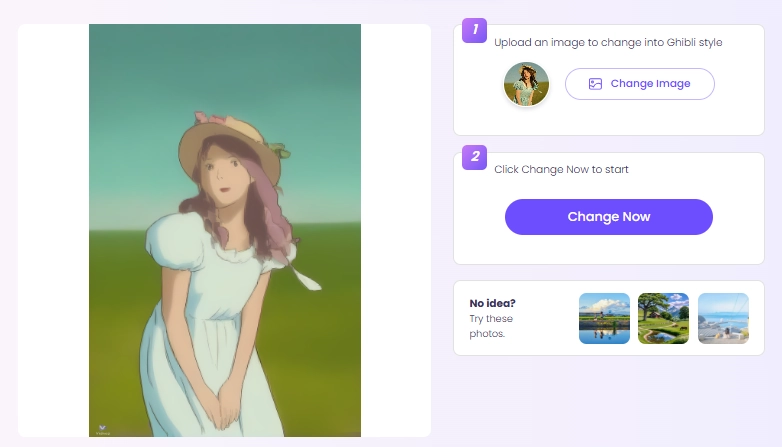
Step 3. Feel free to download the Ghibli-style image or share it directly.
How to Cartoonize Your Portrait in 4 Retro Styles?
Step 1. Switch to the AI Cartoon Generator under the AI Free Tools’ list. Similarly, you can click the below button to access AI Tools > Image Tools > AI Cartoon Generator on the operational panel.
Step 2. Import your photo (JPG/PNG/WEBP) and click on the Generate button.
Step 3. It will show 4 different vintage cartoon-styled images based on the original photo. Download them all.
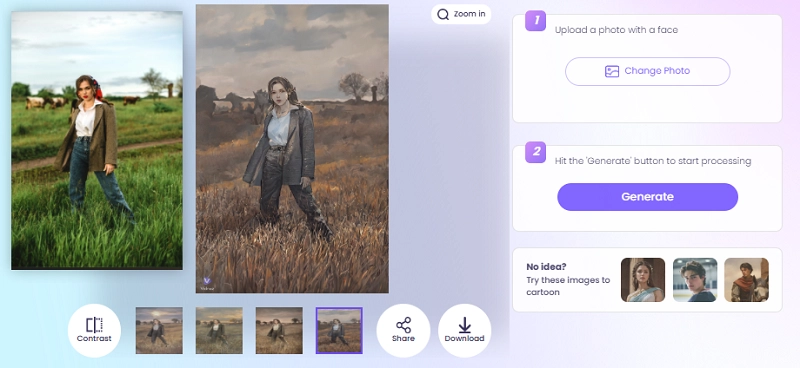
There are many interesting and effective AI tools you can try on Vidnoz. In spite of transforming a still portrait into a cartoon image, you can even make it an AI talking head, a dynamic video, a dance photo, and more.
Conclusion
How to sketch a face from a photo simply and fast? This article sums up several free and surprising tools. They can mimic realistic brushwork to meet all your demands for refined sketches. No matter if it’s black and white or colored, concise line art or full of precise details, drawing by pencil, ink, or brush, these AI photo-to-sketch converters support a complete service.
Additionally, don't forget to try Vidnoz AI’s Studio Ghibli Filter and AI Cartoon Generator! You must be surprised!





![Best 5 Fake Photo Generators to Create Fake Photos for Any Case [2026]](https://www.vidnoz.com/bimg/best-ai-fake-photo-generator.webp)