Turn still images or text into dynamic videos in any style, with leading AI models readily. Try the smart AI video generator now - stunning, free, and instant!
Learn how to make AI baby videos step by step. Explore free baby AI video generators and create fun, realistic clips easily.
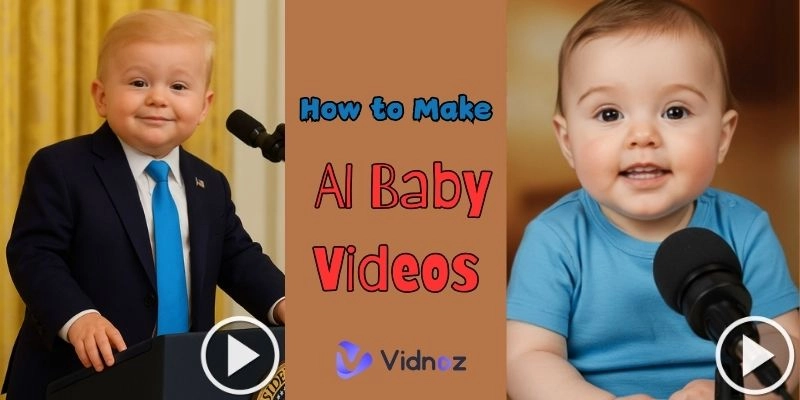
AI baby clips are going to be a viral trend and people share them to fantasize about what their baby could potentially look like, create a funny clip or they just experiment with the new technology. Although the concept can be tricky, the current equipment has turned the process to be easy and easy to learn. Vidnoz AI, specifically, shook the ground as one of the most realistic platforms to make a baby video in a few clicks and using AI as the technology.
This guide will take you through a step-by-step process of how to make AI baby videos using Vidnoz AI and also list other baby AI video generators you might want to try.
On This Page
Step 1: Choose a Trending Topic for Video Content
Step 2: Visit a Reliable AI Baby Video Generator
Step 3: Upload Your Clear Baby or Parent Photos
Step 4: Customize Animation, Text, Voice, and Effects
Step 5: Generate, Preview, Download, and Share Your AI Baby Video
Bonus: Other AI Baby Video Generators That Also Worth Trying (Free & Paid)
1. Pollo AI: Create Viral Baby Podcasts in Minutes
2. Revid AI: Animate Baby Faces with Lifelike Expressions
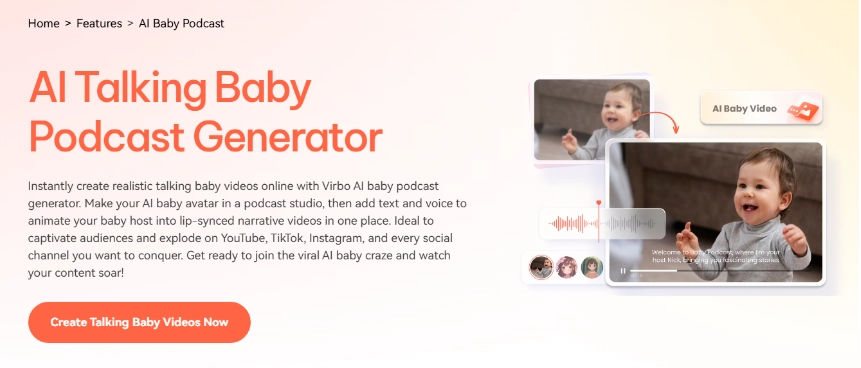
3. Virbo AI: Realistic Talking Baby Podcasts with AI Voice
FAQs About How to Make AI Baby Videos
Q: Is it safe to use an AI baby generator?
Q: Is it illegal to make an AI generator?
Q: How accurate are AI baby pics?
Conclusion
Step 1: Choose a Trending Topic for Video Content
It is better to be aware of what works online before learning how to make AI baby videos. A lot of creators choose topics that are emotional, like fantasizing about what a baby might say in a podcast format, or drunk baby reaction to trending songs in animations. Others make videos that demonstrate the possible appearance of babies together with celebrities or famous cartoons. These types of ideas have a tendency of working well in places like TikTok and Instagram. The choice of concept that a targeted group connects to will help give the video a fresh, engaging, and distinct shareable personality prior to the actual video creation process in AI.
Step 2: Visit a Reliable AI Baby Video Generator
The platform is an important decision to make in the aspect of how to make baby AI video. You will not find an equal quality on all AI tools, and certain tools come with watermarks or strict limitations. Vidnoz AI Talking Photo is one of the reliable options among the existing ones.
Vidnoz enables anyone to convert static photos into animated and realistic videos. Because of its modern face recognition and animation technology, it is able to talk to a baby, smile or even sing. That is why it is an ideal baby AI video generator free that works perfectly with short clips.
What’s more, you can add voiceovers, subtitles, and special effects to make the baby video look unique and presentable. Regardless of whether promoting content, social media, or narrating a story, this free AI video generator provides an easy-to-use method to reach a realistic result with no necessity to possess technical skills.
Step 3: Upload Your Clear Baby or Parent Photos
Clear and high-quality photos are the next step of how to make a baby AI video. Having good light and including detail can only help since the AI depends on facial features to create natural animations. You have the option of posting pictures of their babies, themselves, or even mixing parental photos to guess what their babies would look like.
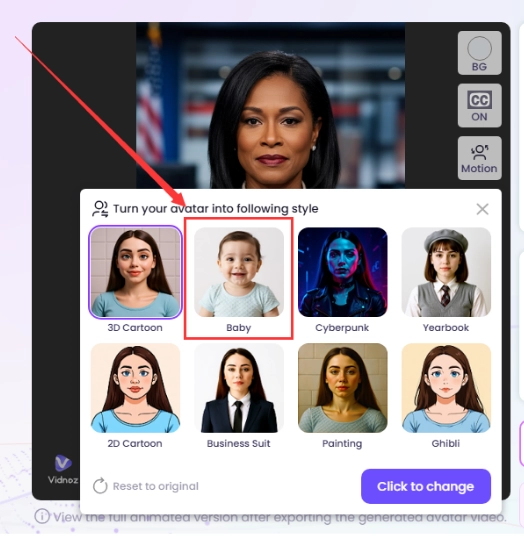
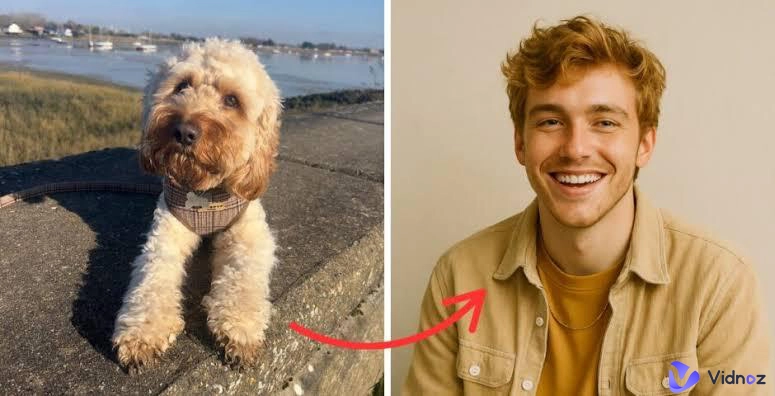
If you don’t have your desired baby photo, click Vidnoz’s Baby Style to turn your photo into a baby.
Step 4: Customize Animation, Text, Voice, and Effects
After uploading the picture, you can edit the animation so that the video is unique. Vidnoz AI provides text overlay, speech-over features, and background effect add-ons. As an example, you can make the baby speak with a prerecorded selection of phrases, sing a short pennyworth of a song, or react to silly notes.
By doing this, you will be able to fully control how the baby AI video generator free tool will bring the image close to life. Individualization is not a difficult procedure: creating a voice effect, modifying the accuracy of the lip-synching, baby dancing gifs, and acquiring a package of subtitles in order to fit. All these characteristics make the final video entertaining, creative, and social media ready.
Step 5: Generate, Preview, Download, and Share Your AI Baby Video
Once customization is finalized, the last action in how to make AI baby videos is to hit the "Generate" button. The photo and animation are processed by Vidnoz and a realistic video is created by it. You have an option to download the video in HD and share it on TikTok, Instagram or YouTube immediately after it is previewed.
Bonus: Other AI Baby Video Generators That Also Worth Trying (Free & Paid)
Although Vidnoz AI is the most popular choice, you can find other interesting free and paid baby AI video generator free tools:
1. Pollo AI: Create Viral Baby Podcasts in Minutes
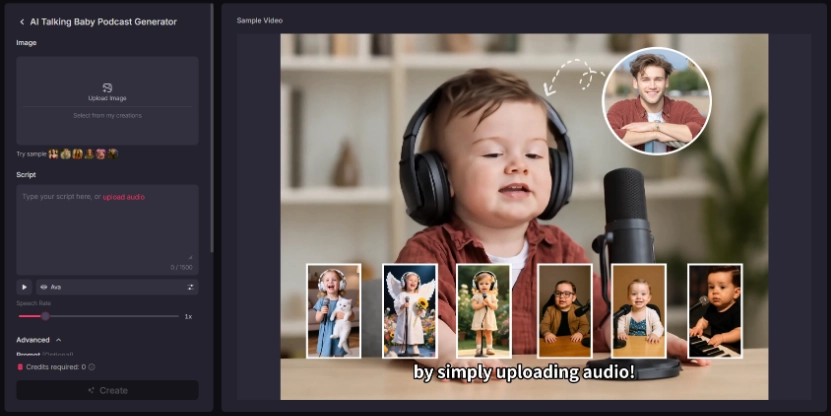
Pollo AI is an all-in-one baby AI video generator that can convert baby photos to podcast-like videos. Its most significant advantage is that it has several pre-configured voices, enabling anyone to produce humorous scripted baby speech.
Pros
Quick setup.
Multiple AI baby voices.
Cons
The free plan adds watermarks.
Premium is required for longer clips.
Pricing: Free trial, paid plans available.
2. Revid AI: Animate Baby Faces with Lifelike Expressions
Revid AI brings baby photos to life with natural movements, blinks, smiles, coos, and subtle head turns. Upload an image or input the script, pick an expression and timing, and export short, shareable clips perfect for storytelling, social posts, or family keepsakes, quick, simple, and charming.
Vidnoz AI - Create Free Engaging AI Video with Talking Avatar
Easily create professional AI videos with realistic avatars.
Text-to-speech lip sync voices of different languages.
2800+ video templates for multiple scenarios.
Pros
High baby voice realism.
Natural baby facial animation.
Cons
Limited free exports.
Pricing: Free demo, subscription required for full access.
3. Virbo AI: Realistic Talking Baby Podcasts with AI Voice
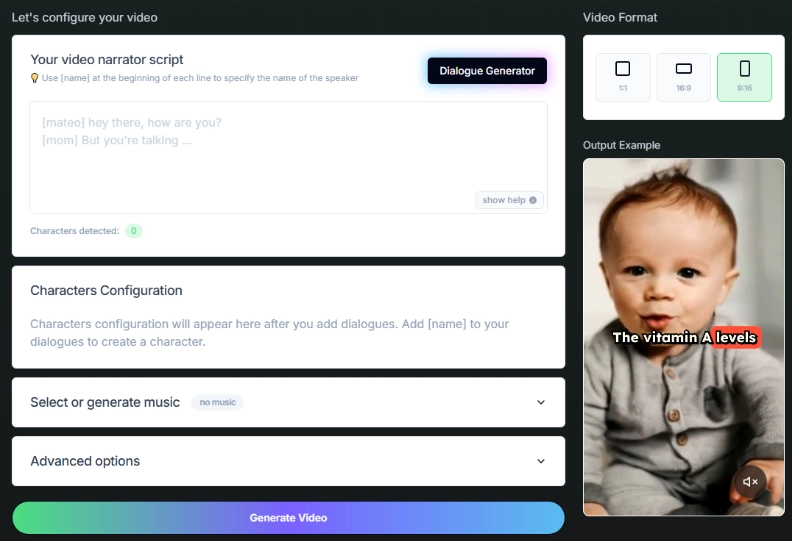
Virbo AI creates believable, talking baby podcasts and short skits, no infant recordings are needed. Choose a mood (giggly, sleepy, curious), paste your script, and Virbo adjusts pitch, pacing, and intonation to sound natural and clear. Export-ready clips make it easy to drop into episodes, ads, or storytelling projects—fast, safe, and delightfully convincing.
Pros
Excellent AI baby voices.
Support multiple languages.
Cons
The best features are locked behind paid plans.
Pricing: Free trial, premium upgrades available.
FAQs About How to Make AI Baby Videos
Q: Is it safe to use an AI baby generator?
Yes, the majority of them are safe, however, it is not recommended to upload confidential personal information.
Q: Is it illegal to make an AI generator?
No, it is permissible to make AI baby content provided that the content is not used in a harmful or deceptive context.
Q: How accurate are AI baby pics?
They are more fun than truthful. AI is able to generate true-to-life images, yet images do not necessarily mean they will be the same in real life.
Conclusion
Learning how to make AI baby videos doesn't have to be complicated. With this step-by-step guidance, everyone can turn photos into fun and shareable AI baby clips in minutes. Platforms with features like Talking Photo from Vidnoz AI, Pollo, Revid or Virbo offer additional innovative alternatives.
For those dipping their feet into the world of artificial intelligence, a baby AI video generator free is a great place to begin with few risks involved. With a few clicks, they can produce videos that make people laugh, be curious, and get them talking on social media.
Tim is an SEO content writer and an IT researcher with over 10 years of professional experience. Specialized in software reviewing and IT content writing, he has helped tens of thousand readers solve tech-related problems.