Music beats are the heartbeat of every song or music video. They establish the rhythm, mood, and energy, which makes music more enjoyable and memorable. For beginners, how to create music beats can feel complicated, but with the right tools and guidance, anyone can learn the basics quickly.
In this article, we will be explaining what music beats are, learn how to make music beats and introducing the top 5 beat makers professional software and AI packages so that you can make music beats simply on your computer or online.
- On This Page
-
What are Music Beats?
-
What Genres of Music Beats are There?
-
How to Create Music Beats with Professional Beat Makers
1. Splice Beat Maker - Build on Beats from Samples & Loops
2. Soundtrap Music Maker - Create & Record, All in One Place
-
Best AI Beat Makers to Create Music Beats Free & Fast
1. Soundverse AI Beat Maker - Create Unique Beats Instantly
2. Vidnoz AI Music Generator - Make Beats Free Online No Sign Up
3. Soundraw Music Generator - Royalty Free Beats from Prompts
-
Tips on How to Create Music Beats on Your Own
Create Your Own Music Beats on PC in 7 Steps
-
Sparkle on Your MV Channel with AI Music Video Generator
What are Music Beats?
Music beats are the recurring rhythmic pattern in a song. Drums, bass, and other percussion instruments normally follow them to establish the time and beat of a song. Beats give music structure and enable the listeners to keep pace.
What Genres of Music Beats are There?
There are plenty of music beats with all of them differing in feel and sound from the rest. Some of the most common genres along with sample audio that you can listen to are as follows:
Hip-hop: Known for heavy drums and rhythmic bass lines.
Sample: Old School Hip-Hop Beat
Pop: Catchy and upbeat with simple rhythms.
Sample: Pop Beat Example
Trap: Fast hi-hats and deep bass, popular in modern rap.
Sample: Trap Beat Example
Blues: Slow and smooth beats with a swing feel.
Sample: Blues Beat Example
Electronic: Synthetic and dance-oriented beats.
Sample: Electronic Beat Example
Others: Jazz, rock, reggae, and more.
How to Create Music Beats with Professional Beat Makers
Now that you understand the beat types, let's take a look at two of the most widely used beat makers that allow you to create, record, and edit beats easily.
1. Splice Beat Maker - Build on Beats from Samples & Loops
Splice Beat Maker is a simple yet feature-rich online beat-making music software with which you can produce beats from loops and samples of an extensive library. It has a drag-and-drop interface that enables you to mix different sounds and generate unique beats within minutes.
Reasons to Choose It:
- Large database of quality samples
- Simple drag-and-drop interface
- Can be used on any computer with a browser
- Free use with optional paid upgrades
Who Likes It Most: Beginners and producers looking for quick beat creation.
Pricing: Splice Beat Maker costs $0.99 for the first month, then renews at $19.99 per month afterward.
How to Create Music Beats with Splice Beat Maker:
Step 1. Visit the Splice Beat Maker website and register.
Step 2. Choose a genre or explore sample packs.
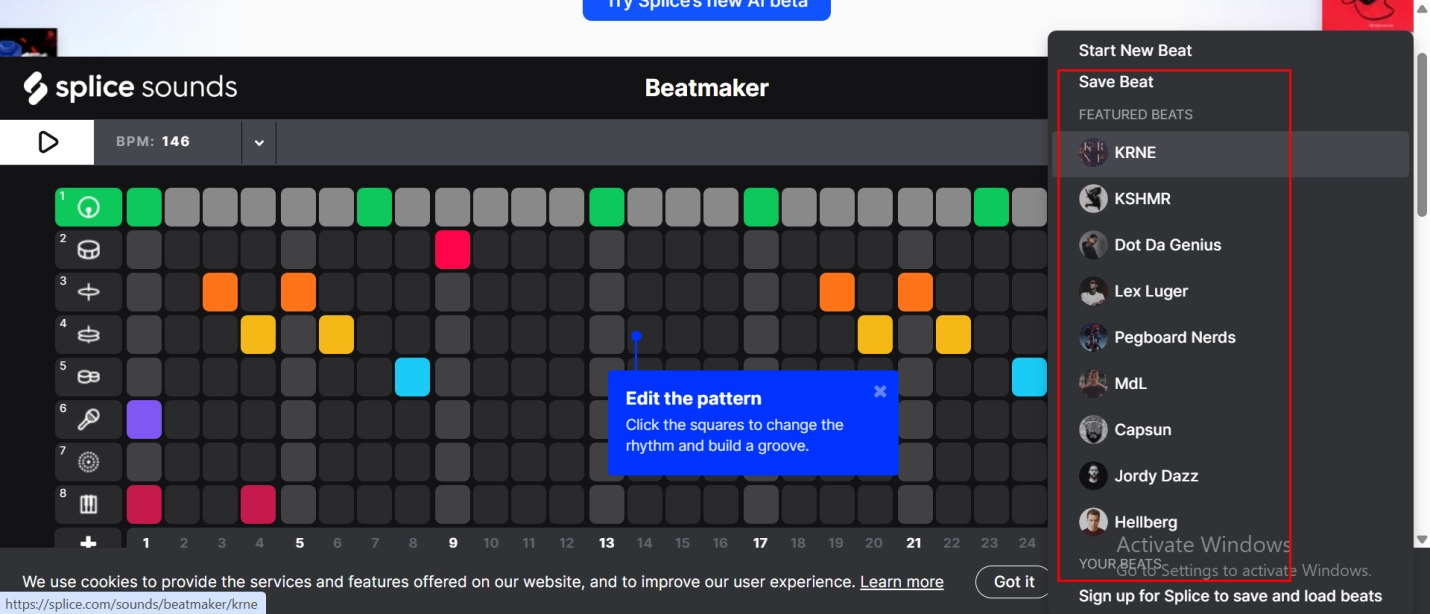
Step 3. Drag loops into timeline, arrange, and edit as needed.
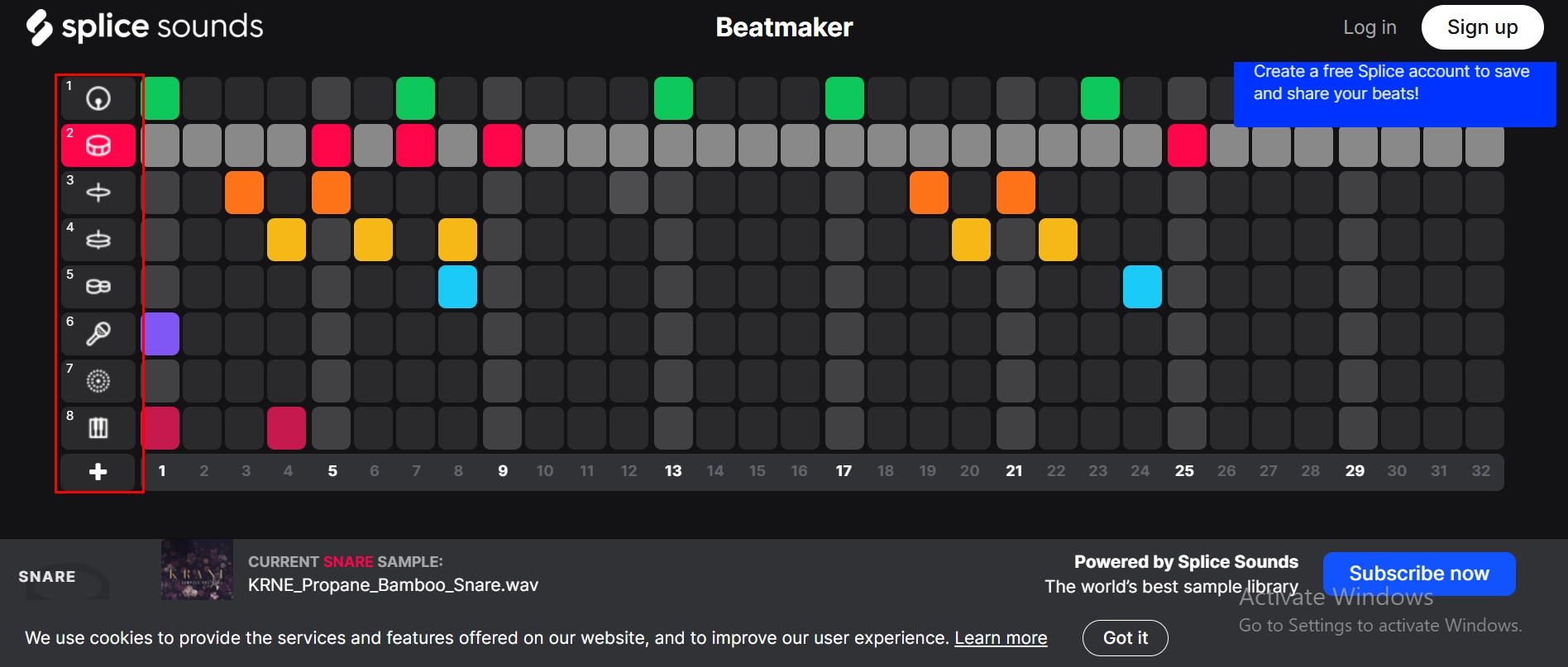
Popular Beat Samples: Electronic synth loops, pop percussion, and hip-hop drum kits.
2. Soundtrap Music Maker - Create & Record, All in One Place
Soundtrap is a powerful web-based Digital Audio Workstation (DAW) in which one can produce, record, and mix beats and entire tracks. It offers real-time collaboration features, making it easy for multiple users to work together online remotely from anywhere, perfect for beginners and professionals alike.
Reasons to Choose It:
- Easy to use with a user-friendly interface
- Supports multi-track recording
- Has built-in instruments and loops
- PC, Mac, and mobile compatible
Who Likes It Most: Musicians, podcasters, and bands who want to produce and record online.
Pricing:
- Sound Starter: $9.59 per month – Try 7 days free
- Music Production: $13.59 per month – Try 7 days free
- Vocals & Songwriting: $13.59 per month – Try 7 days free
- Production & Vocals: $15.59 per month – Try 7 days free
How to Make Music Beats with Soundtrap:
Step 1. Sign up at Soundtrap and start a new project.
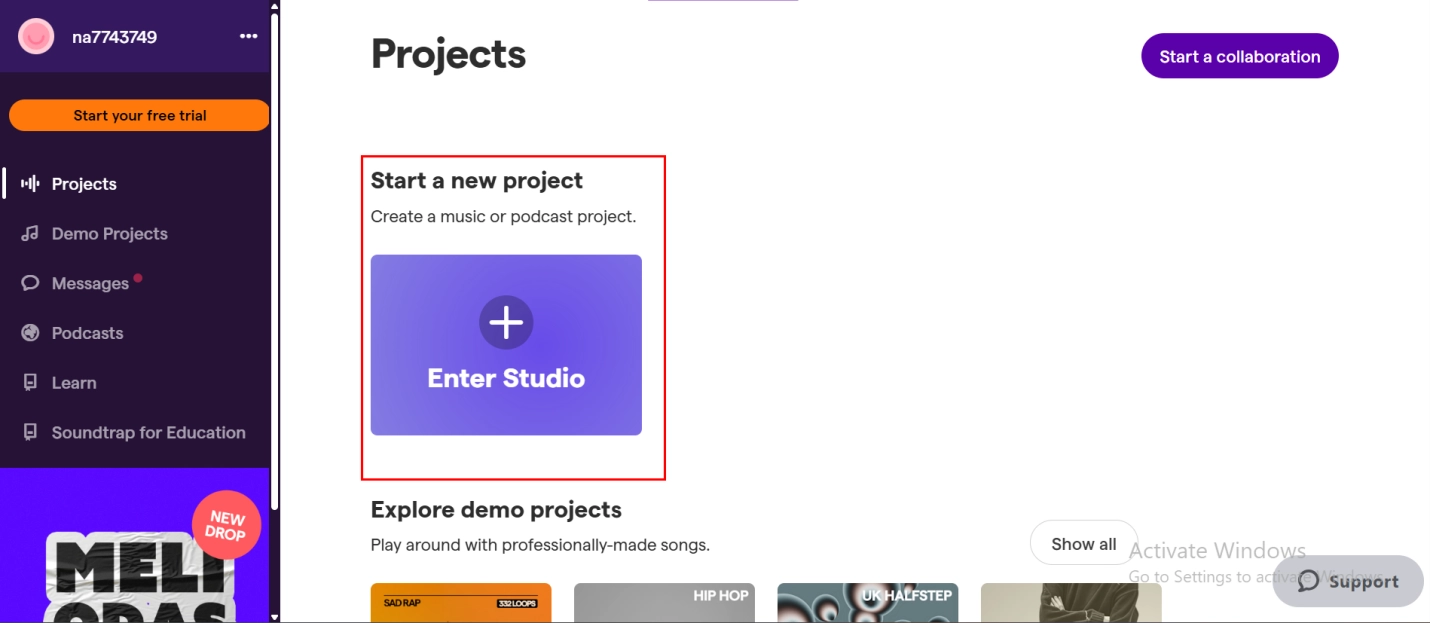
Step 2. Choose a drum kit or loop to start your beat.
Step 3. Add layers using vocals or instruments, then set your beat.
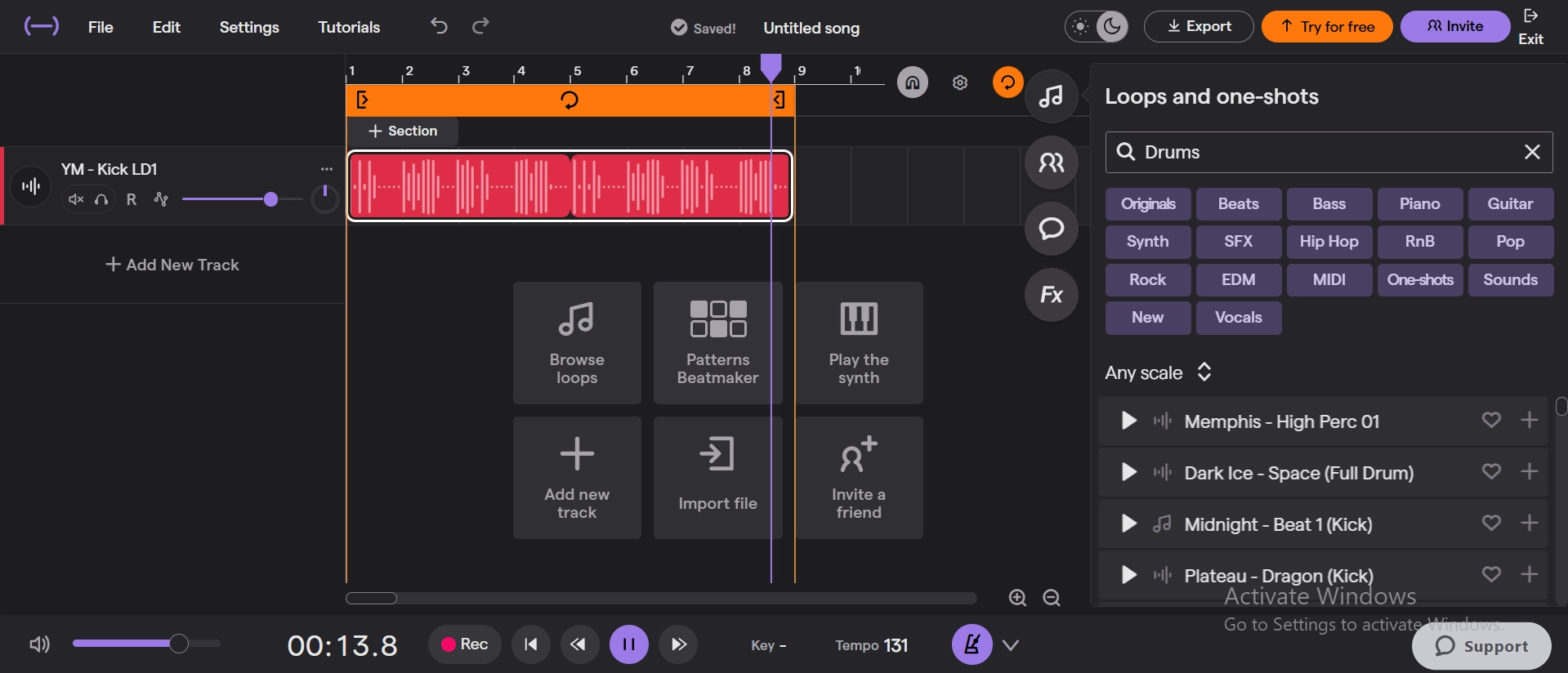
Popular Beat Samples: Pop beats, electronic beats, rock beats.
Best AI Beat Makers to Create Music Beats Free & Fast
AI has made it possible to create music beats free and fast online easier than ever. Here are three of the best AI beat makers to utilize.
1. Soundverse AI Beat Maker - Create Unique Beats Instantly
Soundverse AI Beat Maker leverages the power of cutting-edge artificial intelligence to produce unique, professional-quality beats in a matter of seconds. It is a time-saver for both novice and veteran producers in that it generates custom rhythms with snap instantly to suit your music genre.
Key Features:
- Customizes beats according to your requirements
- Multy-genre support like hip-hop, pop, electronic
- Exporting is easy on your projects
- No downloads, in-browser usage
Genres Supported: Hip-hop, pop, electronic, trap, and more.
Use Cases: Idea generation, practice music production, fast beat creation.
How to Make Music Beats with Soundverse:
Step 1. Go to Soundverse AI Beat Maker.
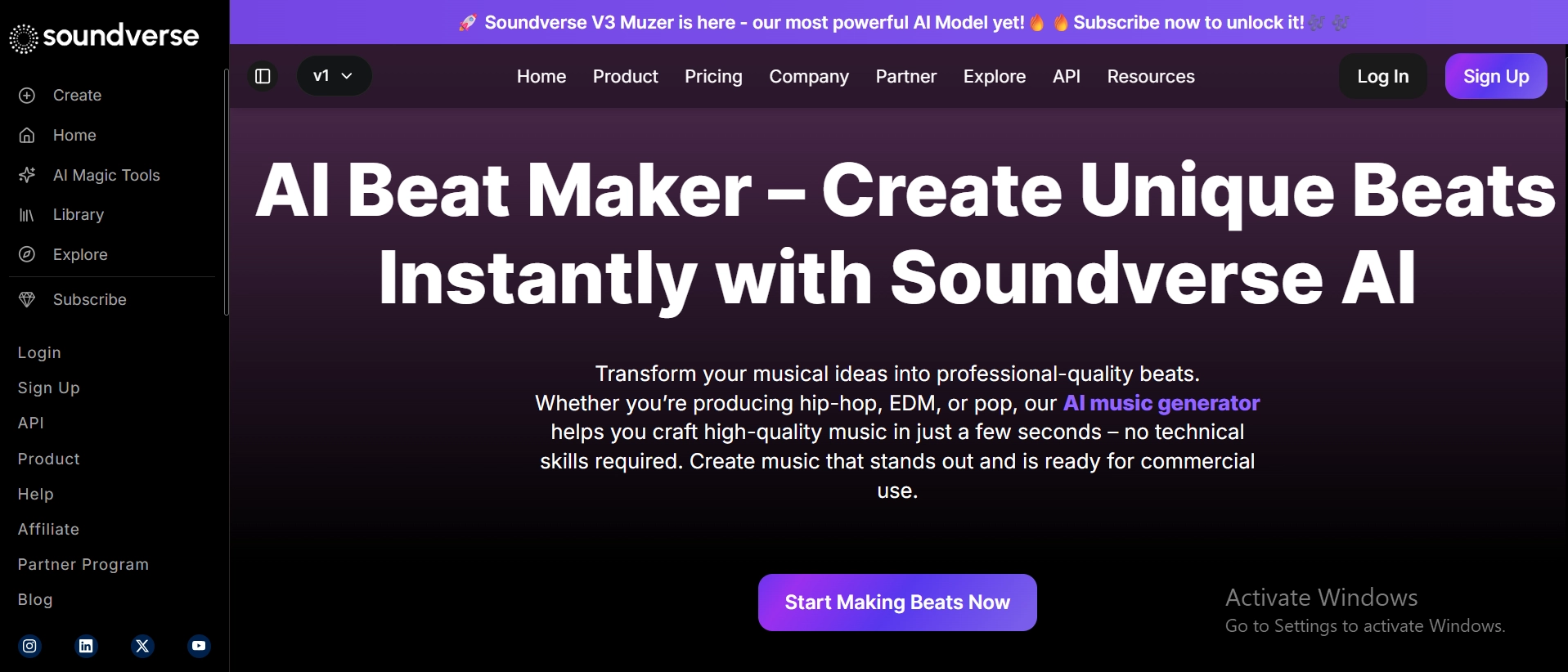
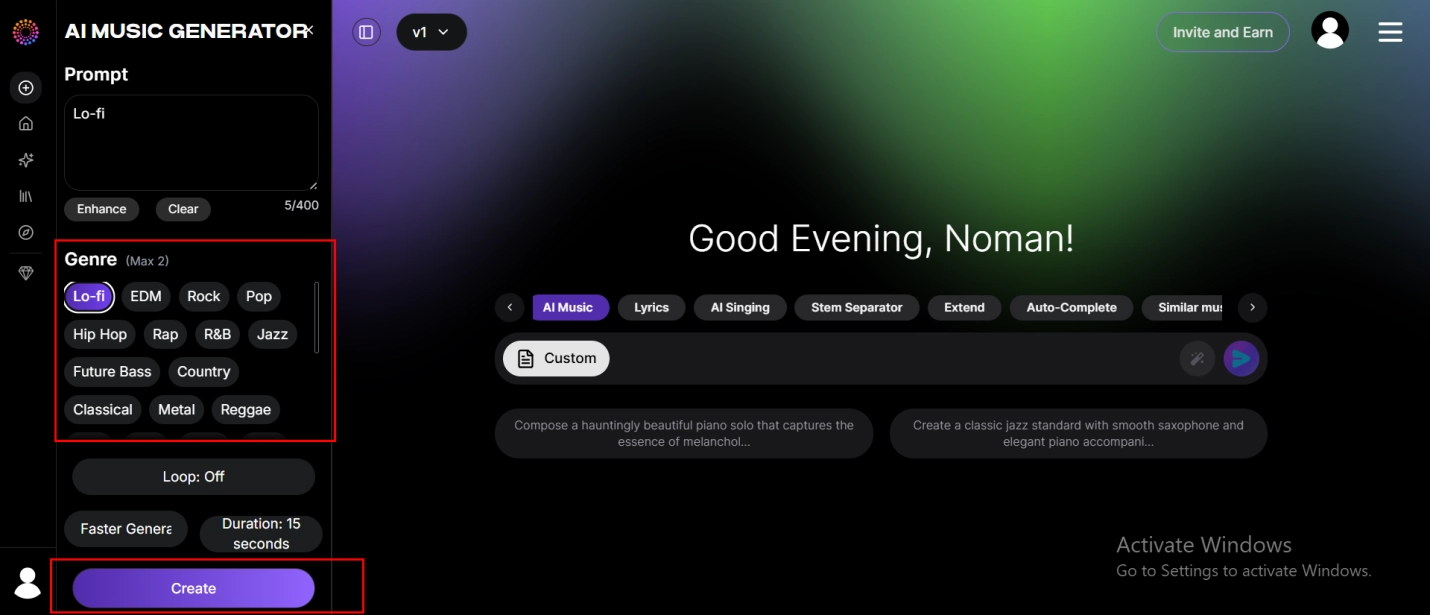
Step 2. Choose your genre and tempo option.
Step 3. Click "Create" to generate a new beat and then personalize.
2. Vidnoz AI Music Generator - Make Beats Free Online No Sign Up
Vidnoz AI Music Generator is a sign-up-free online AI music maker through which you can generate beats instantly. It has text-to-song functionality, enabling you to produce songs in different moods and styles for any music concept or creative project. Besides, Vidnoz offers AI celebrity voice generator to help you sound like anyone.
Key Features:
- Original, royalty-free beats by AI each time
- Preloaded with trendy styles and moods
- Has text to song to produce lyrics and beats
- Works entirely online without any installation
Genres Supported: Pop, hip-hop, electronic, chill, and more.
Use Cases: Background music, beat ideas, social media content.
How to Make Music Beats with Vidnoz:
Step 1. Visit Vidnoz AI Music Generator.

Step 2. Select your genre and mood or insert text into song.
Step 3. Generate beats and download or share.
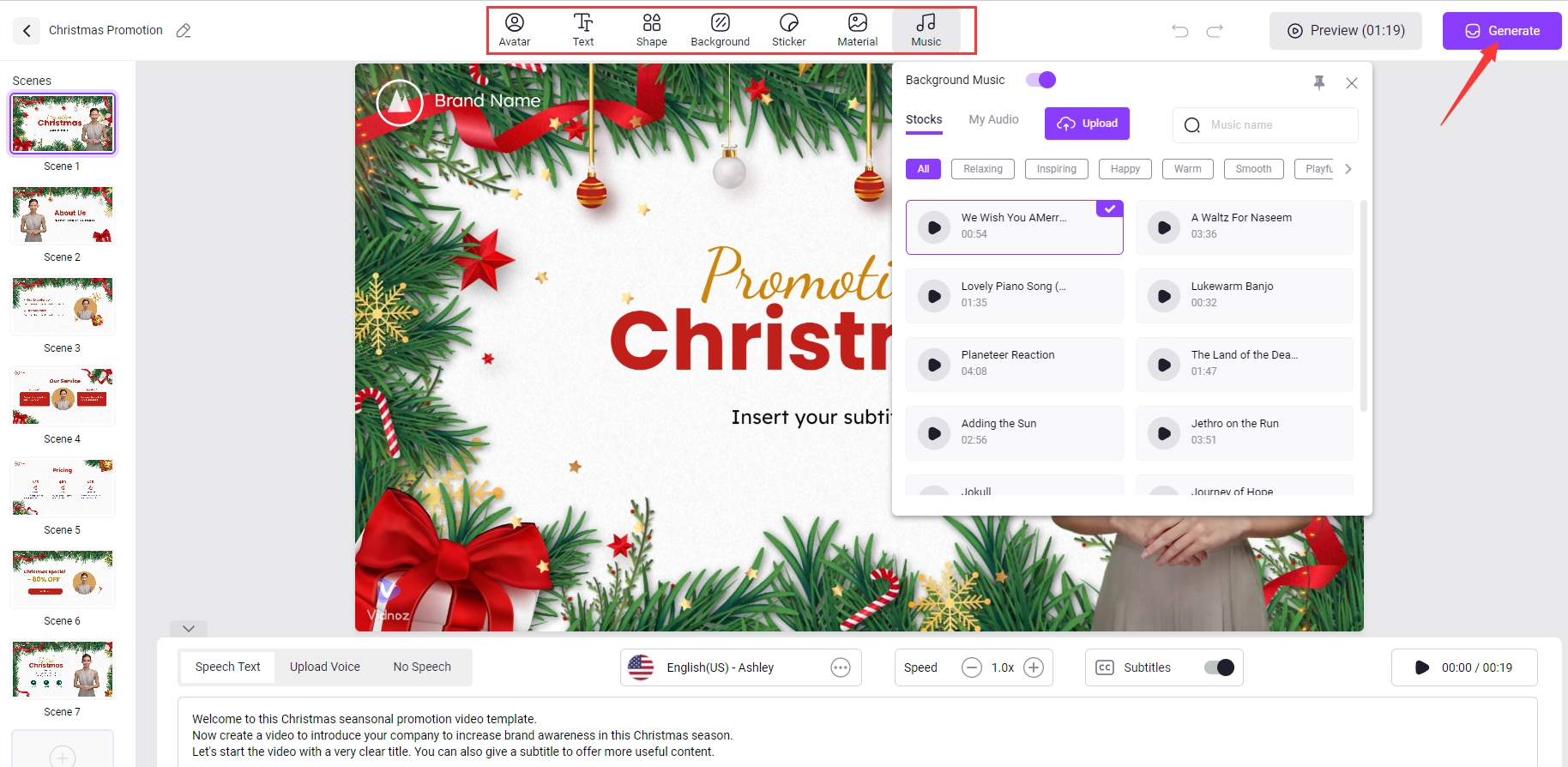
Expecting more features on Vidnoz? Exactly, Vidnoz brings you an app that make photo sing with AI for free. Just upload your photo to experience the magic!
Vidnoz Free AI Music Generator
Free to generate & download for commercial use!
- 100+ combinations of musical styles, moods and themes
- Turn your texts into songs and music videos
- AI to create an original song with your lyrics
Create Music with AI
3. Soundraw Music Generator - Royalty Free Beats from Prompts
Soundraw uses the latest AI tech to create royalty-free beats based on your text prompts. It's the perfect tool for content creators, video producers, and artists who need original, editable music in minutes without copyright issues.
Key Features:
- Create beats from your text prompts
- Has customizable song length and instruments
- Download royalty-free music for projects
- Easy-to-use interface for instant music generation
Genres Supported: Pop, rock, hip-hop, electronic, jazz.
Use Cases: Video soundtracks, podcast music, background tracks.
How to Make Music Beats with Soundraw:
Step 1. Open Soundraw Music Generator.
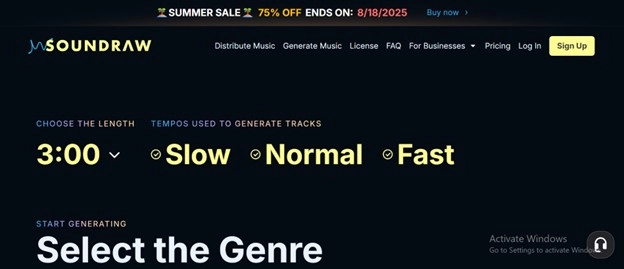
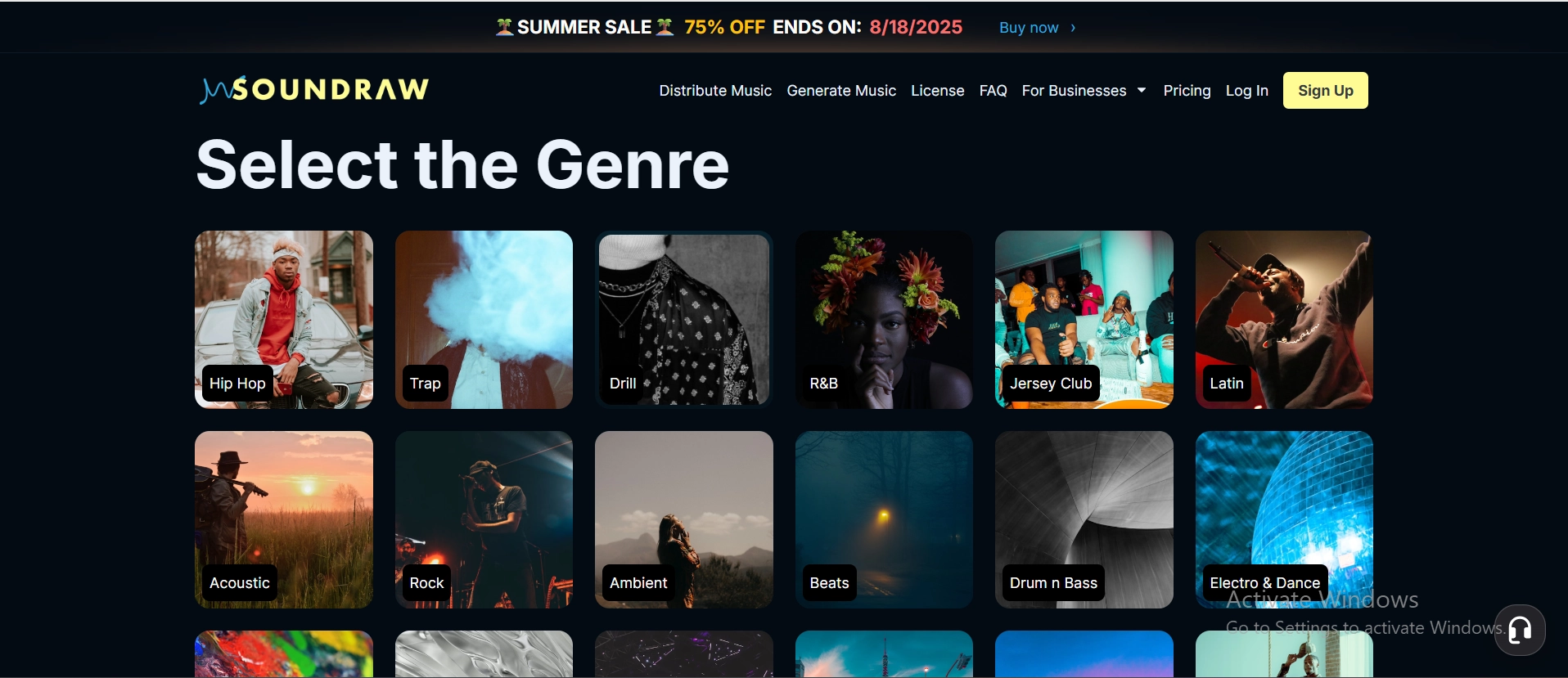
Step 2. Type in your request or select a style.
Step 3. Customize and download your beat.
Tips on How to Create Music Beats on Your Own
Prior to making a start, it is necessary to have the right tools ready and to know the basic steps to make music beats.
Preparations You Need to Create Music Beats
- A Suitable Computer: A desktop or laptop computer with the ability to host music software.
- DAW (Digital Audio Workstation): A computer program such as FL Studio, Ableton, or GarageBand to produce beats.
- A MIDI Controller: Allows you to play beats and instruments physically.
- Samples & Instrumental Plugins: Virtual instruments and sounds to utilize in your tracks.
- Audio Interface & Headphone: For good sound input and output.
Create Your Own Music Beats on PC in 7 Steps
Step 1. Select the mood and genre you'd want for your beat, i.e., hip-hop, house, trap, or blues, to define the direction of your music.
Step 2. Start with creating a solid bass rhythm that will be the foundation and groove of your beat and give it movement and depth.
Step 3. Add fundamental drum elements like kicks, snares, and hi-hats to add rhythm and energy, to move your beat forward.
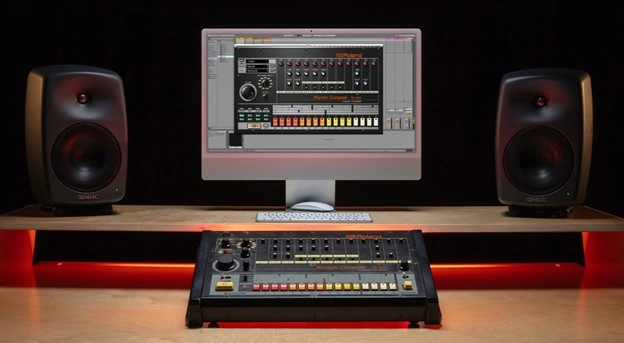
Step 4. Layer melodic elements like synths, piano, or vocal samples to add texture, and to make your beat more interesting and fuller.
Step 5. Use effects, extra percussion, or small sounds to fill in gaps, add variety and keep the listener engaged throughout the track.
Step 6. Organize your track into sections like intro, chorus, verse, and outro to provide your beat with a defined structure.
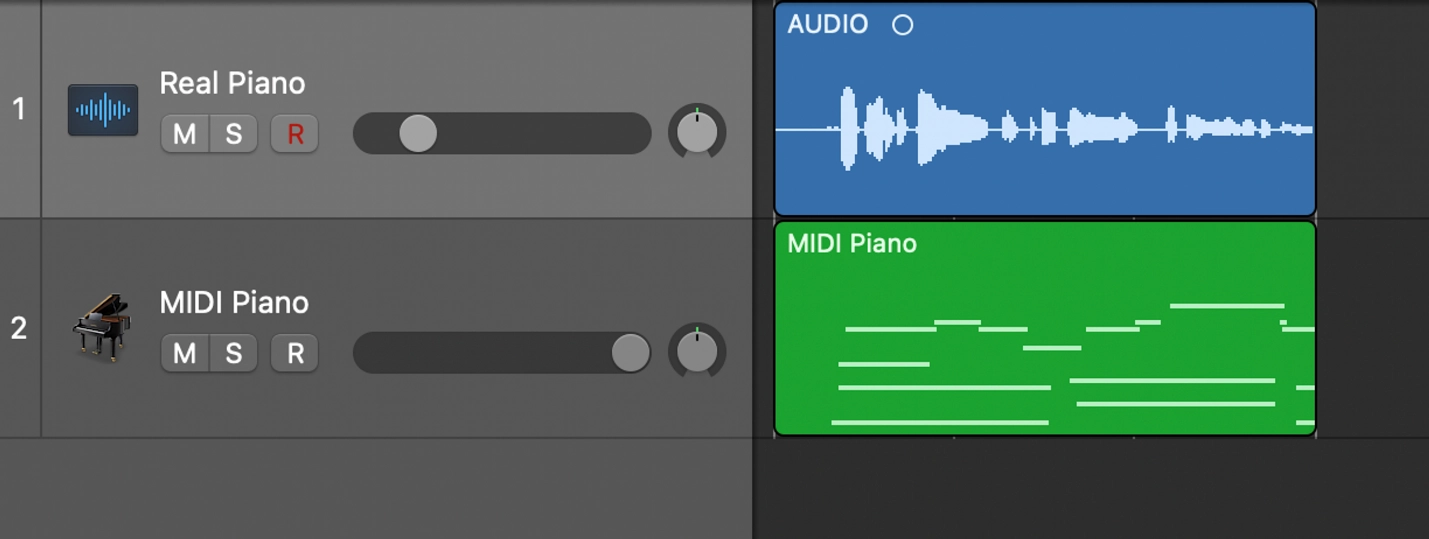
Step 7. Balance the volume of each component, then refine your sound with mixing and mastering for a commercial output.
Want to make AI rapper music instantly? Go to AI rapper voice generator and make it possible in seconds.
Clone Anyone’s Voice with AI - Free
Make realistic voices of famous people and characters.
Clone anyone's voice to create personalized voiceovers.
Support 2000+ languages and accents.
Change Voice Now
Sparkle on Your MV Channel with AI Music Video Generator
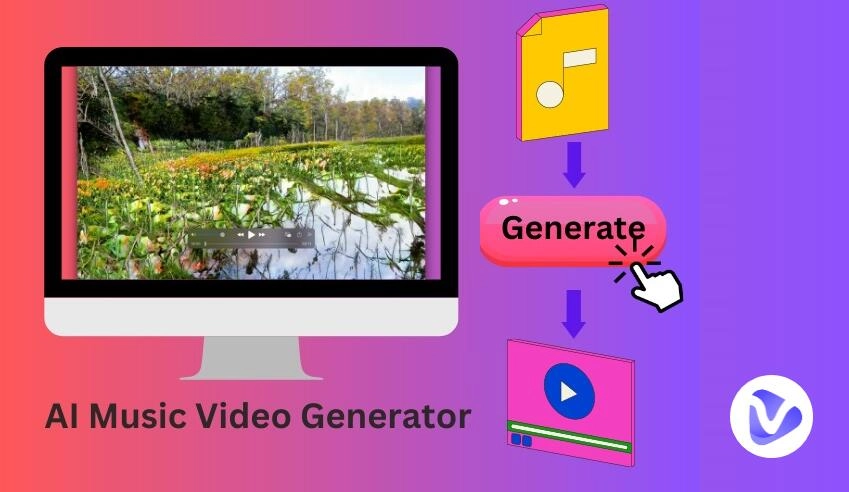
After creating your music beats, bringing them to life in a music video can put your work at an advantage. Vidnoz AI Music Video Generator allows you to create HD-quality music videos for free in seconds, hassle-free.
Powered by AI, it provides you with editable digital singers that sing your song perfectly along with a wide range of music styles and video templates. The free AI video generator helps you easily create professional music videos for beginners or professionals without needing any special editing skills.
Key Highlights:
- 100% free AI video creator that enables you to make music videos for free and without a watermark.
- AI digital singer tailored to the singing style and mood of your song.
- Offers many music styles and video templates for different music genres and creative needs.
- Synchronizes your video visuals with the music track automatically.
- Easy-to-use interface for everyone, no video editing experience needed.
How to Create a Music Video with Vidnoz AI:
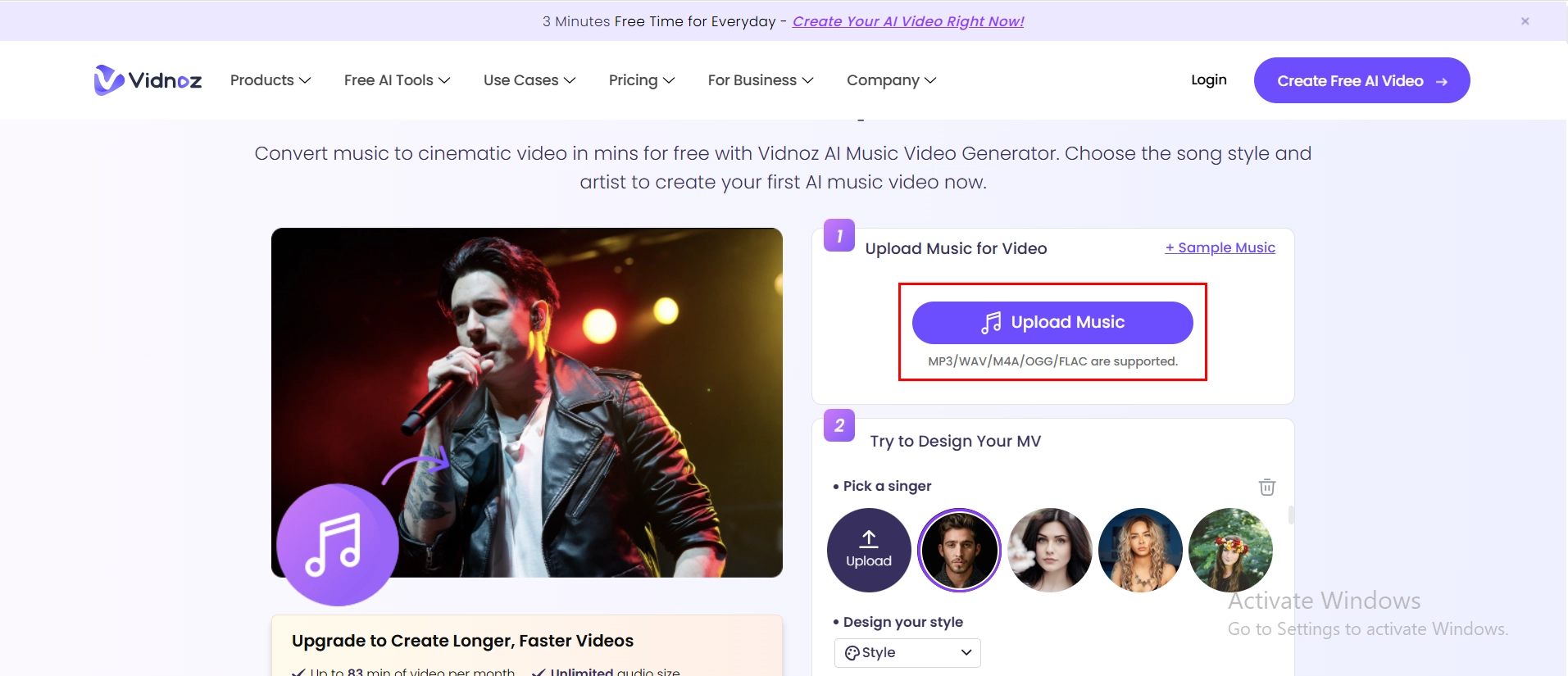
Step 1. Go to Vidnoz AI Music Video Generator, upload your own song file in MP3, WAV, M4A, OGG, or FLAC format or select from sample songs to get started right away.
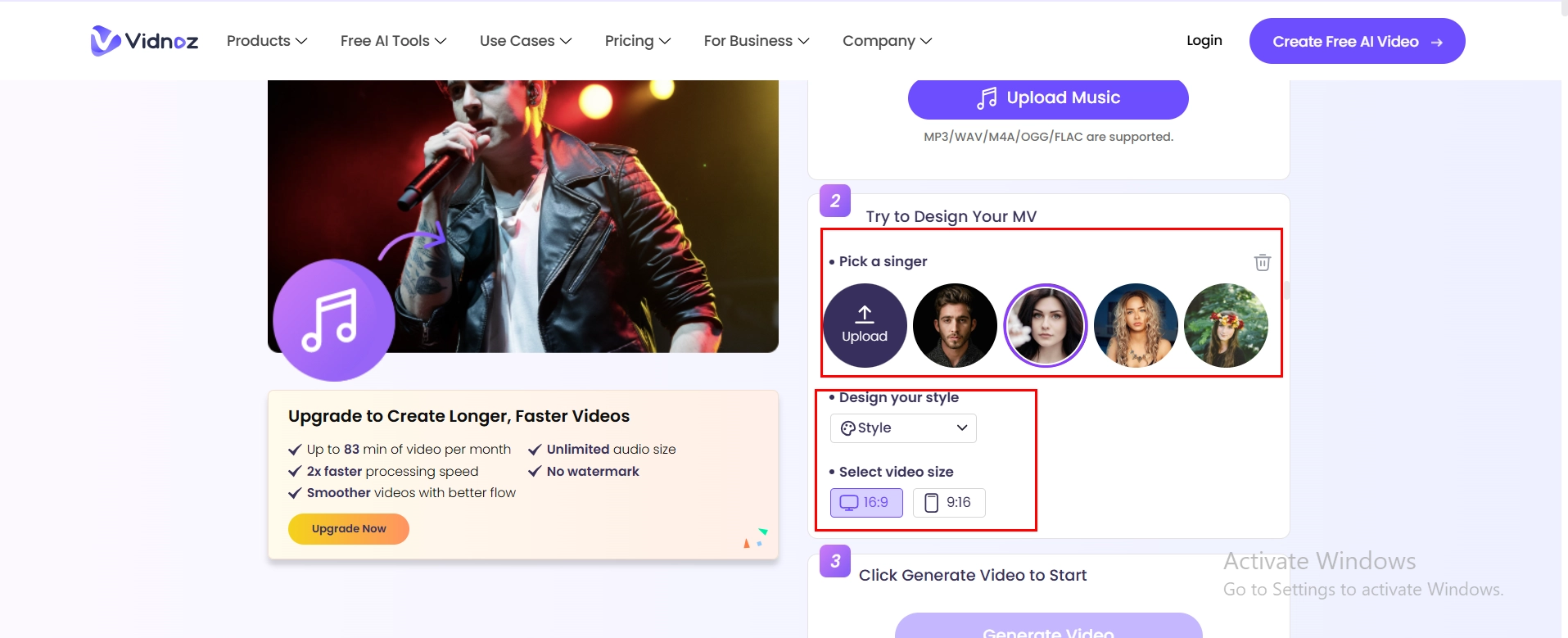
Step 2. Select a suitable AI digital singer for the mood of your song and then customize the video style and select the video size, either 16:9 or 9:16.
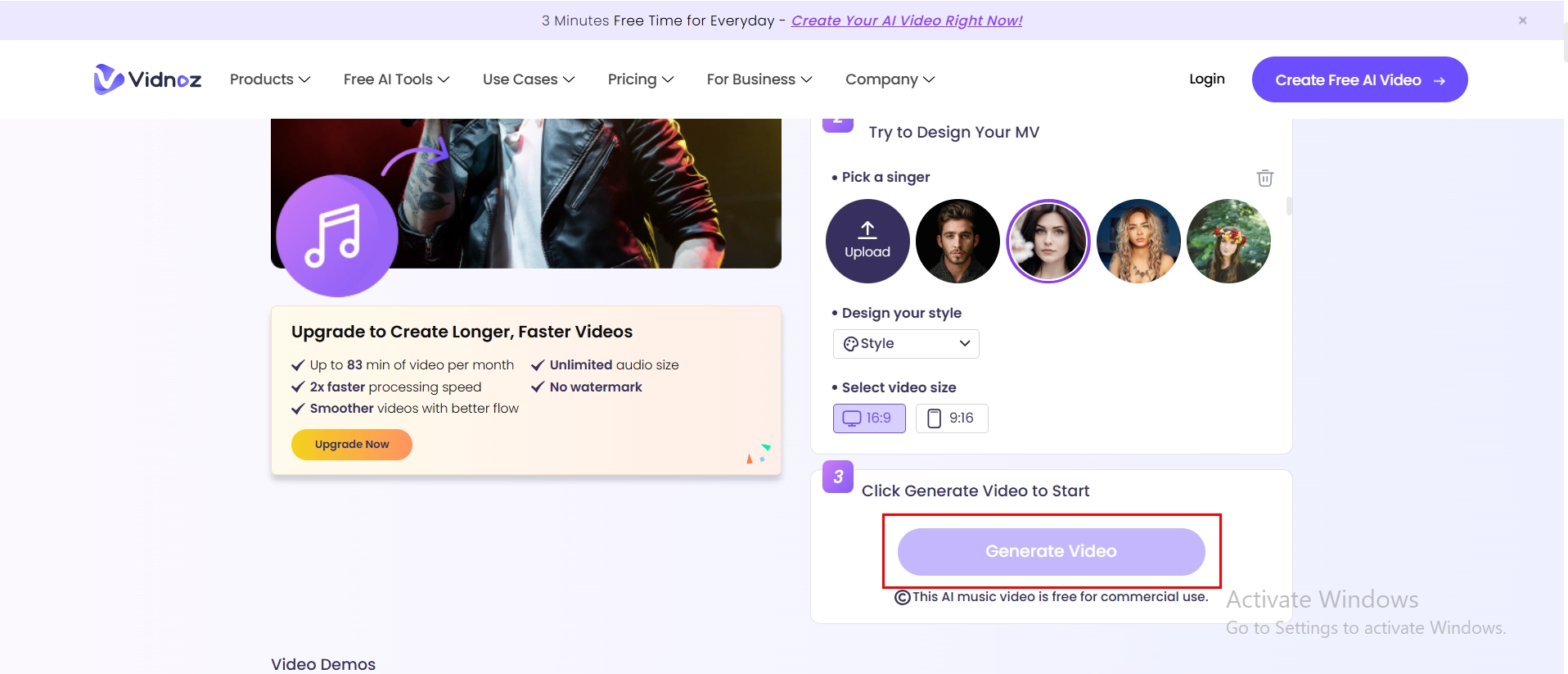
Step 3. Click the "Generate Video" button and produce your HD music video with perfect audio-visual sync in seconds.
The Bottom Line
Learning how to create music beats has become much easier with the help of professional beat makers like Splice and Soundtrap, which offer powerful tools for both beginners and experienced producers. Do not miss trying out the Vidnoz AI Music Video Generator that can turn your beats into full music videos with AI rapper voice generator and AI lip sync. Sign up for free now and begin creating your own music in no time!
Vidnoz Free AI Music Generator
Free to generate & download for commercial use!
- 100+ combinations of musical styles, moods and themes
- Turn your texts into songs and music videos
- AI to create an original song with your lyrics
Create Music with AI






![[AI Mashup Maker] Use Mashup AI to Mashup Two Songs in 3 Steps](https://www.vidnoz.com/bimg/ai-mashup-maker.webp)

![[Full Guide] How to Make Text to Speech Moan Fast and Easily](https://www.vidnoz.com/bimg/how-to-make-text-to-speech-moan.png)