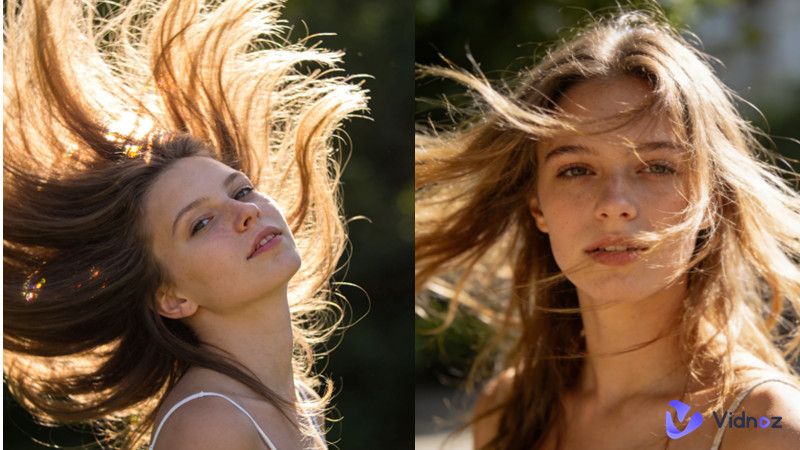
A hair flip is a quick, intentional movement that shifts or tosses the hair across the head, shoulders, or face to create a dramatic change in silhouette, framing, and motion. This moment attracts attention in static frames and videos. Also, it signals confidence and emotion.
There are many situations where you need to flip your hair, especially on some social media platforms. However, it can take a lot of your time to try different flip styles. That’s why you need some quick and simple hair flip tools.
In this guide, we will show you some effortless hair flipping generators that help you quickly produce a platform-specific hair flip.
- On This Page
-
What is a Hair Flip?
-
How to Make a Perfect AI Hair Flip
-
How to Make a Hair Flip with Social Media Filters
-
Traditional Hair Flip Techniques
What is a Hair Flip?
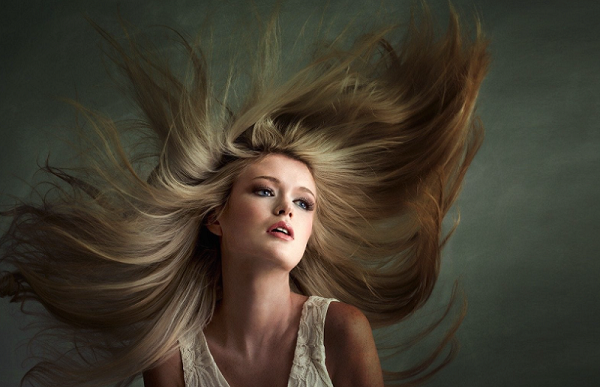
Simply put, a hair flip is a gesture where someone whips, tosses, or shakes their hair, often from one side to another or over their shoulder. It acts as a powerful nonverbal cue often used to signal confidence, playfulness, or to flirt and indicate attraction, while also serving practical purposes like managing hair.
How to Make a Perfect AI Hair Flip
There are many apps available for flipping your hair effortlessly. Some good options include Vidnoz, Hairstyle PRO, Hair AI, CapCut Desktop, and Dzine.ai. Many of these tools are available as high-performance web-based platforms or directly through the Microsoft Store for Windows. We will introduce them with their features.
1. Vidnoz Image to Video
Whether you know it or not, flawless hair flipping combines timing, motion, and subtlety, and few people can make all elements suitable. That’s why you need an AI generator - Vidnoz AI Image to Video to help.
Convert Image to Video AI Online - Free
- Create a video from an image quickly for free.
- Use various AI models to turn photos into videos.
- Download and share the AI-generated video at no cost.
Convert Image to Video
The free AI video generator features advanced AI animation creation that puts all those elements within reach, even if you’re working from a single photo or short clip. It specializes in realistic, hair-aware motion, and one of its standout capabilities is the “Tease” effect: a controlled, sensual lift and sweep that adds volume and anticipation without looking overdone.
Why You Should Choose Vidnoz:
- Hair-aware motion modeling: Vidnoz can analyze hairline, length, and layers to simulate believable movement that respects facial features and expression.
- Lighting consistency: The Vidnoz hair flip effect keeps highlights and shadows coherent across frames, so the flip reads naturally under existing light.
- Style preset: It allows you to choose from looks like tease(subtle volume + forward sweep), windblown, cinematic toss, and playful side-sweep.
- Adjustable intensity & timing: You can control how dramatic the flip is and how quickly it unfolds (slow sultry vs. snappy toss).
- Multiple output formats: It enables you to export short MP4s optimized for social platforms.
If you want to know how to create a perfect hair flick using Vidnoz Image to Video AI, here are the steps.
Step 1. Open the Vidnoz Image to Video AI tool.
Step 2. Go to Video Effects and select Hair Tease.
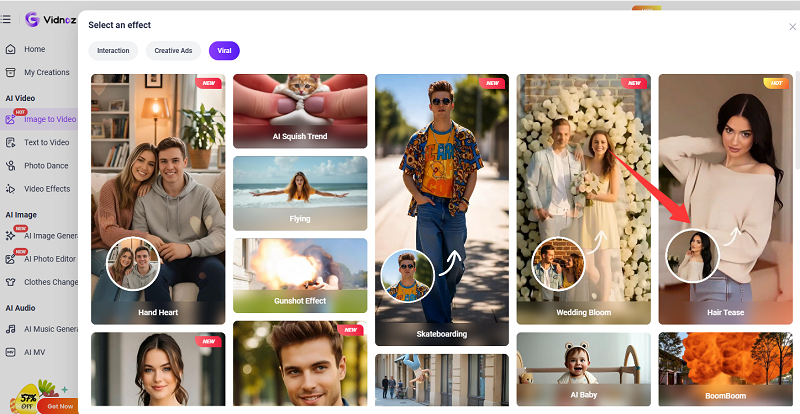
Step 3. Upload a front-facing portrait to serve as the base. Optionally, you can directly type a descriptive text prompt like "shoulder-length hair with flipped ends" or "60s style hair toss" to instruct the AI on the homepage.
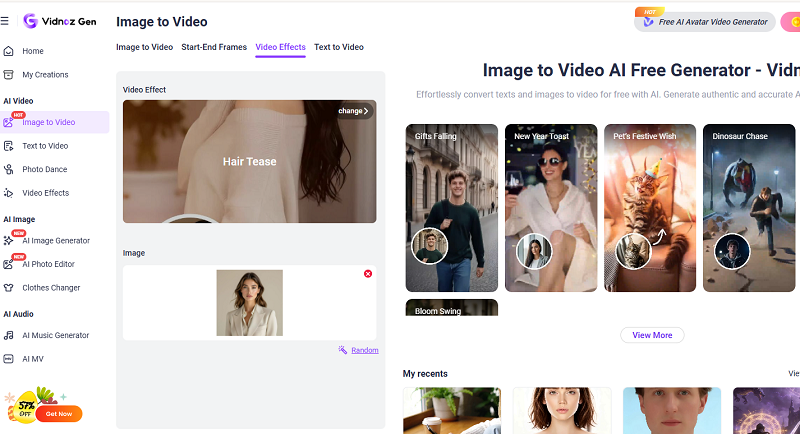
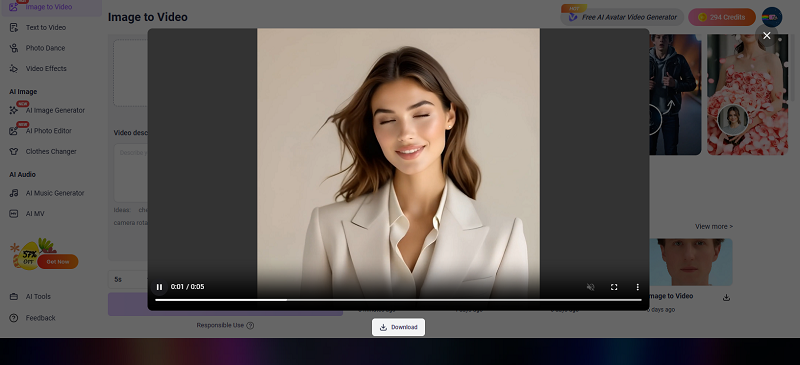
Step 4. Click “Generate” to see the result. Then, you’ll see a generated video in the right-hand panel. You can click the Play icon to preview it and then click the Download icon to save the hair flip animation on your computer.
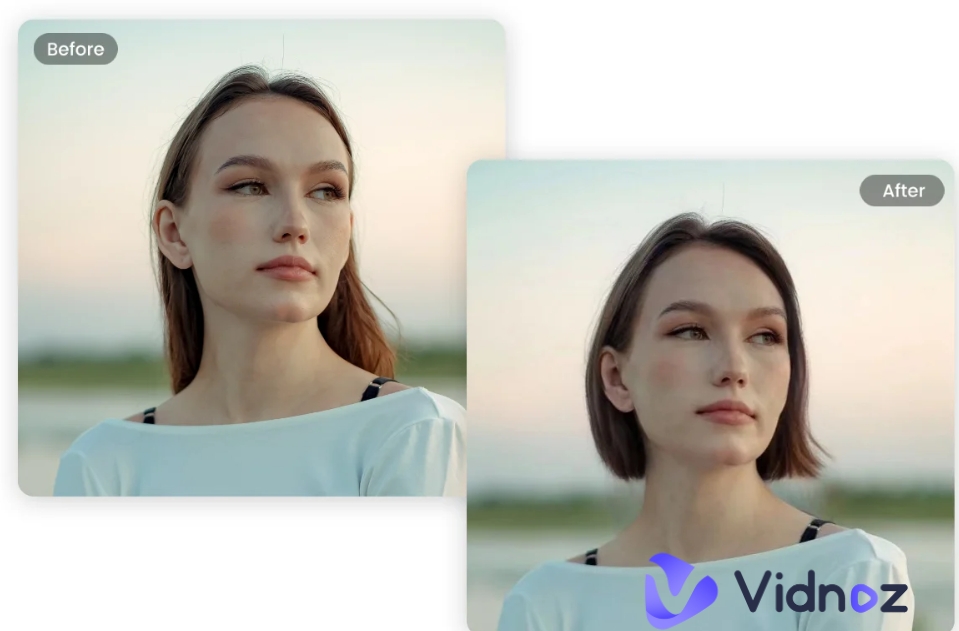
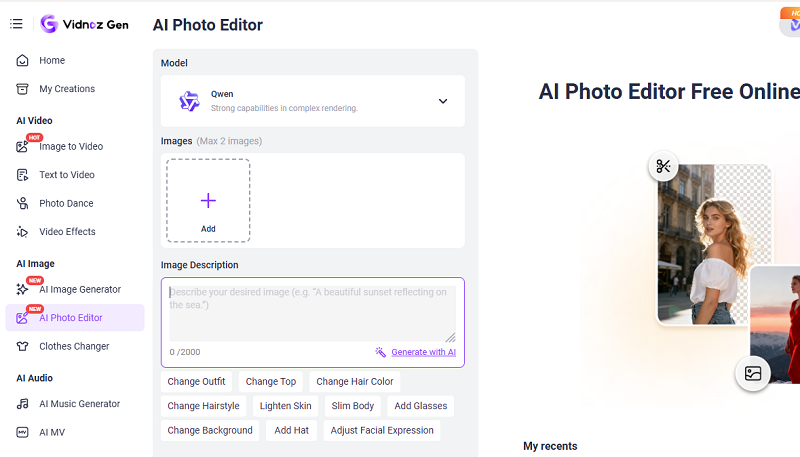
Pros Tips: Vidnoz offers a powerful web-based AI photo editor that lets users edit hair in photos without animation. You can also use it to alter hairstyles in photos for more voluminous and dynamic look. Simply upload a portrait photo and use text prompts to describe your desired hair transformation, such as changing length, color, or adding curls/layers.
2. Hairstyle PRO
This virtual makeover app, available on the Microsoft Store, helps users visualize new looks before visiting a stylist. Actually, it does not feature an automated “motion” flip, but it allows users to adjust manually and mirror styles to fit their face shape.
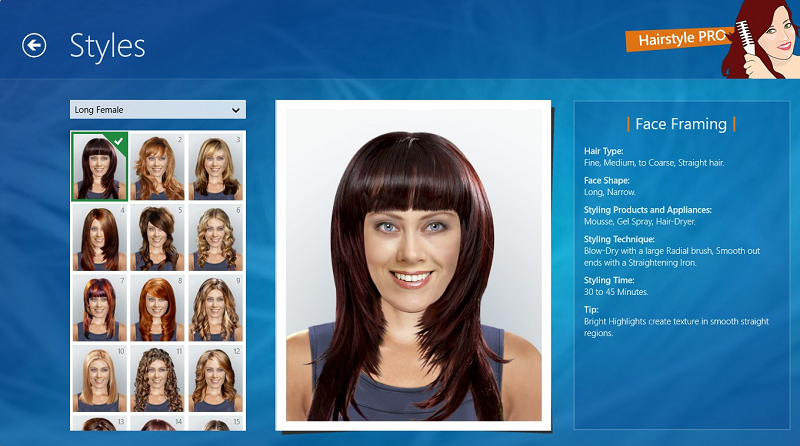
It includes some key features like:
- Flip, side-sweep, over-the-shoulder toss, and subtle tease.
- Adjust root lift, strand elasticity, drag, and gravity.
- Preserves or generates individual strands for natural texture.
- Hand-paint or refine auto-detected hair regions to avoid artifacts.
- Recalculates highlights and shadows on moved hair.
- Batch processing for applying presets consistently across multiple images.
3.CapCut Desktop
CapCut Desktop, as a general-purpose video editor with AI-enhanced effects, includes hair-motion tools suitable for creators who want to animate still portraits or enhance clips with dynamic flips. It integrates into full editorial timelines, making it useful for short-form video workflows.
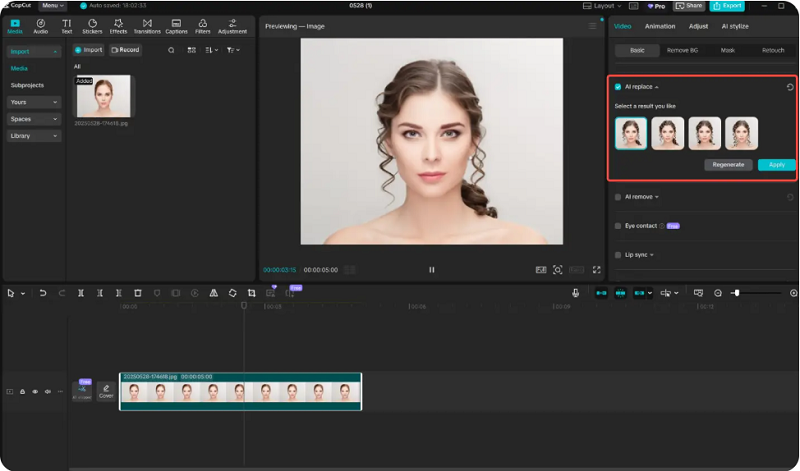
It has many other helpful features, as shown below.
- Presets for subtle flip, dramatic toss, and wind-sweep that can be added as clip effects.
- Full keyframing for timing, easing, and intensity across the timeline.
- Automatic hair/face tracking with manual mask refinement and trackable points.
- Blend modes, color grading, and light-matching to integrate animated hair with footage.
- Combine hair-motion with transitions, audio, and other effects.
- Community-created hair-motion presets and downloadable packs.
4. Dzine.ai
Dzine.ai positions itself as a creative AI suite for design and content generation. Its hair-flip features are integrated into an image and short-video editor that prioritizes stylized motion, and brand-consistent presets—good for marketers and small agencies needing fast, on-brand assets.
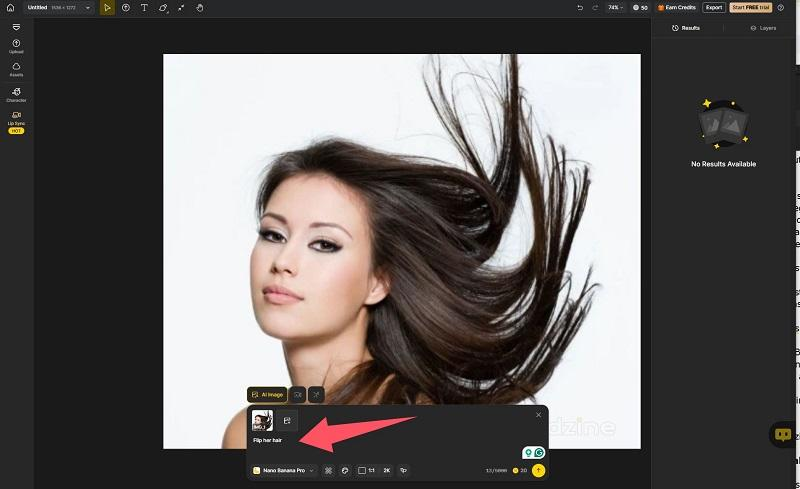
Additionally, it has many other features.
- Tease, glossy editorial flip, playful sweep, and branded motion templates.
- Save and apply brand-specific flip styles across campaigns.
- Produces short sequences with consistent lighting and color grading applied.
- AI detects hair region and suggests cleanup passes to reduce manual work.
- Create multiple flip versions for A/B testing.
- Shadow strength, strand detail, hair thickness, and motion curve editors.
How to Make a Hair Flip with Social Media Filters
Another method to make a hair flip hairstyle is to use AI filters and effects in some social media apps like CapCut (via TikTok), Instagram, and Snapchat. These apps use AI to analyze, re-style, or animate your hair in real-time or via post-processing to create dramatic, hair-flip effects, or even change your hair color and length.
Traditional Hair Flip Techniques
For some people who need some traditional hair flip techniques, some common methods include the two physical "hairgraphy" flips. Common methods include the 1960s-inspired rounded flip, the 90s-style curled-outward ends, and rapid, dramatic flips for dance or performance. More specifically, the key traditional & styling hair flip techniques include:
1. Apply styling mousse to damp hair. Use a round brush to roll the hair outwards at the ends, applying heat and then cooling it to lock in the flipped shape. You can refer to a hair flip video.
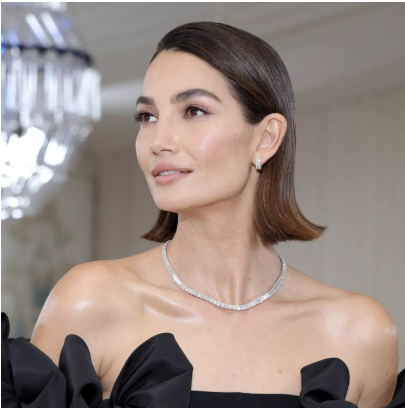
2. Take sections of hair, slide a straightening iron down, and turn it upward at the bottom to create a crisp flick. After styling the hair into a ponytail or partial updo, use a brush or comb to turn the ends upward, creating a sharp 60s effect. A hair flip tool is required.
3. Use a comb to turn a dramatic section of hair over to one side for a high-volume side part.
Conclusion
It is easy to make a perfect hair flip in videos and photos. You can either choose the traditional route or the AI-assisted approach. Each method contributes to a more striking result. For creators who don’t want to spend time making a perfect hair flip meme, it’s best to use Vidnoz Image to Video to achieve your goal without a problem.
Convert Image to Video AI Online - Free
- Create a video from an image quickly for free.
- Use various AI models to turn photos into videos.
- Download and share the AI-generated video at no cost.
Convert Image to Video