This is easy to depict in your mind, because it must have happened in your life once or more: when watching videos, the background music easily caught your ear, and immediately, you became eager to find out that song. Unluckily, it usually turns out to be nothing but the same comments asking what the music is.
Without a correct method, it will linger for days and months in your mind, but never lead you to a correct answer. Don’t be frustrated, you still have ways to find song from videos, either by playing or by uploading. Just stay tuned!
- On This Page
-
How to Find Song from Video?
Way 1. Use Shazam to Find Song by Videos While Playing
Way 2. Find a Song from a Video Using AHA Music Extension
Way 3. Find Song from Video with SONOTELLER - Song Finder by Video Link
Way 4. Reddit u/RecognizeSong Bot
-
What If the Noise & Human Voice Are Too Loud to Find Song from Video?
-
Beyond Being a Listener, Be a Creator
-
Other Workarounds to Find a Song from a Video
How to Find Song from Video?
The tools and methods to choose depend on what devices you are using and whether you have the video file with you. Just move ahead and check the 4 possible methods to find music from video with the mobile phone’s inbuilt feature, online tools, or a bot.
Way 1. Use Shazam to Find Song by Videos While Playing
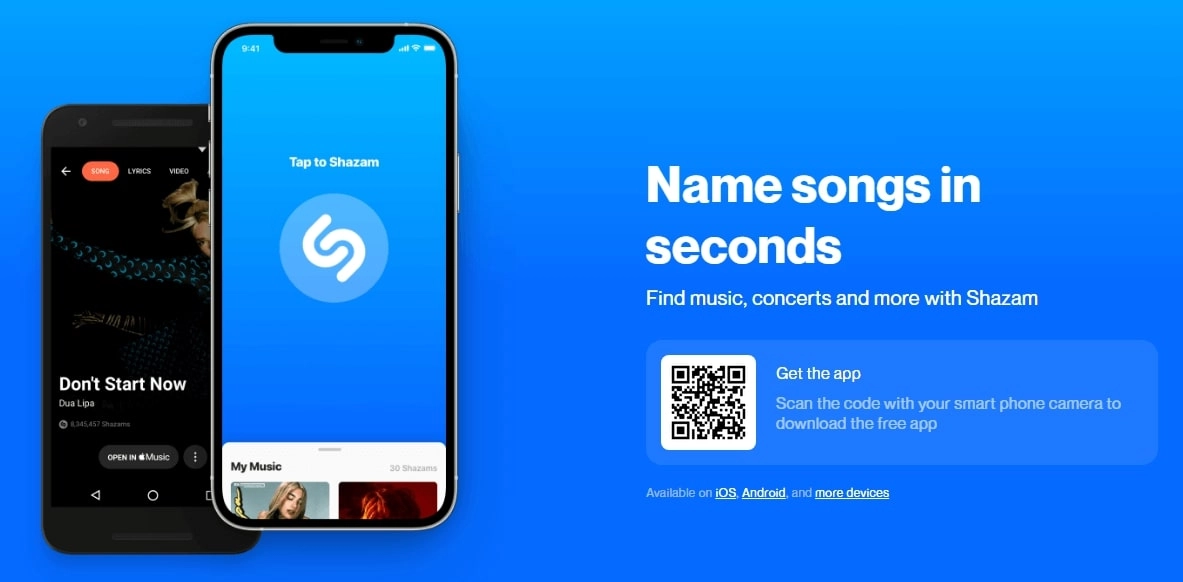
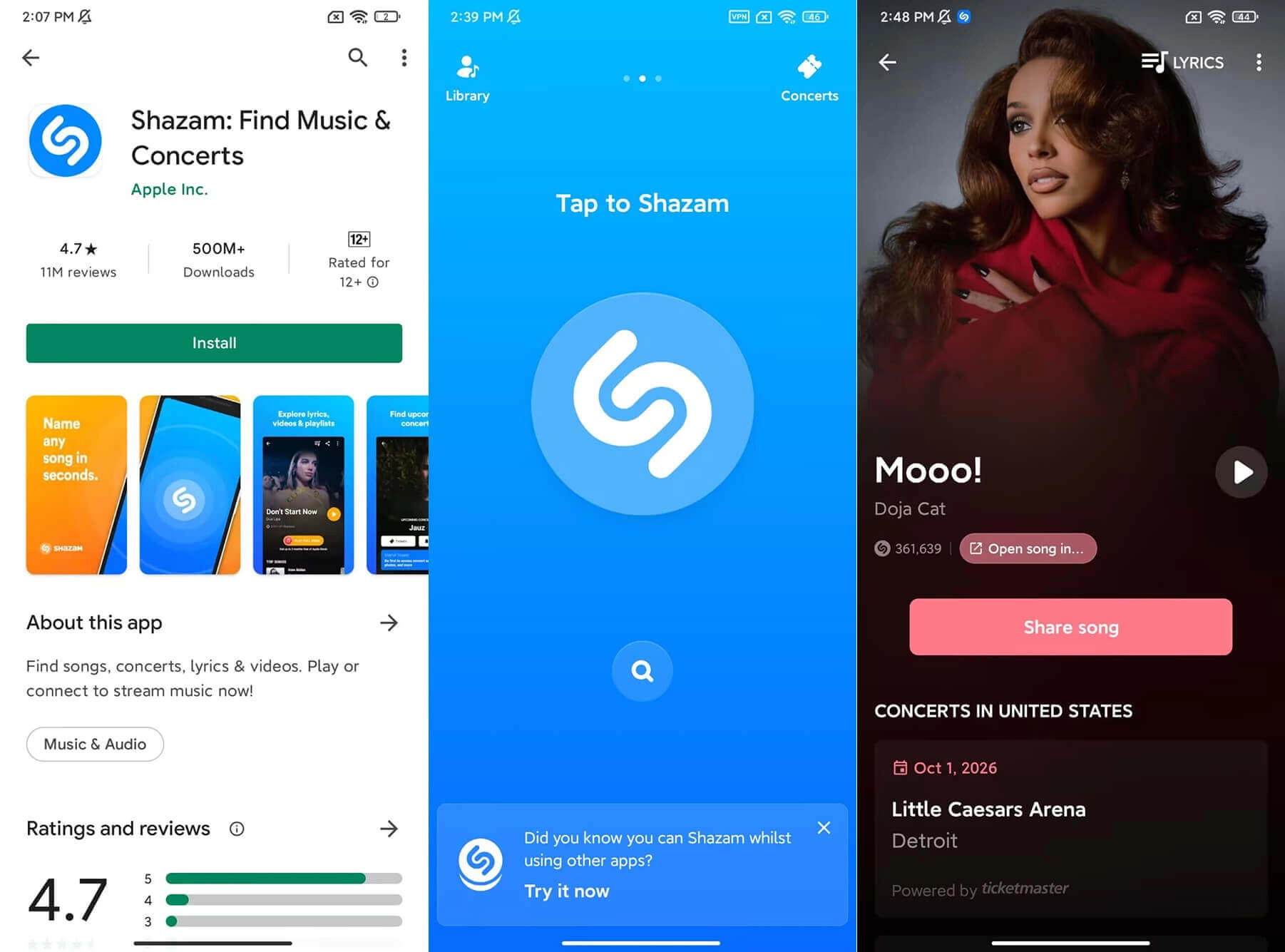
Shazam is a real-time music recognizer acquired by Apple. Similar to a lookalike finder, it compares the song played with the songs in its database to find the correct match. From iOS 14.2, it has become a built-in feature in the iOS control center. Plus, it is also available via Siri and even the Apple Watch to find a song from a video.
While for Android users, it is not that convenient. Shazam is not preinstalled or built-in on Android devices like it is on iOS. You need to download it from the Google Play Store to use it on Android phones and Android Wear.
Pros
- Identify music while playing it on your mobile device or recognize music from outside.
- Recognize songs in seconds.
- Convenient for iOS users.
- Provide an identification history feature.
- Free to use.
Cons
- Android users need to download the app to use it.
- Sometimes not accurate if the song has not been registered in its database, or there is too much background noise.
How to Find Music from Video on iOS with Shazam?
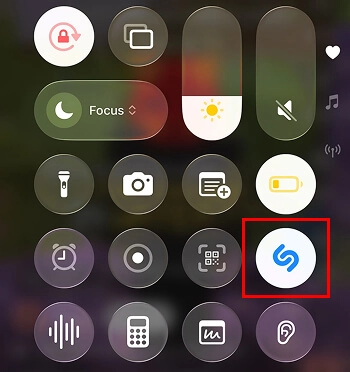
Step 1. While the music is playing, swipe down the control center > activate Shazam.
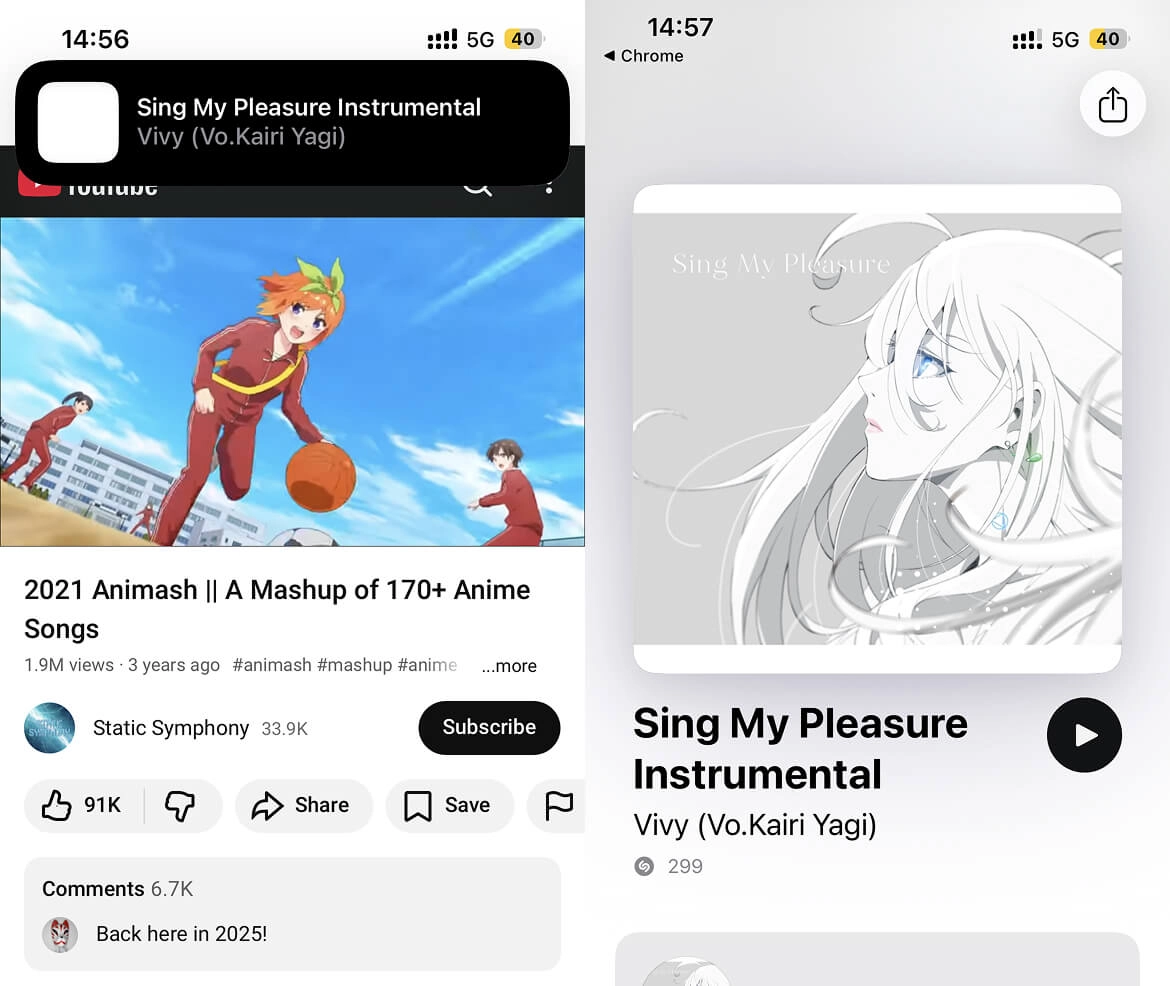
Step 2. It will identify the sound in the background. When it is found, the pop-up window shows the recognition result.
Step 3. Tap it to check the details, like album, genre, release time, etc.
How to Find a Song from a Video on Android with Shazam?
Step 1. For Android users, they need to download the Shazam app from Google Play Store first.
Step 2. Then, similarly, start Shazam, and play the video, wait for it to recognize.
Step 3. When the music is found, it pops up in your notice center > tap to check the details.
Way 2. Find a Song from a Video Using AHA Music Extension
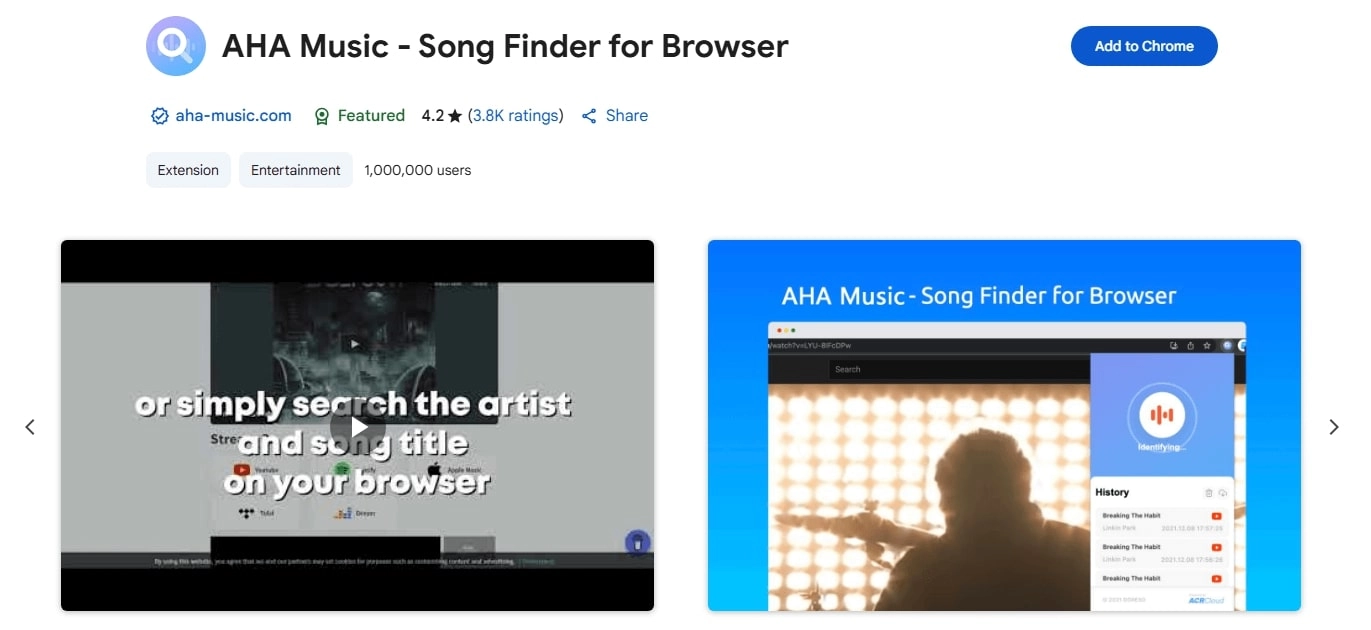
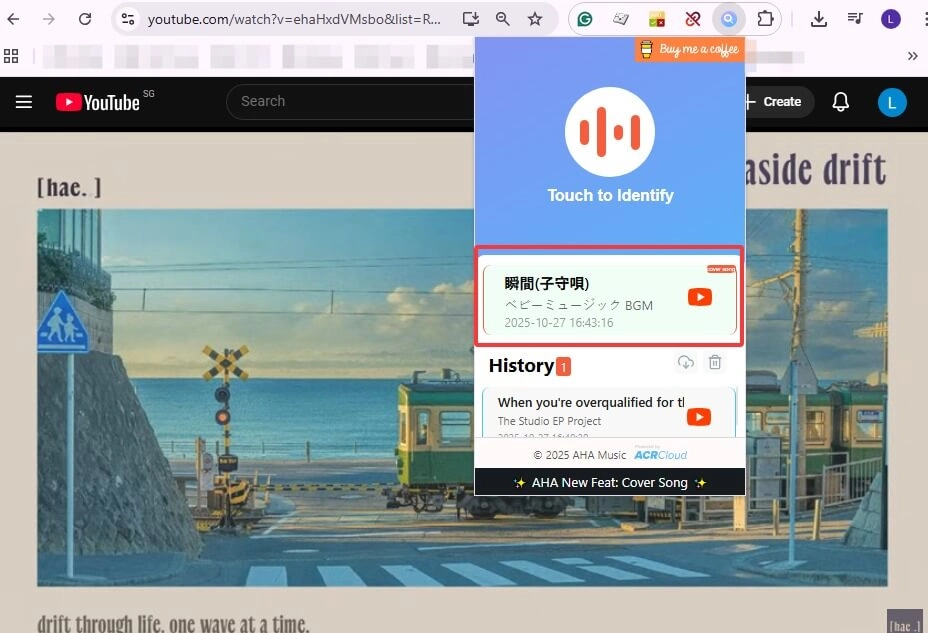
This AI music finder is also a useful helper that won’t let you down. AHA Music song finder provides a Chrome extension that can float on your Chrome page and identify audio while playing. This AI song finder from video is suitable for heavy desktop users; when they come across a song played in the video that catches their ear, they don’t need to upload video to find song or grab their phones to detect it anymore.
Pros
- Online music detector from video; convenient for Google Chrome and other browser users.
- Easy to install and activate.
- Keep the music detection histories.
- Free AI song finder by video.
Cons
- It might give wrong answers when detecting slow music.
How to Find a Song from a Video on a Web Page?
Step 1. Search for “AHA Music extension” in Google Chrome or your web browser.
Step 2. Visit the Chrome Web Store > click Add to Chrome.
Step 3. Go back to the video you played, and tap the extension to activate it.
Step 4. When detected, it shows the result. This is how it manages to find song from clip.
Way 3. Find Song from Video with SONOTELLER - Song Finder by Video Link
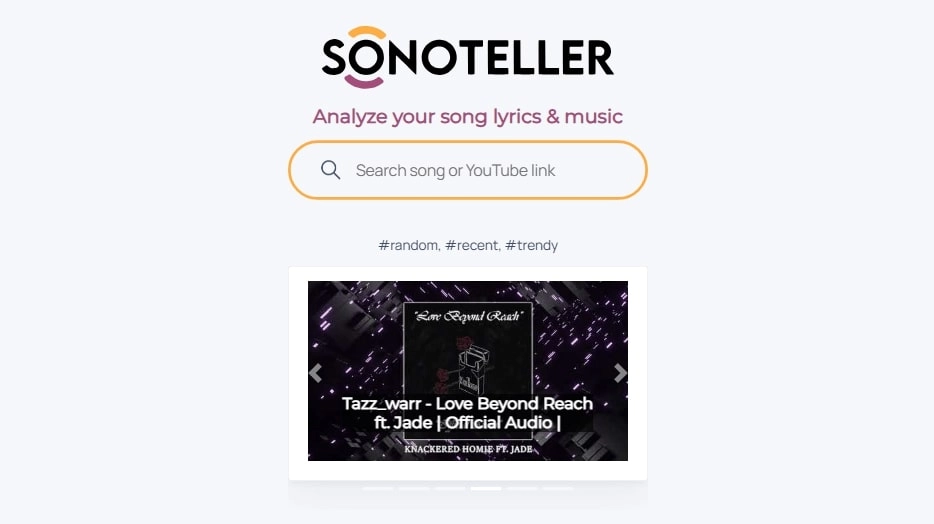
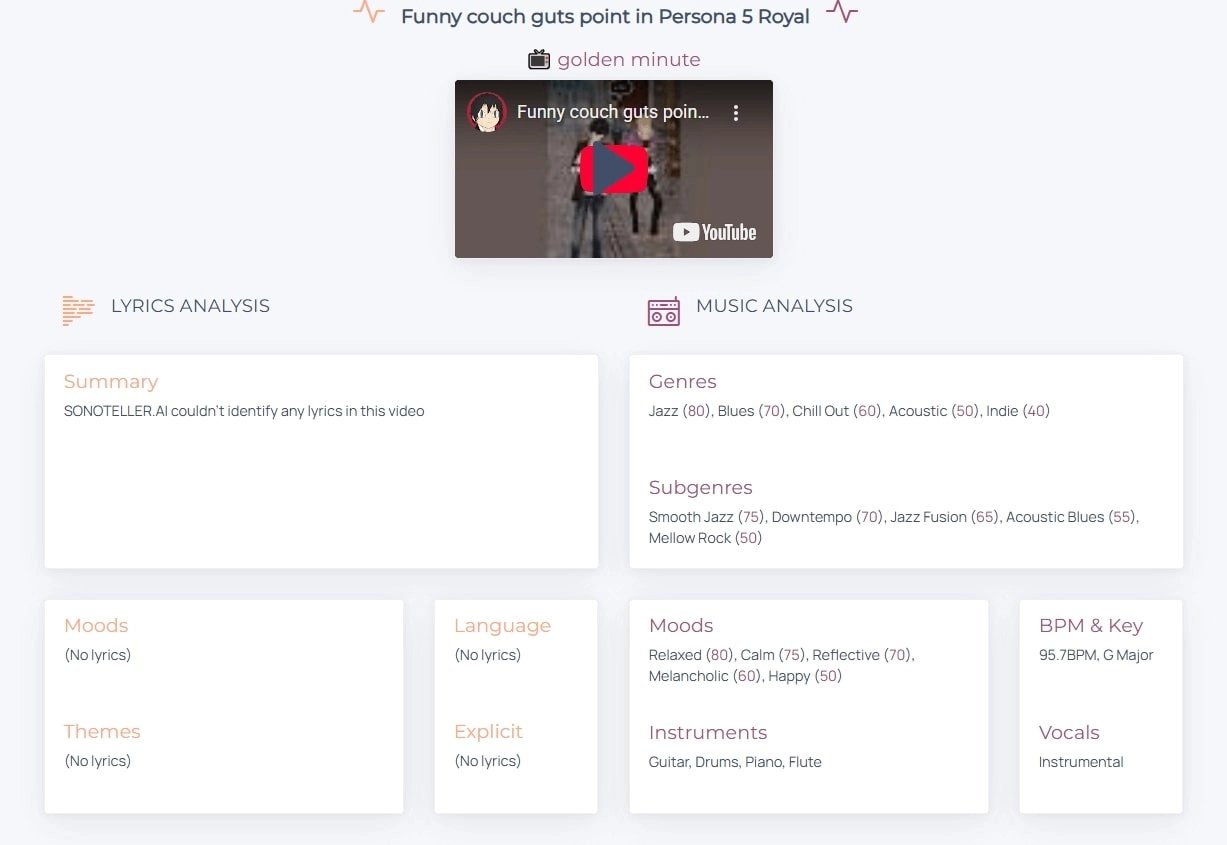
If you are to find music from videos, like YouTube videos, SONOTELLER will be of great help. You don’t need to prepare the video, but just insert the video link into it, and this song finder by video link online will analyzes the detailed music and lyric information: what music genres and subgenres it belongs to, what instruments it was made up with, and also some other info like moods, BPM & key, as well as languages and lyric content.
Pros
- Free song finder by video link, suitable for YouTube videos.
- Detailed music information analysis.
- Quick music detection.
Cons
- If the music is an instrumental piece without lyrics, then the result might be obscure.
How to Analyze and Find Song from YouTube Videos?
Step 1. Head over to the SONOTELLER site.
Step 2. Copy and paste the YouTube video link into it > click the arrow button to start analyzing.
Step 3. A moment later, it lists all the information about the music used. This is how you find song from YouTube video URL.
Way 4. Reddit u/RecognizeSong Bot
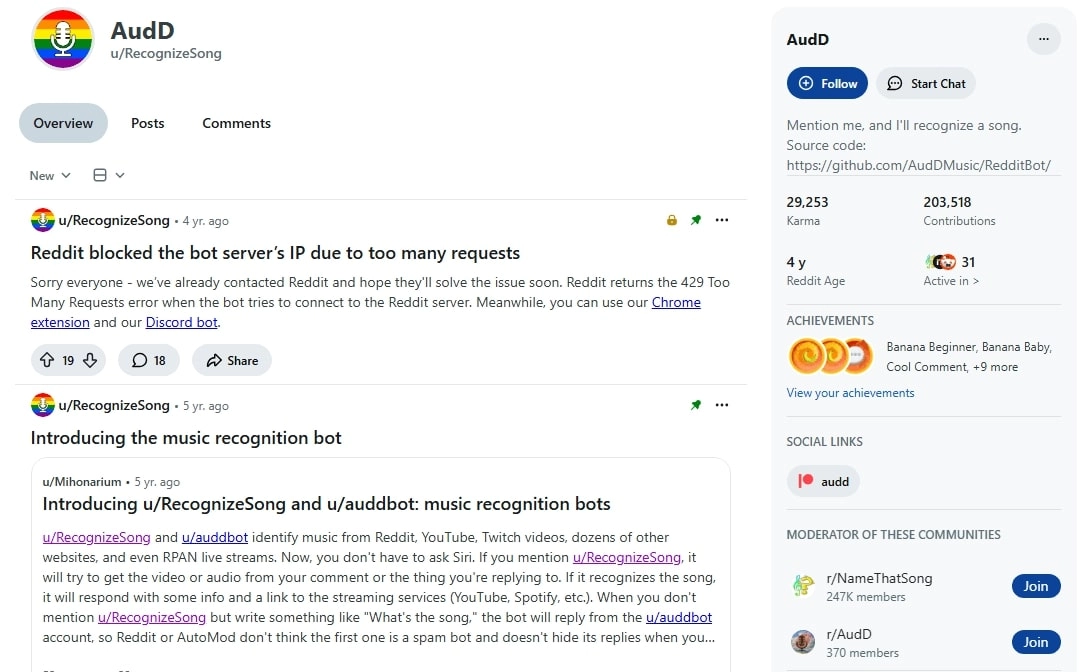
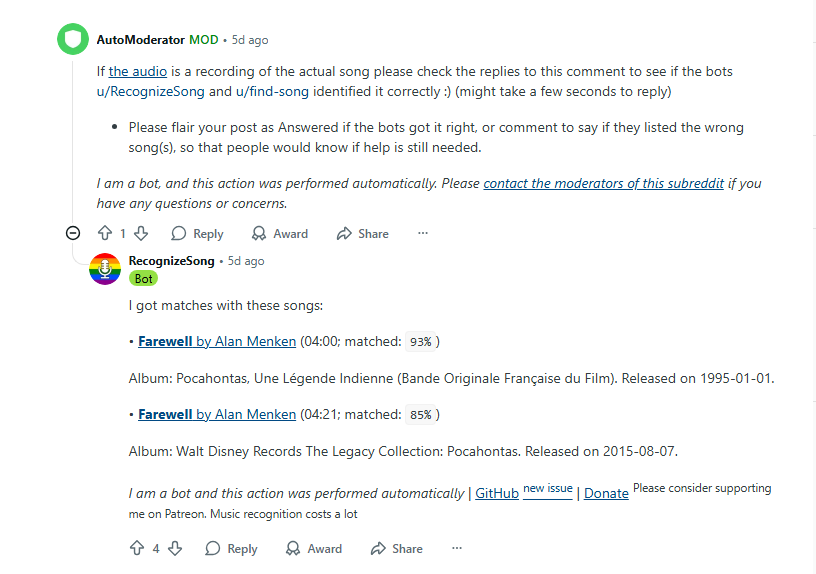
If the above straightforward methods fail to help you identify what you are looking for, you might also try uploading a video to find a song. Simply post a thread on Reddit, such as r/NameThatSong, r/WhatsThisSong, etc. Before any warmhearted Reddit users come to help you, just mention the u/RecognizeSong AI song finder Bot in your post or comment, and it will automatically identify the video you uploaded.
If possible, provide clear videos with less background noise, since it helps the bot to match the audio in its database more accurately. When finished, it gives a match percentage as well as the detailed information, like the album of the song.
Pros
- Free and easy to use.
- Automatically detect any possible songs in the video.
- Give song links and album information.
Cons
- Similarly, when identifying slow/low-volume/low-quality songs, it may fail to give correct answers.
How to Find a Song from a Video via a Bot?
Step 1. Prepare the video file/link you want to find songs from.
Step 2. Log in to Reddit, post a thread on r/NameThatSong or r/WhatsThisSong.
Step 3. Mention the u/RecognizeSong bot in your post content or comment.
Step 4. Minutes or seconds later, the bot will automatically find music by video and give matching answers.
What If the Noise & Human Voice Are Too Loud to Find Song from Video?
As mentioned before, the less background noise there is, the more accurate the detection will be. Some AI song finders from video usually fail to identify music that was recorded in low quality and with too much noise, like a human talking voice, environment noise, etc., and this is exactly where the AI Vocal Remover comes to help.
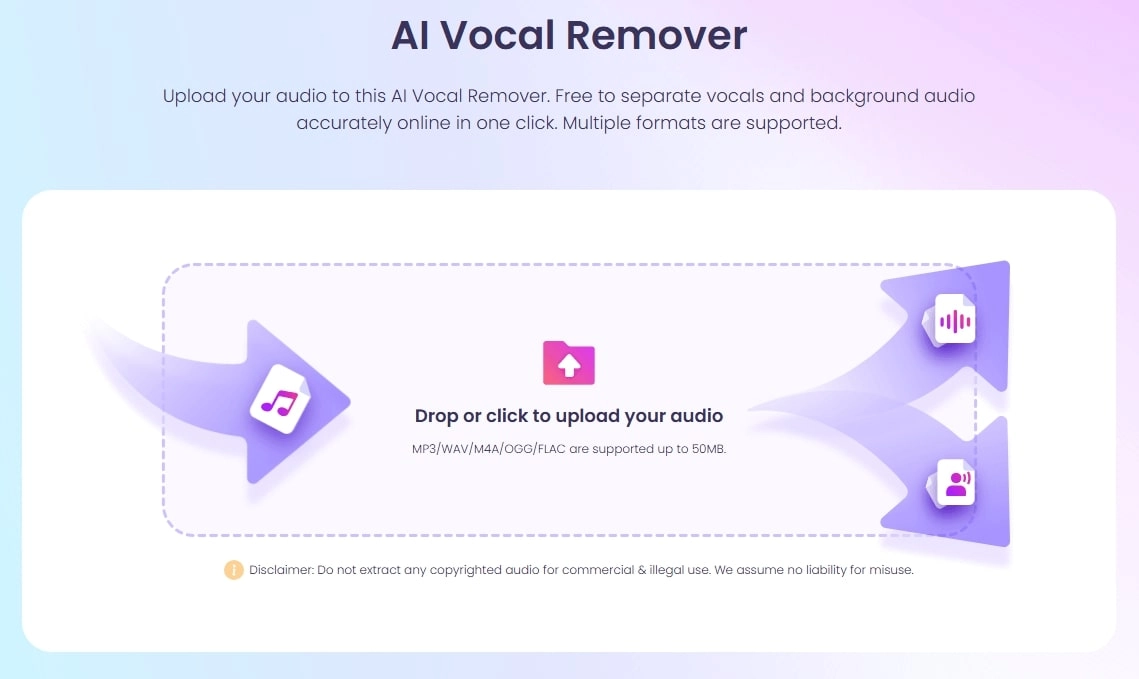
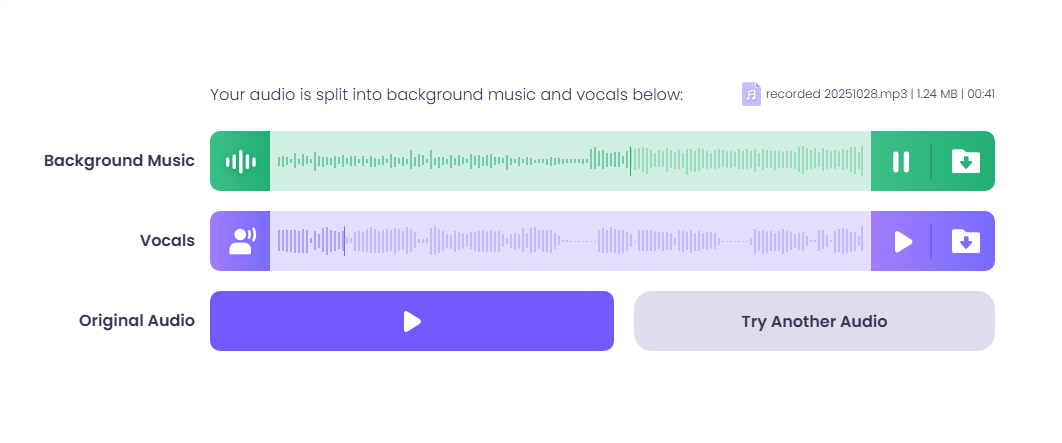
Vidnoz AI Vocal Remover is a powerful AI tool that splits the audio into separate stems, including a clear background music track and human voice, and removes the noise. When finished, you can tap to listen to different tracks and the original audio as you like.
How to Separate a Song to Remove Background Noise?
Step 1. Firstly, use File Converter or similar tools to turn your video into an audio file.
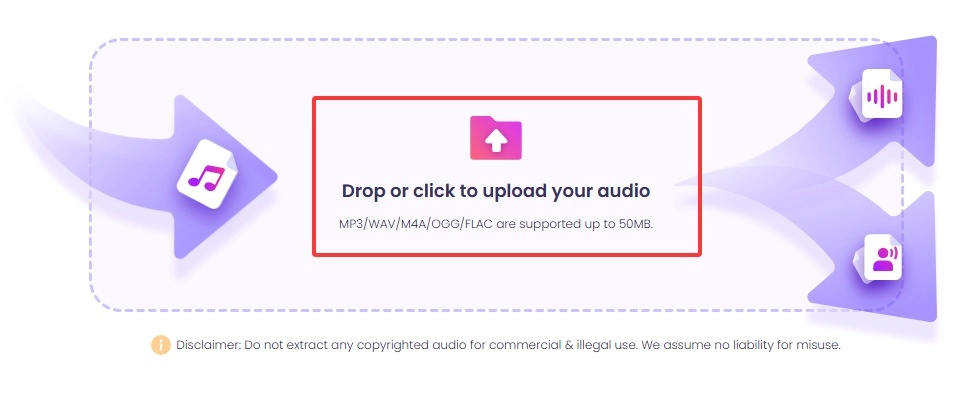
Step 2. Head over to the background and vocal remover. Click or drop to upload your audio.
Step 3. It automatically analyzes and splits your audio into background music and vocals. In this case, the disruptive human talking voice can be separated. Click the button to listen to and download them.
Beyond Being a Listener, Be a Creator
As a versatile AI, Vidnoz still wins you over with more AI voice tools. For instance, apart from identifying and enjoying music from creative artists, you might as well create your own music using Vidnoz AI Music Generator.
Vidnoz Free AI Music Generator
Free to generate & download for commercial use!
- 100+ combinations of musical styles, moods, and themes
- Turn your texts into songs and music videos
- AI to create an original song with your lyrics
Create Music with AI
This song creator supports creating music with or without lyrics in any style, including Pop, Rock, Hip-Hop, Blues, EDM, etc. All you need to do is come up with a song title and choose the desired styles, and this song generator deals with all for you.
Check how to generate your own unique song.
Step 1. Go ahead to the music creator page.
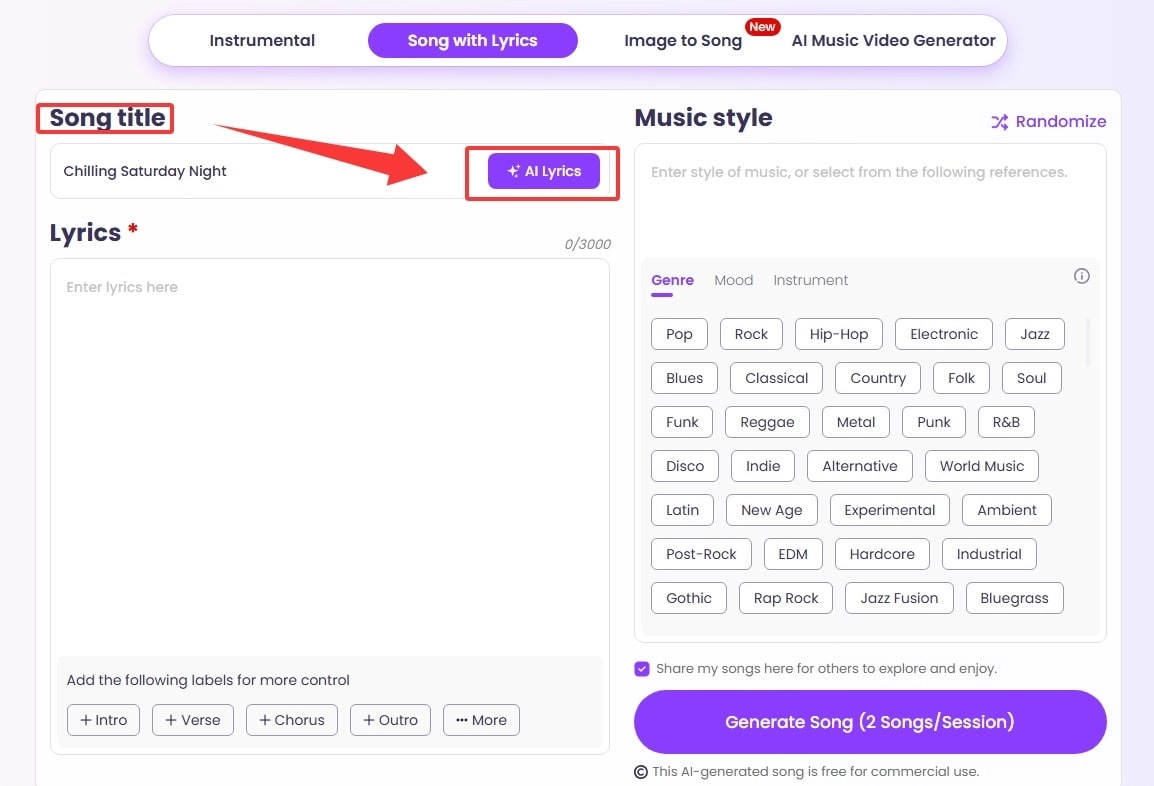
Step 2. Input your song title > click AI Lyrics > make some revisions as you like.
Step 3. Input prompt to limit the style you want, or choose the given tags from below > click Generate Song.
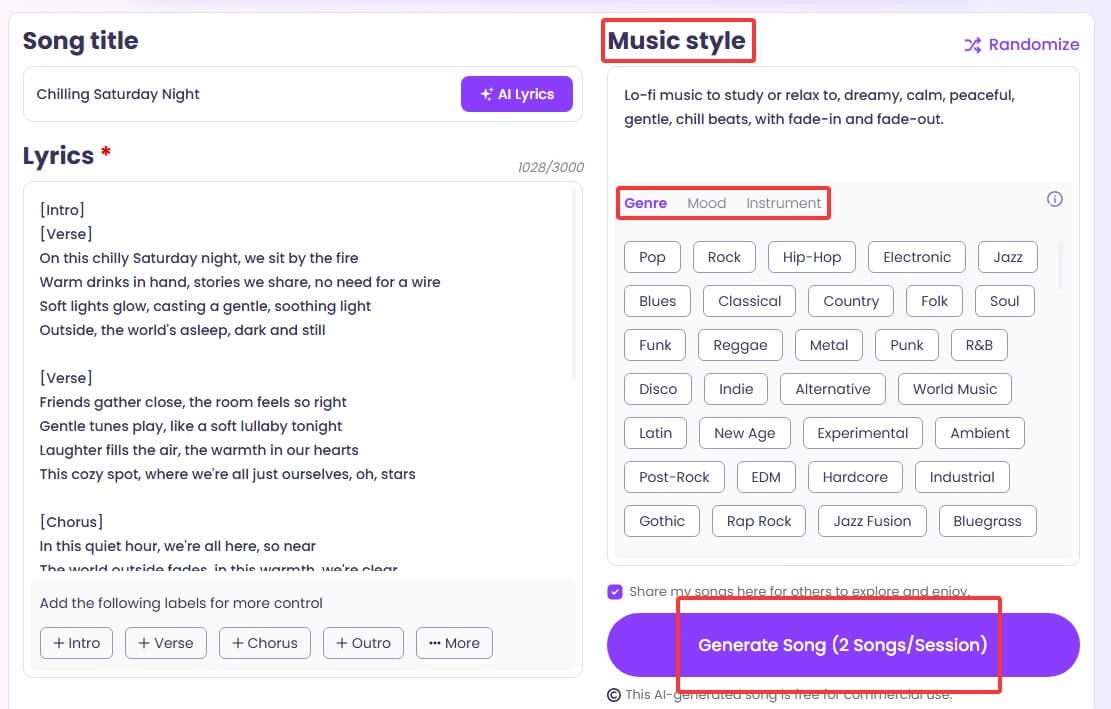
When ready, you can tap to listen to and easily download to your devices as your intro music, background music, or for any possible use.
Other Workarounds to Find a Song from a Video
How to find a song from a video if the above ways are not working? Apart from the above methods, like using an AI music finder from video, you may also check some other means to find a song from a video.
- Check the video description, especially on social platforms: Creators usually list all information and materials, like background music, used in their videos to shout out to the original creators.
- Search for the lyrics on music platforms: Music apps always provide lyrics searching features to help you locate your target song. Enter the lyrics you heard, if you have caught some.
- Contact the creator if possible: The creators certainly know the music they used in their content, unless the song is automatically added by the video platform, e.g., TikTok might add a proper song that works well with your video's vibe.
Final Thoughts
Have you found a successful way to find song from video from the above ones? Whether you are an iOS, Android, or PC user, whether you have the video file with you or not, you can get the song identified with proper tools.
If the background human talking voice hinders the tools to detect songs, try using Vidnoz AI Vocal Remover to get rid of the background noise. Also, don’t forget to enjoy the AI music generator!









![[Links] Top 6 Music Taste Raters to Rate My Music Taste & Data](https://www.vidnoz.com/bimg/best-tools-to-rate-my-music-taste.webp)