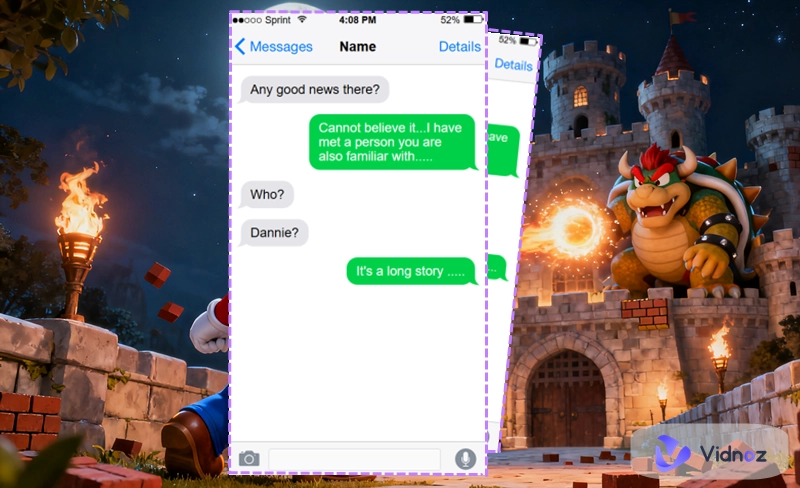
A growing trend is taking over social media. People are using a fake text message generator to create realistic chat screenshots for humor, storytelling, or even fan-made conversations between their favorite characters.
Sounds fun, right? Want to join in too? You're in the right place. In this guide, you'll discover some of the most practical text message creator tools and learn useful tips to make your fake chats look authentic and engaging.
Don't wait any longer—dive in and start exploring!
- On This Page
-
What is a Fake Text Message Generator
-
3 Free Online Fake Text Message Generators
Postfulky Fake Text Generator
Aicut Free Fake Text Message Screenshot Creator Tool
-
Create Engaging Fake Text Message Videos Instantly
How to Convert Fake Text Messages into a Video with AI?
-
Make Creative Messages with AI Text Message Generator
-
Simulate Conversions with Any Character with AI Chatbot Online
What is a Fake Text Message Generator
Let's take a moment to understand what a fake text message generator is and what it can do.
A fake text message generator is an online or software-based tool that allows users to create realistic text message conversations. It typically lets you customize elements such as the sender's name, message content, timestamps, and chat interface style.
Fake text generators are often used for entertainment, pranks, social media content creation, and marketing demonstrations. They are great resources for content creators to craft complete fictional stories or showcase creative message exchanges.
However, it's important to emphasize that such tools must never be used to mislead, deceive, or harm others in any way.
3 Free Online Fake Text Message Generators
Now it's time to see the real deal. Let's skip the small talk and dive right into three outstanding fake text message generators.
iFake Text Message
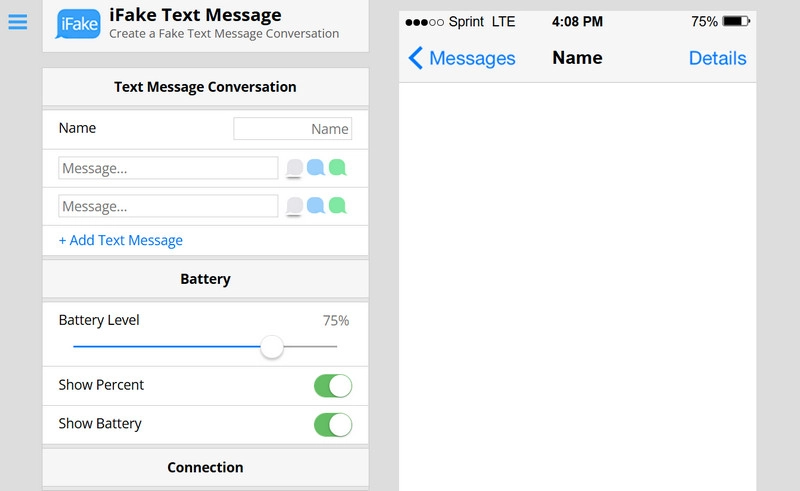
The first one on our list is iFake Text Message, one of the simplest and most intuitive fake message makers you'll come across. There are no ads, no lengthy introduction. You'll be taken straight to the main interface as soon as you open the site.
Here, you can set the names of both participants in the conversation, choose the chat bubble style, and even customize the type of send button. What makes it even more realistic is that you can modify the details shown at the top of the screenshot—such as battery level, signal strength, connection type, time, Bluetooth status, and more.
Highlight Features
- Extremely rich customization options.
- Simple and intuitive interface with a built-in tutorial for guidance.
- Large live preview window for checking your results in real time.
Postfulky Fake Text Generator
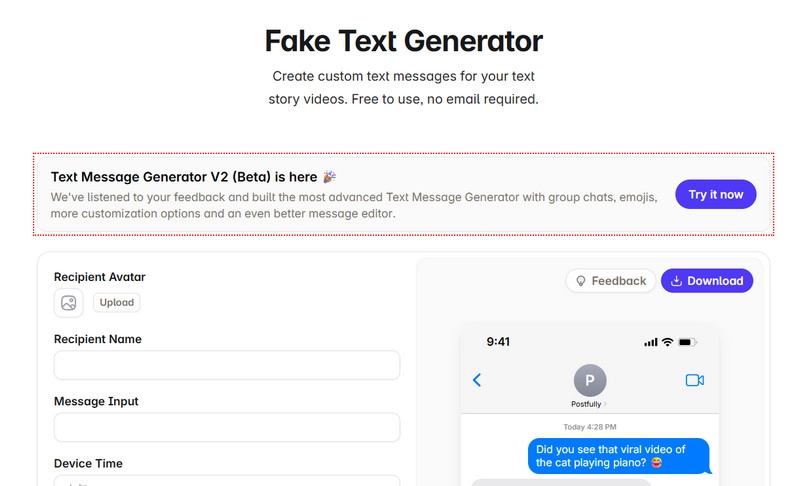
Just like the fake text message generator mentioned earlier, Postfulky Fake Text Generator features a highly intuitive interface as well. You'll be pleasantly surprised to discover that it allows you to upload custom profile pictures for both sides of the conversation. And yes, you can even insert images directly into the chat!
There's more—it also supports creating fake iMessage conversations in dark mode. You can adjust the date format (12-hour or 24-hour clock), and choose message delivery statuses such as default, delivered, undelivered, or read. Once everything looks perfect, simply click Download to save your creation.
Highlight Features
- Free to use without payment or email registration required.
- Allows you to set custom profile images and insert pictures into messages.
- Supports both Light and Dark chat modes.
Aicut Free Fake Text Message Screenshot Creator Tool
Not interested in sticking with just iMessage? Then you might want to check out Aicut Free Fake Text Message Screenshot Creator Tool.
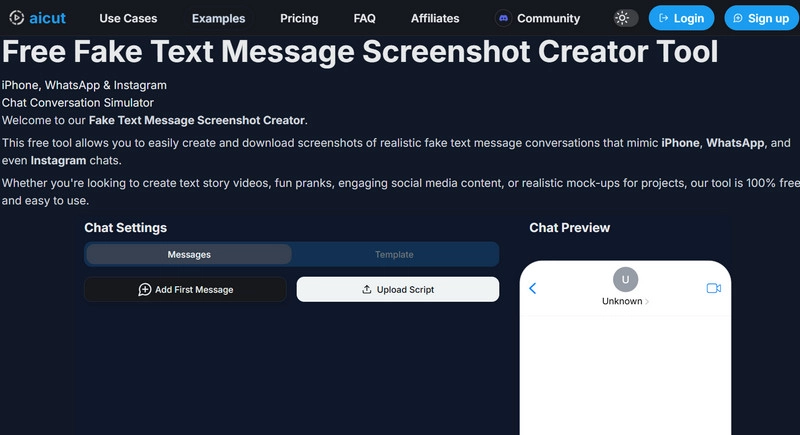
This versatile option not only lets you simulate iPhone iMessage chats but also allows you to create fake WhatsApp and Instagram conversation screenshots. As a fake iPhone text generator, it pays remarkable attention to detail. From timestamps to message bubble design, every element feels authentic.
Of course, this fake text generator includes all the essential customization options, such as setting contact names, profile photos, and inserting images into your messages. It's user-friendly, completely free to use, and gives you the freedom to explore without any limitations.
Highlight Features
- Strong focus on privacy—no personal information required.
- Ideal for creating YouTube or TikTok story content.
- Supports simulated chat interfaces for iPhone, WhatsApp, and even Instagram.
Create Engaging Fake Text Message Videos Instantly
Static screenshot posts are less likely to attract attention on social platforms. It is highly recommended that you turn chat screenshots created with a fake message maker into story videos. Vidnoz AI is designed to simplify the content creation workflow. With Vidnoz AI Free Video Generator, screenshots can be enhanced with background narration, mood-fitting music, and eye-catching titles. In minutes, you can get a complete video suitable for YouTube Shorts or TikTok.

Vidnoz AI - Create Free Engaging AI Video with Talking Avatar
- Easily create professional AI videos with realistic avatars.
- Text-to-speech lip sync voices of different languages.
- 2800+ video templates for multiple scenarios.
Make Use of Vidnoz AI for Engaging Fake Message Video Story Creation!
- Well-designed templates for social media: Vidnoz AI provides social media templates optimized for chat screenshots. All the templates are well-designed for effortless video creation.
- Diverse stock video, music, and subtitle styles: The free AI video generator offers a large library of video clips, music tracks, and font styles for you to turn static screenshots into engaging, dynamic videos.
- Realistic text-to-speech voice models: It empowers you to create AI voiceovers for the message story, with adjustable gender, tone, age, and speech details such as pronunciation and pauses, ensuring natural-sounding narration.
- Inclusive AI video generation tools: Advanced features are included on Vidnoz AI. Whether you need an on-screen avatar for storytelling or clone anyone’s voice for content creation, it shows you convenient solutions. You can also replace backgrounds, insert stickers, and even enhance visual elements beyond simple images and audio.
How to Convert Fake Text Messages into a Video with AI?
Learn how to turn chat screenshots created with a fake text message generator into an engaging video using Vidnoz AI.
Step 1. Click Try It Free Now to start.
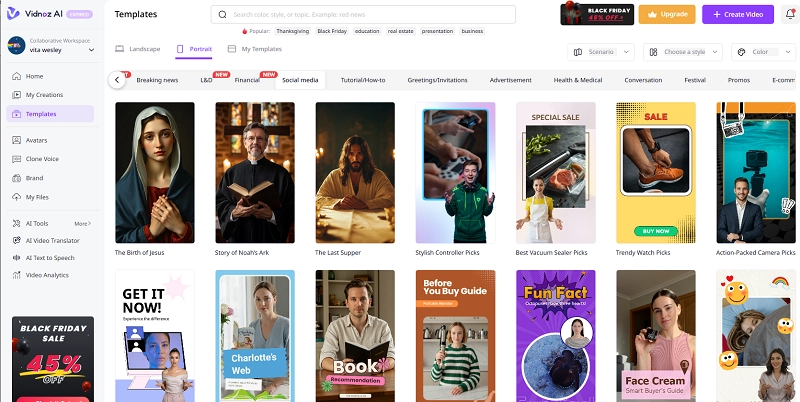
Step 2. On the left panel, select Templates, then browse the right-side menu to choose Social Media. Pick a template that suits your preference, click it, and apply.
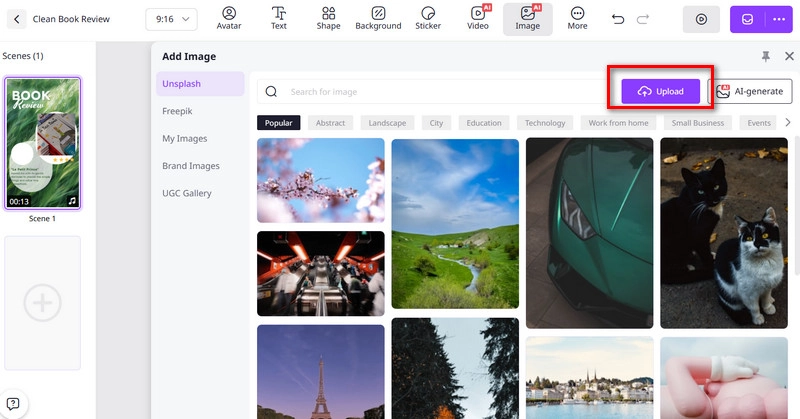
Step 3. Enter the workspace. Above the preview window, select Image > Upload to add your chat screenshots.
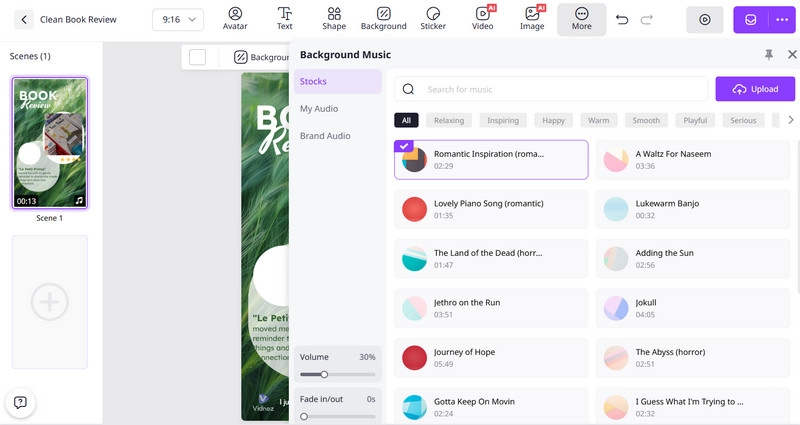
Step 4. Choose a narration voice, type the desired text, and customize subtitles, fonts, background images, music, and other elements. Vidnoz provides abundant stock materials and custom uploads are supported.
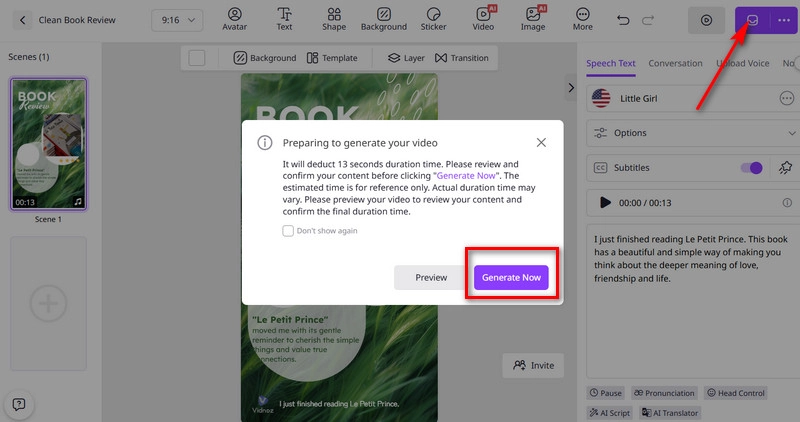
Step 5. Once all changes are complete, click the purple Generate Now button at the top right.
Make Creative Messages with AI Text Message Generator
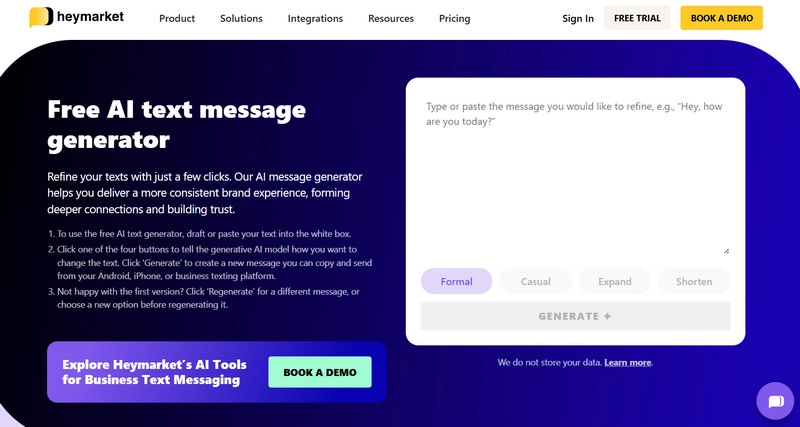
You may have noticed that the three fake text message generators introduced earlier all require you to manually type out both sides of the conversation, message by message. So, is there a more effortless way to do it? That's where an AI text message generator comes in—specifically, Heymarket AI Text Message Generator.
This AI message writer is easy to use. Simply tell it what kind of message you'd like to create, and this AI message generator free can handle the rest. From shortening long texts to expanding messages for completeness, it helps generate customized messages featuring different tones and emotions.
Simulate Conversions with Any Character with AI Chatbot Online
Hey! Here's a brand-new way to play!
If plain, text-only conversations feel too cold and lifeless, and you're craving a more real and visual chatting experience—then you definitely shouldn't miss Vidqu AI Chatbot.
Vidqu AI Chatbot features multiple AI chat characters of various styles—from realistic and anime-inspired to dramatic and even furry personas. You can find both male and female characters here, each with unique personalities and backstories.
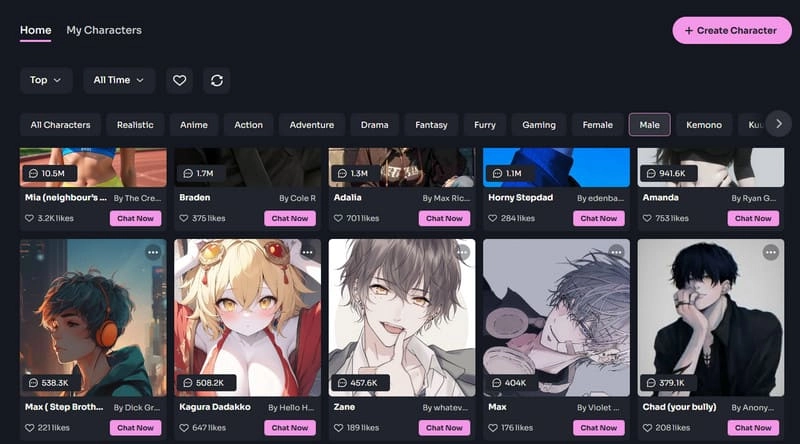
Every chatbot comes with its own identity and beautifully designed image (which you can even customize to your liking). Simply type your message into the chat box, and the corresponding AI text message generator online free will respond in the character's unique tone and style.
In addition, you can adjust the layout of both the character images and the chat window to suit your viewing preferences.
The Bottom Line
With these three fake text message generators, you can create the most visually appealing, realistic, and well-worded chat screenshots in your favorite way. Don't feel like writing both sides of the conversation yourself? Try Vidqu AI Chatbot, and experience what it's like to have someone actually reply to your messages.
Still think static images aren't enough to grab attention on social media? Then take it a step further with Vidnoz AI to convert the images into a video. Who knows? Your creation might just go viral overnight.
Vidnoz AI - Create Free Engaging AI Video with Talking Avatar
- Easily create professional AI videos with realistic avatars.
- Text-to-speech lip sync voices of different languages.
- 2800+ video templates for multiple scenarios.





![How to Create a Video Chatbot for Free in Minutes [5 Easy Steps]](https://www.vidnoz.com/bimg/video-chatbot-1.webp)