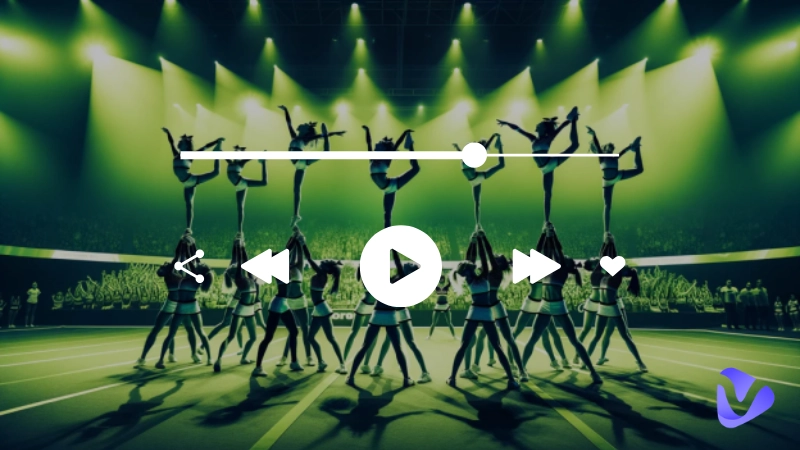
Cheer routines are more than stunts and formations—they live or die by the music. Every shout, jump, and spin feels sharper when it’s backed by a pulse-pounding rhythm. If you want to lead the crowd and energize your squad, a cheer music maker can be a game-changer. Whether you're searching for powerful AI tools or curious about how to make cheer music for free, this guide has you covered. In this blog, find the best tools and prompt ideas to make the best cheer song..
- On This Page
-
How Can Custom Cheer Music Energize Your Squad?
-
What Makes Great Cheer Music?
-
Top Cheer Music Makers to Craft Competitive Team Mixes
#1. Vidnoz AI Cheer Mix Generator
#2. ImagineArt Cheer Music Maker
-
How to Make Uplifting Cheer Music? With Prompt Ideas
#Generate AI Cheer Tracks (Instrumental / Beats)
#Create Cheerleading Music with Lyrics
How Can Custom Cheer Music Energize Your Squad?
Custom cheer music does a lot more than fill silence; it becomes part of your team’s identity and performance. Here are several ways a tailored soundtrack lifts your squad:
- Make your team stand out from the crowd: With a custom track, you won’t sound like every other squad using the same licensed songs. A cheer music maker lets you create unique beats, transitions, or filler segments that reflect your style.
- Enhance team spirit and performance: When your team hears something built just for them, it gets them mentally in sync. They internalize the musical cues like drops, builds, and breaks, and perform stunts more confidently.
- Seamlessly blends with cheerleading dance: Custom music ensures that transitions, tempo shifts, and breaks match the choreography. You avoid awkward pauses or forced cuts when the track was not built for your routine.
- Incorporate thematic or motivational elements: You can weave in team chants, slogans, or crowd call-and-response segments that match your school or team identity.
When you combine those advantages, custom music created with a good cheer music maker gives your team an edge and helps them feel emotionally invested in every beat.
Vidnoz Free AI Music Generator
Free to generate & download for commercial use!
- 100+ combinations of musical styles, moods and themes
- Turn your texts into songs and music videos
- AI to create an original song with your lyrics
Create Music with AI
What Makes Great Cheer Music?
Not all music works for cheer. Here are the qualities that separate a good track from a great one:
- Strong beats: The bass/drum must hit hard enough to carry stunts, tumbling, and movement in noisy gyms or stadiums.
- Upbeat tempo: Fast to mid-fast (e.g., 120–150 BPM or more) keeps the energy high and matches athletic movement.
- Catchy melodies: Hooks or motifs that the crowd can hum or chant along with help your track linger in memory.
- Positive lyrics (if present): Uplifting, motivational words that reinforce your team’s message. Avoid negativity or dark themes.
- Clear structure & transitions: Sections (intro, build, drop, bridge, finale) should blend smoothly so your routine flows without abrupt cuts.
- Dynamic contrast: Moments of tension and release (quiet interlude → big drop) create drama and let your team shine at key points.
When your track hits all these marks, your cheer music maker has done its job, and your team gets a mix that’s strong, motivational, and performance-ready.
Top Cheer Music Makers to Craft Competitive Team Mixes
Here we go into the tools that let you actually build your mix. We’ve mentioned the top three platforms.
#1. Vidnoz AI Cheer Mix Generator
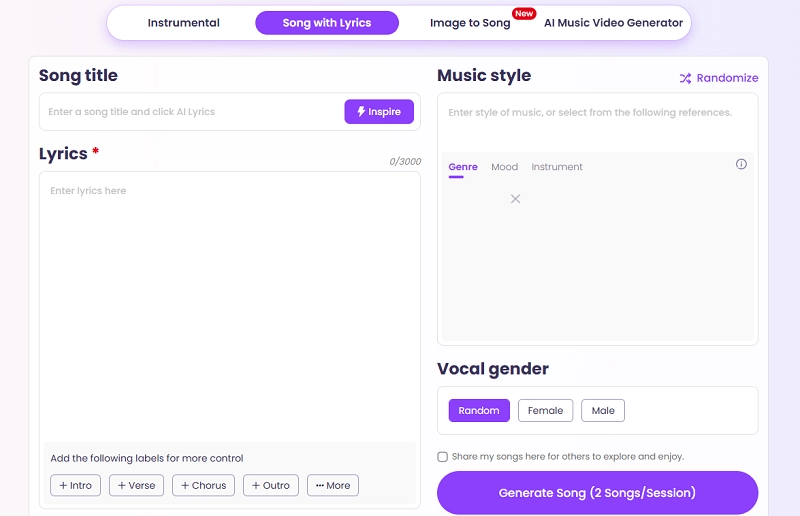
Vidnoz AI Cheer Mix Generator is one of the most innovative platforms for modern music generation. It supports both purely instrumental tracks and full songs with lyrics. The best part is that you just type what you want, and the AI creates both instrumental tracks and songs with lyrics. It also allows you to turn an image into music to make a cheer song around your team’s theme.
Key Feature
- Image-to-song generation: You drop in an image (team logo, mascot, theme scene) and the AI infers mood/tones, then generates corresponding music.
- Custom transitions and edits: you can fine-tune the intro, bridge, drop, and outro to match your choreography’s structure.
- Dual mode: This option is perfect for dance or beats. You can choose whether your track has vocals or stays purely instrumental.
- Prompt-driven control: you guide the AI via text prompts (style, mood, instruments, tempo), giving you creative control.
Vidnoz stands out as a flexible AI cheer music maker that doesn’t lock you into rigid templates. Its lyrical support makes it especially useful if you want crowd-chant interludes, motivational verses, or team slogans in your mix.
#2. ImagineArt Cheer Music Maker
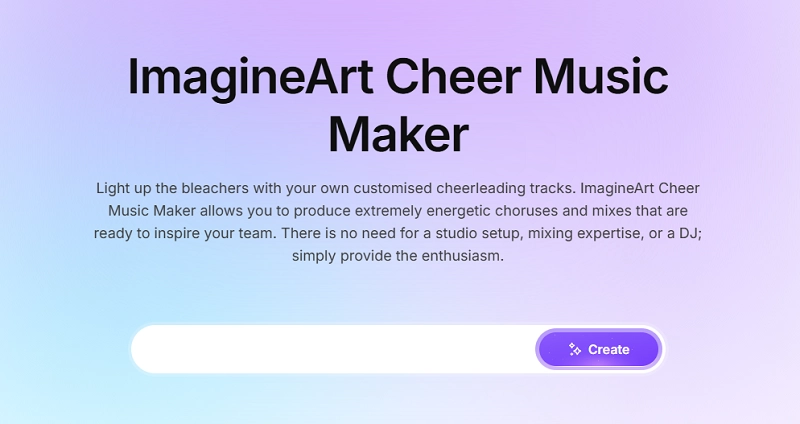
The ImagineArt is another fantastic free cheer music maker option that specializes in short, high-impact cheerleading tracks and sound clips. While it can create full AI instrumental songs, its focus is on generating the high-energy elements that stitch a routine together: explosive vocal shouts, custom-styled drum hits, and hype-building sound effects.
Key Feature
- Cheer-focused presets: built-in templates aimed at cheerleading tracks, with rhythmic emphasis and musical structure already tuned.
- Short, High-Energy Clips: Focuses on generating 5-second, cheer-ready clips that are ideal for specific moments in a routine.
- Mixing controls: adjust volume, EQ, layering, percussive intensity, and effects like breaks/silences.
- Export in multiple formats: MP3, WAV, stems (if you want to remix further).
- User-friendly interface: ideal for coaches or teams without deep audio engineering knowledge.
If your priority is a strong instrumental foundation without the complexity of vocals, ImagineArt gives you a streamlined path to professional-sounding cheer tracks.
#3. Cheer Mix Factory
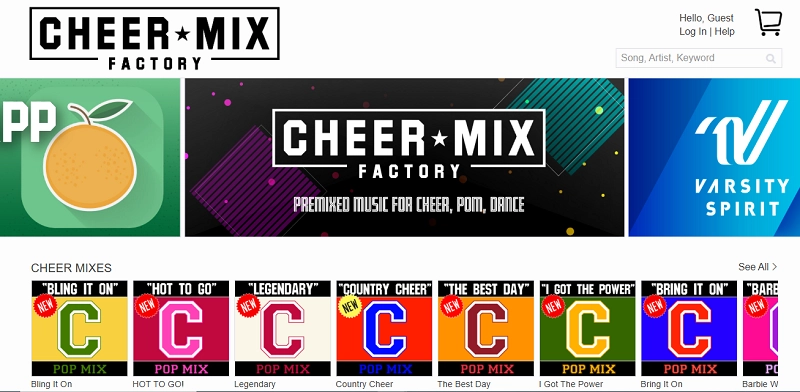
The Cheer Mix Factory is less an AI generator and more a full-service, professional platform known for its extensive library of premade cheer mixes and custom production services. This is often the go-to solution for teams needing high-quality, legally compliant mixes fast. For those who don't want to learn how to make cheer music from scratch, this service provides a polished, ready-to-compete product.
Key Feature
- Extensive Pre-Made Library: Includes a large collection of ready-to-use cheer mixes in different lengths and styles for quick download.
- Custom Mix Services: Let professional producers craft a fully custom mix to match your team’s choreography and style.
- Online Mixing Tools: Offers drag-and-drop mixers to build personalized tracks with pre-cleared songs, voice-overs, and effects.
- Full Copyright Compliance: All cheer music beats are properly licensed, helping teams avoid any copyright issues during competitions.
This platform is especially useful if you want to effortlessly create a quick, polished mix with AI. The premade library gives you a strong foundation you can tweak.
How to Make Uplifting Cheer Music? With Prompt Ideas
Here is a step-by-step guide to using Vidnoz AI cheer music maker as a model to show you how to make cheer music quickly and creatively.
#Generate AI Cheer Tracks (Instrumental / Beats)
Step 1 Go to the Vidnoz AI Music Generator and choose the Instrumental option at the top of the page. This mode helps you create background tracks without lyrics.
Type what kind of sound you want. For example, “Energetic cheer music with strong drums, electronic bass, and fast tempo for a competition routine.”
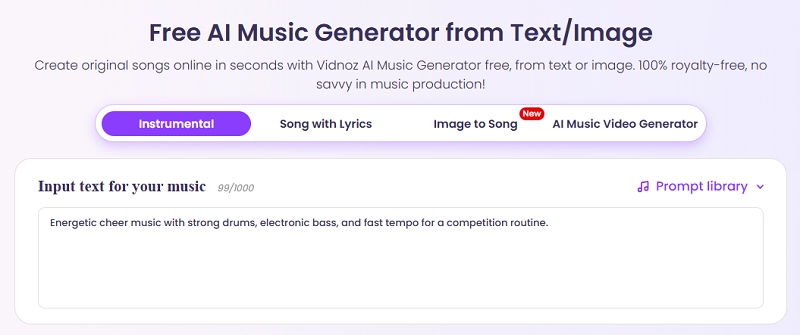
Step 2 If you don’t want to type, you can choose from the colorful music options below the text box. Under the Music genre, pick a category like Hip Hop, EDM, Beats, or Rock. Then scroll down to Music mood and select a feeling that fits your routine, such as Happy, Hopeful, or Epic. And then choose the desired theme.
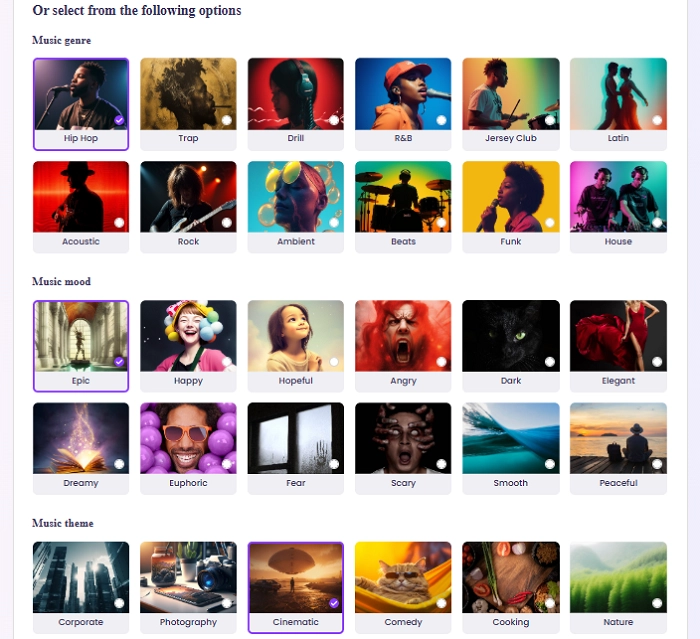
Step 3 Once the prompt is finalized, set the Music length (for example, 0:30 for short clips or 1:00 for longer routines). You can also adjust Quantity to choose how many versions the AI should create in one go.

Step 4 After setting everything, click Generate Music at the bottom right. The AI will create your track within seconds. You can then listen to the previews, choose your favorite, and download it in MP3 format.
Vidnoz Free AI Music Generator
Free to generate & download for commercial use!
- 100+ combinations of musical styles, moods and themes
- Turn your texts into songs and music videos
- AI to create an original song with your lyrics
Create Music with AI
#Create Cheerleading Music with Lyrics
Step 1 Click on Song with Lyrics at the top of the page
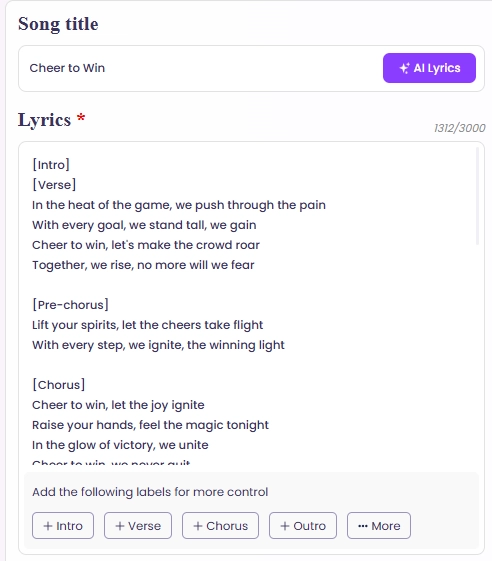
Step 2 Enter your song title, something simple like Cheer to Win.
In the lyrics box, you can either type your own lyrics or click Inspire to let the AI write them for you. This feature is great for generating quick ideas when you need creative cheer chants or motivational lines. Use the small labels under the lyrics box to organize your song. Add Intro, Verse, Chorus, and Outro so the AI understands how your track should flow.
Step 3 On the right side, choose your Music Style. You can pick a Genre like Electronic, then set the Mood to Playful or Energetic depending on your cheer theme. You can also choose Instruments, such as drums, to make your song sound fuller.
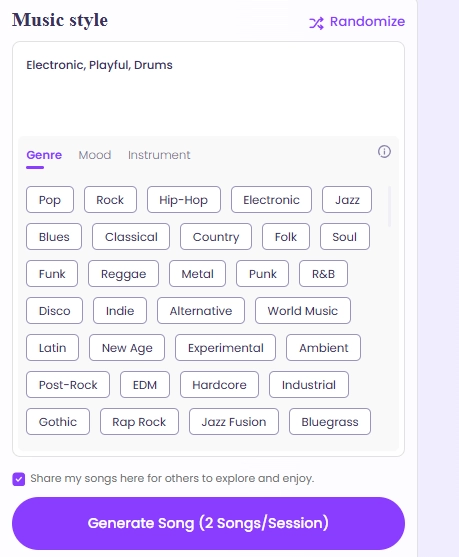
Step 4 When your title, lyrics, and style are ready, click Generate Song. The AI will turn the lyrics to songs immediately. Listen to both, and if something doesn’t fit, change your lyrics or mood and generate again. Once you find the version you like, download it in MP3 format.

Conclusion
A powerful cheer music maker is more than just software; it’s your creative partner in giving your squad a sonic identity. Whether you choose Vidnoz, ImagineArt, or Cheer Mix Factory, each tool offers strengths in beats, structure, and flexibility. You’ll find cheer music maker free options or trial modes that let you test and experiment.
Use clear, energetic prompts and refine iterations to make tracks that energize, motivate, and help your team perform at their best. Get started, share with your squad, and let your next cheer mix become the rallying anthem that lifts everyone to victory.




![[AI Mashup Maker] Use Mashup AI to Mashup Two Songs in 3 Steps](https://www.vidnoz.com/bimg/ai-mashup-maker.webp)