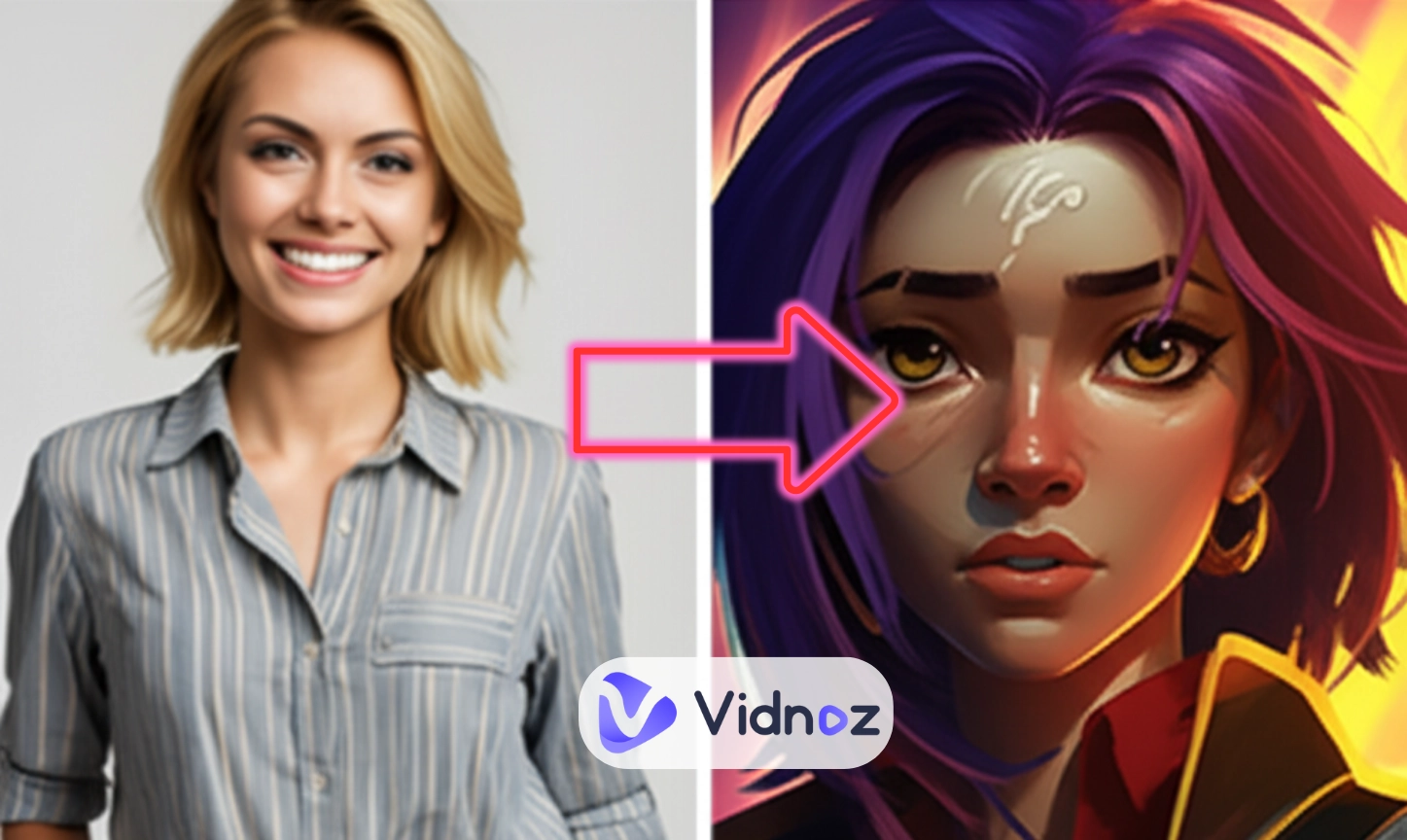
Arcane, a spin-off anime from the game League of Legends, tells a story of how when love, loyalty, and pain collide, no one can remain unchanged. Jinx and Vi, two sisters from the gritty but divided cities of Piltover and Zaun, were super close growing up, but now they’re on opposite sides, fighting like strangers…Not only Jinx and Vi’s stories stir our emotions, but also Arcane art style attracts us. That’s also why Arcane AI filters go viral.
With such AI filters, you can become an Arcane-style character. Where can you get such filters? And how to make a transformation perfectly? This article will show you all.
- On This Page
-
What is an Arcane AI Filter? Why is It Popular?
-
4 Arcane AI Filters Online: Add Arcane Art Style to Your Images
1. TikTok Arcane Filter - Experience Arcane Art Style Instantly
2. MyShell AI - Transform Your Photos to Arcane-Style Fantasies
3. YouCam Perfect - Merge Yourself into Arcane World
4. Snapchat Lenses - AI Arcane Filters Free for Videos
-
Arcane AI Filter Applications
-
Bring Your AI Arcane-Filtered Photos to Life with AI Talking Head
How to Get Your Arcane Photo Speak & Move:
What is an Arcane AI Filter? Why is It Popular?
Arcane’s art style is a blend of hand-painted textures, vivid lighting, and cinematic 3D animation, all these creative effects give its viewers impressive visual experience. So accordingly, the AI filter mimics the Arcane art style by using neural networks trained on scenes and characters from the show. It recreates that gritty, hand-inked aesthetic of the Arcane show.
The AI Arcane filter goes viral for three main reasons:
- Easy to Transform: it quickly turns a selfie into an Arcane-style portrait with no effort required;
- Fun to Interact with the Anime Series: it lets fans visually immerse themselves in the Arcane universe in a playful way;
- Show Love to Arcane Characters: you can celebrate and connect with their favorite characters by recreating their iconic looks.
4 Arcane AI Filters Online: Add Arcane Art Style to Your Images
Are you ready to transform your looks to Arcane art style? Below are 4 best Arcane AI filters to fulfill your dream in both photos and videos!
1. TikTok Arcane Filter - Experience Arcane Art Style Instantly
TikTok offers the easiest way to try the arcane filter. The AI arcane filter is free and paints your face with arcane-style lighting and texture while you record. And the transformation happens in a flash.
This filter reacts to your movements. As you talk, blink, or smile, the effect adjusts smoothly, keeping the animation sharp and dynamic. This makes it ideal for content creators who want to film Arcane-themed lip-syncs, duets, or quick cosplay clips with just their phone.
How to Get the Arcane AI Filters?
Step 1.Open TikTok and search “Arcane filter.”
Step 2.Watch any reel and tab the effect to activate your camera;
Step 3.Capture your face, and then the effect will make you look like an Arcane character.
2. MyShell AI - Transform Your Photos to Arcane-Style Fantasies
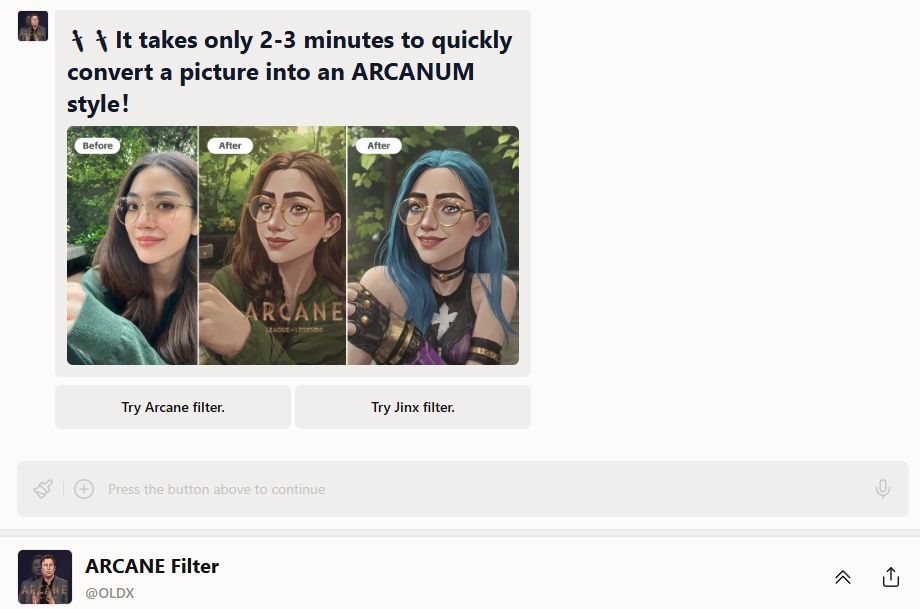
MyShell AI has a dedicated AI Arcane filter online that turns pictures into a realistic arcane portrait with cinematic depth. This AI arcane filter is free.
MyShell filter adds dramatic lighting, brush-like texture, and shadow depth that feel straight out of Piltover or Zaun. You can choose between different styles, like a classic Arcane look or a Jinx-inspired version, depending on the vibe you want.
How to Get the Arcane AI Filters?
Step 1.Visit the Arcane Filter page on MyShell and sign up;
Step 2.Select “Arcane filter” or the “Jinx filter” to your liking;
Step 3.Upload a clear photo and click Run;
Step 4.Wait for processing (about 1 minute)
Step 5.View a before/after side-by-side preview, then download your Arcane style result.
3. YouCam Perfect - Merge Yourself into Arcane World
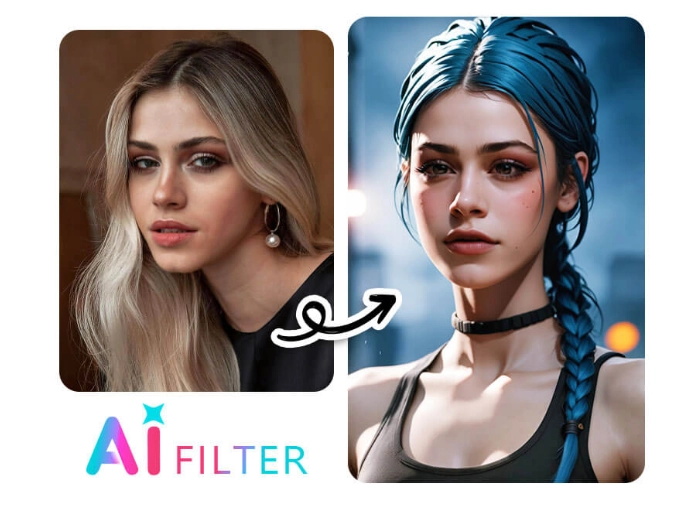
YouCam Perfect is another tool that integrates an “Artistic Avatar” feature. You can use the Arcane AI filter to transform ordinary photos into sophisticated Arcane-style portraits. YouCam's ability to generate multiple variations of your Arcane look from a single photo gives you different artistic styles.
This makes it easy for you to choose the best before considering using the facial smoothing, background blur, and anime image upscale options to make the Arcane transformation more perfect.
How to Get the Arcane AI Filters?
Step 1.Download YouCam Perfect (iOS or Android) and launch.
Step 2.Click on the “Artistic Avatar” tab and pick the Arcane style.
Step 3.Upload a selfie. Regenerate until you find your favorite version.
4. Snapchat Lenses - AI Arcane Filters Free for Videos

Snapchat now features real-time Arcane AI filters free through interactive online lenses. With just a tap, you can instantly apply Arcane’s signature style to live videos. Even better, character-specific filters like Jinx, Vi, and more let fans fully immerse themselves in the Arcane universe.
How to Get the Arcane AI Filters?
Step 1.Open Snapchat and explore “Arcane” in Lenses.
Step 2.Select a lens featuring Jinx, Vi, or other characters. The filter executes in real-time while you record.
Arcane AI Filter Applications
The Arcane filter is used for different purposes. These include:
- Meme Making: You can create hilarious or dramatic memes by turning selfies into Arcane-style characters.
- Visualize Arcane Cosplay Effects: Arcane AI filters (especially the Jinx filter) gives you a sneak peek of your cosplay before you wear real makeup or dig out a proper costume.
- Arcane Avatar Creations: Fans can generate avatars in Arcane’s signature style for social media profiles or gaming icons.
- Fan Art Visuals: The filter aids in crafting fandom-inspired images and Arcane-themed videos, giving creators a fast way to produce visually rich fan content.
>>Easily make an engaging Arcane-themed video with templates on Vidnoz free AI video generator!
Bring Your AI Arcane-Filtered Photos to Life with AI Talking Head
Everyone wishes Jinx in Arcane could catch a break, so how about letting her enjoy life for once? Let’s try and hear what she might say when relaxed and free from troubles. To achieve this, we will need tools like Vidnoz AI Talking Head.
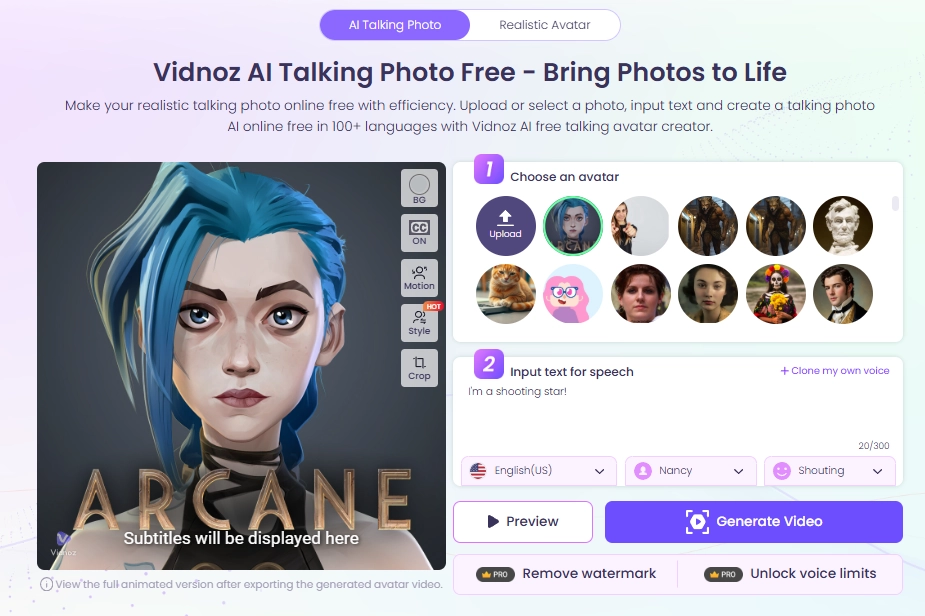
This online app takes your Arcane AI-filtered photo and makes it come alive, blinking, smiling, and talking like a real character.
Besides, it uses advanced AI to create natural facial animations, syncs lip movement perfectly to speech, and even adds emotion to the voice.
Key Feature
- Natural transformation of still Arcane photos into animated & talking characters;
- Supports multiple languages for global accessibility;
- Speaks with emotions that mimic real human expressions;
- Automatic lip-syncing that matches the audio perfectly;
- Free service with no hidden costs;
- Customized and realistic speech in Jinx(anyone) voice by voice cloning.
How to Get Your Arcane Photo Speak & Move:
Step 1.Upload your Arcane AI filtered image;
Step 2.Enter what you want the image to say and choose language and voice style (female or male)
Step 3.Click “Generate Video” and wait for your animated Arcane photo.
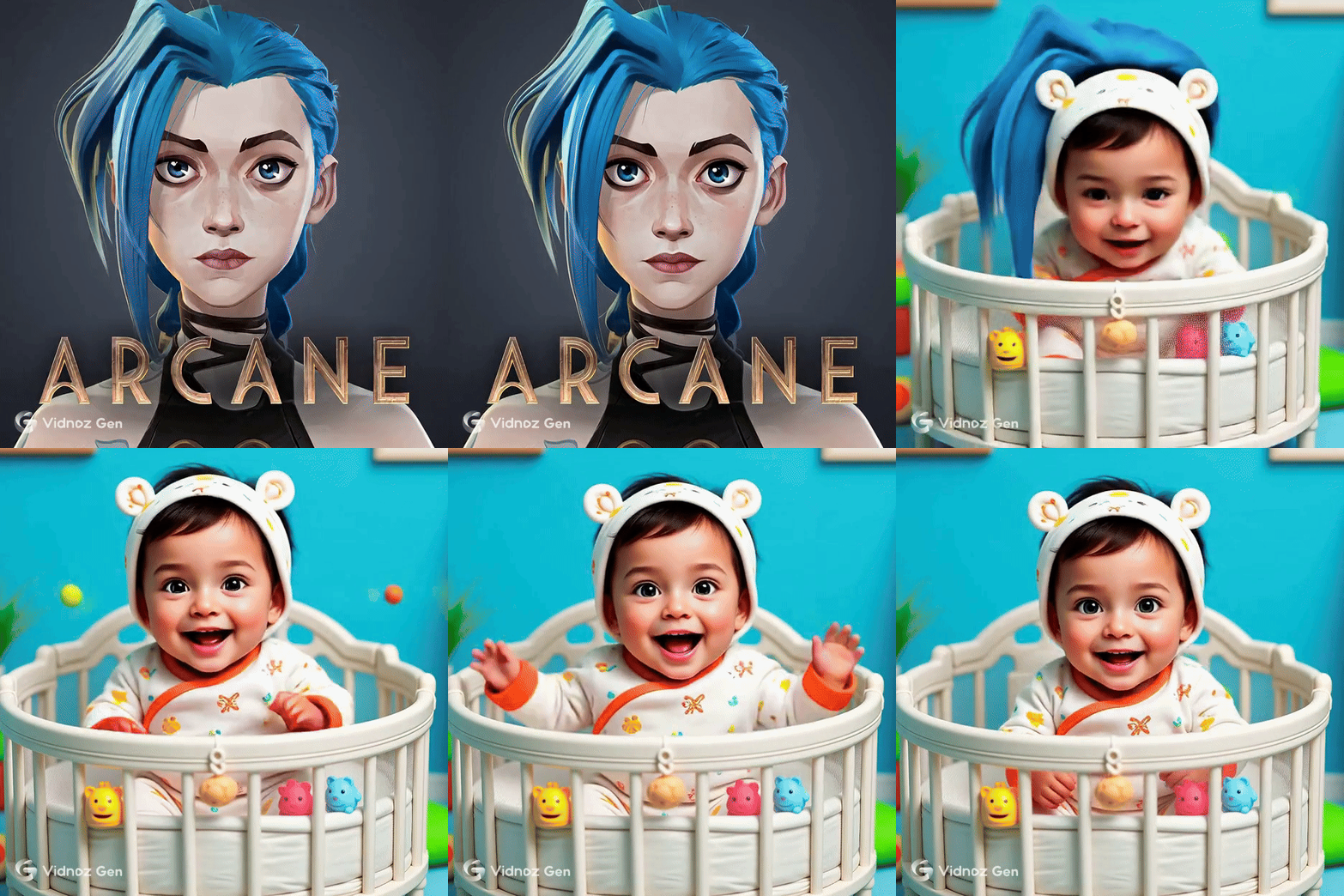
>> Funny Try: What would your favorite Arcane character look like as a baby? Try the de-aging filter:
Conclusion
The Arcane AI filter is more than a trend, it's a creative expression of love towards Jinx and Vi(and other characters.) You’ve seen how it paints your selfies like Arcane art, whether through TikTok, MyShell AI, or YouCam.
When paired with AI talking tools like Vidnoz, any Arcane-style image can now speak, joke, or sing like it has a real soul! Try to change your looks now or create more engaging Arcane fanmade visuals!