Turn still images or text into dynamic videos in any style, with leading AI models readily. Try the smart AI video generator now - stunning, free, and instant!
Free AI Influencer Video Generator: Create Traffic-Driving Marketing Videos in Minutes
Griffin
Updated on
SHARE THIS POST
Look for a great AI influencer video generator to make engaging marketing videos? Vidnoz is your go-to choice—have a free trial today!
Well, companies used to hire models, rent studios, and then spend hours editing for just one marketing video. Although here you have got something that doesn't sleep, doesn't charge per hour, and speaks whatever languages you want, welcome to the AI influencer Video Generator.
Whether launching a skincare product or promoting your business, AI influencers can help you generate high-quality, authentic, and eye-catching videos within minutes. The best part is that it's entirely free so that you can start now. Provide a script, and it will turn it into a video exactly as you'd prefer.
On This Page
What is an AI Influencer Video Generator?
The Go-To AI Influencer Video Generator with Built-in Templates & AI Influencers
How to Make AI Influencer Videos? Step-by-Step Guide
FAQ about AI Influencer Video Generator
Conclusion
What is an AI Influencer Video Generator?
Influencers' videos are often dominated by long-form social media posts. It is like unboxing a complex gift. For instance, it can include Get Ready With Me Morning routines, tutorials on recipes, software reviews, or product reviews. People trust such videos to drive more viewers, which in turn leads to more customers. In such cases, hiring a human influencer is not only expensive but also extremely time-consuming, and you can never expect the desired result.
Then here comes the AI Influencer Video Generator, an advanced tool that creates videos from your script. Of course, it uses Artificial Intelligence to generate everything from photorealistic digital humans who will speak in a melodic voice and gesture, and it will look perfect in the video. In fact, the avatars look lifelike thanks to the sync lip movements and other deep learning models that make it ideal with perfect tones and emotions.
The AI Influencer Video Generator works using three technologies:
Generative AI avatars: The first one is Generative AI avatars, which are created using thousands of human performances to copy their original and natural movements。
Neural Voice Synthesis: Likewise, Neural Voice Synthesis works the text into human-like speech, which includes proper emotions.
Context Aware video rendering: Moreover, Context Aware video rendering displays the background exactly as you described in the script, including the lighting gestures, and copies the tone of your script.
The Go-To AI Influencer Video Generator with Built-in Templates & AI Influencers
The powerful, free AI influencer video generator has become increasingly popular, but Vidnoz free AI video generator stands out as the best among them. It is one of the best AI Influencer Video generators. Universities, Global brands like GECO TRUCK, and millions of other creators use Vidnoz, which is entirely free of cost.
Create Your AI Talking Avatar - FREE
1900+ realistic AI avatars of different races
Vivid lip-syncing AI voices & gestures
Support 140+ languages with multiple accents
Here are some reasons why Vidnoz AI Video Generator is the best:
> More than 2800 Ready-Made Video Templates
While using Vidnoz, you will have a diverse variety of template options available, including for YouTube, TikTok, and LinkedIn. You can even filter a specific niche, such as beauty tutorials, presentations, and more.
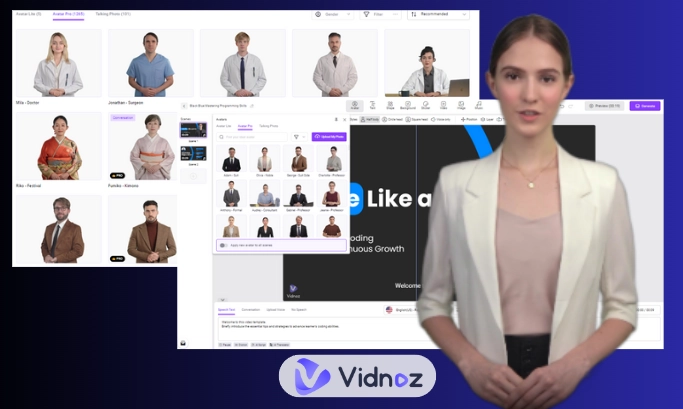
> More than 1500 Realistic AI Influencers
You will have many options to choose from among hundreds of virtual influencers. You can either go with professional presenters or casual vloggers; in fact, you can do it with an animated product mascot if you like.
> 140+ languages and 1830+ AI voices
You no longer need to hire a translator; you can now generate videos in any language you want. It can be generated in Catalan, Japanese, Arabic, and even in Swahili with perfect voice tones and accents.
> Enables Custom AI Avatar and Voice Cloning
You can even upload a picture to create a custom Avatar if you like. Moreover, you can also clone your voice for better content. Vidnoz's voice replication feature gives you a studio-type realism.
> Studio Touch
Furthermore, you can add background music, subtitles with different animations, and swap scenes as well. In fact, the editing in Vidnoz is straightforward. You don't need to be a skilled editor; it's a drag-and-drop tool.
How to Make AI Influencer Videos? Step-by-Step Guide
Creating an AI influencer video with Vidnoz will not take more than 10 minutes. All you need is a step-by-step process; once you get used to it, generating a video will take even less time.
Here is the step-by-step process to use it.
Step 1Create a Free Vidnoz Account
First, go to Vidnoz.com and create an account. You don't need a credit card. You will get free credits daily.
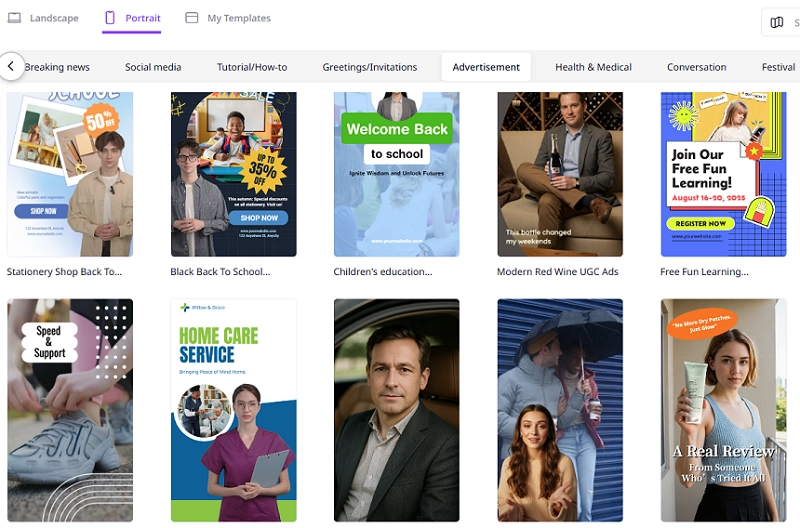
Step 2Choose a Template
There are diverse types of video templates available based on your needs.
You can consider Aspect Ratio like Landscape of (16:9) for YouTube or a portrait of 9:16 for TikTok and Instagram.
Likewise, you can choose a category like sales pitch, educational lifestyle, and more
You can search for keywords like Skincare review, Recipe Tutorial, for niche-specific design
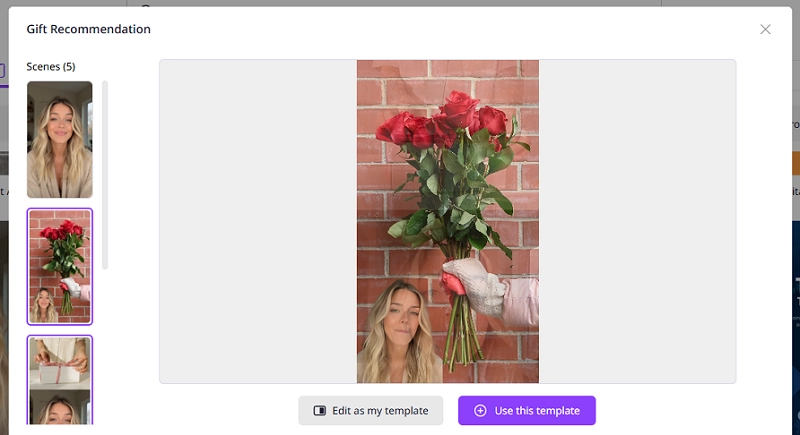
Once you've decided on all these, click "Use this template" to proceed.
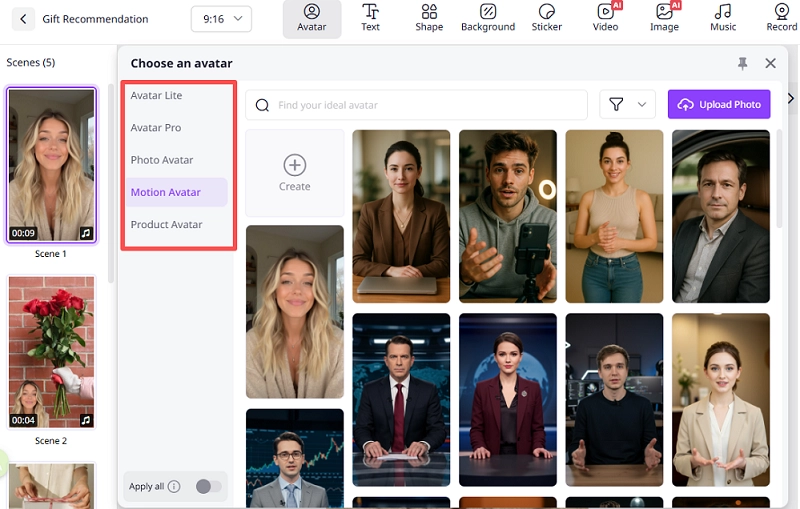
Step 3Pick Your AI Influencer
Now you need to pick an AI influencer. You can choose an avatar that is perfect for your video, reflecting your brand voice.
You can choose either female or male child avatars.
Easy selection of business professional, Gen-Z casual, and animated characters that suit best
There are options of a static presenter, a sitting vlogger, and a hand gesture explainer as well.
You can preview any of the avatars and their expressions before selecting.
Step 4Edit the Script & Voice
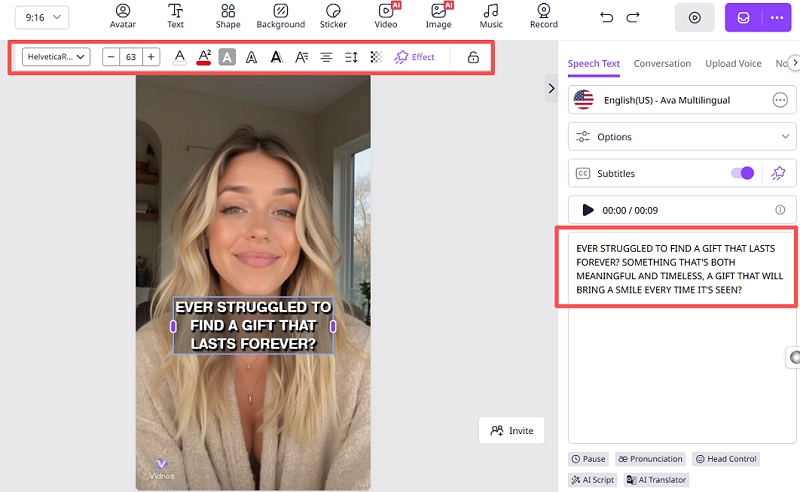
Create a script for your video or paste one if you already have one. Then, choose a language and select the appropriate voice tone, either cheerful or calm. Finally, turn the subtitles on or off.
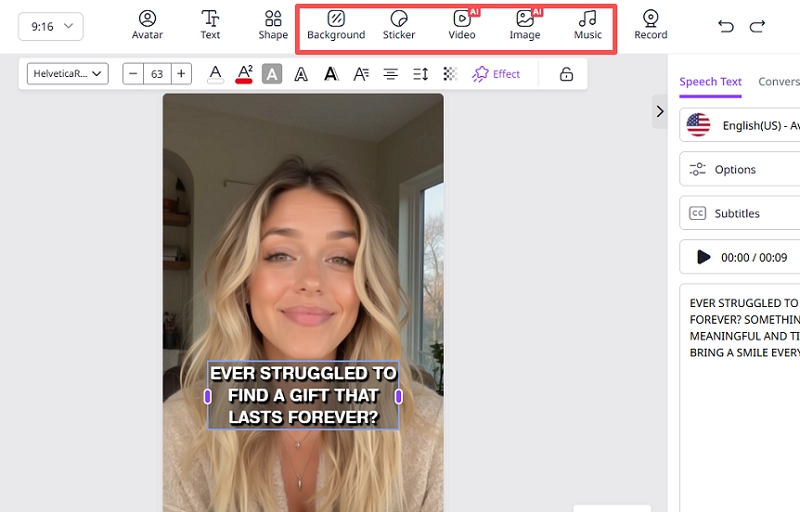
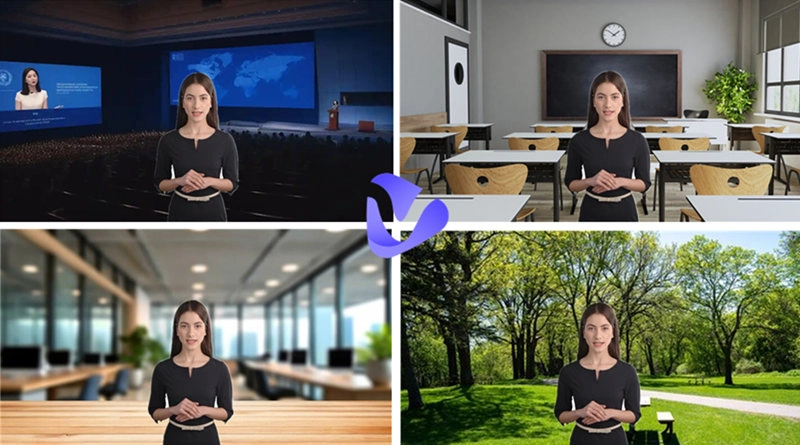
Now you can add the background that you consider best.
You can even add music from the royalty-free tracks from Vidnoz Library.
Adding Logos and call-to-action buttons.
You can make transitions, cuts, and zoom in and out in the video.
Step 6Preview & Generate
After completing the above steps, click "Preview" to view your AI influencer video. If satisfied, generate and download the video in HD.
Vidnoz AI - Create Free Engaging AI Video with Talking Avatar
Easily create professional AI videos with realistic avatars.
Text-to-speech lip sync voices of different languages.
2800+ video templates for multiple scenarios.
FAQ about AI Influencer Video Generator
Yes, AI creates Influencer Videos. Nowadays, AI is powerful enough to generate videos. With tools like these, you can craft and resonate with human-like digital influencers using just your text or script to create the video you need.
Absolutely yes, Vidnoz enables you to use its generated videos for commercial use. You can even upload custom avatars by uploading photos and voices to keep it real for your brand.
Well, there are many, but Vidnoz certainly leads the pack. It is free and offers over 1500 avatars, 2800+ templates, 140+ languages, voice cloning, and much more. It is perfect for your startups to start making.
Conclusion
The AI influencer Video Generator puts everything at your fingertips. It is fast, cost-effective, and consumes less time. With tools like Vidnoz, creating influencer-grade videos without cameras, actors, and a budget is absolute perfection. So, whether it is for TikTok, YouTube, or any other platform, you can easily create a video on Vidnoz in just minutes.
Griffin, a former software engineer and technology enthusiast, has over 5 years of writing experience about technology. He is always looking for and sharing tools that promote creativity, productivity, and teamwork.