
Vidnoz AI Studio - Edit Photos & Videos on PC
-
 Batch enhance images and videos for exceptional clarity.
-
Retake photos for perfect angles, light, & layout.
-
Merge multiple images into a single new creation.
-
Delete unwanted objects with easy brush-and-erase editing.
-
Replace and change image backgrounds instantly.
-
Run on any PC: private, free, & 100% local Editing.
 Free Download
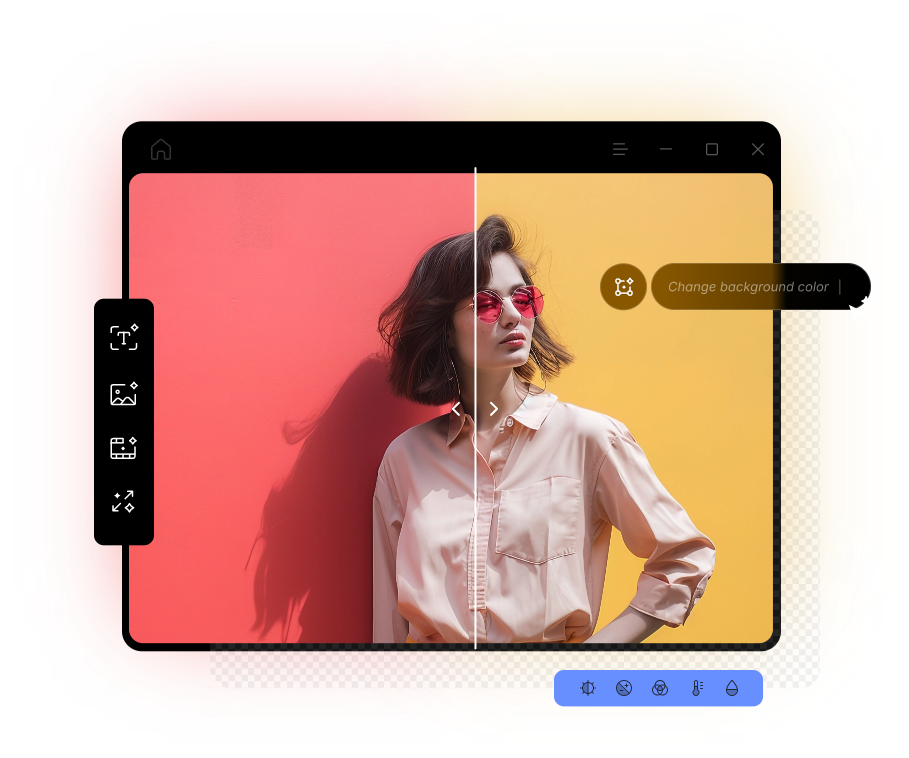
What Makes Vidnoz AI Studio for PC Stand Out?
Free Download
AI-Driven Workflow
Vidnoz uses advanced AI models to deliver professional-grade enhancement and editing.
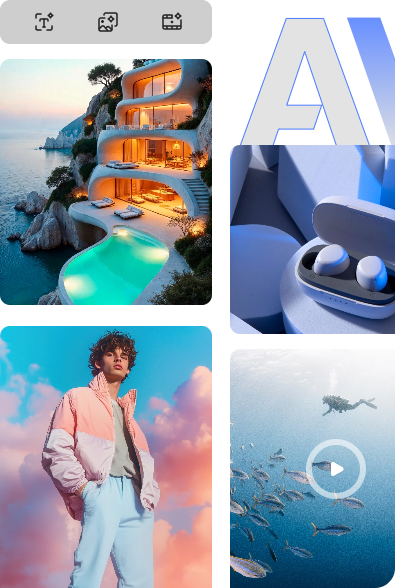
Batch AI Enhancement
The software handles multiple videos and images simultaneously, saving you time and effort.
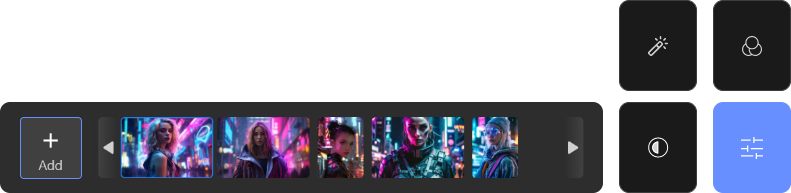
High Safety and Privacy
Private creative workspace for you to enhance, edit, and generate with assurance. No user data stored.
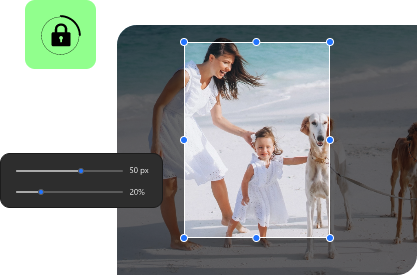

Free Local Processing, on Any PC
Vidnoz AI Studio is a free & private photo & video enhancement and editing software running smoothly on all PCs. From simple touch-ups to advanced edits, simplify every task on your computer with zero cloud leaks.
Upscale Images Up to 8x Higher with the AI Photo Enhancer
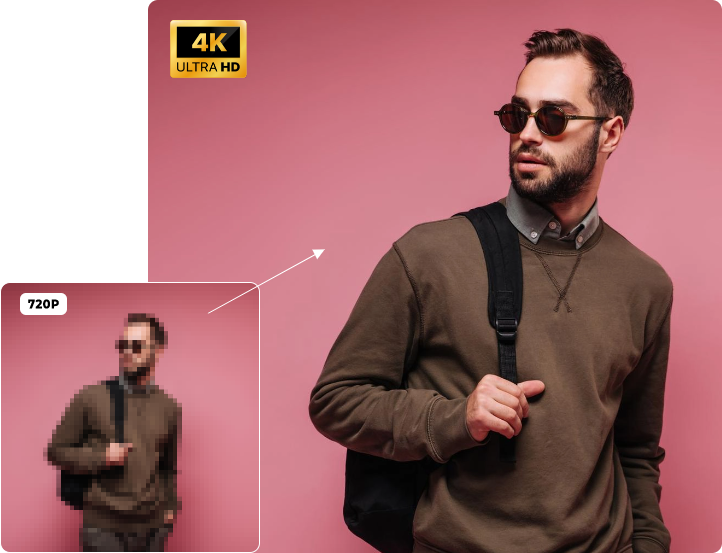
Need higher image resolution for larger displays or greater editing flexibility? Use the AI photo enhancement software for Windows to upscale images and see an instant result. Instead of simple stretching, Vidnoz carefully enhances and enlarges your photos with enough details and natural textures preserved. For a quick transformation from low resolution to stunning Ultra HD, you can achieve the heavy lifting with minimal effort.
Free Download
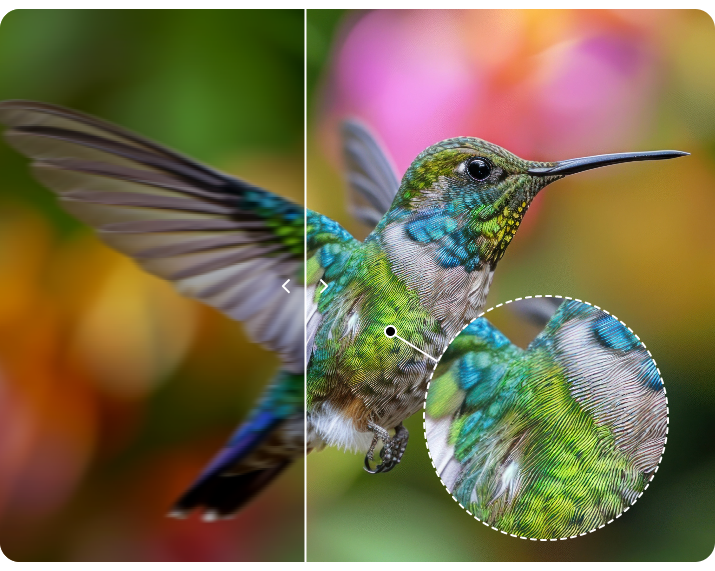
Improve Clarity Pixel by Pixel by AI Image Sharpening
Bring stunning sharpness and clarity to your photos and visual assets effortlessly. Vidnoz AI Photo Enhancer for PC automates image sharpening with precise improvements to edges, contrast, colors, textures, and focus. Transform ordinary visuals into vibrant, realistic content that looks naturally captured in high quality. With the polished, detail-rich images, you can elevate any creative project to a more professional level.
Free Download
Edit Smarter. Shine Brighter.
Use Vidnoz AI Studio for Creative Smart AI Editing
Free Download

AI Reshoot
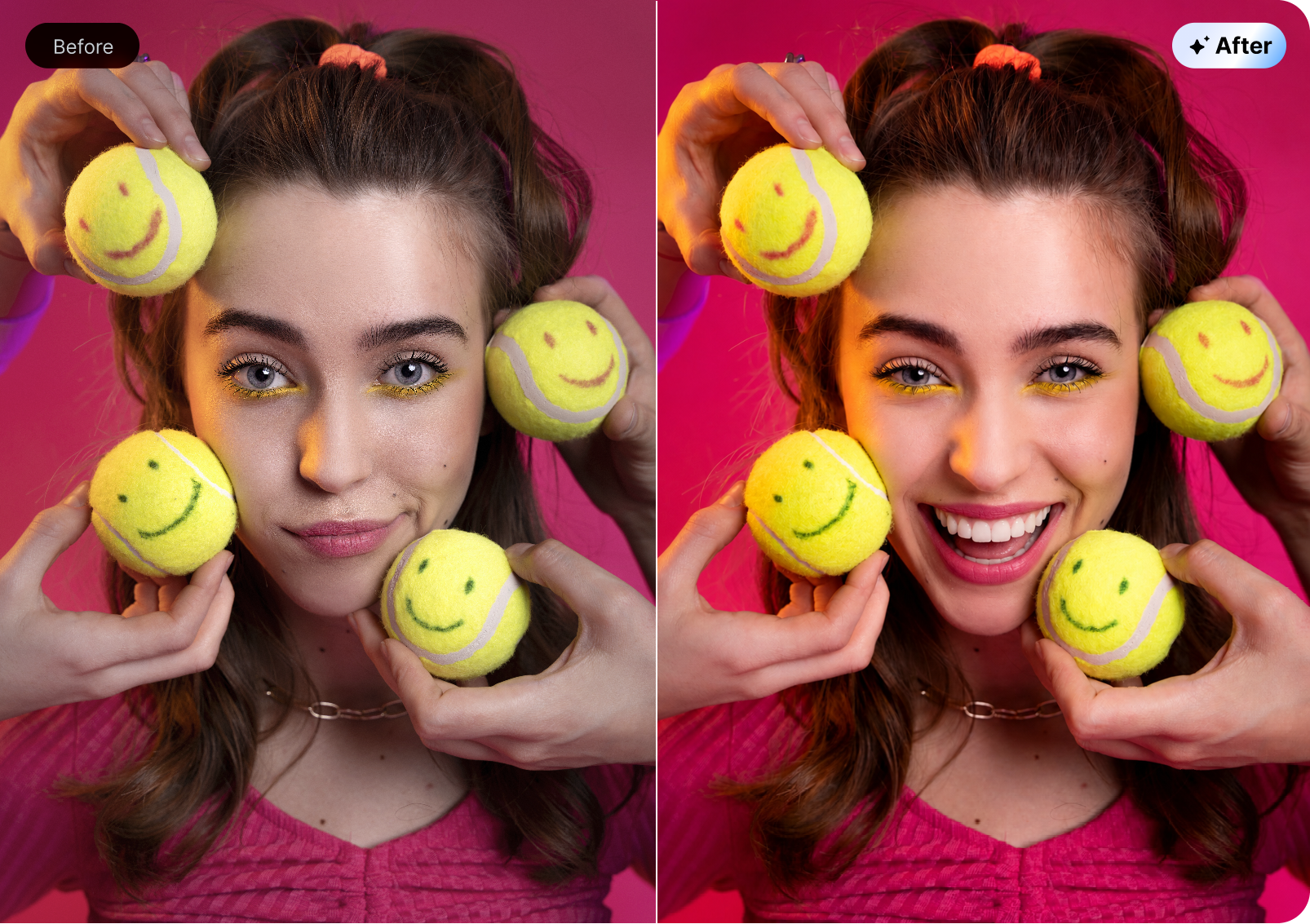
Automatically modify camera angles, human poses, facial expressions, backdrops, and more in a photo.

Image Blending
Combine two or more images into a single artwork with a cohesive texture, lighting, and vibe.

Chat Editing
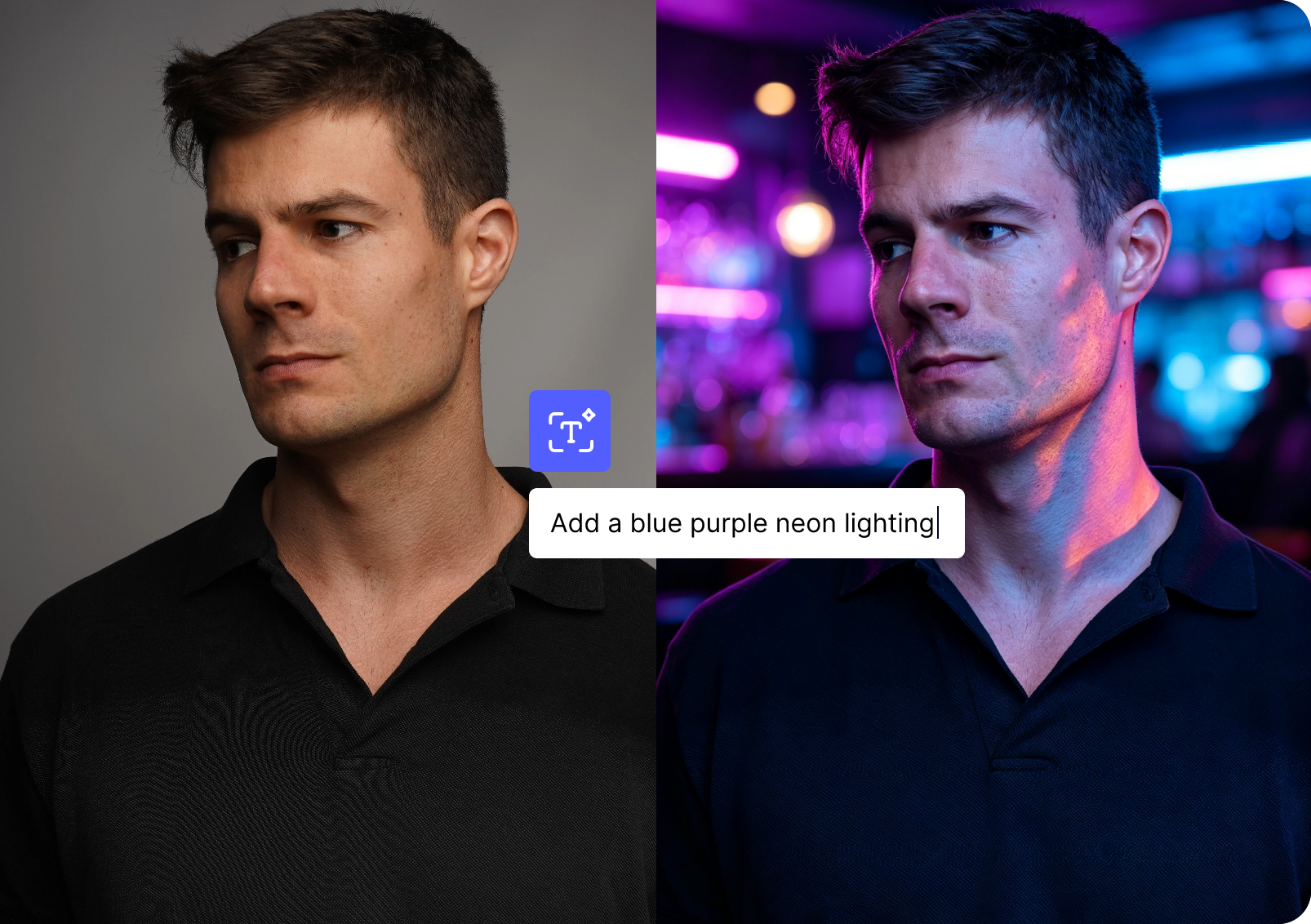
Type text prompts to edit photos with precision. Change outfits, apply new art styles, and alter elements your way.

 AI Reshoot
Image Blending
Chat Editing
AI Reshoot
Image Blending
Chat Editing
Automatically modify camera angles, human poses, facial expressions, backdrops, and more in a photo.
Combine two or more images into a single artwork with a cohesive texture, lighting, and vibe.
Type text prompts to edit photos with precision. Change outfits, apply new art styles, and alter elements your way.
Turn Any Portrait into Perfection with the AI Photo Enhancer Software
Free Download
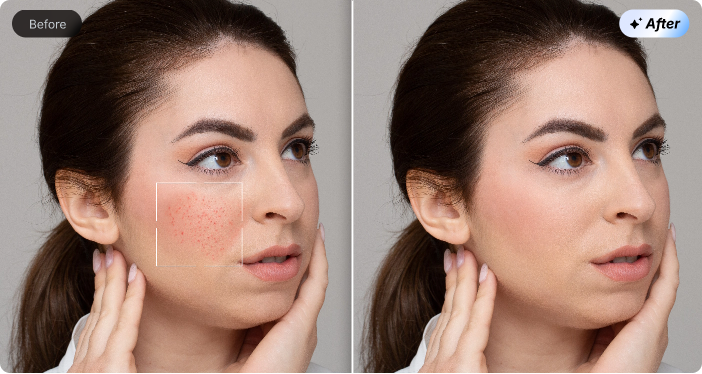
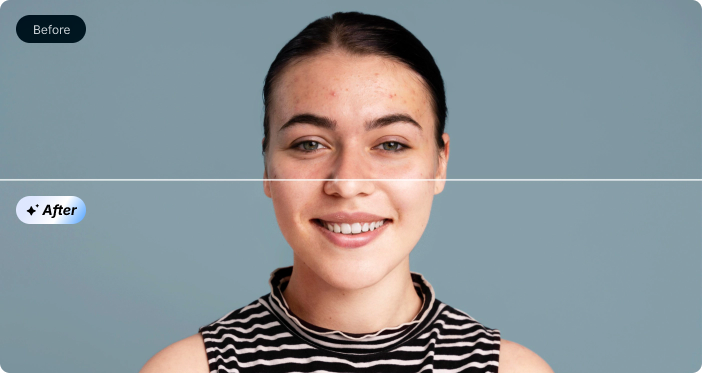
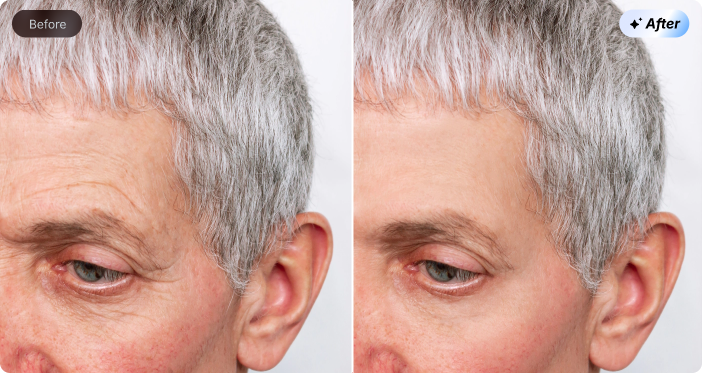
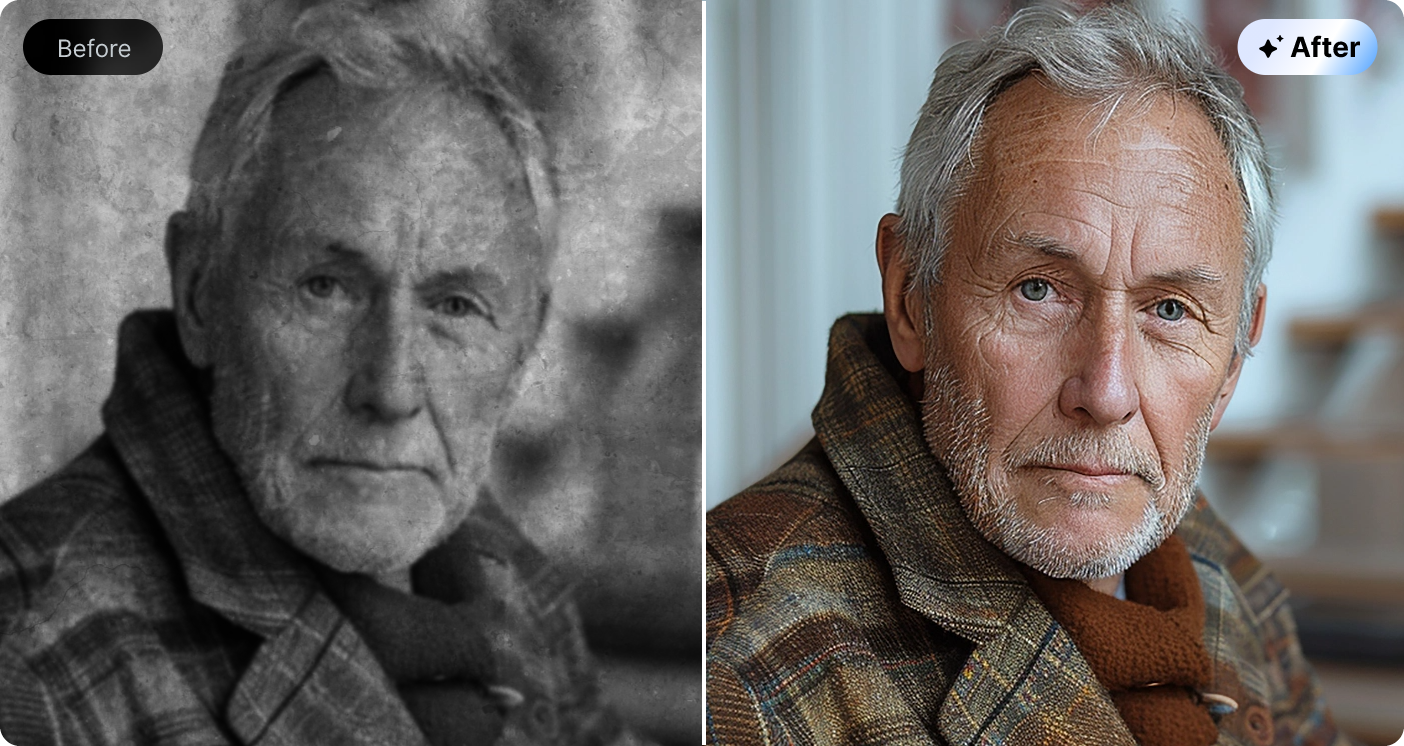
Refine facial details, restore faded colors, remove digital scratches, and sharpen focus with ease. Powered by the dedicated portrait enhancement engine of Vidnoz AI Studio, every photo looks naturally polished and vibrant. No cloud uploads, no personal data exposure, and no compromise on security.
Desktop Vs Online:
The Growing Move Toward Photo Enhancement Software
Free Download


Vidnoz AI Photo Enhancer for PC
 Your files never leave your PC — 100% private & safe.
Available anytime, anywhere, without connection limit.
Get unlimited usage with a cost-effective one-time purchase.
Robust processing performance and immediate results.
Advanced AI for precise enhancement and more editing demands.
Your files never leave your PC — 100% private & safe.
Available anytime, anywhere, without connection limit.
Get unlimited usage with a cost-effective one-time purchase.
Robust processing performance and immediate results.
Advanced AI for precise enhancement and more editing demands.
General Online Enhancer
Security
 Cloud uploads on untrusted sites may put personal data at risk.
Accessibility
Heavily rely on a stable internet connection.
Pricing
Download-by-credit systems tend to get expensive fast.
Speed
Vary based on network performance and server load.
Functionality
Compression on cloud models can reduce enhancement capabilities.
Cloud uploads on untrusted sites may put personal data at risk.
Accessibility
Heavily rely on a stable internet connection.
Pricing
Download-by-credit systems tend to get expensive fast.
Speed
Vary based on network performance and server load.
Functionality
Compression on cloud models can reduce enhancement capabilities.
Free Download the Photo Editing App for PC


Installation Complete!

Your Desktop AI Photo Enhancer Is Ready.
Check out the Pro Tips to Use Vidnoz AI Photo Enhancer for PC Free Smartly

Batch Enhance Instantly
Enhance multiple images together to save time. Vidnoz can handle 6 inputs at the same time.

Keep Natural, No Overdoing
Avoid heavy upscaling and over-shar-pening. 2× or 4× usually delivers the most realistic results in most cases.

Activate GPU Acceleration
Set Vidnoz to high-performance GPU mode under Windows Settings for smoother AI rendering when needed.

Use Keyboard Shortcuts
Use keyboard shortcuts for great efficiency in Vidnoz, such as F5 for enhancement and M for model switching. See more in Settings.
Installation Complete!
Your Desktop AI Photo Enhancer Is Ready.
Check out the Pro Tips to Use Vidnoz AI Photo Enhancer for PC Free Smartly
Batch Enhance Instantly
Enhance multiple images together to save time. Vidnoz can handle 6 inputs at the same time.
Keep Natural, No Overdoing
Avoid heavy upscaling and over-shar-pening. 2× or 4× usually delivers the most realistic results in most cases.
Activate GPU Acceleration
Set Vidnoz to high-performance GPU mode under Windows Settings for smoother AI rendering when needed.
Use Keyboard Shortcuts
Use keyboard shortcuts for great efficiency in Vidnoz, such as F5 for enhancement and M for model switching. See more in Settings.
How to Use the Vidnoz AI Image Enhancer Software
Free Download
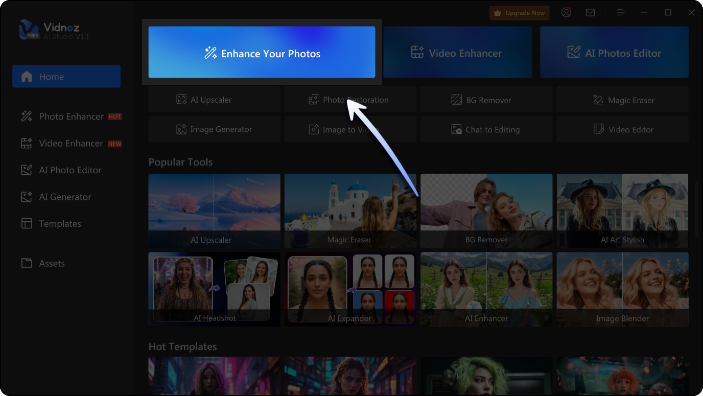

Step 1. Import Your Photo
Click Enhance Your Photos on the home screen, then choose the photo you want to enhance from your computer.

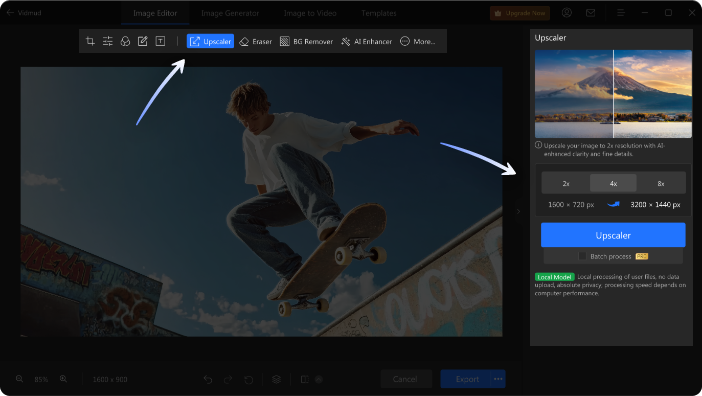
Step 2. Enhance and Personalize
Tailor your settings in the AI enhancement workspace, then click the enhancement button to elevate your image at once. Want to customize further? Use the editing toolbar to swap the background, erase objects, extend the frame, crop, and do more.

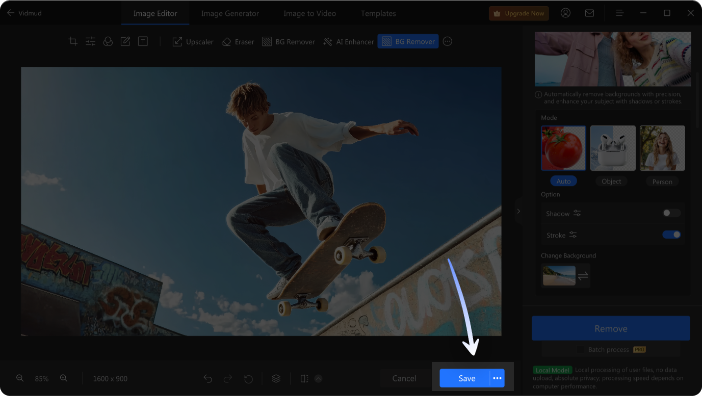
Step 3. Export the Enhanced Photo
Preview the final result. Once satisfied, click Save to export the enhanced photo and store it on your computer.
Step 1. Import Your Photo
Click Enhance Your Photos on the home screen, then choose the photo you want to enhance from your computer.
Step 2. Enhance and Personalize
Tailor your settings in the AI enhancement workspace, then click the enhancement button to elevate your image at once. Want to customize further? Use the editing toolbar to swap the background, erase objects, extend the frame, crop, and do more.
Step 3. Export the Enhanced Photo
Preview the final result. Once satisfied, click Save to export the enhanced photo and store it on your computer.
Simplify AI Photo Enhancement Tasks
One Program, Easy Clicks.
Experience editing without limits. Vidnoz for PC delivers an all-in-one AI toolkit that takes your creative projects far beyond enhancement.

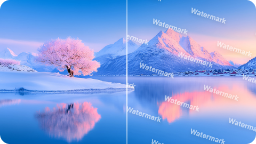
Erase Distraction
Brush away unwanted objects, watermarks, text, logos, or even people with ease.
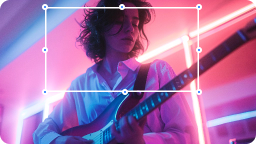
Resize Images
Crop photos to custom dimensions, convert horizontal images to vertical, and vice versa.

Change Background
Replace photo backgrounds instantly with a single click.
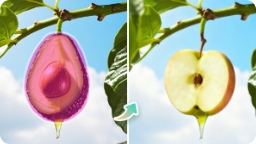
Replace Object
Change any element in a photo into anything you desire.
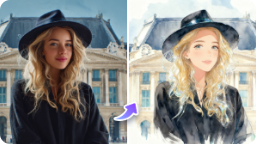
Apply Filter
Explore a wide collection of trendy AI photo filters and visual effects.
Erase Distraction
Brush away unwanted objects, watermarks, text, logos, or even people with ease.
Resize Images
Crop photos to custom dimensions, convert horizontal images to vertical, and vice versa.
Change Background
Replace photo backgrounds instantly with a single click.
Replace Object
Change any element in a photo into anything you desire.
Apply Filter
Explore a wide collection of trendy AI photo filters and visual effects.
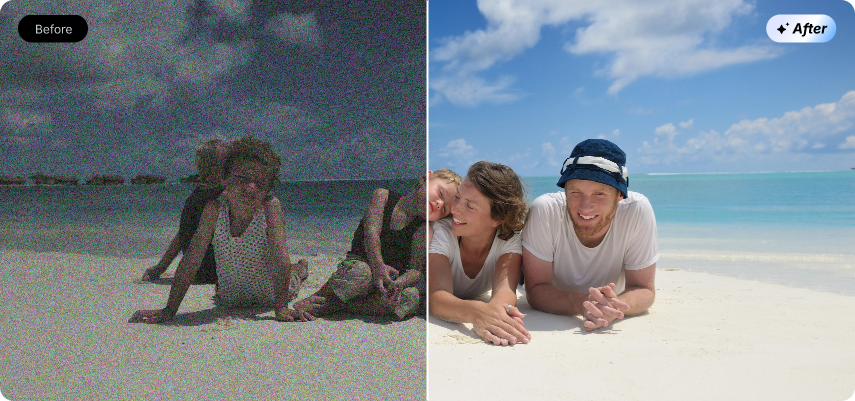
Family Memories
Bring precious family moments back to life with the photo enhancer and editor by Vidnoz. Repair scratched, faded, and damaged old portraits, reviving lost details and vivid tones. Safeguard your heartfelt memories and keep every treasured moment crisp and timeless forever.
Social Media
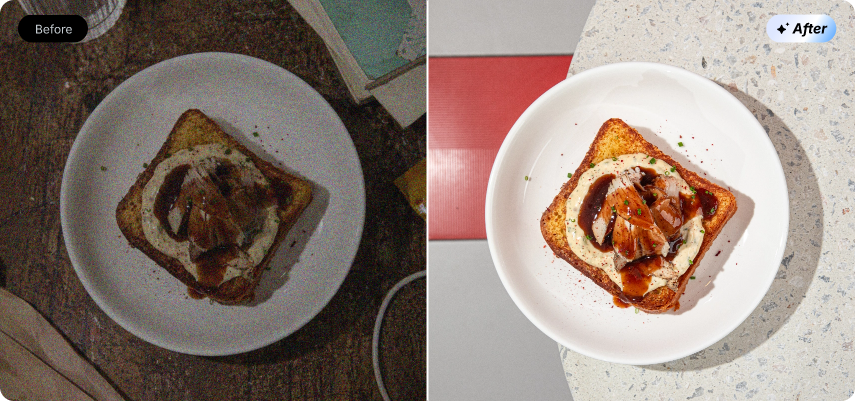
Elevate your social posts effortlessly with the AI photo enhancer. Tailor stunning visuals for TikTok, Instagram, X, and more mainstream platforms. Perfectly optimize portraits, travel snapshots, food shots, and pet photos to make your daily content stand out in any feed.
Marketing & E-commerce
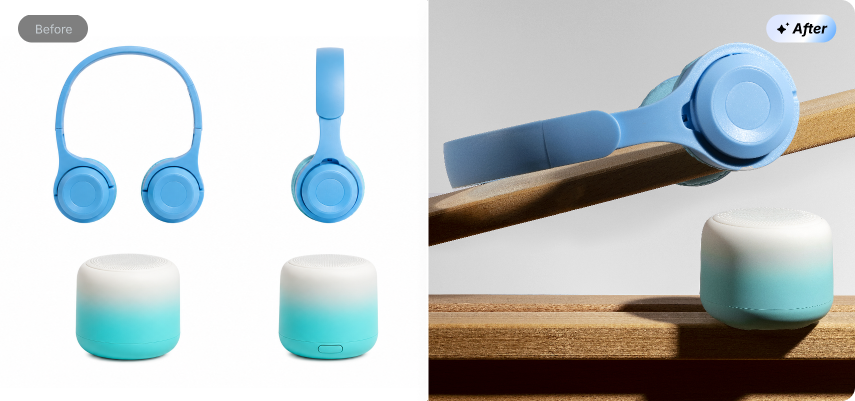
Polish commercial photos, product displays, and brand visuals to perfectly match your brand identity. Upgrade raw shooting materials into professional-grade marketing assets. Easily strengthen your brand image and capture your target audience's attention.
Real Estate
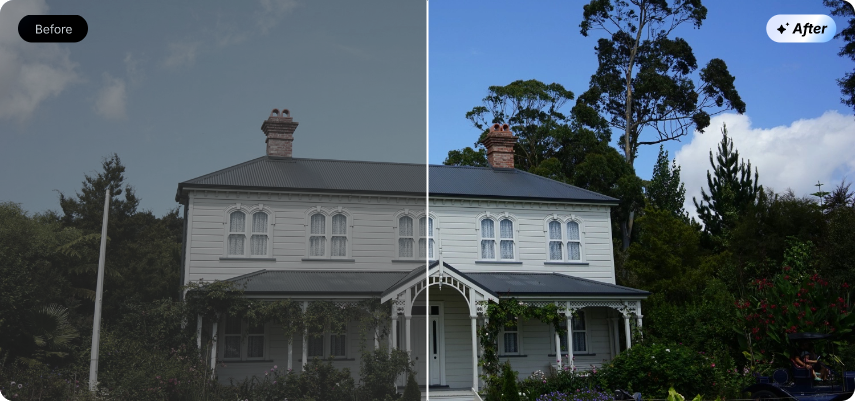
The Windows photo enhancer also provides a cost-effective visual solution for real estate professionals. Enhance interior spaces, property exteriors, landscapes, and panoramic shots. Transform ordinary on-site photos into eye-catching, high-converting listings that stand out in a competitive market.

Graphic Design
For designers, Vidnoz helps turn small, low-quality images into high-quality creative assets with ease. Streamline material revision workflows, enhance the detail, and polish final designs. Add professional touches to diverse creative needs more efficiently.
Family Memories
Bring precious family moments back to life with the photo enhancer and editor by Vidnoz. Repair scratched, faded, and damaged old portraits, reviving lost details and vivid tones. Safeguard your heartfelt memories and keep every treasured moment crisp and timeless forever.
Social Media
Elevate your social posts effortlessly with the AI photo enhancer. Tailor stunning visuals for TikTok, Instagram, X, and more mainstream platforms. Perfectly optimize portraits, travel snapshots, food shots, and pet photos to make your daily content stand out in any feed.
Marketing & E-commerce
Polish commercial photos, product displays, and brand visuals to perfectly match your brand identity. Upgrade raw shooting materials into professional-grade marketing assets. Easily strengthen your brand image and capture your target audience's attention.
Real Estate
The Windows photo enhancer also provides a cost-effective visual solution for real estate professionals. Enhance interior spaces, property exteriors, landscapes, and panoramic shots. Transform ordinary on-site photos into eye-catching, high-converting listings that stand out in a competitive market.
Graphic Design
For designers, Vidnoz helps turn small, low-quality images into high-quality creative assets with ease. Streamline material revision workflows, enhance the detail, and polish final designs. Add professional touches to diverse creative needs more efficiently.
About Vidnoz AI Studio: AI Photo Enhancement Software for Windows
Can I Use Vidnoz AI Studio for Free?


Yes. Vidnoz AI Studio is a free AI editor and enhancer for Windows that lets you edit, enhance, and generate photos and videos. Most of its AI features are available without any fee and limit.
Can I Run Vidnoz AI Studio on a Low-end PC?
Vidnoz AI Studio runs smoothly on low-spec PCs. Make sure that your computer meets the minimal requirements:
- RAM: 2 GB (64-bit)
- Storage: At least 2 GB of available disk space
- Processor: CPU or GPU supported
- Operating System: Windows 10 or later
What Should I Do If I Encounter an Error During Installation?
If you're having trouble installing or running the application, try these quick troubleshooting steps to get back on track:
- Temporarily disable antivirus/firewall.
- Install the latest VC++/.NET Framework runtimes.
- Run the installer as administrator.
- Re-download from the Vidnoz official site.
- Ensure your system meets minimum requirements (64-bit OS, 4GB+ RAM).
Can I Enhance and Edit Photos with Text Prompts?
Yes. Vidnoz AI Photo Enhancer for PC supports prompt-based editing, namely Chat Editing. Simply describe your desired improvement, and the AI will interpret and apply changes instantly.
Does the Photo Enhancer Free Software Support Batch Processing?
Absolutely. The free version lets you enhance multiple images at once.
Are There Keyboard Shortcuts to Speed up My Workflow?
Yes. Vidnoz includes handy shortcuts. Users can also make custom shortcut commands under the Settings panel.
How to Achieve Perfect Results Without Over-Upscaling?
Follow these principles to get realistic outputs that can lead to resonance.
- Go for 2x upscaling for natural results; use 4x only for small, low-res images.
- Enable AI denoise first to clean grain before upscaling.
- Preview your work at 100% zoom to catch and correct edge artifacts.
Can I Use the AI Image Enhancement Software for Commercial Projects?
Yes. Both free and Pro versions allow commercial use across industries. Ensure you own the rights to original images.
