
 Free AI Avatar Video Generator




 Generate with AI
 16:9
16:9
 9:16
9:16
 1:1
1:1 4:3
4:3 3:4
3:4
 This image is free for commercial use.
Best Nano Banana AI Online – Google-Supported AI Image Generation

 Zoom in
 Share
Share
 Download
 No watermark
Nano Banana: Make Image Editing a Flash, and Beyond
Nano Banana (Gemini 2.5 Flash Image) is Google’s new AI model for image generation and editing. Loaded with next-gen updates, it allows you to craft breathtaking images with simplicity. Explore and quickly try the unique features on Vidnoz.
-
Edit Images with Text Prompts
Nano Banana comes with natural language image editing capabilities. For all simple tweaks and detailed edits, describe the changes in plain text, and this AI model will instantly generate an image with your desired adjustments. No extra settings or manual steps.
-
Achieve Diverse Edits As You Need
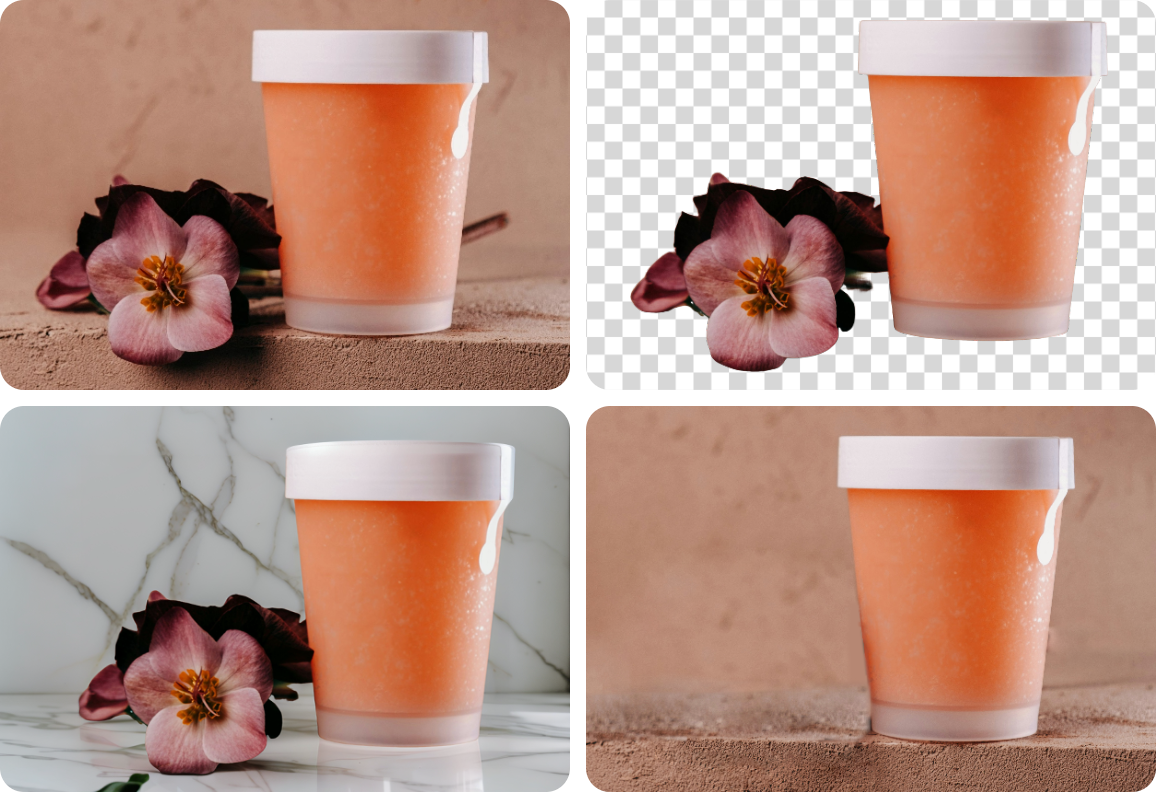
As a fully adaptable AI model, Nano Banana has limitless potential in image editing - modify specific sections, transform styles, add elements, create new scenes, and more. You can create quality content with more freedom and personal touches.
-
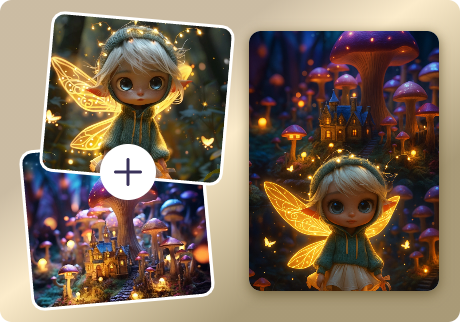
Make Stunning Multi-image Fusion
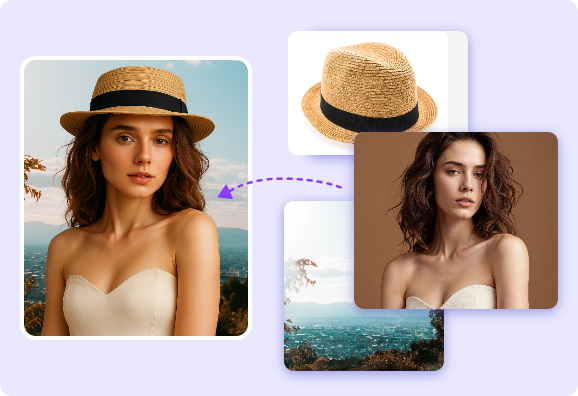
Meet the brand-new image blending feature of Google Nano Banana AI. Far more than random composition, it lets you transfer styles from one image to another, combine target objects into a cohesive scene, and even create panoramic views. Benefit more from the AI image combination!
-
Keep Awe Consistency and Quality
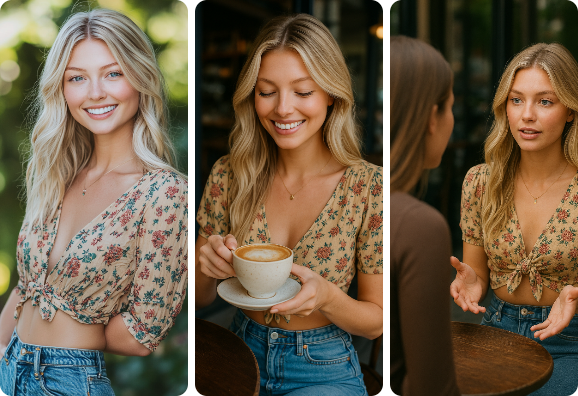
The significant advance in consistency makes the Google AI image model an unrivalled choice for authentic creation. For a set of edits, it can keep high stability in character facial features, visual elements, and vibes. Confidently showcase your ideas from every perspective.
Nano Banana Is Driving Efficiency Across Industries
Social Photos
Make your own personalized profile pictures and glow-up portraits, or go wild with hilarious style swaps and quirky image remixes. With this AI image editor, showing off your personality and standing out on social media has never been easier!
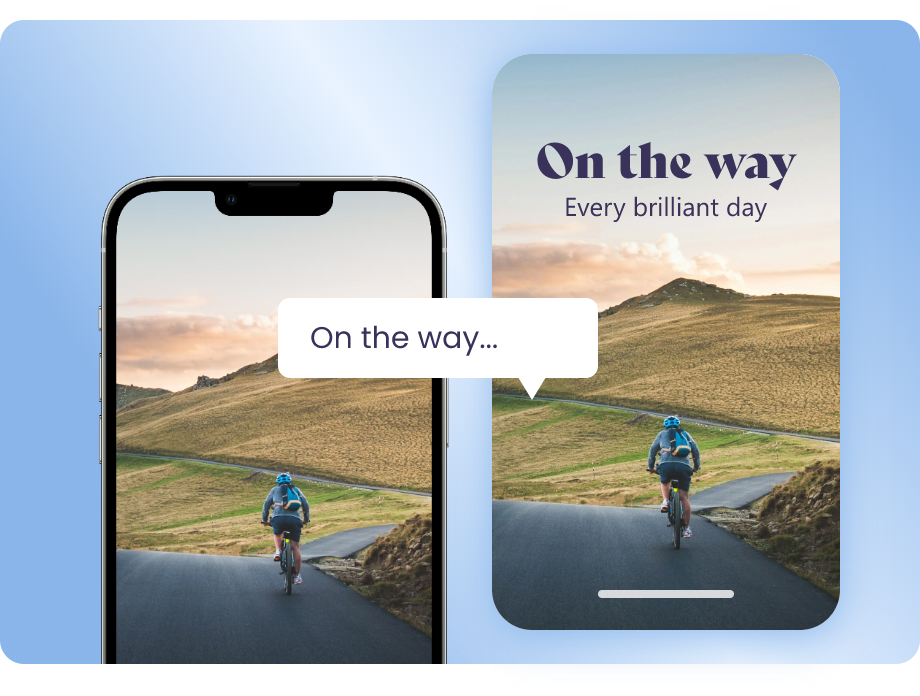
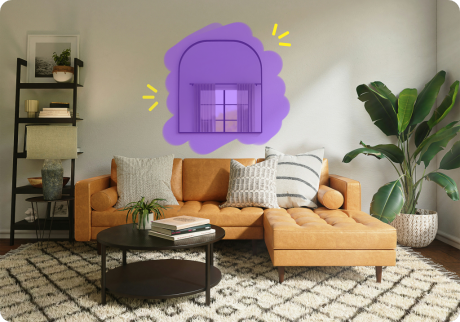
Interior Design
Streamline your interior design workflow with this AI model - describe a design concept, and visualize the idea in a flash. Try out different materials, settings, accent pieces, or structural components. You don’t need to rely on labour-intensive painting or 3D rendering anymore.
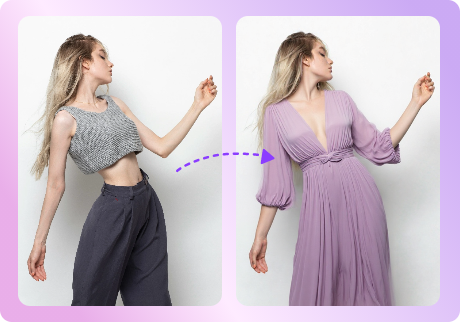
Fashion Design
Fashion designers can also leverage Nana Banana AI to explore inspirations. Whether it’s virtual try-ons, outfit color changes, or pattern modifications, text prompts or image references are all it takes. It’s also a cinch to put new designs on any models in any scenery with AI!
Visual Art Creation
Supercharge your creativity with this innovative AI whenever inspiration strikes. Create stunning visual artwork by trying out endless variations and seamless compositions. Easily elevate your works and give your artistic journey a potent resonance!
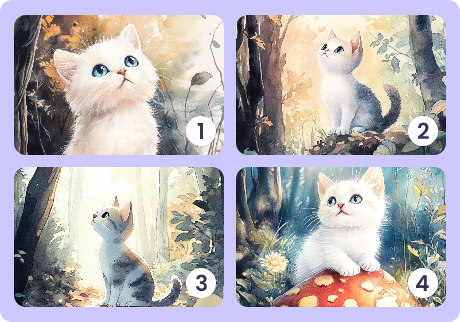
Consistent Storytelling
Unfold your story with a sequence of captivating AI images. Let your characters embark on adventurous journeys, explore heartfelt romances, or pursue inspiring careers—all portrayed with a natural flow and immersive details, helpful for immersive narration.
Nano Banna vs Traditional AI Image Editors
Traditional Image Editing
- Heavy, crowded UI design.
- Long-term manual tweaks and rendering.
- Limited to specific editing tasks.
- Inconsistent output relying on the user’s editing skill.
Nano Banana
- Lightweight layout, easy to handle.
- Quick turnaround, automatic process.
- Powerful image editing tools for every need.
- Guarantee high-quality results all the time.
Use Nano Banana Models for More AI Image Edits





FAQs on Nano Banana AI Image Editor
-
What is Nano Banana?
Nano Banna is a new AI image editing model from Google. It has impressive performance in consistency. Instead of summoning a new image from AI, it modifies user-defined parts of an image and exports natural results with the original vibe preserved.
-
Where Can I Use the Nano Banana AI Model?
You can run Google Gemini Nano Banana in the official app or on the web. To bring users more efficient image editing experiences, we have also seamlessly integrated it into Vidnoz AI image editor.
-
Is the Nano Banana AI Image Editor Free?
Yes, Nano Bana AI image editor here is available for free use. You can ask it to fulfill multiple tasks without costing a penny.
-
How to Use Nano Banana AI Free?
Set Vidnoz AI Image Generator as an example - Enter your images and the effect you hope to achieve, submit them to the AI image editor, and it will work and deliver the result instantly.
-
How to Export More Realistic AI Images Using Nano Banana?
While Nano Banana gains huge improvements in delivering realistic images, for the best result, you’d better give clear references and a detailed description of your desired content.
-
Is Nano Banana Available for Video Editing?
Nano Banana doesn’t support video editing currently. For video customization, you can use a Nano Banana alternative or go to Vidnoz AI. This free AI video generator is loaded with an easy video editor and a series of AI features for advanced video customization.
Step Into a New Era of Image Editing with
Nano Banana
Say goodbye to the old days of tedious manual adjustments. Turn prompts into elaborate images with AI now.

 loading
