Vidnoz AI Dolly Zoom Photo Effect Generator—Free, Fast, Flexible
Create vertigo shots on ordinary photos without camera moves and lens zooms. Vidnoz's free AI dolly zoom video generator simulates dizzying sensations with one tap!
Generating...
This may take a few minutes.
Zoom in
Share
Download
No watermark
Generating...
This may take a few minutes.
Zoom in
Share
Download
No watermark
Image to Video
Text to Video
Model
Image
Upload an image
Drag or upload your image JPG,PNG, WEBP
Drag and drop the photo here
Generate NowGenerating
Model
Video Description
Generate NowGenerating
Ready to Generate! Confirm Your Model:
Vidnoz Lite
Standard
Selected
Instant video drafts with clean motion effects.
Speed:
Quality:
Standard
Generate Now
Switch Now
Vidnoz Turbo
Enhanced
Selected
Fluid motions with natural-looking transitions.
Speed:
Quality:
Enhanced
Generate Now
Switch Now
Vidnoz Ultra
Premium
Selected
High-quality videos with precise movement control.
Speed:
Quality:
Premium
Generate Now
Unlock Ultra
Vidnoz Max
Ultimate
Selected
The most lifelike results with detailed textures.
Speed:
Quality:
Ultimate
Generate Now
Unlock Max
Edit uploaded images
Drag to crop, scroll to zoom.
Drag to crop, pinch to zoom.
Aspect Ratio
Original
16:9
9:16
1:1
3:4
4:3
21:9
9:21
Reset
Confirm
Turn Ordinary Image Into Cinematic Dolly Zoom Effect Videos At Ease
Add Dolly Zoom to Static Image
Begin from a static image and let AI imagine the scenes when the subject is stable in the frame, the camera zooms in or out, and the background stretches away or closes in. Put away time-consuming setting up and shooting; AI achieves a precise dolly zoom effect directly on photos in seconds.
Apply Up-to-Date AI Models
Vidnoz supports 38 versions of 10 AI models, including its own, Kling, Vidu, Hailuo, Seedance, Wan, Google Ven, Luma Ray 2, Sora 2, and Pixverse. They focus on different aspects of the dolly zoom photo effect, such as texture, quality, synchronized audio, stable fluid motion, and film realism. Pick an appropriate one!
Text to Customize Details
Simply type prompts like "add a dolly zoom effect" or "a Hitchcock zoom to the image". Or refine the wanted vertigo shots effect in detail with the text “make the camera move toward the subject while the lens zooms out, making the background appear to expand, stretch, or surge forward."
Adjust to the Best Result
Output the best Hitchcock-style dolly zoom videos that cater to your demands. Set the video length, professional generation mode, and 1080P resolution, and even change the video style to anime, comic, 3D animation, or cyberpunk. Alter text commands and settings until the result satisfies you.
Apply Dolly Zoom Effect for High Efficiency & Quality in More Fields
Where can the AI dolly zoom effect be used practically and effectively? Broaden your mind to be one of the beneficiaries.
Save Cost for Creation
This is friendly for low-budget short video production that pursues quality. With no need for a technical threshold, just one picture and a Vidnoz AI Dolly Zoom Effect Generator, everyone can create a high-quality, cinematic Vertigo zoom effect video clip.
BeforeAfter
Filmmaking
Special Vlog Transition
Want your vlog to stand out on the diverse social media platforms? There's no need to shoot video clips; just photos will do. Add a dolly zoom transition effect to them to simulate a dizzying effect, stir up the audience's tense emotions, and use bright pictures for the reversal.
BeforeAfter
Social
High-Exposure Promotion
Need to render an eerie and terrifying atmosphere in promotions such as haunted houses, Halloween events, horror movies, etc.? That is the right place for the dolly zoom effect to play its role. Instantly try Vidnoz AI dolly zoom effect to immerse and freak out the viewers.
BeforeAfter
Promotion
Game-Related Content
Using an AI dolly zoom effect generator to precisely replicate the rhythm and spatial distortion can also be seen in game content. E.g., the monologue of the protagonist in Final Fantasy XVI, the 3D promotional animation of Magic Baby M, and the player-creating community of Roblox.
BeforeAfter
Game
How to Add an AI Dolly Zoom Effect to Photos via Prompts?
1
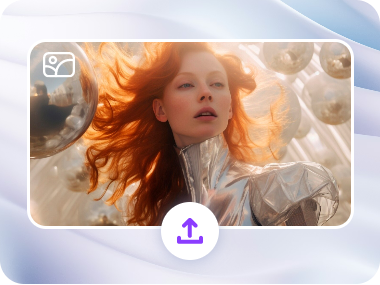
Upload Your Photo
Import a high-resolution image with a clear subject and background. Which is better for isolation and distortion.
2
Opt for AI Model
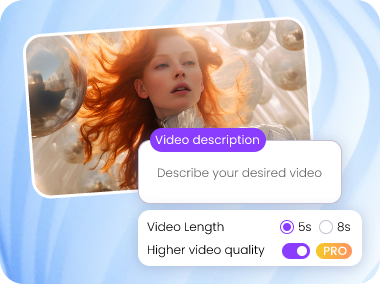
Select an AI model, and add prompts to create a dolly zoom effect on your image. Each model has its own merits and parameter settings.
3
Generate Dolly Zoom Effect
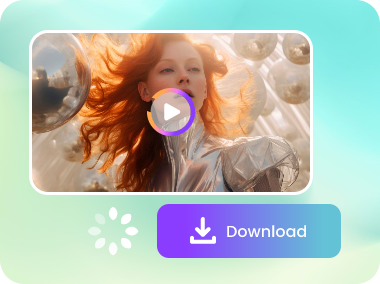
Click Generate Now to enable the AI model analysis prompts. A precise Zolly video will be created in seconds.
What Makes Vidnoz AI Dolly Zoom Video Effect Outstanding
No matter what story you want to tell or what emotion you want to convey with the Hitchcock zoom effect, the Vidnoz AI Dolly Zoom Video Generator can make creation simple, efficient, and professional.
Daily Free Support
Using Vidnoz, there are no worries about budget or sunk cost. It provides daily free credits with no need of sign-in, private info, installation, or watermark limit.
AI Auto Editing
Vidnoz AI dolly zoom video generator is accessible to all levels of users. Without expensive equipment, complex editing skills, or team support, AI does it fast and professionally.
Blazing-Fast Generation
Usually in no more than 2 minutes, the dolly zoom effect will be applied perfectly to an image. If not satisfactory, you can modify it over and over again, achieving efficient iteration.
Ultra-Precise Control
Users have unprecedented precise control over camera movement styles and rhythms. They use detailed textual descriptions to achieve a stunning AI dolly zoom effect.
Discover More of the Hottest Video Effects Than Vertigo Zoom