Hug Me Filter: Turn Photo into Hugging Video with AI
Create any type of hugging animation online with image references and text prompts. Try the Hug Me Filter to make it in seconds. Have hugs with AI, and spread warmth everywhere.
Generating...
This may take a few minutes.
Zoom in
Share
Download
No watermark
Generating...
This may take a few minutes.
Zoom in
Share
Download
No watermark
Image to Video
Text to Video
Model
Image
Upload an image
Drag or upload your image JPG,PNG, WEBP
Drag and drop the photo here
Generate NowGenerating
Model
Video Description
Generate NowGenerating
Ready to Generate! Confirm Your Model:
Vidnoz Lite
Standard
Selected
Instant video drafts with clean motion effects.
Speed:
Quality:
Standard
Generate Now
Switch Now
Vidnoz Turbo
Enhanced
Selected
Fluid motions with natural-looking transitions.
Speed:
Quality:
Enhanced
Generate Now
Switch Now
Vidnoz Ultra
Premium
Selected
High-quality videos with precise movement control.
Speed:
Quality:
Premium
Generate Now
Unlock Ultra
Vidnoz Max
Ultimate
Selected
The most lifelike results with detailed textures.
Speed:
Quality:
Ultimate
Generate Now
Unlock Max
Edit uploaded images
Drag to crop, scroll to zoom.
Drag to crop, pinch to zoom.
Aspect Ratio
Original
16:9
9:16
1:1
3:4
4:3
21:9
9:21
Reset
Confirm
Make the Most of Vidnoz AI Hug Me Filter Online
Make AI Hug Me Videos for Free
The Vidnoz Hug Me filter is ready for free. You have full access to all the AI filters & effects for turning still visuals into engaging motion. It sends credits to user accounts every day for free usage, which doesn’t require extra actions. Moreover, you can buy credits for unlimited creations at one time.
Get Everything Made from Easy Inputs
Designed for effortless content generation, Vidnoz enables everyone to craft visually aesthetic AI hug me videos from a simple portrait photo, short text prompts, and even quick video templates. The transformation from simple input to unlimited possibilities is just a few simple taps now.
Easy AI Hug Me Video Generation
The AI-generated hug me video is characterized by fluid motion, realistic scenes, rich details, and consistent characters, exceptionally realistic and comparable to real shots. It also accurately comprehends your commands and unfolds the dynamic canvas in the way you hope, and even better.
Breathe into More Creative Ideas
Not just for AI hug me video creation. You can go further with this filter to express more ideas for different cases. Whether you want to create a trendy AI flying video, dancing baby, age progression, or other unique content with creativity, Vidnoz helps make it a reality by modifying the scenes, changing characters, and all other details.
Free Hug Me Filter Fitting for Kinds of Scenes and Cases
Ignited by creative AI hug me ideas, and create something incredible, touching, and engaging. Explore now!
Hug My Younger Self AI
Embracing your younger self has become a heartwarming trend across the internet. It taps into deep nostalgia and awakens cherished memories. Use Vidnoz AI Photo Editor to seamlessly merge two images of yourself from different ages into a single photo. Then, apply the AI Hug Me filter to build a touching visual connection with your childhood self.
BeforeAfter
Hug Younger Self
Hug Deceased Loved One
With the AI hug me filter, you can even embrace a departed loved one and see them alive in the digital space. The hug simulation offers a special way to interact with the lost one, process grief, find comfort, as well as pay tribute.
BeforeAfter
Hug Deceased One
Virtual Companion Hug Me
You can make a fake person embrace you in your preferred type - hug from behind, cuddle hug, waist hug, and more. Enter clear text instructions and portrait photos. The AI hug filter will process the inputs at once and add a virtual partner along with hug animations according to your vision.
BeforeAfter
Virtual Companion Hug Me
Make Celebrity Hug Me AI
Hug me filter is also a good method of showing your admiration for your favorite singer, movie star, idol, or other famous people. It helps not only display your love for them but also craft shareable and engaging content for you to find more like-minded people.
BeforeAfter
Make Celebrity Hug Me AI
How to Use Vidnoz AI Hug Filter: 3 Steps
1
Add Your Input
Vidnoz provides users with multiple ways to start. You can upload the photo you hope to transform or opt for the Text to Image option.
2
Define the Details
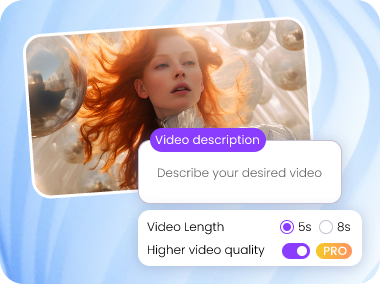
Describe the hugging scene in detail via text, set the video duration & resolution, and choose from the available AI models based on your focus.
3
Generate AI Hugging Video
Tap Generate Now. Vidnoz will immediately handle your generation request and deliver an accurate result.
Generate AI Hugging Video
Vidnoz AI is one of the leading AI video & image filter providers. Let its Hug Me filter tell why.
High Versatility
Backed by the cutting-edge technology and support for most AI models, Vidnoz Hug Me Filter is applicable for AI video generation on any topic.
Rapid Process
Vidnoz is a real time-saver in the AI video production industry. Pick one of the one-tap effects & models, and you will get a crafted AI hugging video within seconds.
Easy Customization
Vidnoz is loaded with text-based editing features in its image to video AI tools. Meanwhile, users have full capability to tweak the details and modify any sections and elements.
Emotion Resonance
Different from old AI video generators that often lead to emotionally hollow, Vidnoz Hug Me Filter is trained on next-gen models that are experts in subtle nuances for authentic emotion delivery.
Other Trendy Vidnoz AI Filters and Effects You Can Try
Make Emotional Connection with AI - Vidnoz AI Hug Filter