Squid Game didn’t just eat Netflix; it devoured our feeds—and filters. If you’ve ever wanted the mask, the number, the eerie doll vibe… you’re in the right place. A Squid Game filter is a quick visual effect that remixes your face, background, and color grade to match the show’s look—players, guards, or full-scene AR. In this guide, I’ll break down three fan-favorite options (fast, simple, and actually fun). I’ll also show you how to push your results further—turning a static image into a mini-movie with Vidnoz AI and its effects. Bonus: I’ll cover the exact steps for the viral-ready ones people ask for, like the Squid Game filter face and the first go-to, the Squid Game filter TikTok.
- On This Page
-
Main Characters in Squid Game
-
Way 1. Squid Game Filter on TikTok
How to use the Squid Game filter on TikTok
-
Way 2. Myshell AI’s Squid Game Filter
-
Turn Your Squid Game Photo into an Interesting Mini-Movie
How to Turn Squid Game Photo to Mini-Movie
Key features of Vidnoz AI
Main Characters in Squid Game
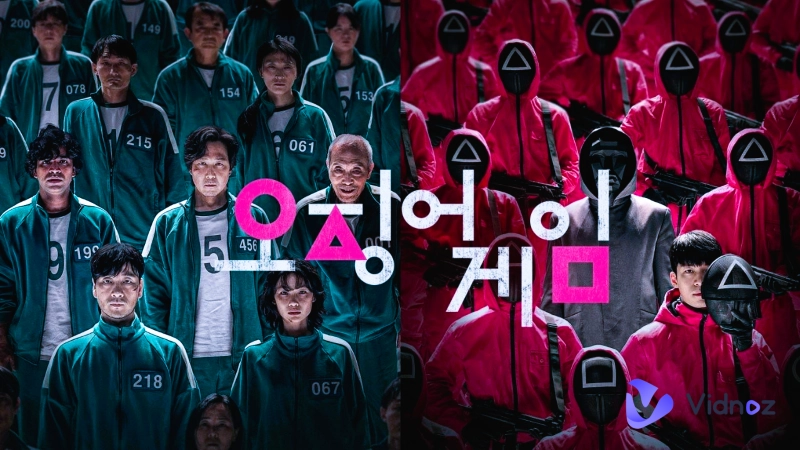
When Netflix released Squid Game in 2021, no one could have predicted the global obsession it would ignite. The look is unmistakable: teal tracksuits, triangle-square-circle masked guards, harsh playground lighting, and that menacing doll craning its head. If you’re testing a Squid Game filter face, it helps to know who you’re “becoming.” Here are the main faces people reference when they build effects, captions, or cosplay shots.
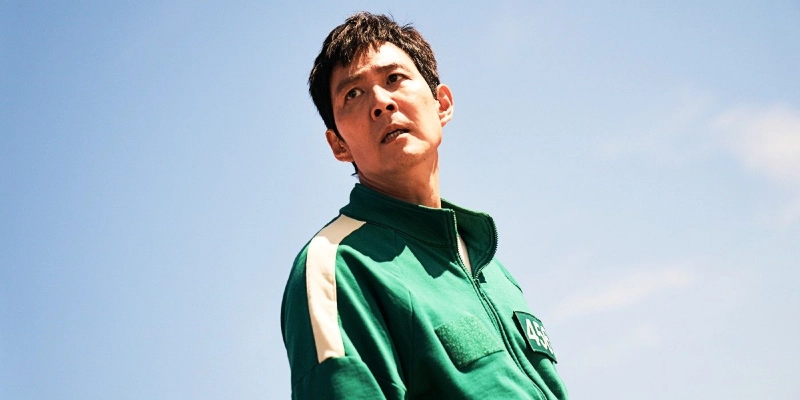
Seong Gi-hun (Player 456): The divorced father and gambling addict drowning in debt—impulsive and naive, but evolves into a compassionate, morally conflicted leader who resists the game’s dehumanization.
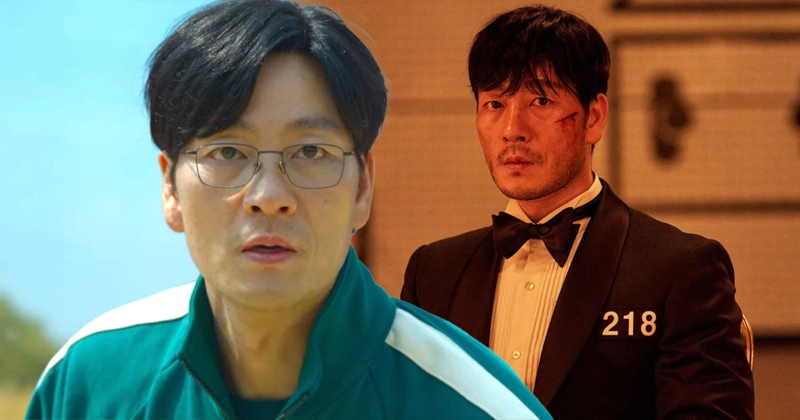
Cho Sang-woo (Player 218): The disgraced investment banker and Seoul National University graduate—coldly logical and increasingly ruthless, embodying the collapse of idealism under survival pressure.
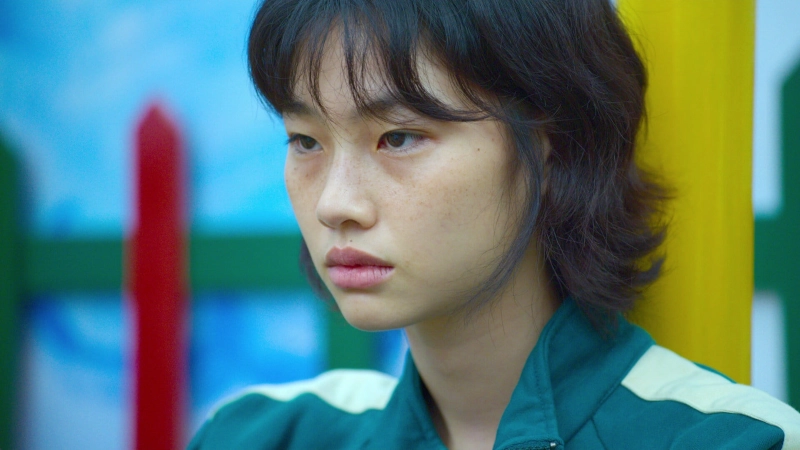
Kang Sae-byeok (Player 067): A North Korean defector—emotionally guarded, fiercely independent, and driven by the need to reunite her family. Her quiet cunning and loyalty emerge gradually.
Ali Abdul (Player 199): A Pakistani migrant worker exploited by his employer—physically strong, emotionally sincere, and tragically trusting. His kindness becomes his undoing.
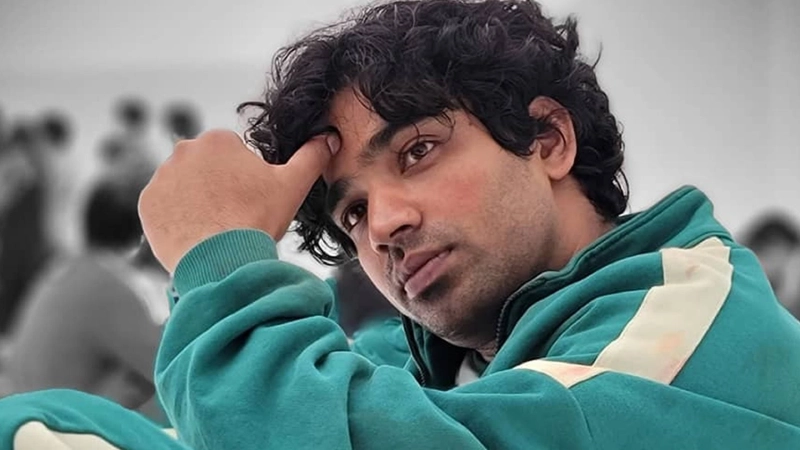
Lee Myung-gi (Player 333): A disgraced crypto influencer hiding from legal fallout—charismatic but manipulative, oscillating between protective instincts and self-preserving cruelty.

Kang Dae-ho (Player 388): A timid social service worker who faked military credentials—morally grounded, empathetic, and emotionally fragile, yearning for redemption even as fear overtakes him.

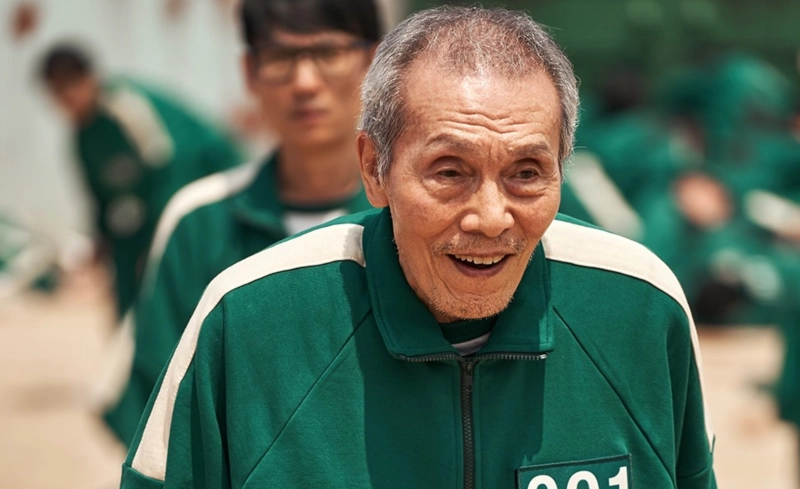
Oh Il-nam (Player 001): Secretly the creator of the Squid Games—frail and playful on the surface, but driven by a twisted philosophy that suffering gives life meaning.
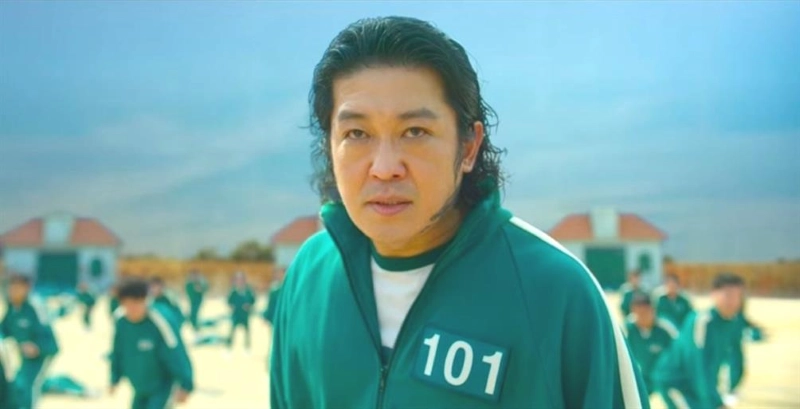
Jang Deok-soo (Player 101): A violent gangster fleeing debt and enemies—sadistic, cowardly, and hypocritical. Thrives on intimidation until his own cruelty turns against him.
Way 1. Squid Game Filter on TikTok
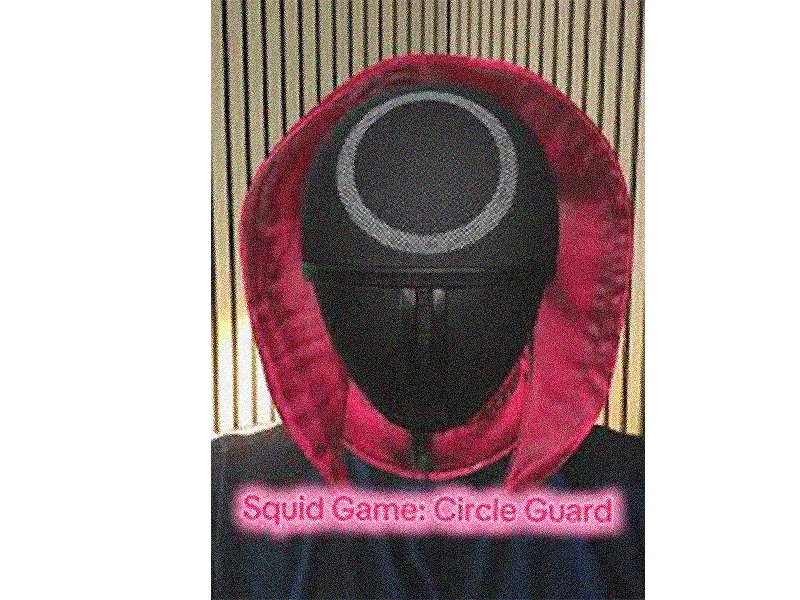
TikTok has a native effect that nails the vibe: guard masks, teal color grade, number overlays, and yes, the Red Light, Green Light doll AR. To find it, search “Squid Game filter TikTok” or simply type “Squid Game” in Effects. Tap, record, and you’ve got a social-ready clip in seconds. This is the simplest way to try a Squid Game filter without downloading extra apps, and it’s perfect for quick trends, duets, or reacting to the doll’s head turn.
How to use the Squid Game filter on TikTok
Step 1. Find the effect: Open TikTok, go to Effects, and search “Squid Game” or “Squid Game filter TikTok.”
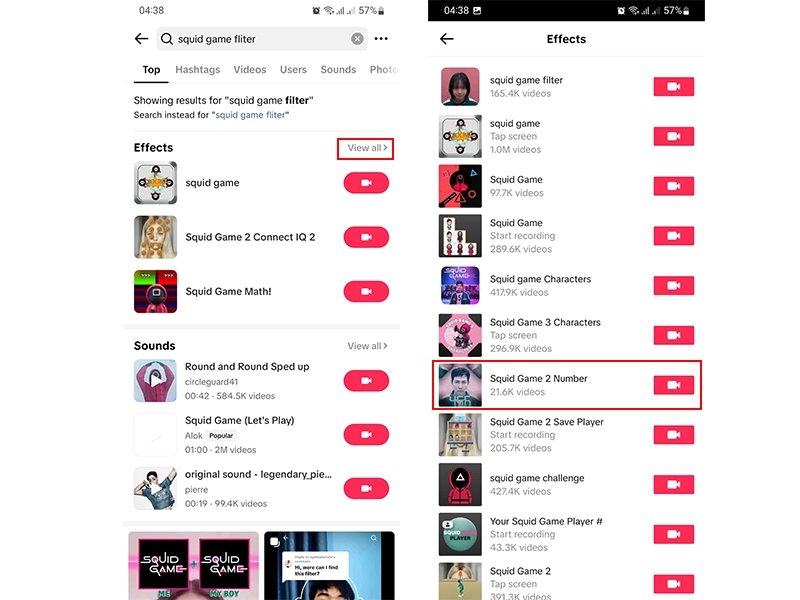
Step 2. Frame your shot: Pick the front or rear camera, fit your face in the frame. Click on the record button to see your transformation.
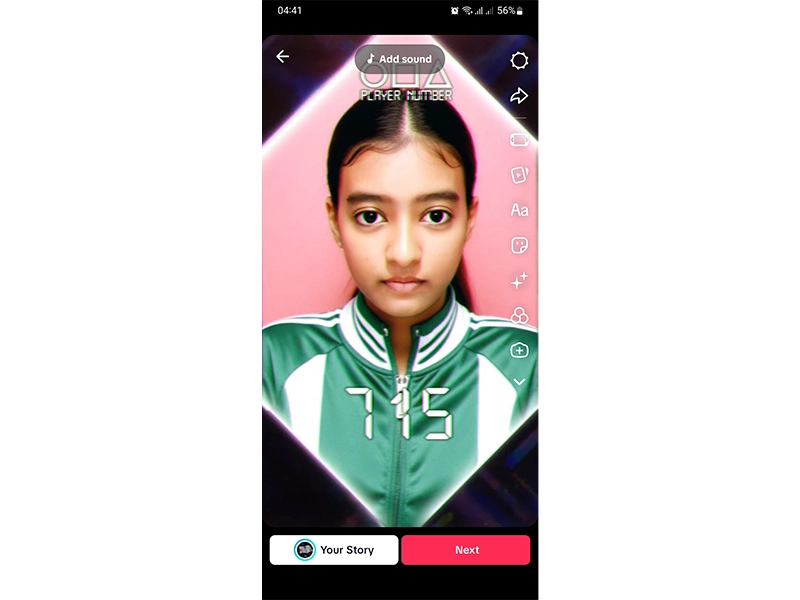
Add sound, trim, and post with relevant hashtags.
You can export and level it up with the free AI video generator for a cinematic tweak.
Pros
- Fast Setup: Instant access; record in one tap.
- Built-In AR: Doll, guards, and number overlays feel native.
- Trend Leverage: Easy discovery via hashtags and sounds.
Cons
- Limited Customization: You’re locked into TikTok’s presets.
- Compression: Export quality can drop after publishing.
- Platform-Dependent: You need TikTok to use it outside a screen record.
Way 2. Myshell AI’s Squid Game Filter
Myshell AI leans into stylized transformations—think tracked masks, gritty grading, and number plates mapped to facial landmarks. It’s ideal if you want a stronger Squid Game filter face result than the typical social app. Upload a selfie or short clip, pick the Squid Game preset, and let the model do the mapping. It’s not as instant as TikTok, but you trade speed for control and quality—Its render output pairs beautifully with image to video AI if you want to animate.
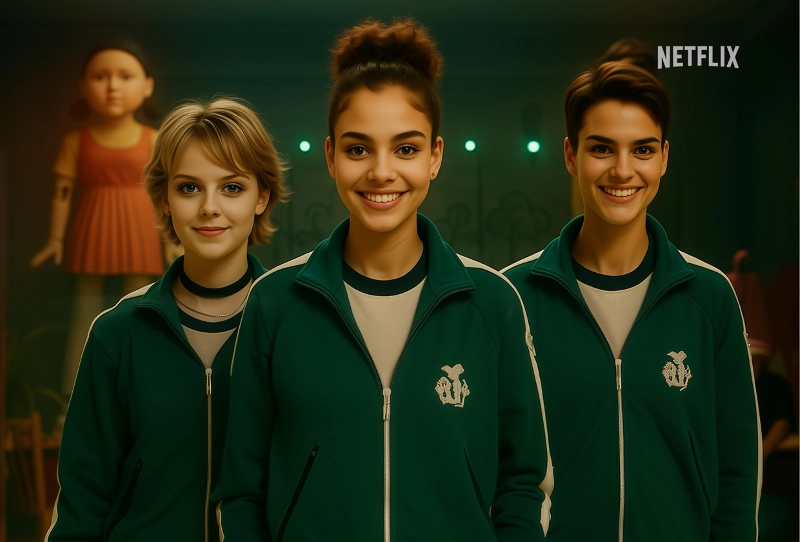
How to use Myshell AI’s Squid Game filter
Step 1. Head over to Myshell AI’s Squid Game filter tool. Click “CLAIM YOUR PLAYER ID.” It will prompt you to sign in when you click on “Start the game.”
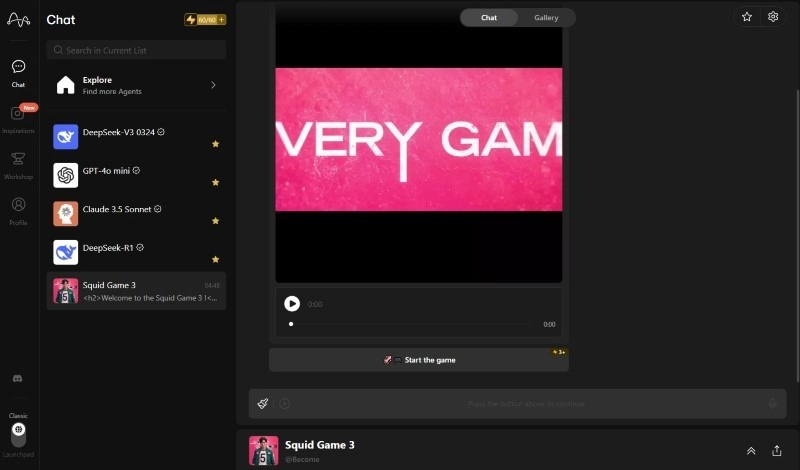
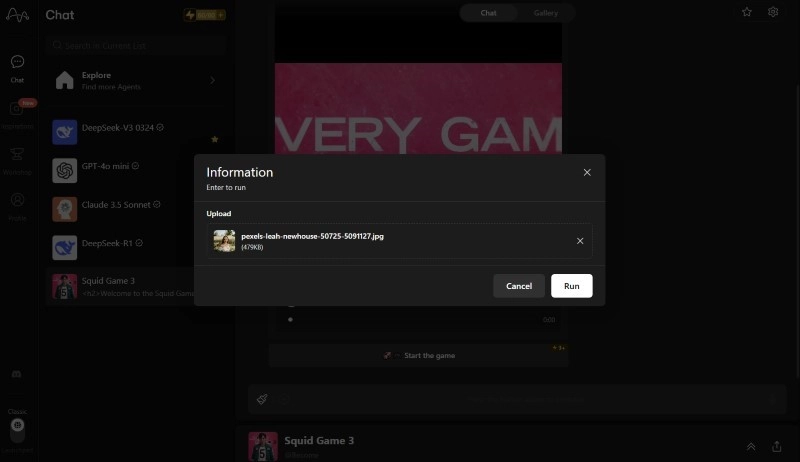
Step 2. It’ll show you the upload dialog. Now, upload your image. Wait for the AI to generate your picture.
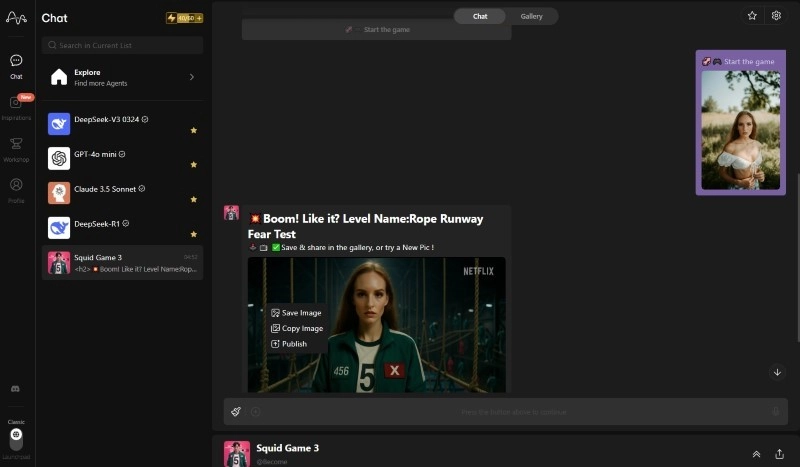
Step 3. Right-click on the image and click “Save Image” to download your result.
Pros
- Higher Fidelity: Stronger mapping for the mask/number plate.
- Export Friendly: Great for editing in other tools.
Cons
- Render Time: Not instant; depends on device/queue.
Turn Your Squid Game Photo into an Interesting Mini-Movie
Here’s where we level up. After you lock a clean still or short clip with any Squid Game filter, pipe it into Vidnoz—an online editor that adds motion, transitions, SFX, captions, and AI polish. If you’ve wondered “how to do squid game filter” and then make it pop beyond a static post, this is the move: animate your image, stack sound design, and deliver a reel that looks intentional, not accidental. It’s a simple Squid Game filter effect upgrade—fast, dramatic, and social-ready.
For example, take your guard-mask portrait and apply Vidnoz AI’s Gunshot effect. Instant micro drama—add polish: camera shake, captions, translations with video translator. You can combine this with text beats (“Red Light.” “Green Light.”), stutter cuts, and a subtle zoom to sell the tension. If you prefer a Squid Game filter online workflow, this stays 100% browser-based—no heavy installs.
How to Turn Squid Game Photo to Mini-Movie
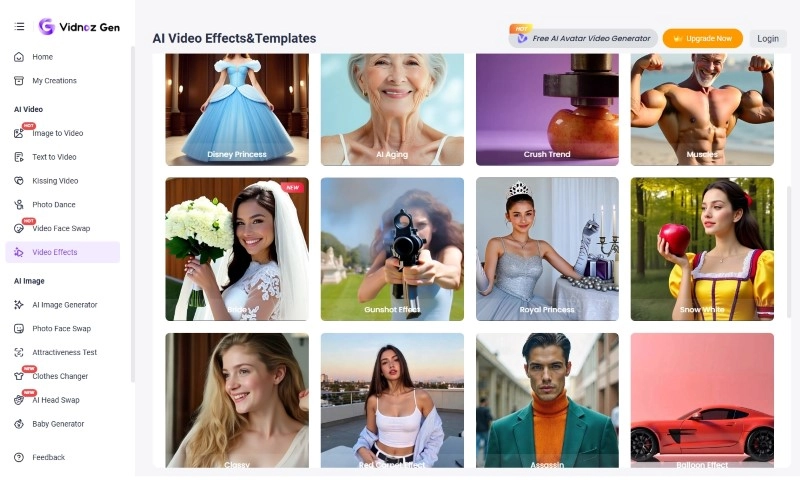
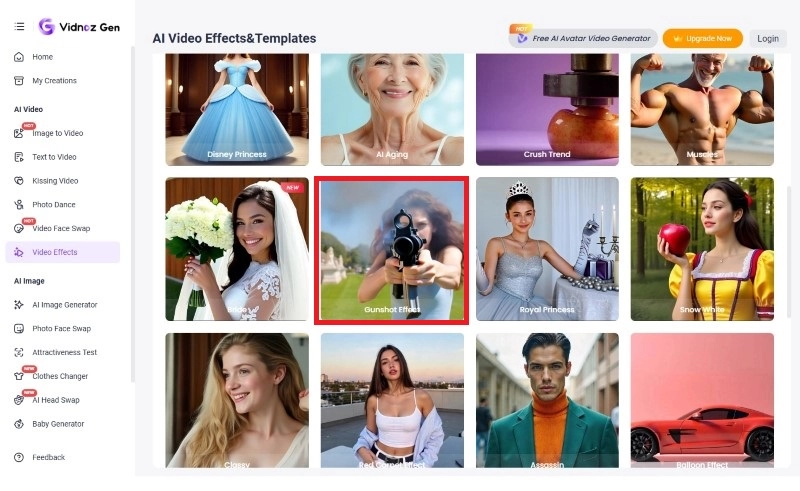
Step 1. Head over to Vidnoz video effects. Scroll down to find the gunshot effect template.
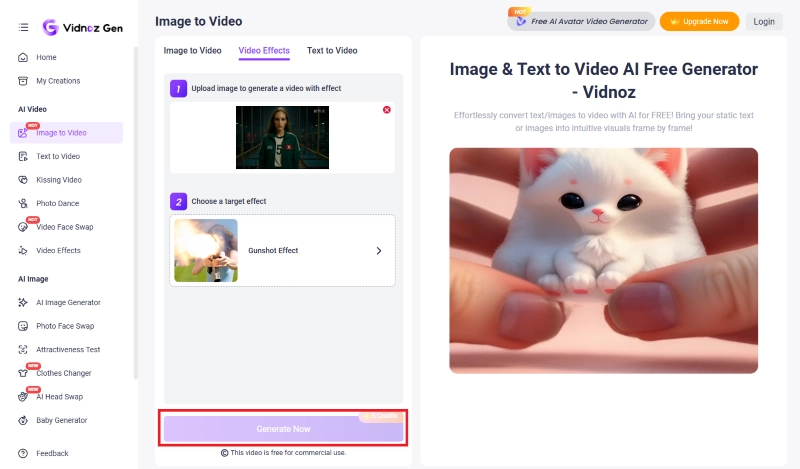
Step 2. It’ll take you to the main interface. Upload your Squid Game Filter generated image here.
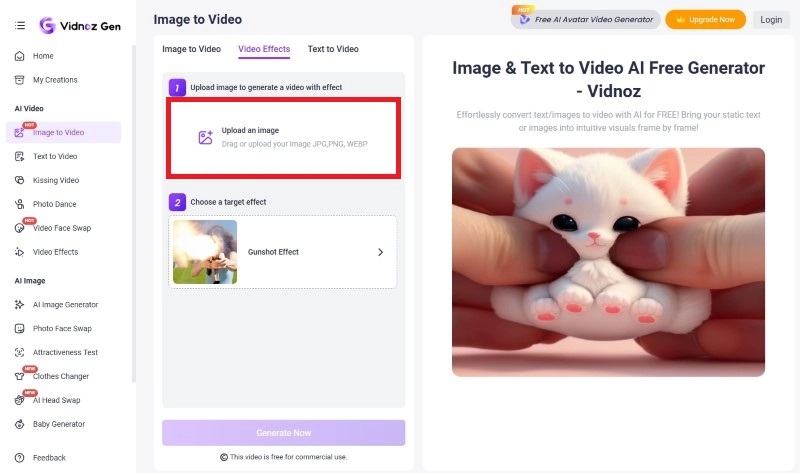
Step 3. You’ll find that the target effect is already selected. Simply click on “Generate Now” and download your result!
Key features of Vidnoz AI
- AI Video Generation With One Click: Generate videos in seconds using the Vidnoz’s Image/Text to Video feature. No more manual editing!
- Diverse Templates For Different Fields: Pick from marketing promos, UGC explainers, gaming clips, and education layouts to accelerate your concept-to-post cycle.
- Multi-Functional Video Editor: Trim, layer, color grade, and stack effects like blur, shake, and overlays—clean UI, fast render, creator-friendly defaults.
- AI Voice Features For Dubbing: Create natural, consistent narration with AI voice cloning, speed/pitch control, and multi-speaker support for skits or duos.
- AI Talking Photo Of Squid Game Characters: Animate stills (yes, your guard or player avatar) with synced lips and expressions for meme-ready monologues.
- Multi-Language Support and Video Translation: Auto-caption, translate, and dub into global languages to repurpose one hero asset across markets.
Final thoughts
Playing with a Squid Game filter TikTok effect or a higher-fidelity editor is the easiest way to step into the show’s universe—tracksuit, mask, menace and all. Try the social-native version for speed, then graduate to stylized renders if you want control. Once you’ve got a base, polish it with Vidnoz AI’s effects, captions, and motion so your post actually stops the scroll. Whether you’re chasing the perfect Squid Game filter face or crafting a quick reel, your last step is where the magic happens—export, post, iterate. And yes, I saved you the best nudge for last: go make your next Squid Game filter look intentional, not accidental.

Vidnoz AI - Create Free Engaging AI Video with Talking Avatar
- Easily create professional AI videos with realistic avatars.
- Text-to-speech lip sync voices of different languages.
- 2800+ video templates for multiple scenarios.