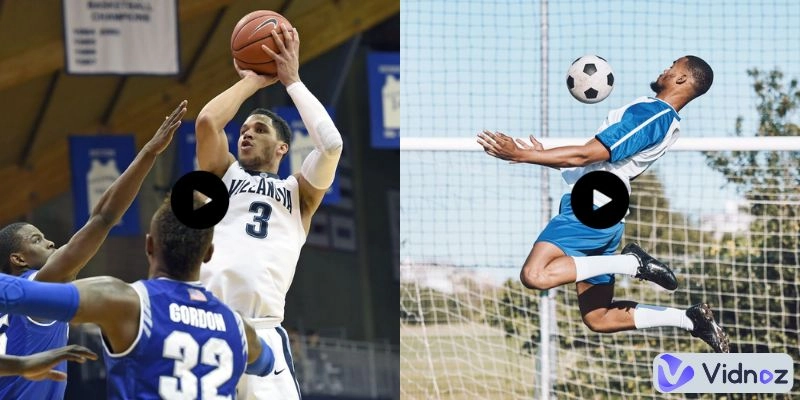
It's not easy to create an impressive sports highlight video. Want to show a slam dunk, a winning goal, or a full-season recap? You need some AI tools to simplify the process. Now there are many advanced sports highlight video maker tools available.
In this guide, we’ve reviewed and listed the best ones, both free and paid ones included. Whether you’re a beginner or a pro, we’ll help you choose the best sports highlight video maker for your needs.
- On This Page
-
5 Must-Have Features of Good Sports Highlight Video Makers
-
5 Sports Highlight Video Makers Worth Trying [Free & Pro Tools]
1. Vidnoz AI Sports Highlight Video Generator
2. Eklipse Automatic Sports Highlight Video Maker
3. CapCut Sports Highlight Video Editor
5. Typito Online Highlight & Hype Video Maker
-
How to Make a Sports Highlight Video? Quick Guide with AI Tool
5 Must-Have Features of Good Sports Highlight Video Makers
Choosing the right sports highlight video maker depends on what you need. But all good tools should have the following:
The best tools let you edit on desktop and mobile. They also allow you to export in different ratios. For example, 16:9 for YouTube, 9:16 for TikTok, or 1:1 for Instagram. Multi-platform tools save time and keep your videos optimized.
- Sport-specific video templates
Templates make editing fast and fun. A good editor includes premade sports-themed templates for different sports. You simply plug in your clips, and the template does the rest.
AI makes things easier. op tools use AI to detect key moments to extract the highlight automatically. Some even add transitions or music with AI suggestions. Look for an ideal AI sports highlight video maker if you want speed and automation.
Good sports highlight video makers offer quick fixes. One-click features can remove background noise, stabilize shaky footage, or improve brightness and contrast instantly.
If you want your highlights to look sharp, a good video maker will export in HD or even 4K. It ensures that your play looks as powerful as it would in real life.
If you search online you will get a bunch of options. That's why we have compiled this list of the 5 best sports highlight video makers to help you. Check it out.
5 Sports Highlight Video Makers Worth Trying [Free & Pro Tools]
After testing many tools, here are the top 5 that stood out. Some are free, others offer pro plans, but all are great for making sports highlight videos. We have made this simple table for you. So that you can get a complete overview at a glance.
|
Tool
|
Best For
|
Platform
|
Free Trial
|
Rating
|
|
Vidnoz AI
|
Fast AI highlight creation
|
Web-based
|
Yes
|
4.9
|
|
Eklipse
|
Automatic gaming & sports editing
|
Web-based
|
Yes
|
4.1
|
|
CapCut
|
TikTok-style highlight videos
|
Mobile & Web
|
Yes
|
4.3
|
|
Adobe Premiere Pro
|
Professional sports video editing
|
Desktop
|
7 days
|
4.7
|
|
Typito
|
Easy online trailers & hype videos
|
Web-based
|
Yes
|
3.8
|
1. Vidnoz AI Sports Highlight Video Generator

Vidnoz AI - Create Free Engaging AI Video with Talking Avatar
- Easily create professional AI videos with realistic avatars.
- Text-to-speech lip sync voices of different languages.
- 2800+ video templates for multiple scenarios.
The first on our list is Vidnoz free AI sports highlight video maker. It is a smart highlight video maker with cutting-edge AI features. The tool offers a great number of sports video templates so it is ideal for beginners or anyone who wants fast results. You can create a free 15-second highlight video every day—perfect for short reels or quick posts. It's a great sports highlight video maker free option for those just starting.
Key Feature
- Premade sports-themed video templates for football, basketball, and more
- AI voice generator to turn text into voice-overs with lip syncing
- High-quality export up to 1080p resolution
- Supports horizontal, vertical, and square formats
Compatible Platforms: Web-based (no app needed)
Pricing: Free plan available; paid plans from $19/month
2. Eklipse Automatic Sports Highlight Video Maker

Eclipse is a powerful tool that automatically detects highlights in your sports videos. This AI highlight video maker is popular among streamers and gamers. But it works great for real-life sports too. Upload your footage and let AI pick the best moments for you. So that videos can be easily made and uploaded anytime.
Key Feature
- Smart AI highlight detection for sports and games
- Ready-to-use highlight templates
- Syncs directly with Twitch and YouTube
- Music, text, and transitions can be added automatically
Compatible Platforms: Web-based
Pricing: Free plan available; premium starts at $19.99/month
3. CapCut Sports Highlight Video Editor

CapCut is the best app to make sports highlight videos for free. It’s easy to use and packed with effects, music, and stickers. The mobile app is super smooth, and the desktop/web versions offer more advanced features. It’s quite suitable for creating sports highlight videos for TikTok.
Key Feature
- Massive template library for sports content
- Auto-cut feature detects action moments
- Sound effects and royalty-free background music
- Filters, text animations, transitions
Compatible Platforms: Android, iOS, Web, Desktop
Pricing: Free version available. Premium starts at $9.99, and the yearly charge is $89.99
4. Adobe Premiere Pro

Adobe Premiere Pro is the best sports highlight video maker for professionals. It gives you full creative control, but it comes with a steep learning curve. If you want studio-quality videos and know how to make a highlight video for sports, it’s a great pick.
Key Feature
- Precision editing tools for frame-by-frame control
- Full color grading and audio editing suite
- Multi-cam editing and slow-motion features
- Supports all video formats and 4K/8K export
- Integrates with Adobe After Effects for animations
Compatible Platforms: Windows, macOS
Pricing: Free 7-day trial; $22.99/month after. Create a cloud, all apps are available at $59.99/month
5. Typito Online Highlight & Hype Video Maker

Typito is a beginner-friendly online video maker with drag-and-drop features. It works well for sports trailers and sports hype videos. You don’t need to download any app, just log in and start editing in your browser.
Key Feature
- Easy-to-use timeline with drag-and-drop editing
- Sports highlight video template and hype video themes
- Animated text overlays and captions
- Brand kit support for teams or clubs
- Direct export to social media platforms
Compatible Platforms: Web-based
Pricing: Free plan with watermark; premium starts at $15/month
How to Make a Sports Highlight Video? Quick Guide with AI Tool
Want to create a sports highlight video in minutes? To help you out we created this simple guide on how to create a highlight video for sports using Vidnoz AI. Have look:
Step 1 Create a Free Vidnoz Account
Sign up with your email or Google account. Vidnoz offers free trials that let you create 15-second highlight videos daily—perfect for short sports reels or test runs.
Step 2 Create a New Video
Click “Create Video” on the dashboard. You can either. Now, select a sports-themed template (football, basketball, etc.) to save time. Or you can start from scratch using a blank canvas.
Choose the correct aspect ratio—16:9 for YouTube, 9:16 for TikTok, or 1:1 for Instagram—depending on where you plan to post.

Step 3 Upload the Sports Video
Upload your recorded sports footage (MP4, MOV, etc.). Drag and drop your file or use the upload button. The platform supports HD video and automatically previews your uploads.

Step 4 Edit the Video
Stretch the video to fit the screen if needed. Use trim and crop tools to cut out only the exciting highlights—goals, dunks, or epic saves. You can reorder clips to build the best flow of action.

Step 5 Input Text to AI Voice Over
Want commentary? Input your script into the AI voice generator. Select the language, voice style (e.g., energetic, calm), and gender. Turn on auto subtitles to make your video accessible and engaging.
Step 6 Add Final Touches
Personalize your video:
- Add text overlays (scores, names, etc.)
- Insert stickers, shapes, or team logos if you want
- Upload a background music or choose one from Vidnoz’s royalty-free library
- Apply transitions for smooth clip changes

Step 7 Preview and Download
Click “Preview” to watch your full highlight reel. If you're satisfied, hit “Download.” You can export in HD (1080p) and share directly on your social media or team site.
Vidnoz AI - Create Free Engaging AI Video with Talking Avatar
- Easily create professional AI videos with realistic avatars.
- Text-to-speech lip sync voices of different languages.
- 2800+ video templates for multiple scenarios.
Conclusion
Hope you got a good idea about the best sports highlight makers. Creating a dynamic sports highlight reel is easier than ever with an AI sports highlight video maker like Vidnoz free AI video generator. Just upload your footage, trim the best moments, add commentary and effects, and you’re done. Whether you're sharing on YouTube or TikTok, your highlights are ready to shine! What are you waiting for? Try Vidnoz AI now.