The metallic reflections and overhead lighting inside modern, high-end elevators often create a naturally futuristic atmosphere. When combined with a surveillance-style camera angle, the result looks just like a scene from a sci-fi movie—though capturing this in real life is nearly impossible. That's why most of these viral edits rely on elevator AI tools.
In this guide, you'll find everything you need to create the same aesthetic: trend explanations, real examples, and the 3 best elevator photo generators, along with their strengths and step-by-step instructions.
Start reading now and learn how to effortlessly create your own viral elevator AI photos.
- On This Page
AI Elevator Photo Ideas
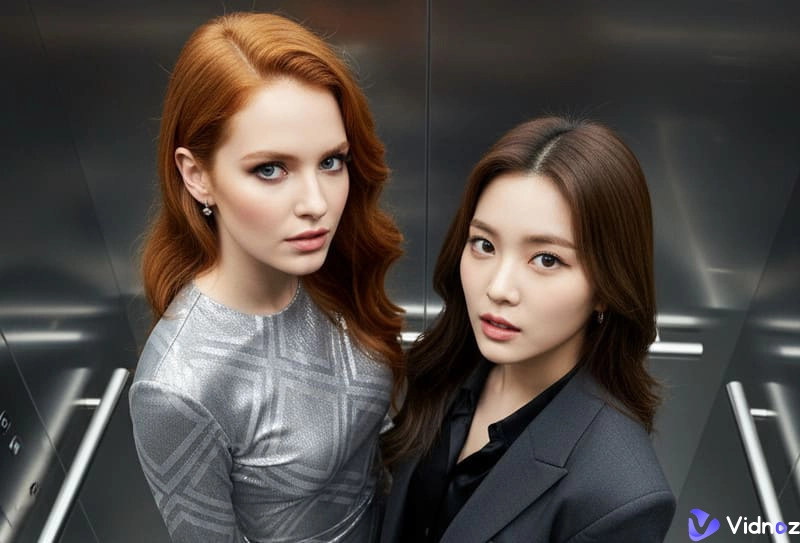
After reviewing all the trending elevator AI creations, you'll notice that this theme has evolved far beyond simple top-down elevator shots. It has already developed several popular sub-styles.
Here are some categories you can use as inspiration when creating your own elevator AI photos:
1.Elevator Photo with Celebrity
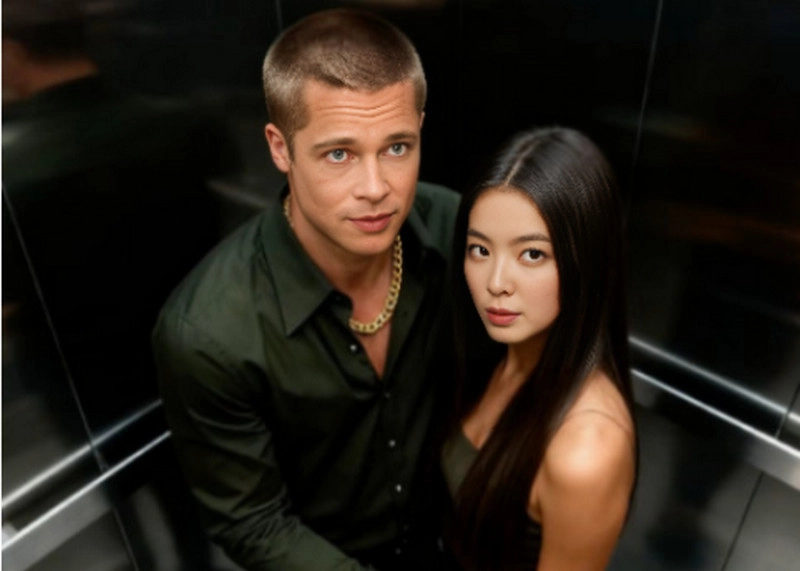
2.Security-Camera Style Elevator Snapshot
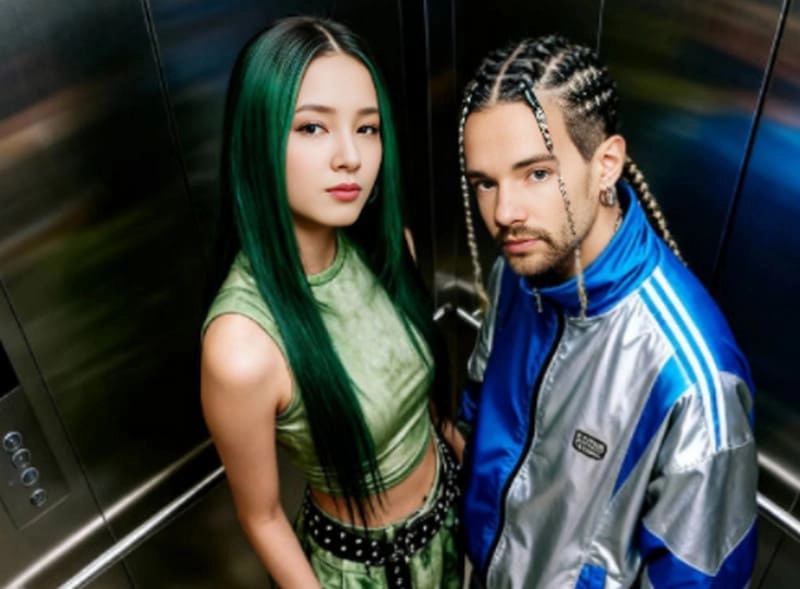
3.Romantic or Cozy Couple Elevator Photo
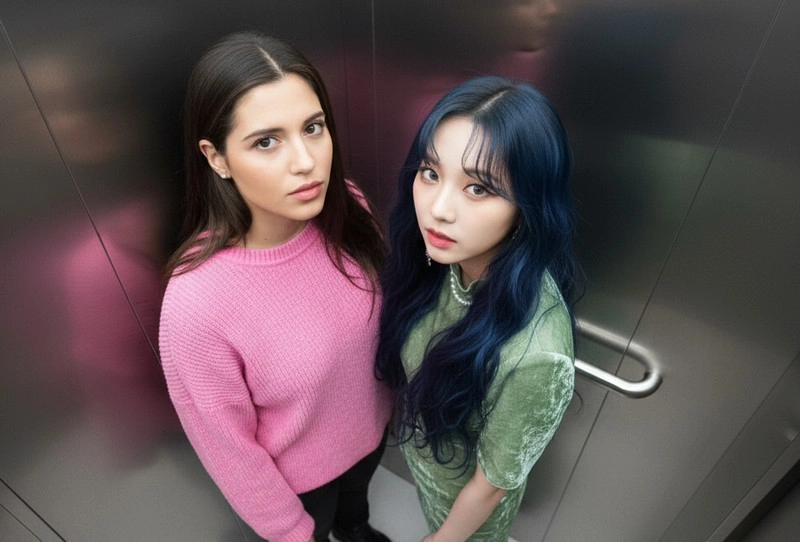
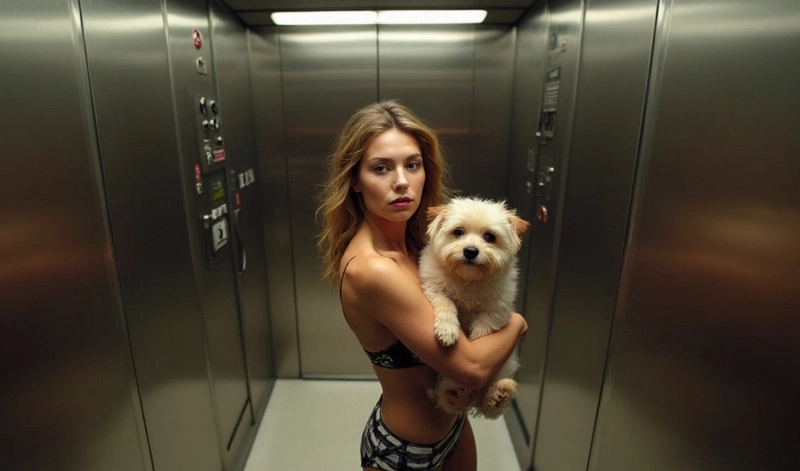
4.Pet Poses in the Elevator
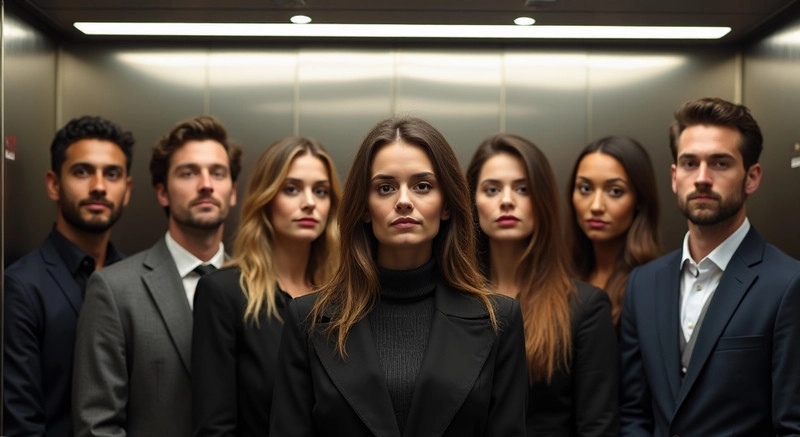
5.Stylish Group or Squad Elevator Shot
Top 3 AI Elevator Photo Generators
After getting inspired by the ideas above, you might already have a picture in mind—who you want to appear with in the photo, and what kind of elevator setting you want.
If so, don't wait—start creating your own elevator AI photo now!
This section is the core of the guide. You'll find the 3 best elevator photo generators, along with what they do, their key features, and how to use each one. Read through and pick the one you want to try.
1.Media.io
If your goal is to quickly turn your existing photos into elevator AI creations, this guide recommends using Media.io, a fast and convenient online AI elevator photo generator.
Media.io brings together many trending AI photo effects—all in one place. You'll find AI muscle filters, portrait painting styles, old-photo effects, anime conversions, and of course, the AI Elevator Photo Generator you need for this project.
To use it, simply upload a photo of yourself and the person you want to appear with, add a short text prompt, click once, and you'll get your result almost instantly.
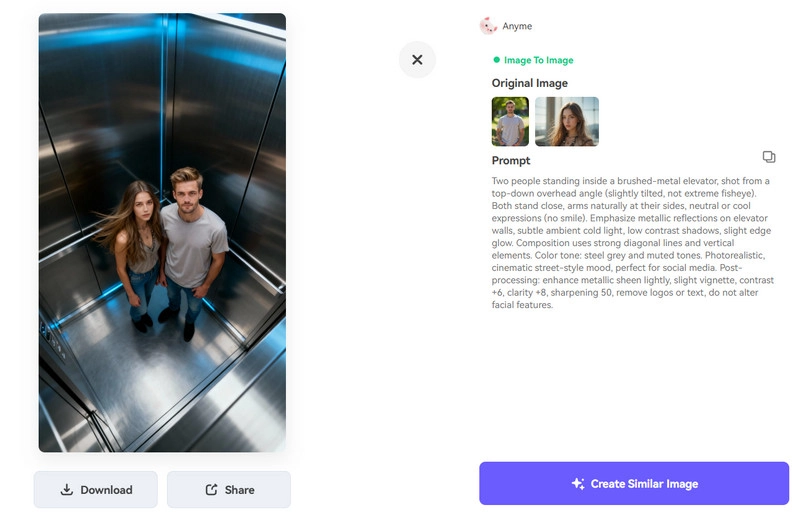
How to Use It:
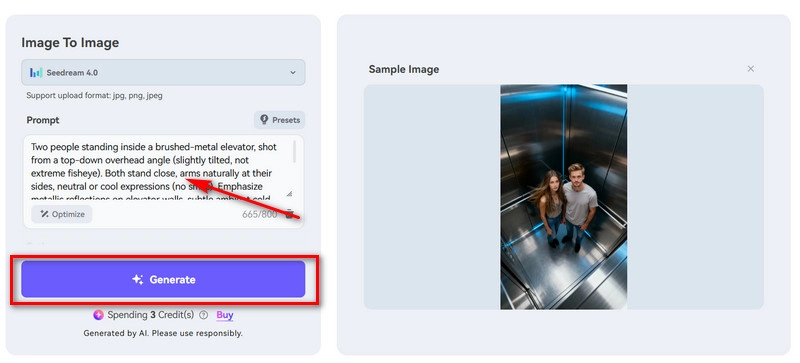
Step 1. Open the Media.io AI Elevator Photo Generator in your browser. Then click Try Elevator Photo Generator Now > Generate Similar Image to enter the workspace.
Step 2. Click Add under Upload to upload your photo and the person you want to appear with.
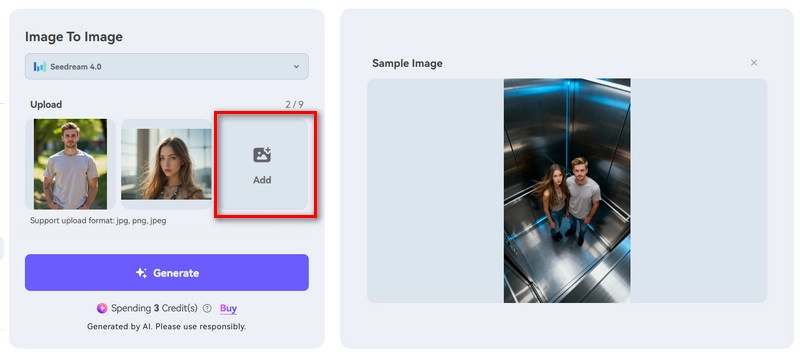
Step 3. Scroll down to the Prompt text box and type your description.
Make sure to describe the scene clearly and concisely.
Finally, click Generate.
Pros
- Extremely easy to use, with clear page guidance.
- Offers AI-enhanced prompt optimization.
- Very fast response and generation speed.
Cons
- Not free—each generation consumes credits.
- You must register and log in before generating.
2.Vidwud AI Face Swap
If you really like the pose or background from a popular elevator AI photo, you can simply use that image as your base and replace the faces with your own—or with your idol, partner, or friends. This lets you recreate the same vibe with almost no effort.
The best tool for this job is Vidwud Free AI Face Swap. It can replace any face in a single or group photo using the new face you upload. It supports JPG, PNG, and WEBP formats, so most of your images will work just fine.
Here's how to use it to create your elevator AI photo:
Step 1. Open Vidwud Free AI Face Swap in your browser.
Step 2. Once you're in the workspace, click the first Upload Photo button to upload the elevator image you want to edit.
Then click the second Upload Photo button to upload the face you want to swap in.
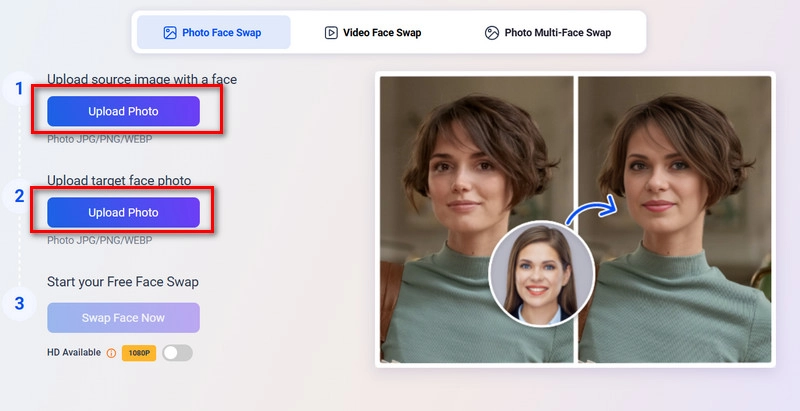
Step 3. After both uploads are complete, click Swap Face Now.


If you're swapping faces in a two-person or group photo, switch to Photo Multi-Face Swap mode. Unlike the single-face mode, you'll need to select each face one by one and replace them individually until all faces are swapped.
Pros
- Completely free, with unlimited swaps.
- Supports JPG, PNG, and WEBP image formats.
- Natural-looking results with seamless facial blending.
Cons
- High-resolution 1080p output requires an account upgrade.
Bonus:
Feel like the outfits in your photos aren't formal enough, or want something that better matches a luxury or futuristic elevator vibe? Try these:
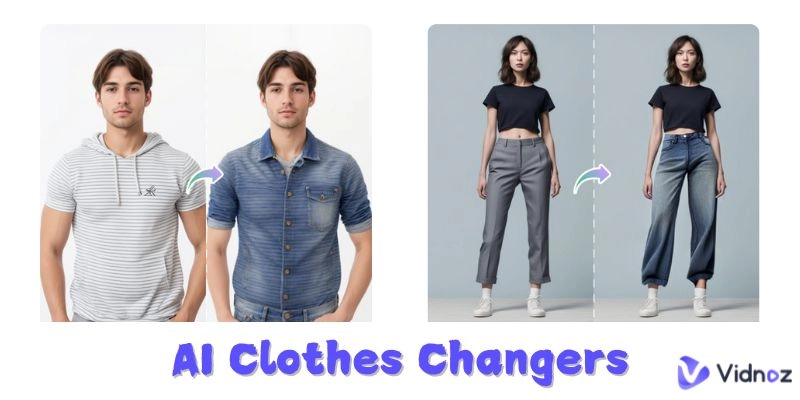
AI Clothes Changer: Replaces the clothing in your original photo with any outfit you provide as a reference.
Add Suit to Photo: Instantly puts a sharp, high-quality suit on you and your partner with one click.
3.Fotor AI Elevator Photo Generator Online Free
Whether you want an elevator-camera style photo with your partner, your friends, or even a celebrity, Fotor can help you create it perfectly.
Powered by multiple advanced AI models, this tool places you and your chosen companion naturally inside an elevator while producing realistic lighting, reflections, and perspective—key elements that make the final image look truly authentic.
Worried it might be complicated? Not at all. You only need three steps and three clicks to get your elevator AI photo.
Here's how to use this AI image combiner to merge your photo with someone else's into a brand-new elevator shot:
Step 1. Open Fotor AI Elevator Photo Generator in your browser. You'll land directly on the workspace.
Step 2. Under Reference Image, click the first Upload Image button to upload your own photo.
Then click the next Upload Image button to upload the person you want to appear with.
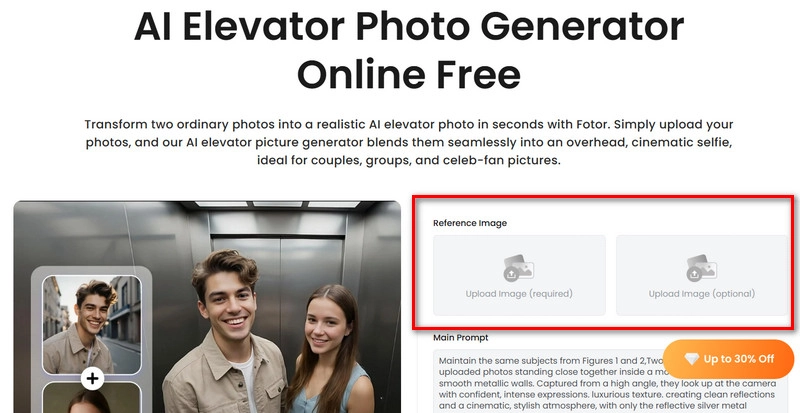
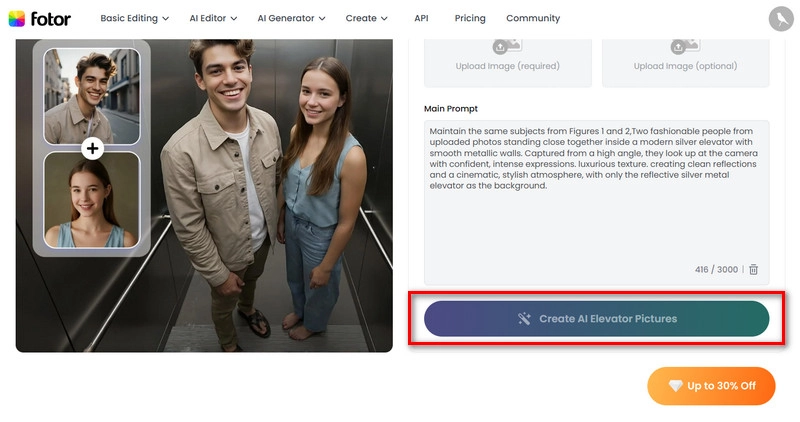
Step 3. In the text box under Main Prompt, describe the type of elevator scene you want.
Finally, click Create AI Elevator Pictures to generate your image.
Pros
- Very easy to use with clearly labeled buttons.
- Lighting and reflections in the final image look impressively natural.
- Free users get trial access.
Cons
- You can't precisely control the elevator environment—only guide it with keywords.
Bonus: Make Elevator AI Videos
What makes a trending elevator AI creation stand out besides stunning visuals?
That's right—lively actions and cool music!
Assuming you've already created your elevator AI photo with the tools above, how can you turn it into a lifelike video? The answer is Vidnoz AI Image to Video.
This image-to-video AI can transform your elevator group photo into a video based on your instructions. You can even add fun actions to the people in your photo—hugging, kissing, face-offs, or apply styles like muscular effects or oil painting filters.
Plus, it has a built-in text to video AI feature, letting you create a full video using just a written description.
Here's how to use it:
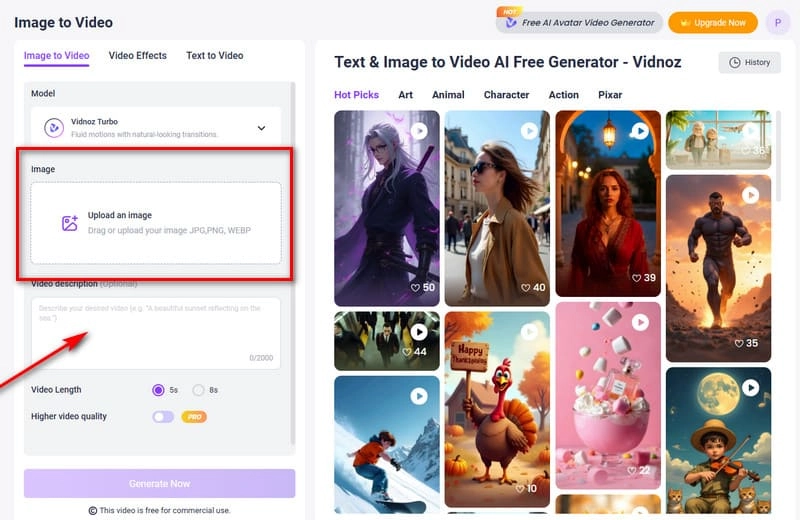
Step 1: Open Vidnoz AI Image to Video in your browser.
Step 2: Click Upload an Image to upload your elevator AI photo.
Then, enter your text prompt in the Video Description box. For special action effects, switch to Video Effects and select one to apply.
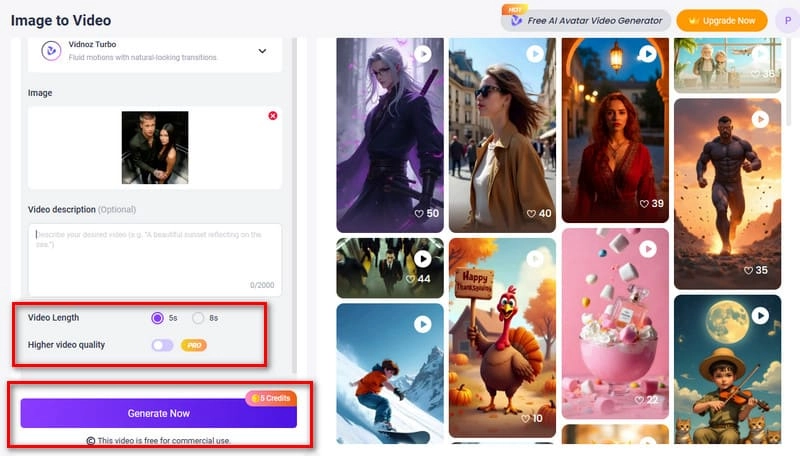
Step 3: Choose your desired video length and click Generate Now.
Bonus:
- One of the most popular moves in trending videos is dancing. Want to make yourself, your friends, or even your favorite celebrity dance? Try Vidnoz's Photo Dance feature.
- Love Japanese anime style? Enable the AI Animation Photo feature to instantly turn you and your friends into anime characters.
- Need to transform your casual photos into polished professional headshots? The AI CV Photo Maker has you covered.
Convert Image to Video AI Online - Free
- Create a video from an image quickly for free.
- Use various AI models to turn photos into videos.
- Download and share the AI-generated video at no cost.
Convert Image to Video
The Bottom Line
The inspiration and the three elevator AI photo generators (complete with step-by-step instructions) will surely help you create the perfect elevator group shot. If you feel that static images alone might not go viral, Image to Video by Vidnoz AI can turn your photos into dynamic, lifelike videos.
Follow the complete guide and start creating your ready-to-post elevator AI group photos in one seamless workflow!