Turn still images or text into dynamic videos in any style, with leading AI models readily. Try the smart AI video generator now - stunning, free, and instant!
How to DIY Wedding Videos? 3 AI Video Makers Help to Spark Your Wedding Moments!
Mia Miller
Updated on
SHARE THIS POST
Create your own DIY wedding videos to memorize your wedding moments! With 3 AI video makers, you can quickly & easily finish edits like a pro. Try it now!
Extraordinary wedding moments sometimes feel like they pass in the blink of an eye, but hiring professional wedding videographers may burden your bank account. Don't worry! You can capture all the happiness in a DIY wedding video!
We know what hinders you - the complicated video edits. Now, everything is easier with AI tools—just DIY your own wedding video in an effortless way with professional results! So, try to become your own DIY wedding videographer to record your beautiful moments with this post.
On This Page
Popular DIY Wedding Videos You May Like
3 AI DIY Wedding Video Makers to Highlight Your Valuable Moment!
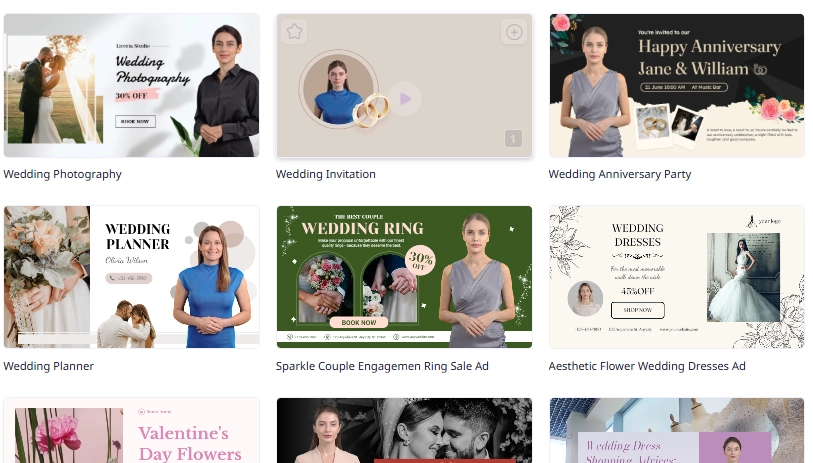
1. Vidnoz AI: Best AI to DIY Wedding Videos with Sophisticated Templates
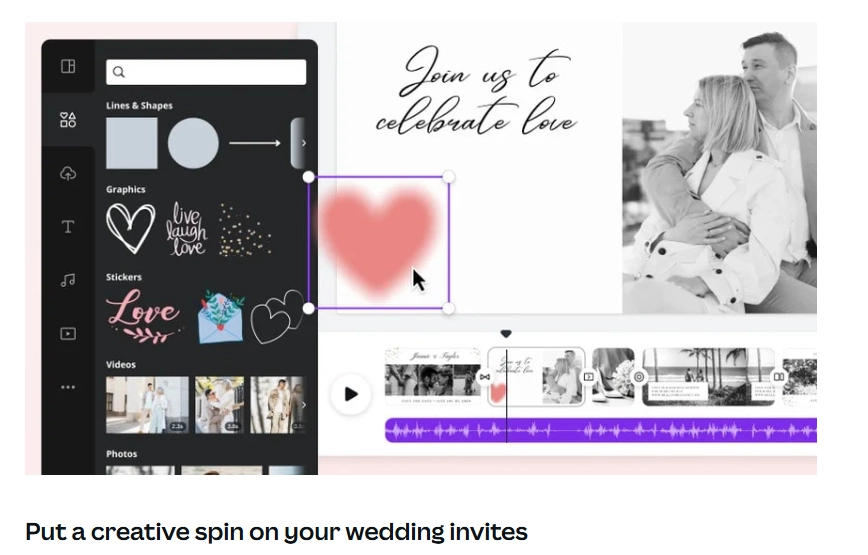
2. Canva: Customize Your Wedding Videos by Adding Creative Elements
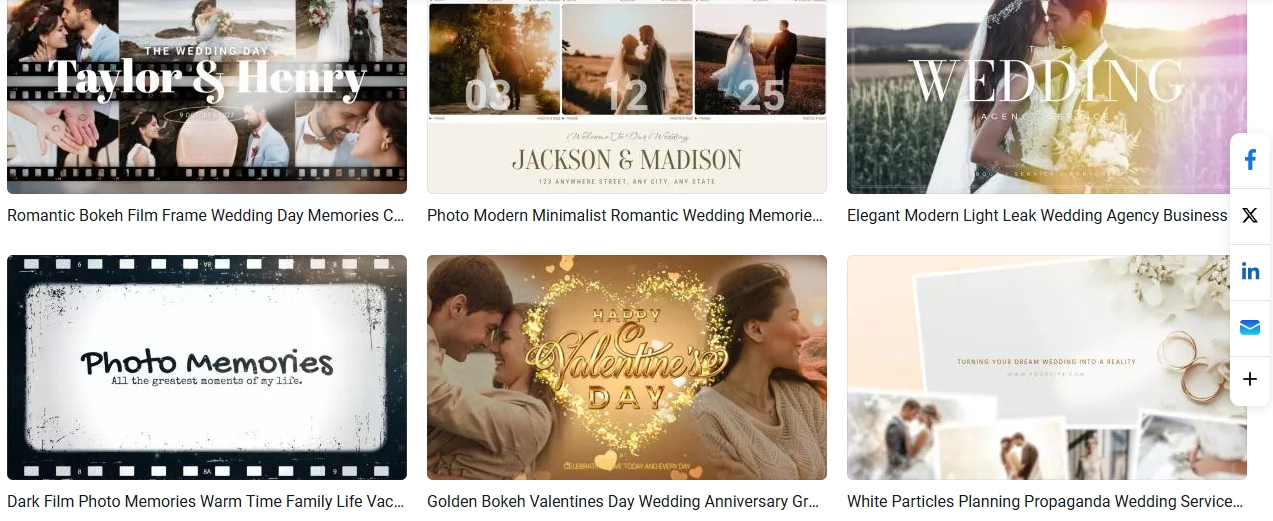
3. FlexClip: Turn Your Wedding Images to Video Albums
How to DIY Wedding Videos with AI?
Step 1.Prepare Materials for Your Wedding Videos
Step 2.Try Vidnoz AI for Free
Step 3.Find a DIY Wedding Video Template
Step 4.Customize the Wedding Video Template
Step 5.Tab to Let AI Process Your DIY Wedding Video
Bonus: Make Surprising Transitions for Your DIY Wedding Videos!
Conclusion
Popular DIY Wedding Videos You May Like
Are you confused about where to find references for the wedding video you're going to make? Here are some popular DIY wedding videos to inspire you.
Like Love Song Music Video
The concept follows the flow of a love song, showcasing how romantic this couple's story is with an emotional backdrop. The elements used are a focus on the bride and groom, scenes that are real and lifelike, and the use of love songs as background music.
Simply Put Wedding Clips/Pics Together
Combine all worthy clips/pictures into a full wedding video to create a memorable result without the need for overly long narration. The elements used are a focus on portraits with some scenery images as transitions, arrange the footage according to the flow of the wedding, and use instrumental or light pop music to support the atmosphere.
This video is like a cinematic short film that tells a story about your love story or wedding moments. The elements used are a combination between interviews with relatives and friends, rich scenery clips, and cinematic elements.
As someone who isn't very familiar with videography, DIY wedding videos are not easy. It takes hours to understand the editing tools, choose the right clips, create a storyline, and add transitions or appropriate music. However, you can use AI tools to DIY wedding videos easier and get instant results! Here are some tools you can try yourself:
3 AI DIY Wedding Video Makers to Highlight Your Valuable Moment!
1. Vidnoz AI: Best AI to DIY Wedding Videos with Sophisticated Templates
Vidnoz free AI video generator is an AI tool that is quite popular in helping with video creation because of its beginner-free features, including DIY wedding videos. As a new user, you won't have any trouble using its features because its ready-to-use templates can simplify the process.
Pros
Free to DIY wedding videos.
Ready-to-use wedding video templates (you can customize them)
Multi-languages support.
You can add narrations to your DIY wedding videos in your own voice.(No dubbing by yourself).
Cons
Limited templates available.
3-minutes free wedding video generation per day.
There is a watermark.
2. Canva: Customize Your Wedding Videos by Adding Creative Elements
Canva, as an online photo/video editing platform, lowers the standards on making sophisticated designs. There are many user-friendly templates and abundant elements that can be dragged and dropped directly. So you could DIY your own wedding videos easily.
Pros
User-friendly interface for beginner or professional.
Diverse element options and AI features that can assist your designs.
No watermark for outputs(if you don't use any paid element).
Cons
Requires subscriptions for more unique romantic elements.
It will lag slightly when DIY long wedding videos.
No free narration features for your wedding videos.
Vidnoz AI - Create Free Engaging AI Video with Talking Avatar
Easily create professional AI videos with realistic avatars.
Text-to-speech lip sync voices of different languages.
2800+ video templates for multiple scenarios.
3. FlexClip: Turn Your Wedding Images to Video Albums
FlexClip has hassle-free video editing features that are accessible for anyone. It creates romantic templates available for making DIY wedding video albums. You only need to upload your wedding photos, then the album is ready to be reviewed!
Pros
Ready-to-use wedding video album templates.
Support video taping and audio recording directly.
Automatic subtitles or self-uploaded subtitles are available.
Cons
You cannot customize the frame size.
Requires good internet connection to avoid failing generations.
In this part, we will show you how to easily DIY wedding videos with Vidnoz AI through the following steps:
Step 1.Prepare Materials for Your Wedding Videos
Shooting/Filming when wedding: Before wedding, you should sketch the ideal wedding video in advance. You can note them down and record by yourself or ask for help from your family or friends.
Filter proper assets after the wedding: If your wedding is finished, you could review all the footage and filter some clips and pictures that you think have the best moments. Then just combine them to DIY the wedding video.
>>Tips: What Kinds of Visual Materials are Perfect for DIY Wedding Videos?
Start from your wedding invitations (the card, message, or a video)
The panorama view of your wedding venue(or some decors you loved)
Close-ups of some details, like the rings, wedding dress, your shoes, flowers…
Happy moments: vows, the first kiss, first dance, cake cutting, some candid shots of the couple, and guests’ celebratings.
Step 2.Try Vidnoz AI for Free
You can sign up for Vidnoz AI for free to start more AI features:
Step 3.Find a DIY Wedding Video Template
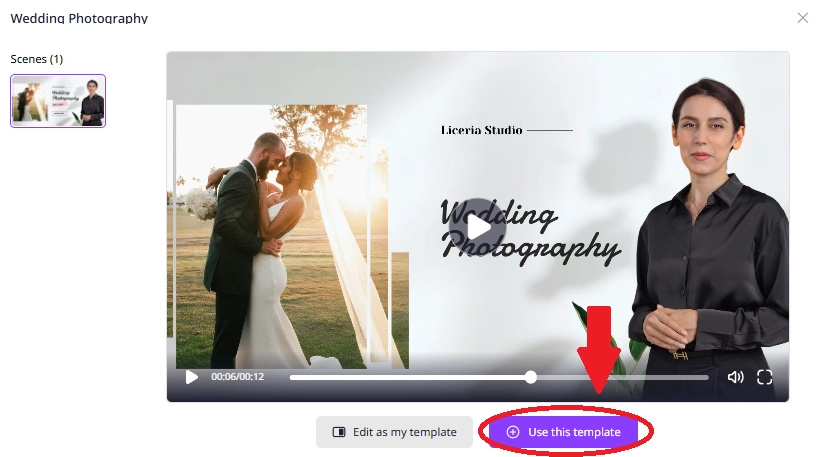
Select one of the templates that you want, then click to edit:
Step 4.Customize the Wedding Video Template
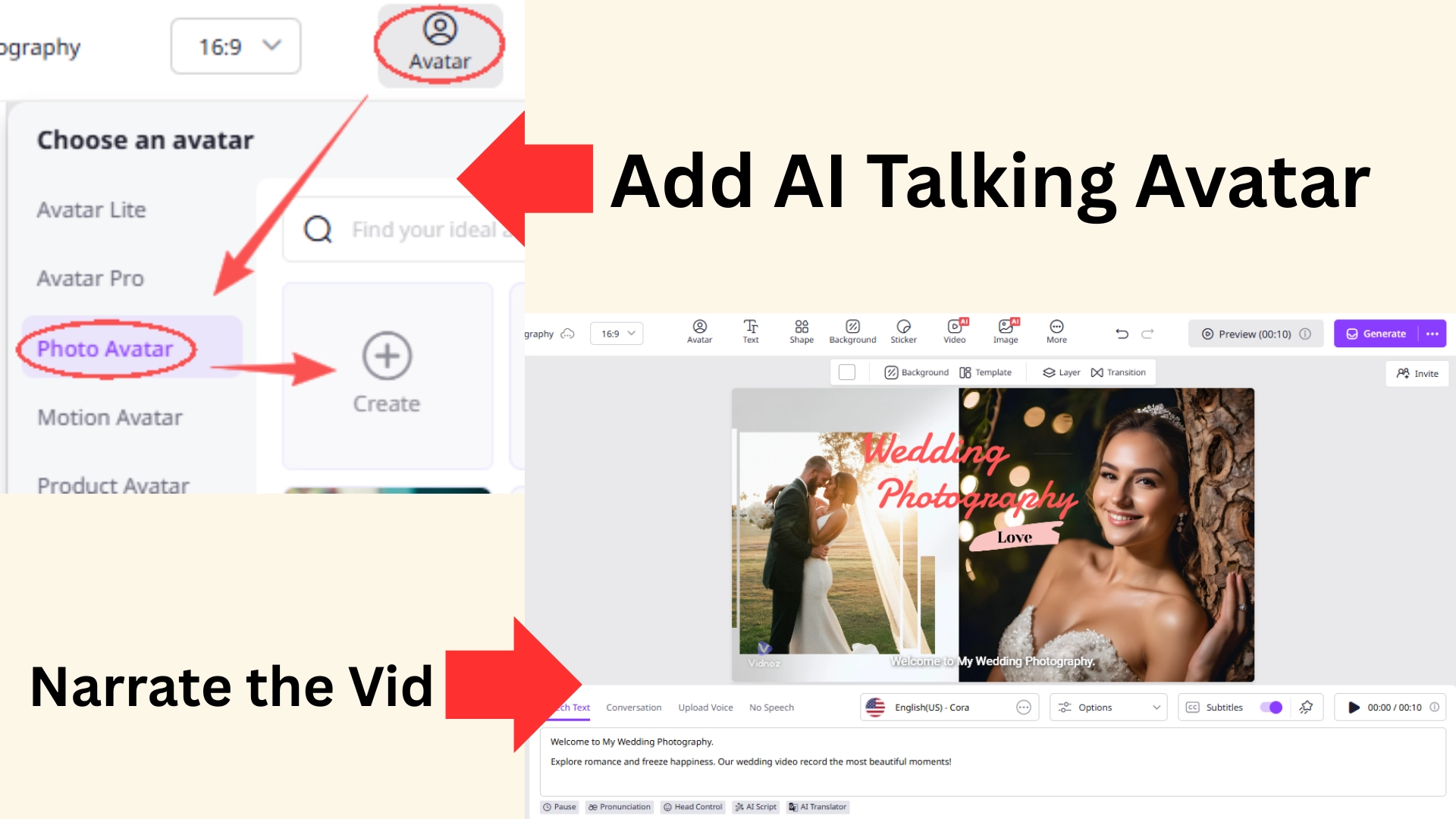
There are many editable DIY options that can personalize your wedding video.
Add an AI talking avatar to introduce your wedding: You must invest much time and effort to specialize your wedding, why not explain them in detail?
Add romantic backgrounds: Not in your vibe? Find and add more cute wedding-themed elements to DIY engaging wedding videos.
Insert your wedding clips/images: you can fully use your shots and make the DIY wedding video more valuable!
Experience TTS: You don’t need to add subtitles automatically(or even prepare audio files) just drop your draft and let AI do the rest.
Do any other edits to your liking: Put in tailored music or others, you can do every edit easily.
Step 5.Tab to Let AI Process Your DIY Wedding Video
After all editing processes have been completed, you can click on the preview to display the final DIY wedding video. If everything looks good, tab the generate button and you'll get the result in minutes!
Bonus: Make Surprising Transitions for Your DIY Wedding Videos!
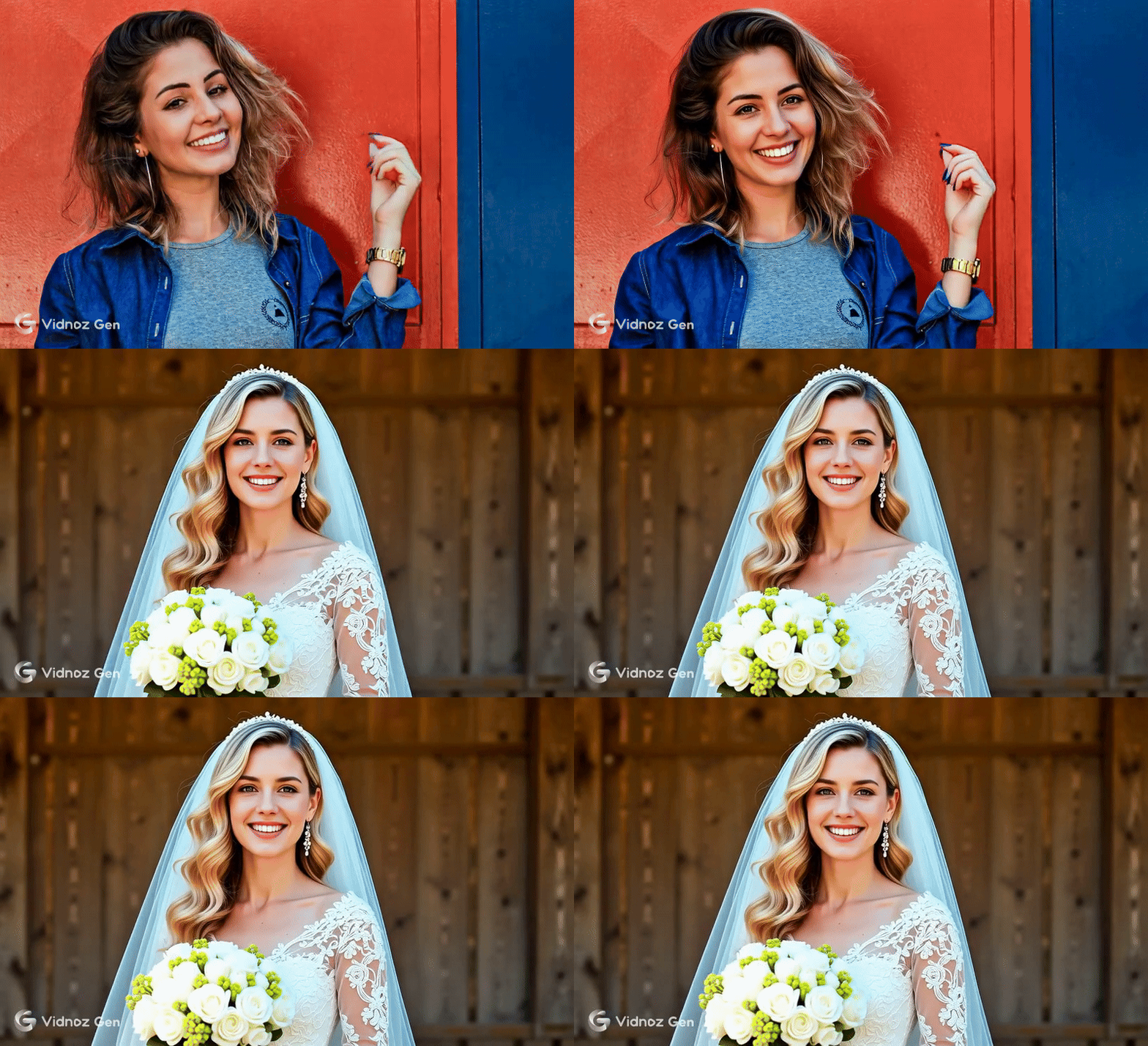
Sometimes, showing the wedding moment in each frame may make your video a little bit “boring.” So you need a surprising transition. Maybe you can try to turn your daily selfie into a bridal-look by AI Bride Effect:
This can be done directly for free on Vidnoz image-to-video-AI, so you don't have to bother costing time to shoot such a clip.
You can follow simple steps: go to Vidnoz image-to-video AI > selecting the “video effect” option > upload your daily selfie > apply the “Bride” effect > then click to change your appearance!
Convert Image to Video AI Online - Free
Create a video from an image quickly for free.
Use various AI models to turn photos into videos.
Download and share the AI-generated video at no cost.
Weddings are very sacred and loving moments, you can remember those memories via DIY wedding videos. You can filter the footage that you think is full of your and your lover’s happiness, and capture those cherished greetings from your families and friends. And now you can craft such stunning videos easily using AI video generators like Vidnoz. Try to create your wedding videos now!
Vidnoz AI - Create Free Engaging AI Video with Talking Avatar
Easily create professional AI videos with realistic avatars.
Text-to-speech lip sync voices of different languages.
Mia is an SEO specialist focusing on AI applications. She‘s experienced at solving problems from the users' perspectives and helping them find AI tools that can truly improve efficiency.