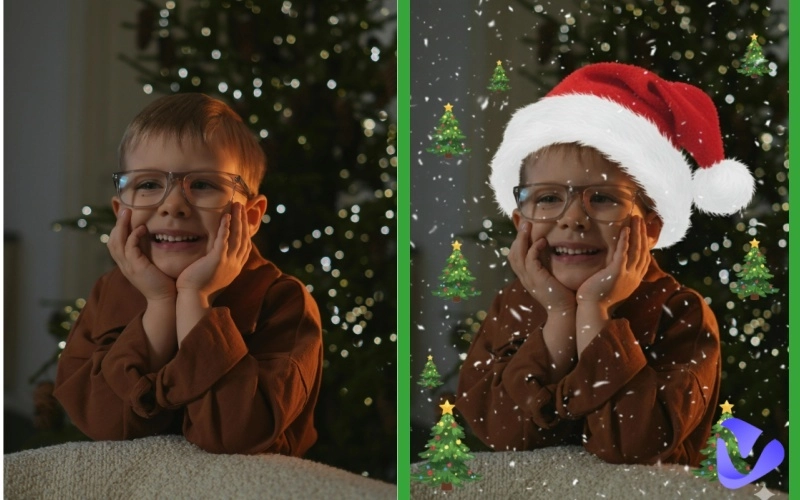
When December rolls in, everyone wants their photos to look a little more magical. That’s where Christmas filters come in. These festive effects let you add snowflakes, Christmas lights, Santa hats, glowing bokeh, holiday frames, and cozy warm tones — all in seconds.
But Christmas filters aren’t just for fun selfies. They’re used in marketing campaigns, family greeting cards, brand promotions, and holiday-themed content across platforms like Instagram, TikTok, YouTube, and more. In this article, you’ll get the best Christmas filter for photos in 2026.
- On This Page
-
Why Christmas Filters Matter for Holiday Photos
-
Best Christmas Filter for Photos | 5 Free & Exquisite Tools
Vidnoz AI Image to Image Christmas Filter Photo Generator
Instagram (Built-in Christmas Holiday Effects & Reels)
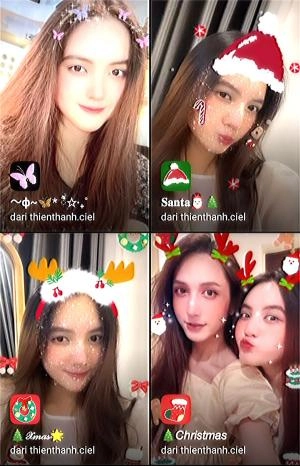
Snapchat (Lenses & AR Christmas Filters)
YouCam Perfect / YouCam Makeup (Christmas Filter + Beautification)
Canva (Christmas Templates, Cards & Social Graphics)
-
Create a Polished AI Christmas Video with Talking Avatar to Send Your Wishes
Why Christmas Filters Matter for Holiday Photos
Christmas filters are tools that use AR or image processing technology to overlay Christmas-themed effects onto your photos and videos in real time. It could be a virtual snowflake falling on your shoulder, a pair of adorable reindeer antlers suddenly appearing, a fluffy Santa hat, or a warm, retro film-like tone that instantly softens the image. These Christmas filters can do more than decorate your photos. They help you:
Make your selfies instantly festive - Snowflakes, sparkles, Christmas hats — all instantly applied.
Create unique holiday greeting cards - Perfect for families, small businesses, and creators.
Boost engagement on social media - Festive visuals consistently outperform regular photos during the holiday season.
Design marketing visuals quickly - Brands love Christmas filters for promotional graphics, product photos, and ads.
Best Christmas Filter for Photos | 5 Free & Exquisite Tools
Want to create a Christmas filter photo and let your photos stand out this Christmas? Try the Christmas filters below to add a festive touch to your pictures.
Vidnoz AI Image to Image Christmas Filter Photo Generator
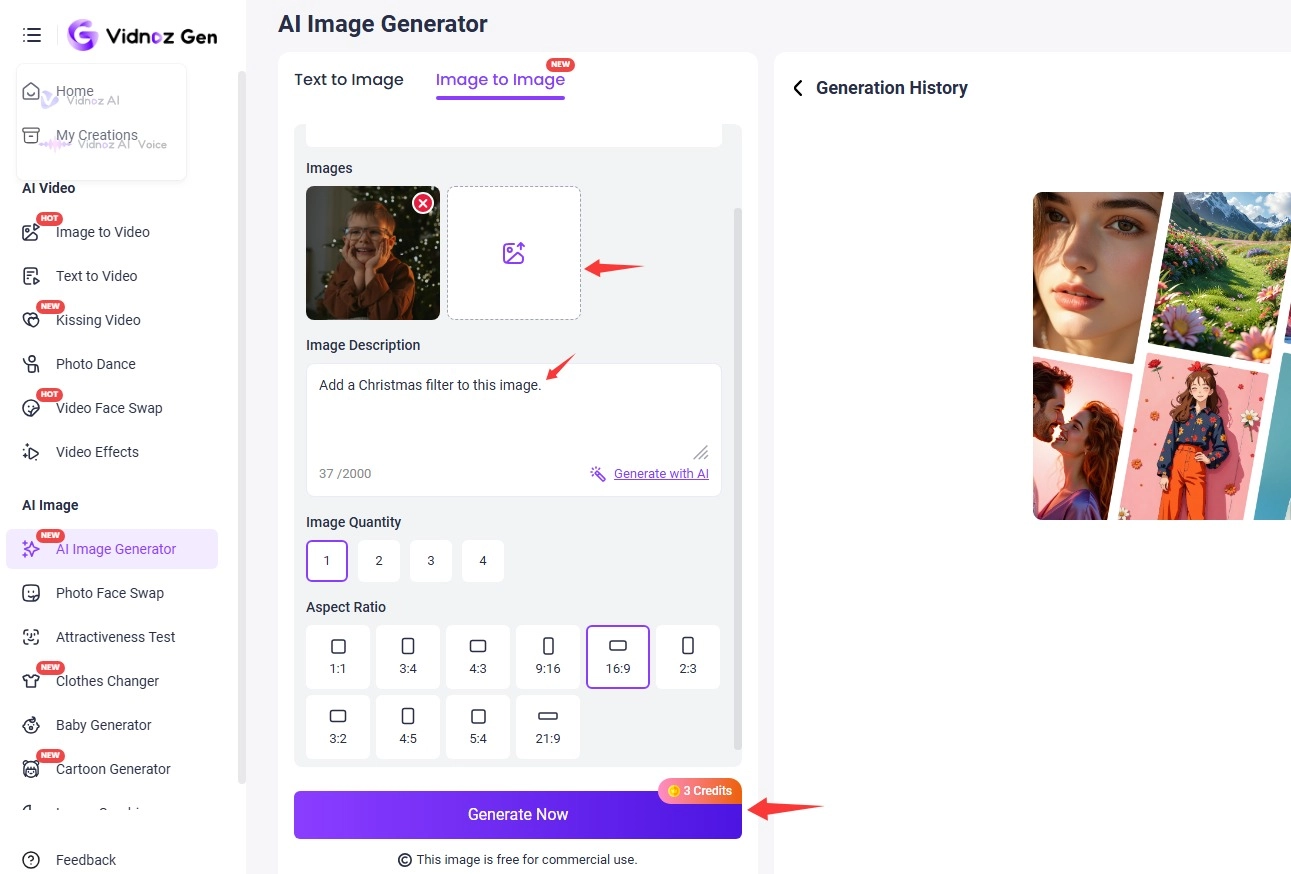
Vidnoz AI stands out from traditional Christmas filter apps because it doesn’t rely on preset overlays or stickers. Instead, it uses an AI image to image generator that transforms any uploaded photo based on the user’s written prompt. This means you can add Christmas hat to photo, snow, Christmas lights, holiday backgrounds, festive outfits, or any other holiday element exactly the way you imagine it. You provide the prompt; the AI builds the result.
See what Vidnoz AI Image Generator can do for you:
- Free Image Generator from Text: No filters or photo editing required, simply generate Christmas images from text – easy, fast, and free.
- Custom Christmas Filter Photo Prompts: Make your Christmas filter photos special with custom prompts, e.g., “add soft snowfall,” “make this look like a cozy Christmas living room,” or “Santa hat, warm holiday lighting.”
- Hyper-Realistic Results: Uses Google Nano Banana and Kling AI models to ensure top-tier visual effects.
- Fast Christmas Filter Photo Generator with Ease: Type what you want, upload a photo, and the AI handles everything instantly.
Instagram (Built-in Christmas Holiday Effects & Reels)
Instagram historically offered a huge library of AR effects and seasonal filters via Spark AR and in-app creators. For users, Instagram remains a go-to for sharing Stories/Reels with Christmas festive overlays and native stickers. It offers ready-made seasonal Christmas effects in Stories/Reels, built-in stickers and GIFs, music-backed Reels templates, simple one-tap filters, quick export to Instagram feed.
Best for: Instant sharing and audience reach; native integration means no export/import steps. Social-first creators who need fast sharing and high engagement.
Snapchat (Lenses & AR Christmas Filters)
Snapchat remains one of the most AR-forward apps, with Lens Studio enabling complex seasonal lenses and face-tracking Santa/antler effects. Brands and creators can still publish custom Lenses that run inside Snapchat. Highly polished AR, strong discoverability for viral holiday lenses, and persistent support for creator-built Lenses — making Snapchat the top pick if you want a sophisticated, animated Christmas AR experience.
It provides core features like face/scene tracking AR, Animated overlays (Santa hats, snowfall), and world lenses (AR backgrounds and scenes), making it one of the best Christmas filters for photos.
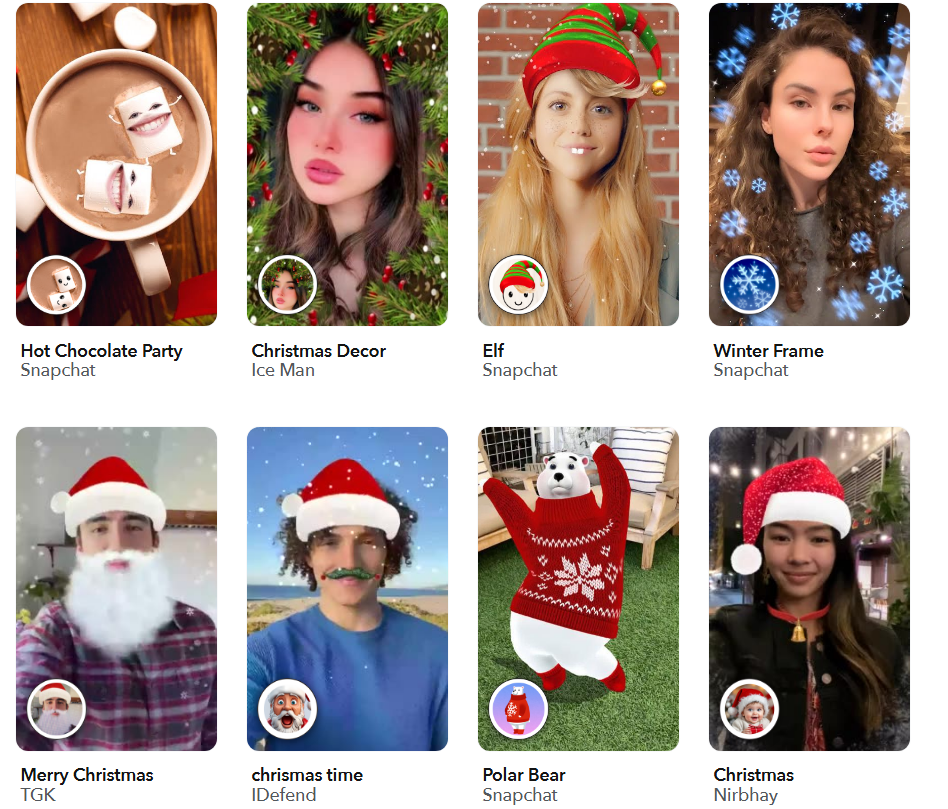
Best for: AR-first campaigns, playful family filters, viral social content.
YouCam Perfect / YouCam Makeup (Christmas Filter + Beautification)
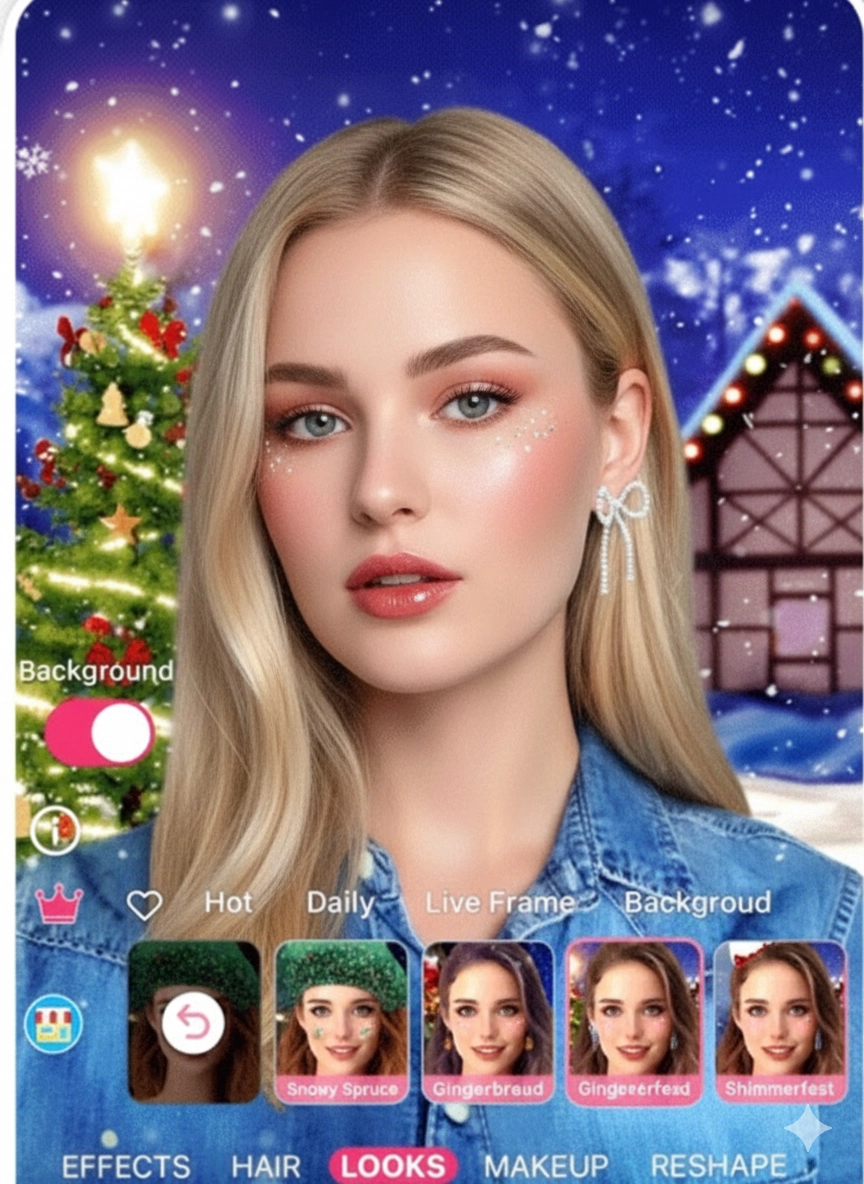
For exquisite Christmas filter selfies, YouCam Perfect and YouCam Makeup are undoubtedly the best choices. They offer Christmas templates, animated snowflakes, glitter effects, borders, and beautifying holiday makeup looks. They combine beautification features with holiday effects to create exquisite selfies.
Also, it offers many other filters such as nose piercing filter, beard filter, and bang filter for users to try. These two Christmas filter apps are extremely practical for selfie enthusiasts who want to combine beautification and holiday effects in one app.
Canva (Christmas Templates, Cards & Social Graphics)
Canva is a design-first platform packed with editable Christmas templates for cards, Instagram posts, banners, and email headers. Instead of face-tracking AR, Canva focuses on finished marketing assets and printable cards with festive frames, fonts and elements. It provides hundreds of Christmas templates, drag-and-drop stickers & frames.
Canva is ideal for creating multi-format holiday campaigns — easy templates for social, email headers, and printable greeting cards. Canva’s holiday template library is extensive and searchable by style.
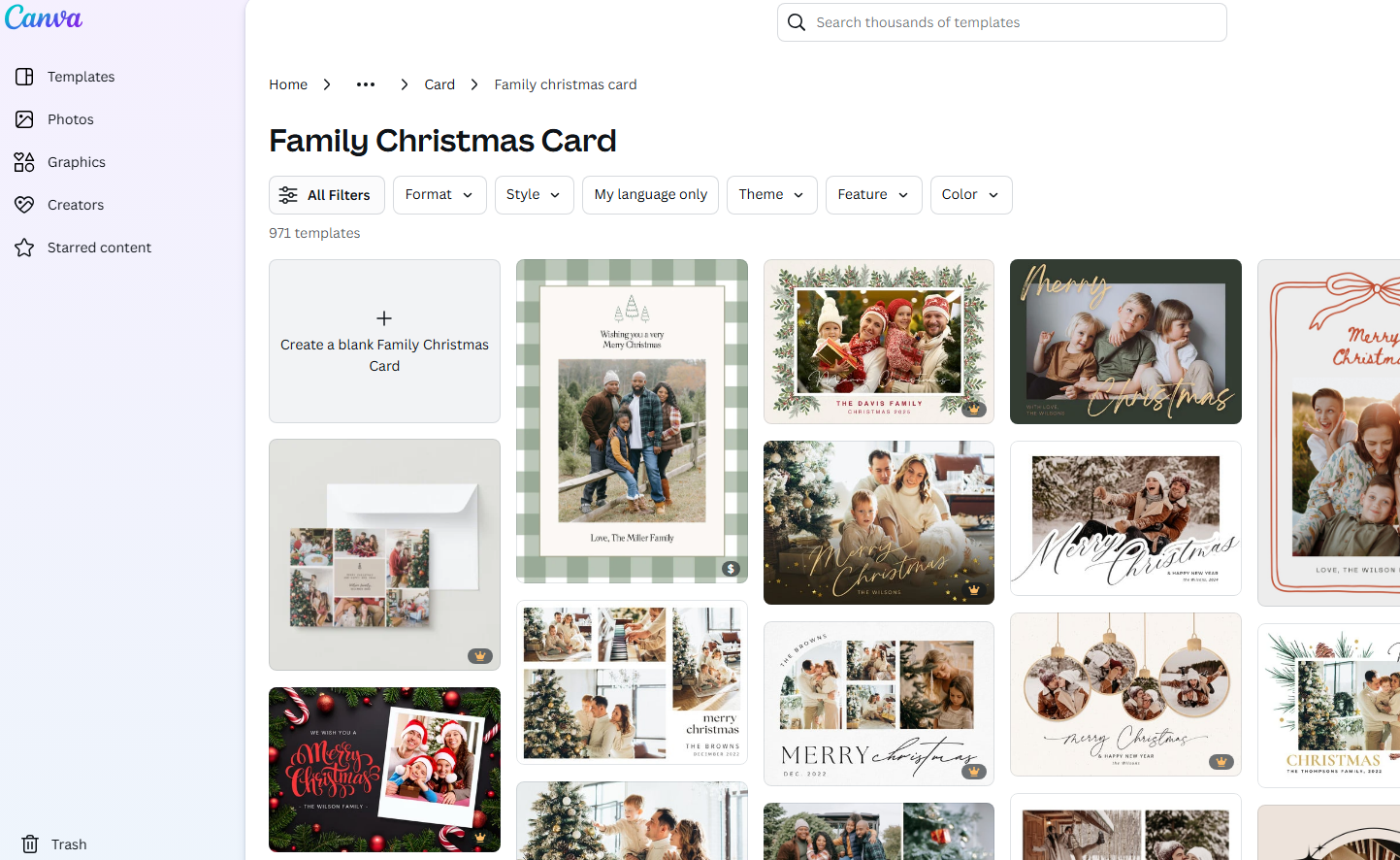
Best for: Marketers, small businesses, and anyone creating cards or campaign assets.
Create a Polished AI Christmas Video with Talking Avatar to Send Your Wishes
Beyond just creating Christmas filter photos? Vidnoz AI provides you with a new gameplay. It is not only a photo tool — it also offers powerful AI Christmas video generation, making it perfect for holiday content creation. Vidnoz allows you to upload any Christmas-themed image (Santa, elf, snowman, human portrait, cute holiday character, etc.) and instantly turn it into a talking Santa or other avatars. Simply type or paste a script, choose a voice, and Vidnoz animates the image with lip-sync and facial movement. Vidnoz also provides pre-designed Christmas video templates, allowing users to create holiday greeting videos in minutes.

Vidnoz AI - Create Free Engaging AI Video with Talking Avatar
- Easily create professional AI videos with realistic avatars.
- Text-to-speech lip sync voices of different languages.
- 2800+ video templates for multiple scenarios.
Features of this Christmas video generator:
- Convert any Christmas portrait into an AI talking photo.
- Make AI Christmas videos from photos online free.
- Provide massive Christmas filter templates to make videos.
- Support 2000+ AI voices and 140+ languages.
- Automatic lip sync AI online free + face animation delivers realistic effects.
- Perfect for Christmas greetings, marketing, or fun holiday content.
How to Create a Christmas Filter Video in 3 Steps:
Step 1. Click the button below to start with your free account. Once enter the main interface, switch to Templates and search for Christmas.
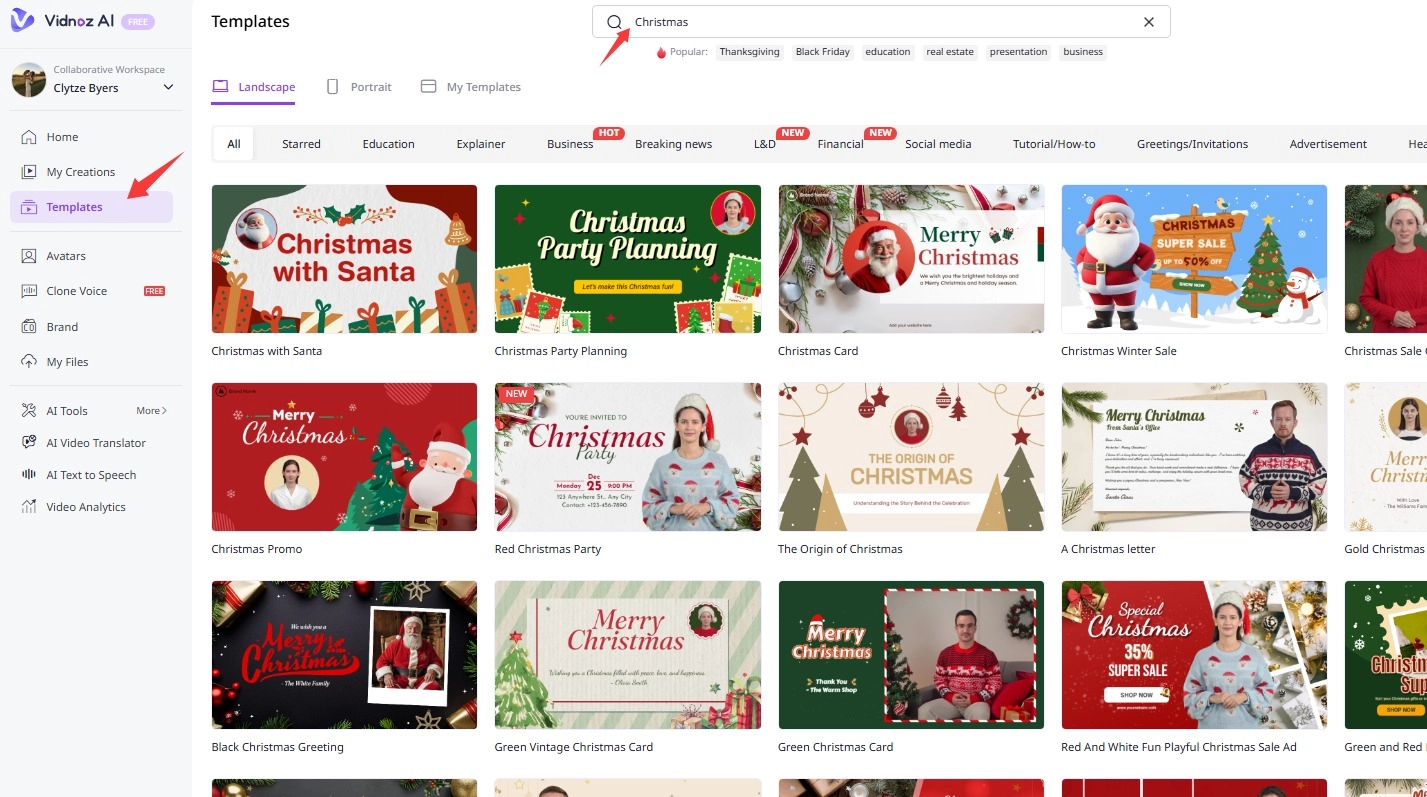
Step 2. Choose one and then start editing. You can replace the talking Santa with your image. You can add text, background music, videos, and stickers to make your Christmas video more appealing.
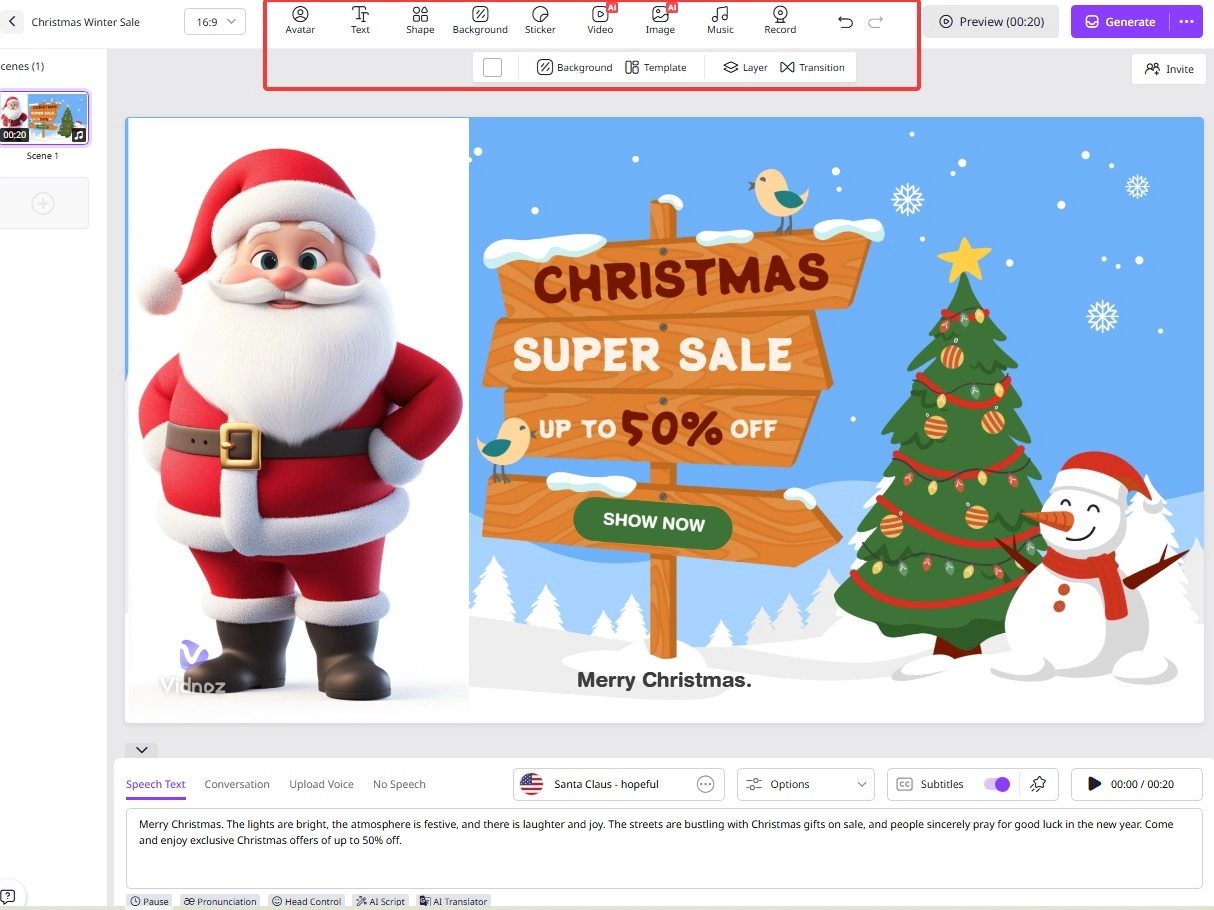
Step 3. After completing editing, click Generate and let the AI finish it for you.
Final Words
Christmas filters bring instant festive magic to any photo — whether you're taking selfies, creating Christmas cards, designing marketing visuals, or capturing family gatherings. With today’s AI-powered Christmas filter tools listed above, anyone can transform holiday photos with snow, lights, Santa effects, and cozy winter themes in seconds.
It is highly recommended to use Vidnoz AI to customize your Christmas photos, and create engaging Christmas videos with its free AI video generator. Start experimenting with different filter styles, get creative, and make this holiday season your most photogenic one yet. Wishing you a Merry Christmas!