Crowd chants add excitement and realism to any project, from sports highlights to short videos. Anyone can now create these sounds instantly using an AI crowd chant generator with the help of modern tools. These tools use artificial intelligence to turn text into energetic chant sounds that mimic real audiences. In this article, you’ll discover the top 5 AI crowd chant generators online. You’ll learn how each one works, how to use them step by step, and the pros and cons of every tool. We’ll also show how to add these chants to your videos with Vidnoz AI, AI Talking Avatar, and AI Video Generator tools.
- On This Page
Top 5 Free AI Crowd Chant Generators You Should Try
If you are looking to create realistic crowd chants for videos, sports events, or podcasts, these top 5 free AI crowd chant generators let you generate authentic crowd chants. This sounds quick and easy, without any complicated setup.
1. Clipfly AI Crowd Chant Generator
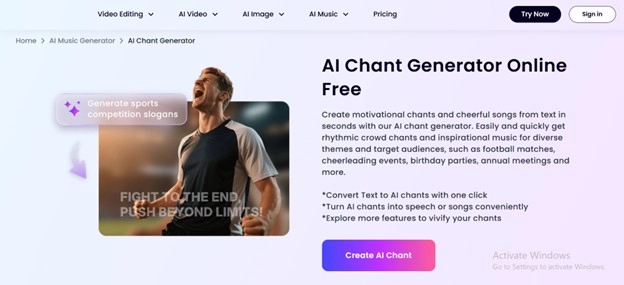
Clipfly offers a fun and creative AI crowd chant generator that turns short text lines into realistic chant sounds. You can easily write your chant, choose a crowd type (stadium, small group, or rally), and get an instant sound output. This tool is ideal for quick projects like YouTube intros, sports edits, or event promos. Clipfly’s fast processing and modern design make it a go-to for beginners who want crowd chants without any sound-editing skills.
How to use Clipfly:
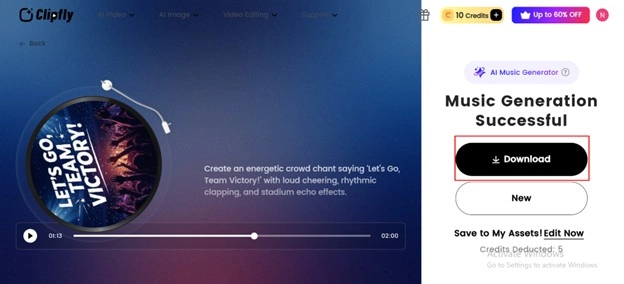
Step 1: Write a short description of your desired chant, including the theme, mood, and language to help the tool understand your audience’s vibe.
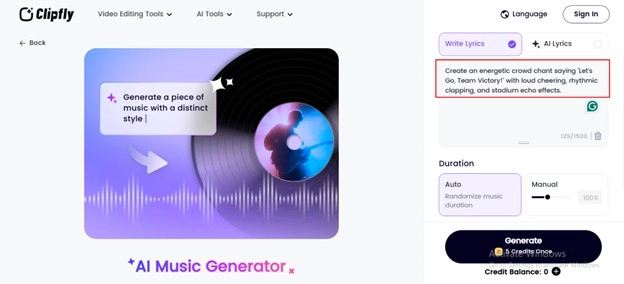
Step 2: Click “Generate” and let the AI instantly craft rhythmic and catchy chants that perfectly match your event’s energy.
Step 3: Once you like the results, copy or download the chant, or turn it into a complete song using an AI music generator.
Pros
- Fast generation speed with realistic echo
- Allows short chants and long repetitive chants
- Works directly in the browser with no installation
Cons
- Some crowd effects are only available to paid users
- Can’t upload your own crowd background
- Free users get a limited audio duration
Audio Example: Crowd Chant Generated with Clipfly
2. Fineshare AI Crowd Chant Generator
Fineshare provides a creative AI crowd chant generator free that focuses on real crowd mixing. It combines AI-generated voices with live crowd background to make chants sound natural and powerful. You can adjust pitch, rhythm, and chant style before exporting. It’s perfect for sports fans, music creators, or YouTubers who want strong and energetic crowd sounds without using recording equipment.
How to use Fineshare:
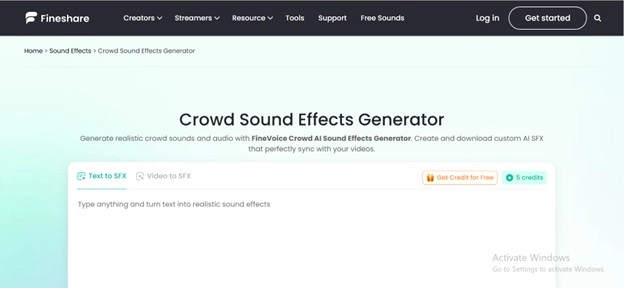
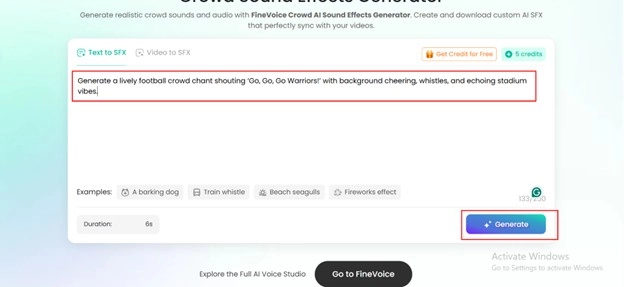
Step 1: Type a short description of the sound effect you want, include the style, mood, and any specific elements you’d like to hear.
Step 2: Click “Generate” to let the AI instantly create realistic and high-quality sound effects based on your description.
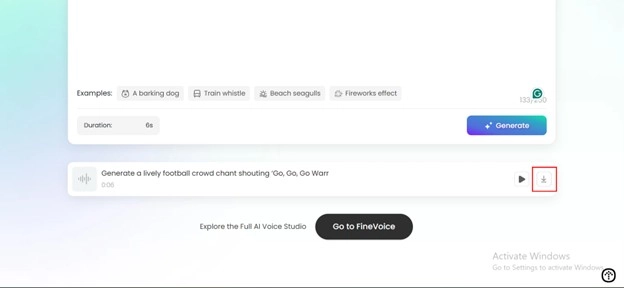
Step 3: Once you’re happy with the result, download and save the generated SFX directly to your device for easy use in any project.
Pros
- Realistic blend of voice and background noise
- Adjustable pitch and timing
- Free library of sample chants
Cons
- Output may vary by chant length
- Limited editing in free plan
- Requires registration for downloads
- Sometimes delays during peak hours
Audio Example: AI Crowd Chant Created with Fineshare
3. Vidnoz AI Voice Clone for Crowd Chants
Vidnoz AI isn’t just a video platform; it’s a smart AI crowd chant voice generator that uses AI voice clone to mimic real voices. You can record a sample crowd sound, clone it, and then generate chants from any text you enter. The Vidnoz AI Voice Cloning works perfectly with AI Talking Avatar and AI Video Generator. It allows you to combine chants with visuals or lip-synced characters. It’s ideal for creators who want custom chants that match their content tone.
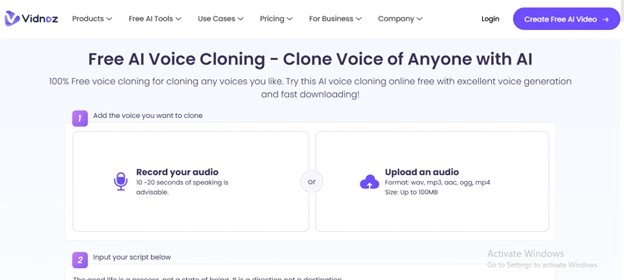
How to use Vidnoz AI Voice Cloning for crowd chants:
Step 1: Find or record the voice you want to clone it could be a celebrity, friend, or family member.
Step 2: Go to the Vidnoz AI platform and upload your audio file to the AI voice clone tool.
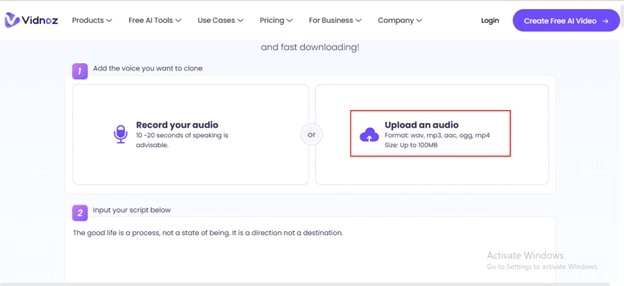
Step 3: Type or record the text you want the cloned voice to speak.
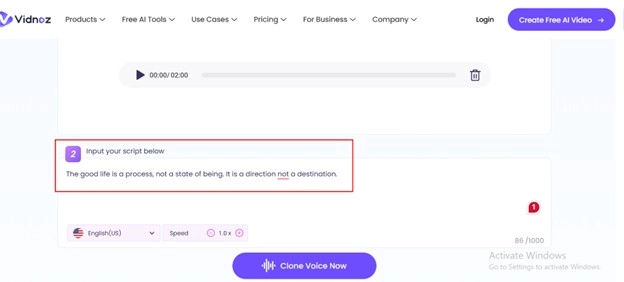
Step 4: Click “Clone Voice Now” and let Vidnoz AI work its magic.
Within moments, you’ll have a high-quality, AI-generated voice ready to use with AI Talking Avatar, videos, or AI crowd chant generator projects.
Pros
- You can clone any chant or crowd voice
- Works with avatars and video templates
- Offers free voice testing before saving
Cons
- Setup takes longer than simpler tools
- Needs a clear sound sample for cloning
- Some video export options are paid
- Limited cloud storage in free plan
Audio Example: AI Chant Generated with Vidnoz AI Voice Clone
4. Jammable Custom Crowd Chant Generator
Jammable is an artificial intelligence crowd chant generator. It is created to be used by sports fans, event organizers, and content creators who want to create chants that sound full of life. It synchronizes the chants with rhythm, voice patterns, and crowd energy with the help of sophisticated AI algorithms by creating the impression of a live stadium environment. It’s perfect to create custom chants for videos, games, or social media content.
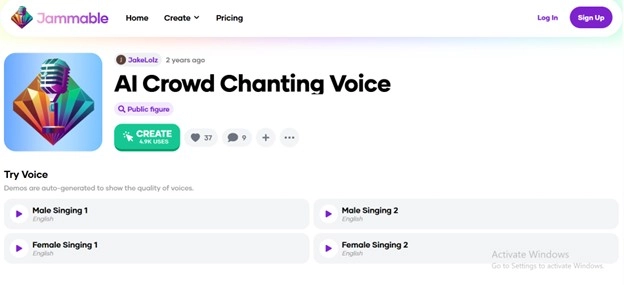
How to Generate Chants with Jammable:
Step 1: Open the Jammable platform and type your chant idea in the search box.
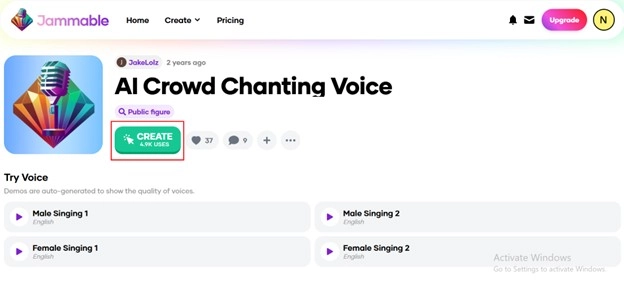
Step 2: Select a template and click the microphone to apply your own lyrics or voice.
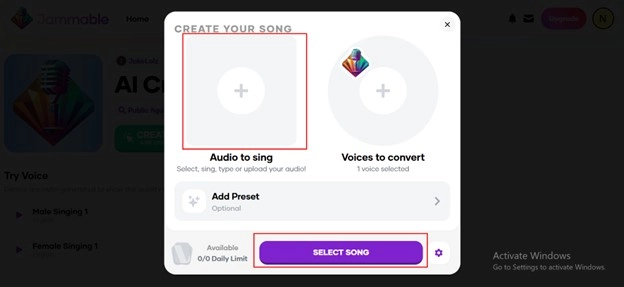
Step 3: Preview the chant in real-time with AI-generated crowd effects.
Step 4: Download your final AI crowd chant audio and use it in videos or projects.
Pros
- Intuitive interface suitable for beginners
- Extensive library with over 500 pre-made chants
- High-quality 320kbps export
Cons
- Free plan limited to 5 chants per month
- Premium features require a subscription
- No offline functionality
- Limited custom voice options
5. Storyblocks Crowd Chant Generator
Storyblocks is a versatile AI crowd chant generator free platform that combines a massive audio library with professional mixing tools. It enables users to locate and manipulate the quality of chants and sound effects, tempo, vocals, and background effects to their highest potential. Storyblocks provides access to already-made AI crowd chant voice generator clips if you are creating the content of a video, podcast, or sports reel.
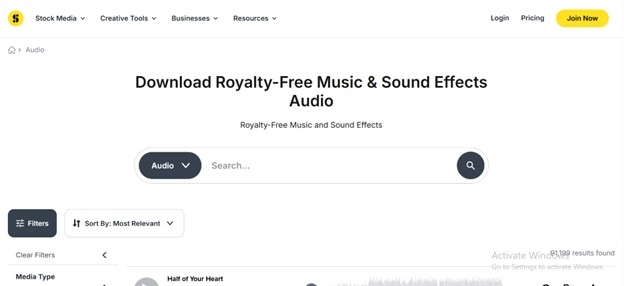
How to Find and Use Crowd Chants with Storyblocks:
Step 1: Open the Storyblocks website and type “Crowd chants” in the search field.
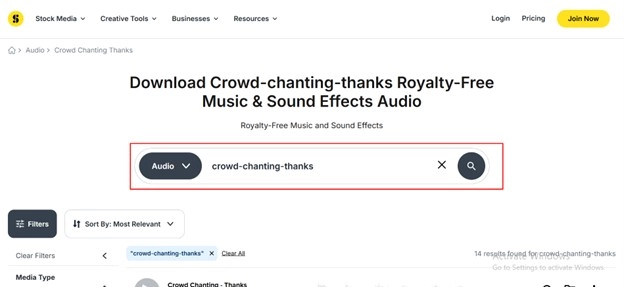
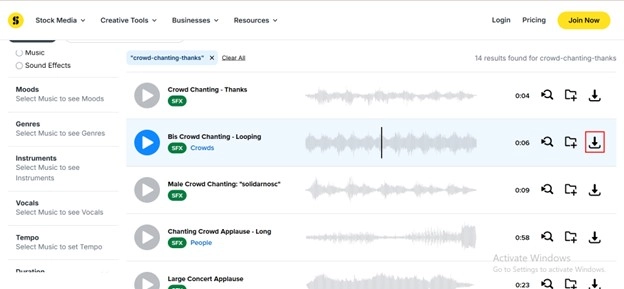
Step 2: Browse the results and select a chant audio you like.
Step 3: Adjust the tempo, layer, or vocal style to fit your project.
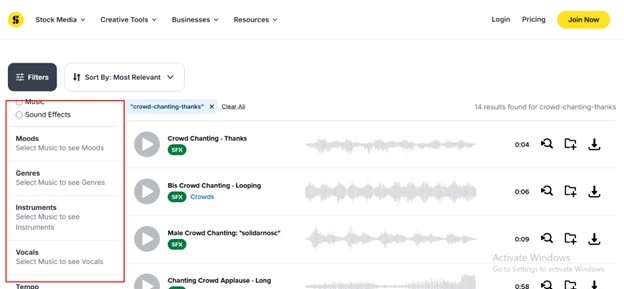
Step 4: Download the final audio file for use with your AI crowd chant generator projects or video editors.
Pros
- Studio-quality audio library with professional sound effects
- Flexible licensing for commercial use
- Intuitive drag-and-drop interface
Cons
- Requires monthly subscription for full access
- Large project files may require high storage
- Limited options for custom voice creation
- Internet connection required for cloud features
AI Crowd Chants Download
Once you’ve tested an AI crowd chant generator, you may want ready-made chants for quick use. Here are some examples you can find online:
1. Crowd Cheering: Lively stadium sound for intros.
2. Crowd Laughing: Ideal for humorous or blooper videos.
3. Football Chants: Common sports cheers with rhythm.
4. Parade Chants: Background chants with music beats.
5. Protest or Rally Chants: Strong, repeating group voices.
6. Event Applause: Light cheering with claps and whistles.
Always check that your downloaded chants are royalty-free before using them in public projects.
Bonus: Use Crowd Chants in Videos
Once you have created your favorite AI crowd chant, it’s time to bring it to life in videos using Vidnoz AI. This is a strong platform that allows you to simply create songs with images to create sports videos, event videos, or advertising videos. You can transform boring video content by using the free AI Video Generator and one of its pre-established templates. You will have a vibrant and active video within a few minutes.
How to Use Vidnoz AI with Crowd Chants:
Step 1: Open Vidnoz AI and log in to your account.
Step 2: Choose a ready-made video template or start from scratch using the Vidnoz Talking Head feature.
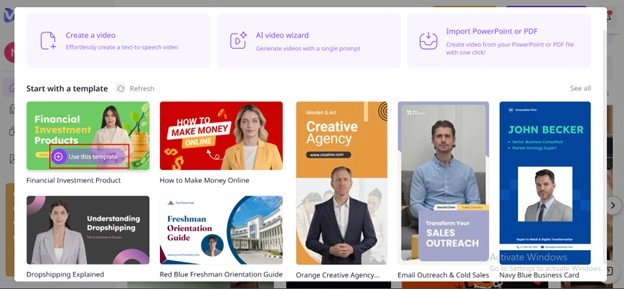
Step 3: Upload your AI crowd chant audio and sync it with the visuals.
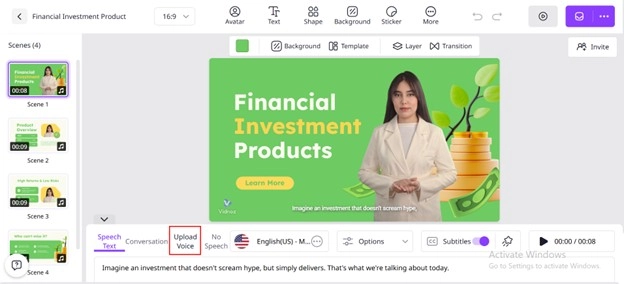
Step 4: Preview and export your final video for sharing across social platforms.
The Bottom Line
This is a simple and effective way to bring life and excitement to your projects by using an AI crowd chant generator. No matter what kind of sports highlights, promotional movies, or social media posts you are designing, these applications, such as Clipfly, Fineshare, and Vidnoz AI, will assist you in making it effortless to make realistic and custom chants. Vidnoz AI voice clone, AI Talking Avatar, and the AI Video Generator allow the combining power of the crowd directly into your videos and make them stand out immediately. Find some of the free options of an AI crowd chant generator, experiment with various tones, and learn how AI-driven chants can enhance your creativity and the size of your audience.

Vidnoz AI - Create Free Engaging AI Video with Talking Avatar
- Easily create professional AI videos with realistic avatars.
- Text-to-speech lip sync voices of different languages.
- 2800+ video templates for multiple scenarios.





![[AI Mashup Maker] Use Mashup AI to Mashup Two Songs in 3 Steps](https://www.vidnoz.com/bimg/ai-mashup-maker.webp)