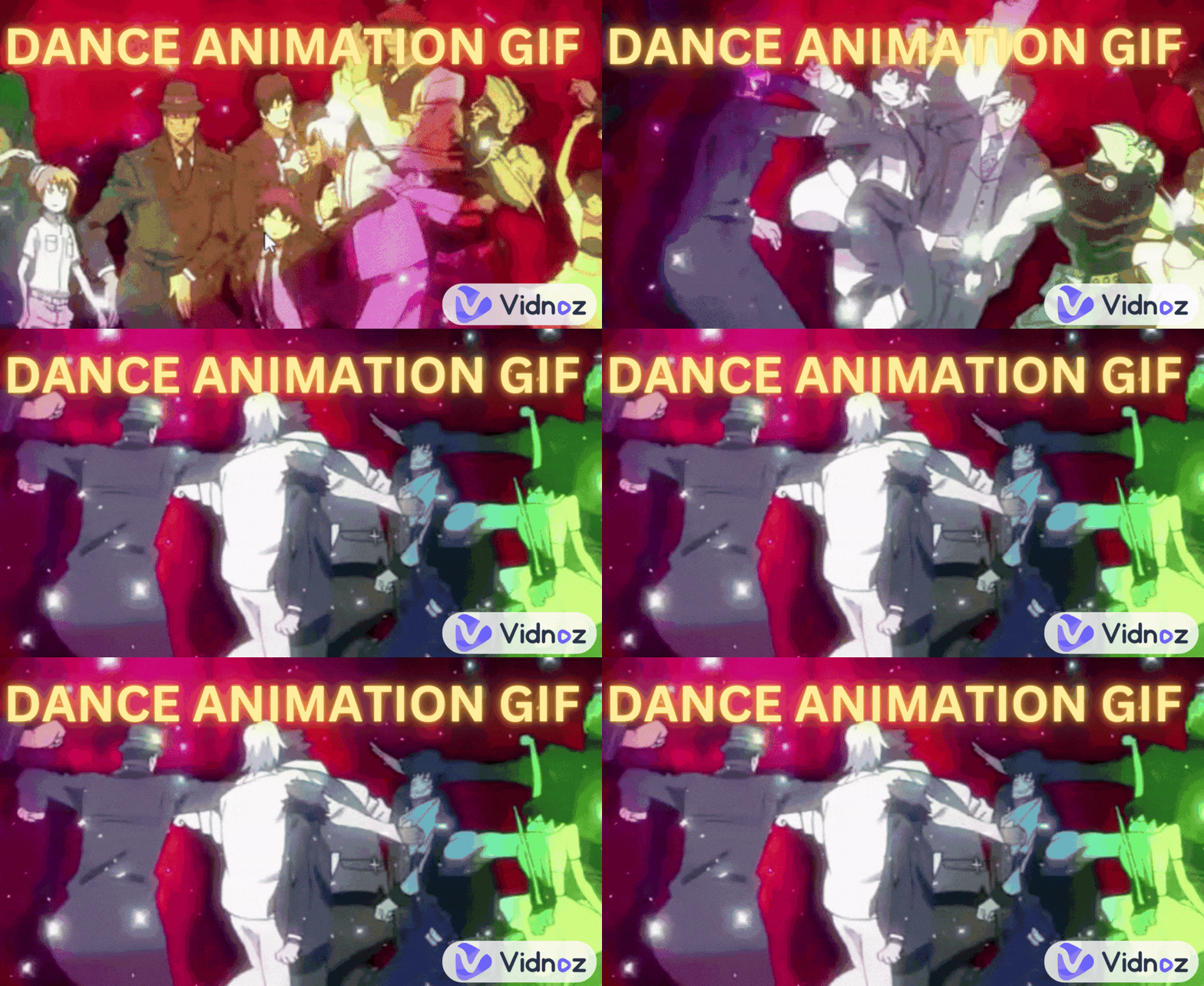
“How can a GIF play with sound?” My friend is surprised to find out the received GIF has a sound effect. “How do you add music to GIF?”
Think about seeing a GIF showing a shocking face with a sound like “Wow! Amazing!” That would be more interesting than a mute GIF. GIFs are widely used on social media, blogs, and messaging apps because they capture emotions and short moments perfectly. Many creators now want GIFs with sound or background music to make them more engaging for platforms like TikTok, Instagram, and Discord and also to make it easier to create a funny vibe in online chatting. This article is going to tell you the tested, right tools on how to add music to a GIF without installing complex software. Keep stunned.
- On This Page
-
Can You Actually Add Music to a GIF?
-
Examples of GIFs with Music/Sound
Add Music to GIF Animation
-
5 Tested Tools to Add Music to GIF Online Free
Tool #1: Ezgif-Add Sound to GIF or Video
Tool #2: Clideo-Add Audio to GIF
Tool #3: Vidnoz-Add Audio and Music to GIFs and Videos
Tool #4: Canva-Add Music to GIF Online for Free
Tool #5: Kapwing-Make GIF with Sound
-
Top 5 Sites to Free Download Sound Effects
Can You Actually Add Music to a GIF?
Actually, you cannot add music to a GIF because GIF files do not support audio. Even if there are tools to add sound to video and turn it into an audible GIF, it cannot play. GIFs are inherently image files that don’t support audio by default. However, we can achieve it indirectly.
Disguise a video as an audio GIF:
- Create a short video or convert a GIF to a short video like MP4 or WebM.
- Add background music to it or combine it with wanted audio or sound effects.
- Make it loop like a GIF with sound.
Examples of GIFs with Music/Sound
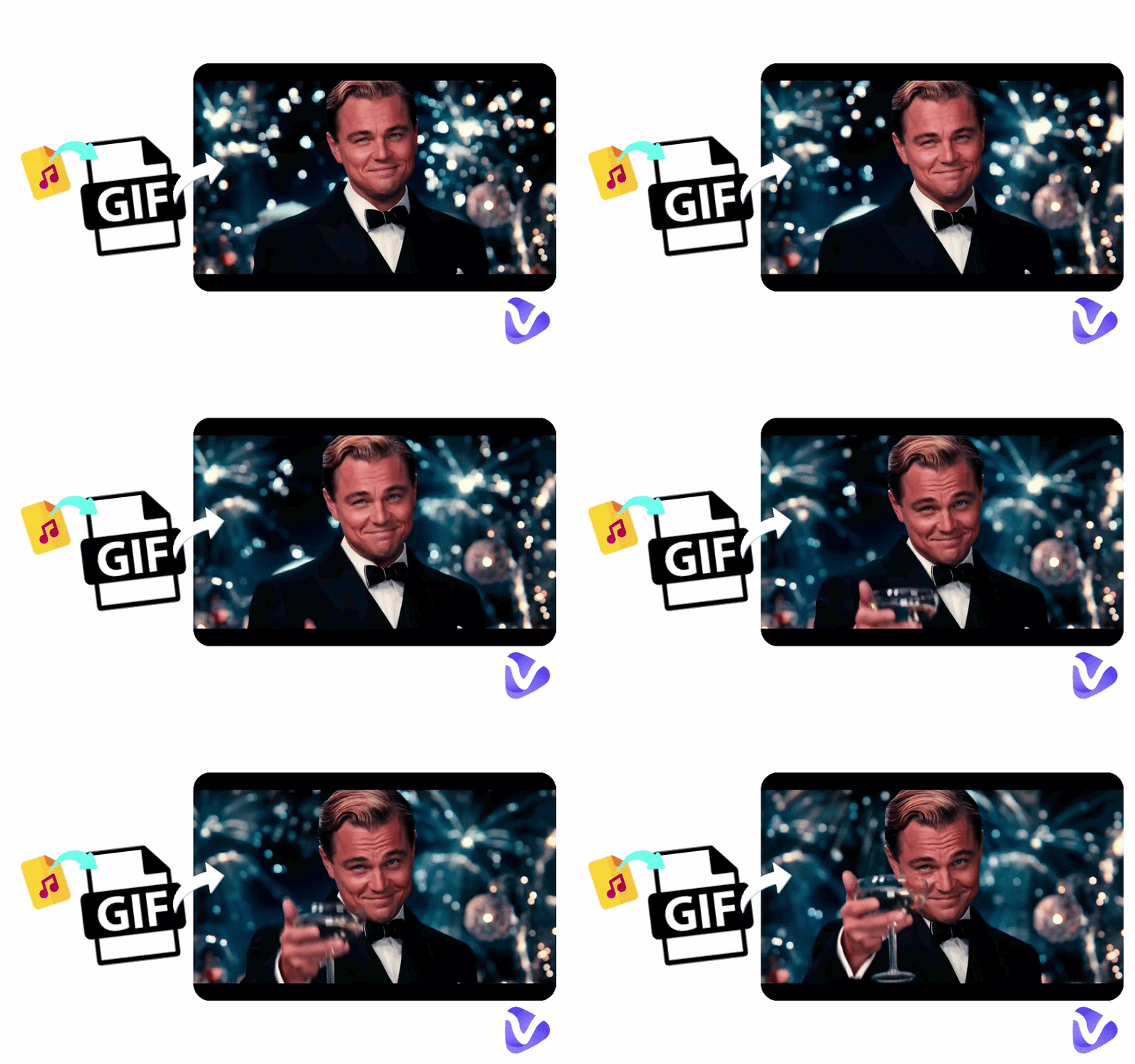
Before starting to add music to GIFs, there are examples of GIFs combined with audio, music, and sound effects for you to preview the final results first.
Add Music to GIF Animation
Add Audio to GIF
Add Sound Effect to GIF
These "audio GIFs" are technically videos that behave like GIFs. You can achieve this effect with the tools below.
Feel free to save the embedded GIFs with music instantly if you like them: Right-Click > Save Video.
5 Tested Tools to Add Music to GIF Online Free
What to look for in a tool to add music to GIF? Browse the following tools to be clear about your requirements.
Tool #1: Ezgif-Add Sound to GIF or Video
Ezgif is a comprehensive online editor for video, GIF, and other image formats. Its “GIF to Video” and “Add Sound to Video" features allow bloggers and creators who want quick edits to add music to a GIF without signing up and complicated editing steps.
Site: https://ezgif.com/video-sound
How to Add Music to a GIF on Ezgif?
Step 1. Go straight to the option “Add Sound to Video"; here you can upload your GIF file or paste its URL.
Step 2. Upload an audio file (MP3, WAV, M4A, or OGG).
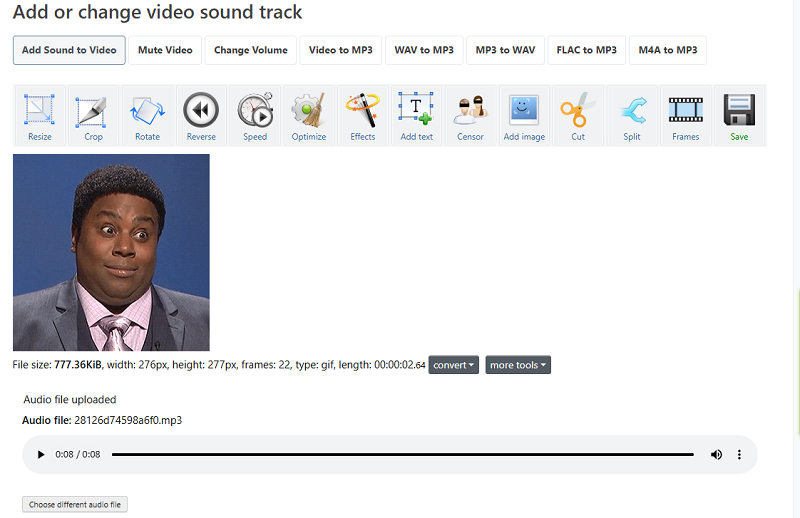
Step 3. Adjust the audio volume, start time, or trim the audio to match the animated GIF.
Step 4. Combine sound and video. Ezgif will auto-convert the GIF to video and mix audio with the video for exporting the final MP4 files.
Last, if you are a creator for social media, you may need a tool to loop the short video, making it seem like a GIF. This is good for increasing the completion rate of the video.
Is It Free to Use?
Yes. Ezgif is completely free and does not require registration.
What Are the Cons?
- No preview before mixing the video and audio.
- Unable to loop the video with audio directly.
Also Read: Vidnoz AI Music Video Generator >>
Tool #2: Clideo-Add Audio to GIF
Clideo is an effective online GIF editor that makes it easy for beginners to combine visuals and audio. No matter if you’d like to add music, sound effects, or instantly convert text to speech, it is freely accessible to add music to animated GIF files. To save your effort, it enables you to loop the video clips by copying and pasting the combination of video and audio on the timeline, disguising it as an animated GIF file easily.
Site: https://clideo.com/editor/
The tool supports multiple formats and provides drag-and-drop editing. You can upload a GIF, add background music, and adjust timing directly in the editor. Because of its clean interface and quick export options, Clideo works well for social media creators who want to enhance GIFs with sound effects or music.
How to Add Audio to Animated GIF
Step 1. Open the Clideo online editor to upload your GIF file and music file, or you can input words for text-to-speech.
Step 2. Select the video or audio on the timeline, and adjust its length, speed, volume, etc., making the audio timeline sync with the GIF loop.
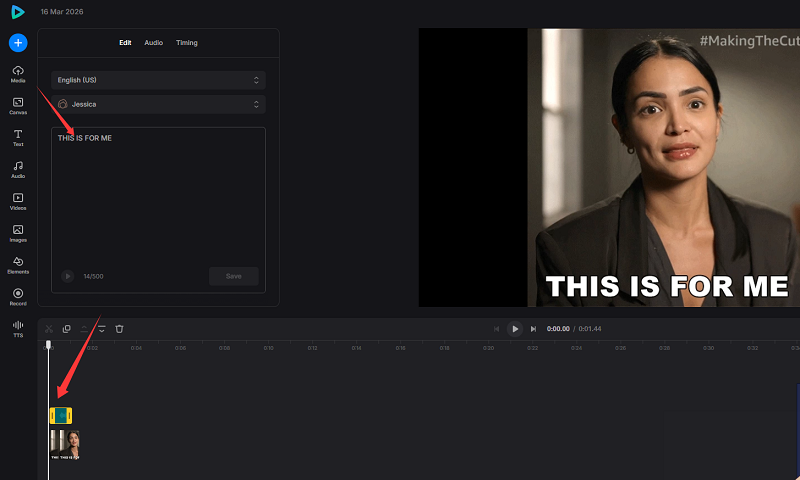
Step 3. Export the file as a video with sound in 480P or 720P for free.
Is It Free to Use?
Clideo offers a no sign-up free version with basic features, but it has a watermark limitation on the output videos.
What Are the Cons?
- Free exports include a watermark.
- Higher quality export options require a paid plan.
Tool #3: Vidnoz-Add Audio and Music to GIFs and Videos
Vidnoz provides a totally free and powerful yet beginner-friendly online video editor that lets users easily add music to GIF files and other video formats. Without watermarks, music asset limits, and output quality restrictions, it is particularly useful for content creators, marketers, or educators who want to add background music, AI voiceovers, narration, or sound effects to animated content.
Site: https://www.vidnoz.com/online-video-editor.html
How to Add Music to a GIF
Step 1. Go to the Vidnoz online video editor. Upload your GIF file to the editing timeline.
Step 2. Grab audio from its text-to-voiceover tool, free music tracks, or your local storage.
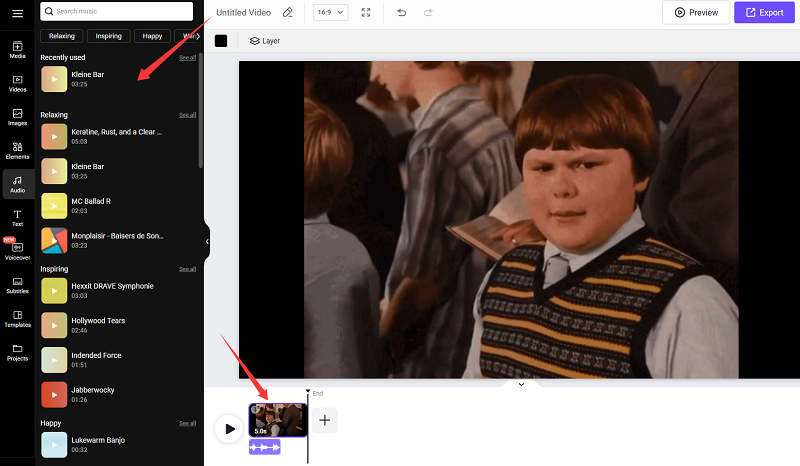
Step 3. Add them to the timeline. Trim the video and audio, and duplicate to loop them.
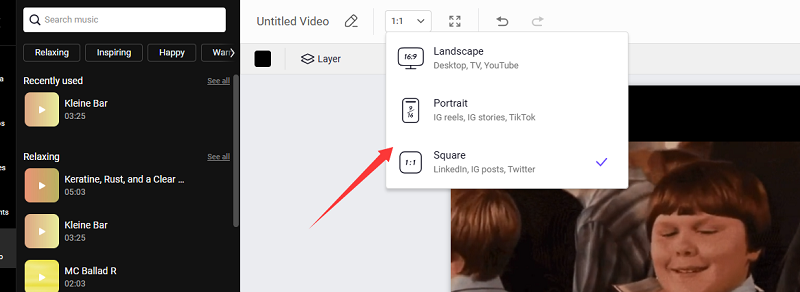
Step 4. Pick a preferred aspect ratio, and export the final clip in HD quality. Go to Projects > Videos > Download the video.
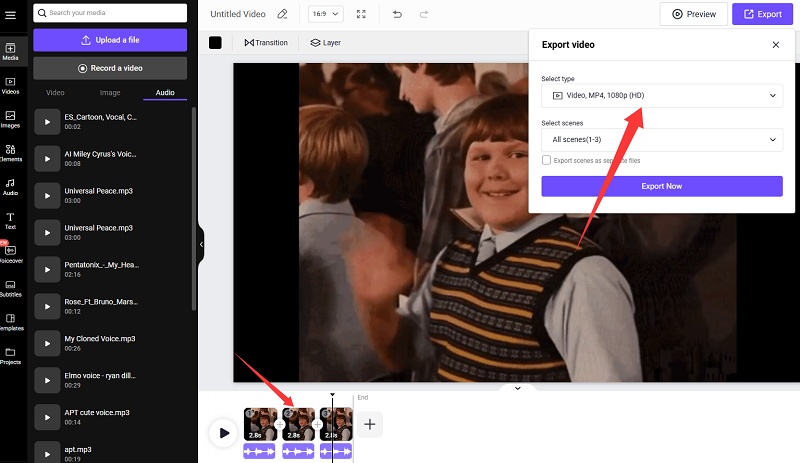
Is It Free to Use?
Yes, Vidnoz AI online video editor offers a complete free trial for all users.
What Are the Cons?
- Its uploading speed may depend on file size.
- Requires creating an account to access all features.
Bonus Tip: Want to make your own GIF with music from scratch? Vidnoz AI Image to Video is what you need. It enables you to generate funny GIFs from any image. Just use text to describe the motions of the subject in the picture, and choose an AI model that can auto-create audio.
Tool #4: Canva-Add Music to GIF Online for Free
Canva is a popular design platform that also provides video editing features. With its online editor, users can easily add music to animated GIF files and turn them into engaging video content with any watermark. It also supports AI text-to-voice, a free AI music library, and audio uploading. It is perfect for marketers, educators, and social media creators who want to enhance GIFs with music while designing graphics at the same time.
Site: https://www.canva.com/features/add-music-to-gif/
How to Add Music to Animated GIF
Step 1. Sign in to open Canva’s editor and upload your GIF file.
Step 2. You can use its AI tools to generate any audio, choose a free beat, or just upload music or sound.
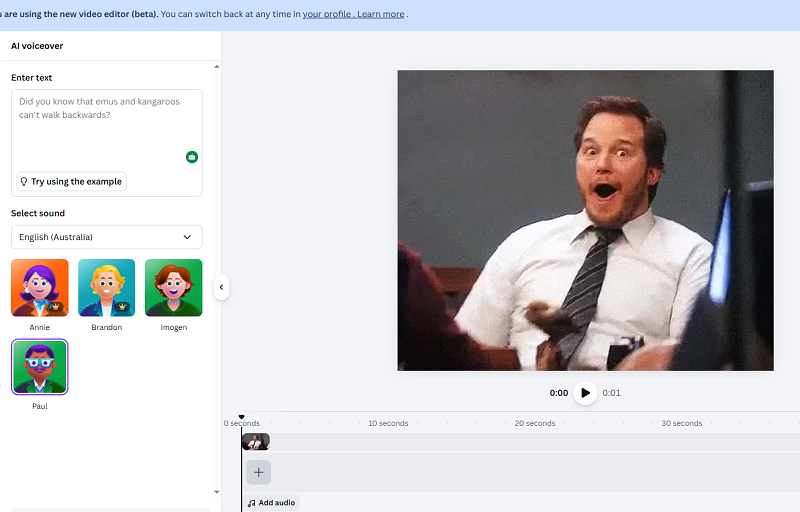
Step 3. Drag the audio track and GIF or video clip to the timeline, and copy to loop them.
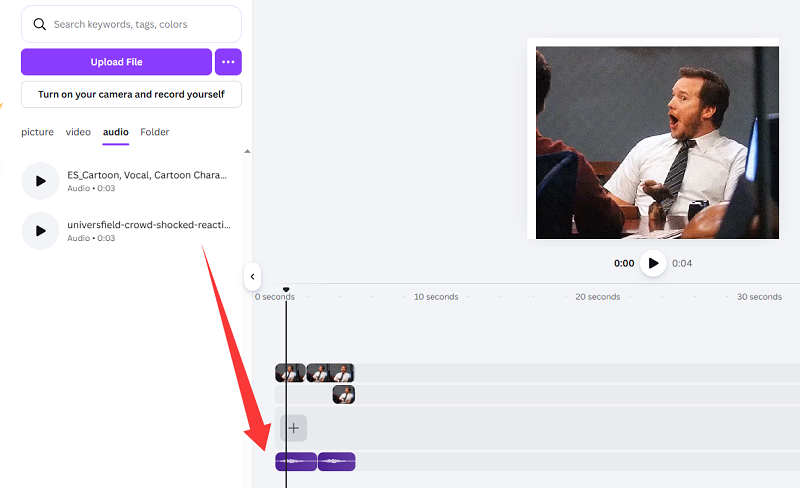
Step 4. Export the project as a video file.
Is It Free to Use?
Yes, Canva has a free version with many editing tools.
What Are the Cons?
- A bit of a complex interface for first-time users.
- The free plan is unable to adjust the export quality.
Also Read: Vidnoz AI Talking Photo Free - Bring Photos to Life >>
Tool #5: Kapwing-Make GIF with Sound
Compared to the above two online video editors, Kapwing is typically more powerful but also more complicated to add music to animated GIFs quickly. It is more ideal for creators who want more control over their edits. In addition to adding audio to GIFs, it also allows trimming clips, adding text, subtitles, and visual effects, which make it a professional choice for turning GIFs into engaging social media videos.
Site: https://www.kapwing.com/tools/add-audio/gif
How to Add Music to a GIF
Step 1. Sign up for Kapwing and import your GIF and sound effects.
Step 2. Add the selected files to the timeline and loop the video clip and audio if it is needed.
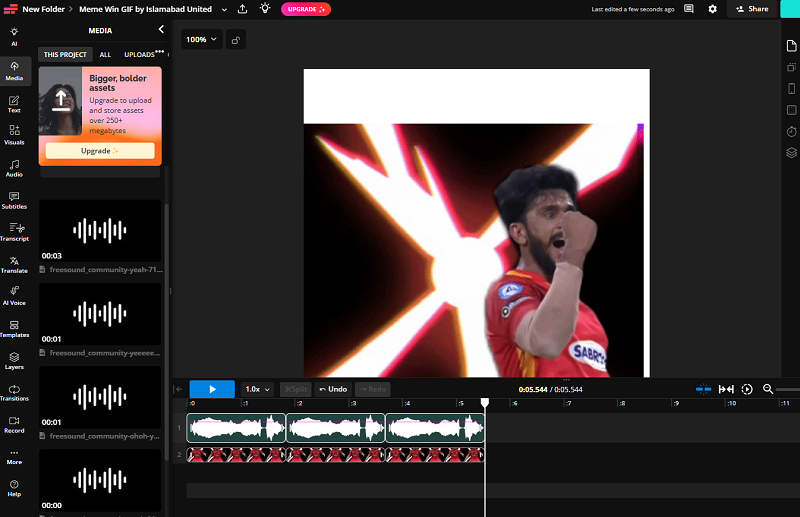
Step 3. Make detailed adjustments to them and click on Export Projects. Free to download the short video loops or share it.
Is It Free to Use?
Kapwing provides a free plan with limited features.
What Are the Cons?
- The complicated interface is not easy for beginners.
- Free exports may include a watermark.
- Large projects may process slowly.
Top 5 Sites to Free Download Sound Effects
There are 5 websites that offer massive sound effects and royalty-free music. Whether you’d like to add them to memes, TikTok loops, or game reactions, these sites are free and accessible resources. Part of them need to register for downloading, while others just enable download directly without signing up. Explore them one by one and start your creations to add music to GIFs.
- https://pixabay.com/sound-effects
- https://freesound.org/
- https://www.epidemicsound.com/sound-effects/
- https://sounddino.com/
- https://www.zapsplat.com/
The Bottom Line
These six tools, like Vidnoz online video editor, make it easy to add music to GIF, even if you have no editing experience. Whether you want to create memes, social media clips, or promotional content, these platforms offer simple solutions to combine animation and audio in just a few steps. Try one of these tools today and start creating GIFs with music and creative photo effects.

Vidnoz AI - Create Free Engaging AI Video with Talking Avatar
- Easily create professional AI videos with realistic avatars.
- Text-to-speech lip sync voices of different languages.
- 2800+ video templates for multiple scenarios.