Multiple Me Video Generator - Make Anyone Clone Themselves Naturally
Create realistic multiple me videos from photos or text in seconds. Turn still images into lifelike clone motion with AI-powered doppelgänger and body movement.
Generating...
This may take a few minutes.
Zoom in
Share
Download
No watermark
Generating...
This may take a few minutes.
Zoom in
Share
Download
No watermark
Image to Multiple Me Video
Text to Multiple Me Video
Model
Image
Upload an image
Drag or upload your image JPG,PNG, WEBP
Drag and drop the photo here
Generate NowGenerating
Model
Video Description
Generate NowGenerating
Ready to Generate! Confirm Your Model:
Vidnoz Lite
Standard
Selected
Instant video drafts with clean motion effects.
Speed:
Quality:
Standard
Generate Now
Switch Now
Vidnoz Turbo
Enhanced
Selected
Fluid motions with natural-looking transitions.
Speed:
Quality:
Enhanced
Generate Now
Switch Now
Vidnoz Ultra
Premium
Selected
High-quality videos with precise movement control.
Speed:
Quality:
Premium
Generate Now
Unlock Ultra
Vidnoz Max
Ultimate
Selected
The most lifelike results with detailed textures.
Speed:
Quality:
Ultimate
Generate Now
Unlock Max
Edit uploaded images
Drag to crop, scroll to zoom.
Drag to crop, pinch to zoom.
Aspect Ratio
Original
16:9
9:16
1:1
3:4
4:3
21:9
9:21
Reset
Confirm
Make Seamless Multiple Me Videos with Vidnoz
AI Multiple Me Generation from Text & Photo
Vidnoz AI Image to Video tool lets anyone create natural multiple me videos from a single photo or a short text prompt. Upload a photo of a person and add a prompt like "two people walking together" or a clone of oneself. Alternatively, simply choose text-to-video to generate an original multiple me video, creating clones that interact seamlessly.
Seamless Multiple Me Motion
Embraced with advanced AI motion modeling, Vidnoz's multiple me filter produces natural character interactions, fluid body movements for each clone, and realistic transitions between them. No stiff poses or awkward overlaps - every clone me video looks smooth, balanced, and lifelike.
Design Any Clone Me Style
Turn anyone into a multiple me effect in any style, like realistic, anime, cartoon, 3D, cinematic, or fantasy. You can create doppelgänger models walking together, clone versions in a cyberpunk city, clones having a conversation on the street, and more.
HD Multiple Me Video Output
Generate high-definition multiple me animations, with sharp details, smooth motion, and clear visuals for each clone. Add prompts like 4k, high resolution, HD, etc, to create stunning clone me filter videos for social media, marketing, games, or professional presentations.
Multiple Me Generator for All Creative Needs
Vidnoz Multiple Me Generator fits perfectly for various scenarios and use purposes.
Marketing & Promo Videos
Make product mascots, fashion models, or brand characters interact with themselves on screen to instantly grab attention. A clone me effect creates a stronger visual impact than still images, helping you highlight clothing variations or product details more dynamically.
BeforeAfter
Marketing
Social Media Content
Clone videos stand out far more than static photos on social platforms. Use Vidnoz's multiple me filter to create engaging content for TikTok, Instagram Reels, YouTube Shorts, and Facebook posts to boost watch time and increase shares and followers.
BeforeAfter
Social Media
Character Animation
Turn your characters into interacting figures for games, comics, visual novels, or storytelling videos. Transform your static character into an animated clone with simple clicks. Instead of static poses, your characters can now meet, wave, or move together naturally.
BeforeAfter
Animation
Funny Edits & Memes
Turn friends or pets into hilarious multiple me videos. Make clones of them wobble, dance, or interact with each other to create playful and entertaining clips for memes, jokes, and viral content.
BeforeAfter
Memes
How to Create Multiple Me Videos Online for Free
1
Upload an Image or Text to Video
Upload a photo you want to generate a multiple me effect, or switch to the text to video mode to create with a prompt only (e.g., a clone of a man walking towards himself).
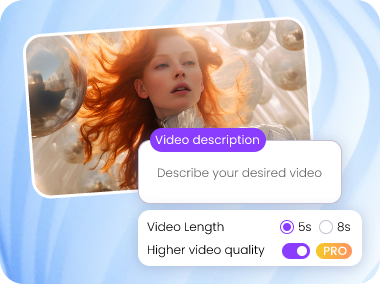
2
Set Your Preferences
Choose an AI model, write your multiple me description, and select video length and quality. Be sure to specify the clone interaction you want.
3
Generate Your Multiple Me Video
Click Generate Now. Your clone animation will be ready in seconds with options to share or download your unique clone me video.
Why You'll Love Vidnoz Multiple Me Generator
Explore more impressive highlights of the Vidnoz Multiple Me generator.
Free AI Video Creation
Vidnoz offers daily free credits for you to create multiple me effect videos with no tasks or subscriptions required. Turn your clone ideas into motion without a penny.
Fast Generation
No motion capture. No tedious video editing. Just upload, describe, and generate. Create multiple me videos in seconds and boost your productivity.
Web-based for All Devices
Use the online multiple me generator directly from your browser on PC, Mac, tablet, or smartphone. No downloads or installations needed to create your doppelgänger masterpiece.
Easy to Use
No animation skills needed. Generate clone videos effortlessly. The intuitive interface and simple workflow make it easy for anyone to create stunning multiple me videos in minutes.
Explore More Creative AI Video Effects
Create Your Multiple Me Video to Bring Clones to Life