AI Video Generator From Image - Free Video Effects&Templates
Vidnoz’s preset video effects and templates help you generate storytelling videos. Use prompts to further customize your video; magic reactions between texts, images, and videos await you to explore.
Generating...
This may take a few minutes.
Zoom in
Share
Download
No watermark
Generating...
This may take a few minutes.
Zoom in
Share
Download
No watermark
Image to Video
Text to Video
Model
Image
Upload an image
Drag or upload your image JPG,PNG, WEBP
Drag and drop the photo here
Generate NowGenerating
Model
Video Description
Generate NowGenerating
Ready to Generate! Confirm Your Model:
Vidnoz Lite
Standard
Selected
Instant video drafts with clean motion effects.
Speed:
Quality:
Standard
Generate Now
Switch Now
Vidnoz Turbo
Enhanced
Selected
Fluid motions with natural-looking transitions.
Speed:
Quality:
Enhanced
Generate Now
Switch Now
Vidnoz Ultra
Premium
Selected
High-quality videos with precise movement control.
Speed:
Quality:
Premium
Generate Now
Unlock Ultra
Vidnoz Max
Ultimate
Selected
The most lifelike results with detailed textures.
Speed:
Quality:
Ultimate
Generate Now
Unlock Max
Edit uploaded images
Drag to crop, scroll to zoom.
Drag to crop, pinch to zoom.
Aspect Ratio
Original
16:9
9:16
1:1
3:4
4:3
21:9
9:21
Reset
Confirm
AI Video Generator From Image in One Click: Free Online Solution
Bring AI Image to Video to the Next Level
One of this market’s most handy and advanced free AI video generators helps you bring any static image to life. Use prompts to customize your AI videos in the way you prefer. Adding magic spells to an iconic fight scene or adding strange animals to a fantasy scene. Unleash your imagination to generate unique AI videos with Vidnoz AI Video Generator.
Start-End Frames to Customize AI Videos
Super advanced way to convert images to videos. Vidnoz allows users to set up a start frame and an end frame to create a continuous and logical video. To say it in a simple way, you can navigate the specific video generation by deciding the first scene and the final scene of your AI video, and Vidnoz gives you the best version of remixing and blending.
Choose Out-of-Box Effects to Create AI Videos From Images
For those who don’t know how to instruct an AI video generator via prompts, Vidnoz offers fancy and chic video effects to free them from this dilemma. You can now find mature effects for both formal and casual scenarios, including advertising effects that highlight products or AI muscle/hugging videos for social media platforms. Come visit Vidnoz’s effect pool to see if there’s anything you need.
Fast Generation, No Watermark
Surpassing 80% video generation tools in this industry, Vidnoz offers fast and efficient solutions to generate smooth and high-quality AI videos. In less than one minute’s span, you can get a reasonably rendered AI videos without being contaminated by watermarks.
AI Video Generator From Image: Best Scenarios for Inspiration
If you don’t know how to quickly get the hang of Vidnoz, you can refer to the 4 representative use cases.
Product Image to Video
Want to use an eye-catching video to promote your brand or products? Using AI image to video services helps save your energy and budget. Cast aside your plans to rent a studio or hire a cameraman to film an Ads video. Vidnoz can do all the work for you and believe it or not, the final result looks just like a real thing.
BeforeAfter
Product
Portrait Image to Video
Make funny or formal self-introduction videos based on the portrait images you upload. The potential is not limited to that. You can also shake hands with celebrities, hug Jesus, or make yourself fly via advanced AI functions. Unleash your imagination and generate stunning videos now.
BeforeAfter
Portrait
Landscape Image to Video
Generate live wallpaper videos based on the landscape images you upload. Create a slow-flowing river or a falling waterfall, and AI knows how to make the static images move in a natural way. Vidnoz can generate crystal-clear video in high resolution, with no choppy frames, nor watermark.
BeforeAfter
Landscape
Film Image to Video
Use image to video AI services to create aesthetic and romantic film scenes. You can use prompts to make an iconic movie scene unfold in an unprecedented way. Or use prompts to change the main characters in the scene. The magic wand is your imagination. Take good advantage of this free image to video AI generator now!
BeforeAfter
Film
How to Generate AI Videos From Images Online for Free
1
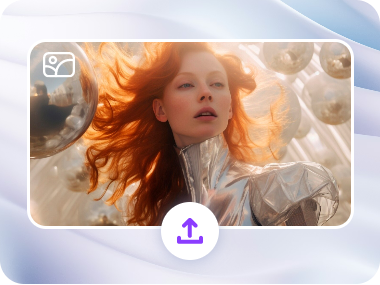
Upload an Image to Vidnoz
Vidnoz accepts all types of images. Anime, sketch, movie screenshots, gaming screenshots, and AI-generated images are standard materials for visual upscales.
2
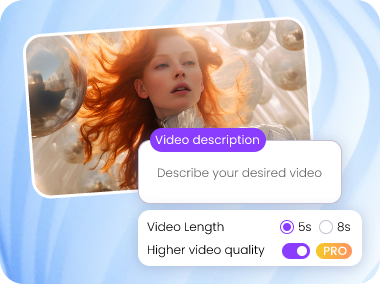
Set Your Preferences
Use video effects/start-end frames/template prompts to customize your AI videos.
3
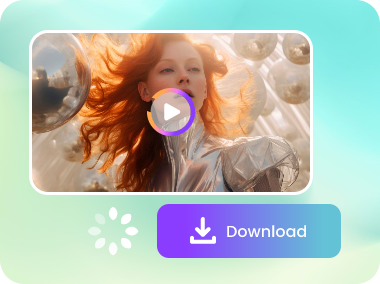
Generate and Download for Free
In a minute, your AI videos will be ready. Download them for free.
Why Vidnoz Image to Video Generator Is An Upper Choice?
Here are the four major reasons that cite Vidnoz’s leading role in the AI image to video industry.
Market-Leading AI Models
Vidnoz cooperates with Hailuo, Seedance, Kling, Google Veo, Vidu, Pixverse, and Sora2, which means you can leverage these advanced services at more reasonable prices.
Free of Charge
Vidnoz AI Image to Video Generator offers free credits for its users to generate high-quality AI videos for free.
HD Video Quality
Vidnoz creates videos without quality loss. This tool is able to maintain the original resolution of the images you upload.
All Genres Supported
Recognize and remix all types of video materials, with anime, realistic, cinematic, fantasy, or sketch images all supported.
Explore More Creative AI Video Templates
Create Natural Clips with AI Video Generator From Images